1. Киришүү

Figure 1.1: Meloya Digital Wall Clock with Remote Control
This image provides an overall view of the Meloya Digital Wall Clock and its accompanying remote control.
This manual provides detailed instructions for the setup, operation, and maintenance of your Meloya Digital Wall Clock. Please read this manual thoroughly before using the product to ensure proper functionality and longevity.
The Meloya Digital Wall Clock features a dynamic RGB display with large 3-inch digits, offering clear visibility from a distance. It supports both 12-hour and 24-hour time formats, includes a remote control for easy setup, and offers adjustable brightness levels. Its sleek design makes it suitable for various rooms including living rooms, kitchens, garages, and bedrooms.
2. Пакеттин мазмуну

2.1-сүрөт: Пакеттин мазмуну
This image displays all components included in the product packaging, ensuring you have everything needed for setup.
Сиздин пакетиңизде төмөнкү нерселердин бардыгы камтылганын текшериңиз:
- 1x Meloya Digital Wall Clock
- 1x Алыстан башкаруу
- 1x USB Power Cable (10 ft long)
- 1x USB Power адаптери
- 1x Колдонуучунун колдонмосу
- 1x Measuring Ruler (for installation)
- 2x Adhesive Hooks
- 2x пластикалык анкерлер
- 1x CR2032 Battery (pre-installed or included for backup memory)
3. Продукт бүтүп калдыview

Figure 3.1: Rear Panel Components
This image highlights the key components on the back of the clock, essential for setup and basic adjustments.
Familiarize yourself with the main components of your Meloya Digital Wall Clock:
- Алдыңкы дисплей: Large 3-inch LED digits for time, with dynamic RGB color options.
- Алыстан башкаруу: Used for setting time, date, alarms, brightness, and color modes.
- Асма тешик: Located on the back for wall mounting.
- Easy-Setting Buttons (DOWN, UP, SET): Located on the top rear of the clock for basic adjustments if the remote is unavailable.
- Hidden Power Interface (DC5V/1A): USB-C port for connecting the power cable.
- Батареянын резервдик бөлүмү: Holds one CR2032 battery to maintain time settings during power outages.
4. Орнотуу жана орнотуу
4.1 Кубат туташтыруу
- Insert the small end of the provided 10-ft USB power cable into the Hidden Power Interface on the back of the clock.
- Connect the larger USB-A end of the cable to the included USB Power Adapter.
- Plug the USB Power Adapter into a standard electrical outlet. The clock display will illuminate.
Note: The clock requires continuous power via the USB cable to operate. The included CR2032 battery is for backup memory only, preserving settings during power interruptions, not for powering the display.
4.2 Backup Battery Installation (if not pre-installed)
- Locate the Backup Battery Compartment on the back of the clock.
- Бөлүмдүн капкагын ачыңыз.
- Insert one CR2032 battery, ensuring the positive (+) side faces upwards.
- Бөлүмдүн капкагын бекем жабыңыз.
4.3 Жайгаштыруу параметрлери
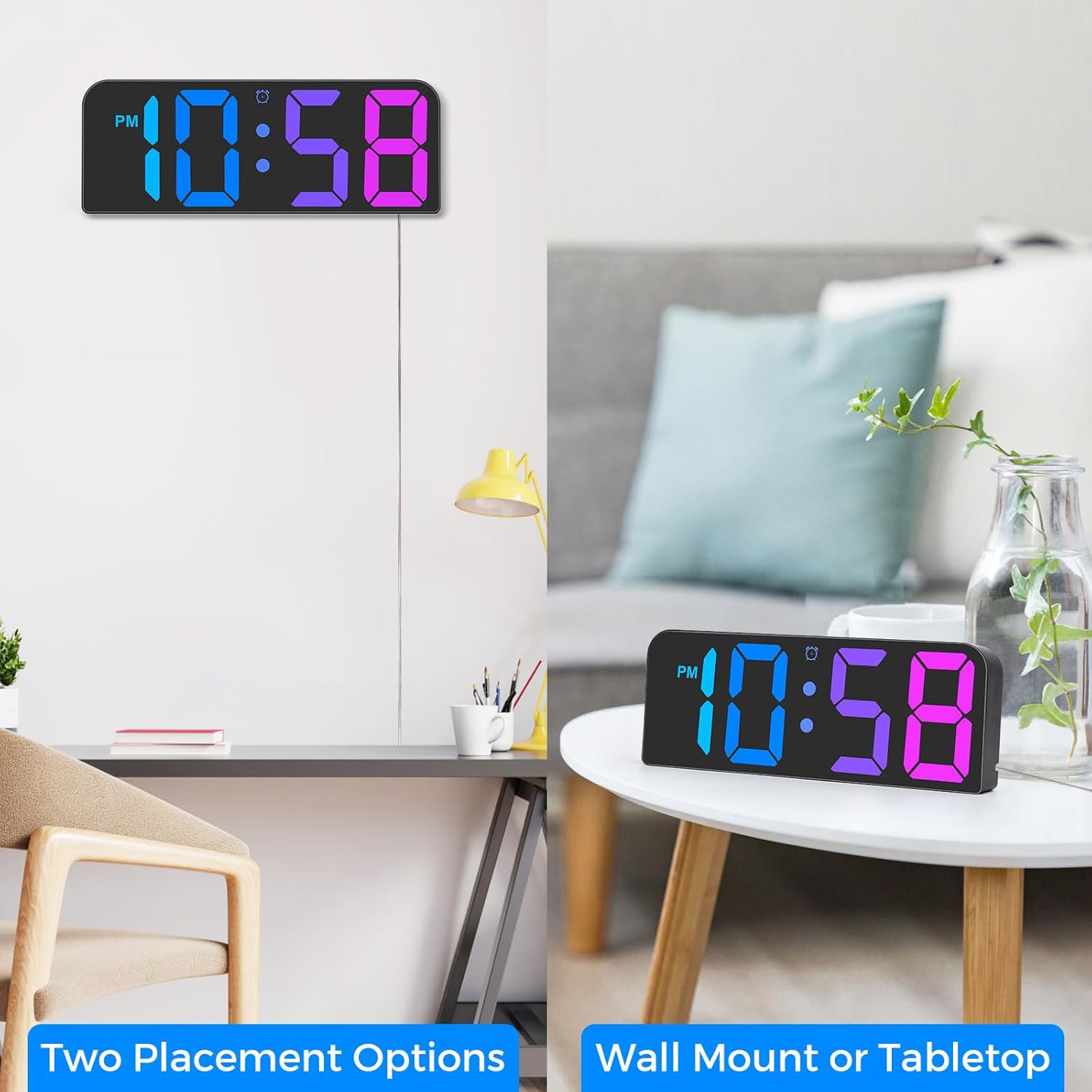
Figure 4.1: Wall Mount or Tabletop Placement
This image illustrates the versatility of the clock, showing it both mounted on a wall and resting on a flat surface.
Your Meloya Digital Wall Clock offers two primary placement options:
- Дубалга орнотуу: Use the hanging hole on the back of the clock. The included measuring ruler, adhesive hooks, and plastic anchors can assist with secure installation. Ensure the wall surface is clean and dry before applying adhesive hooks.
- Столдун үстүнө жайгаштыруу: The clock can be placed on any flat, stable surface such as a desk, shelf, or nightstand.
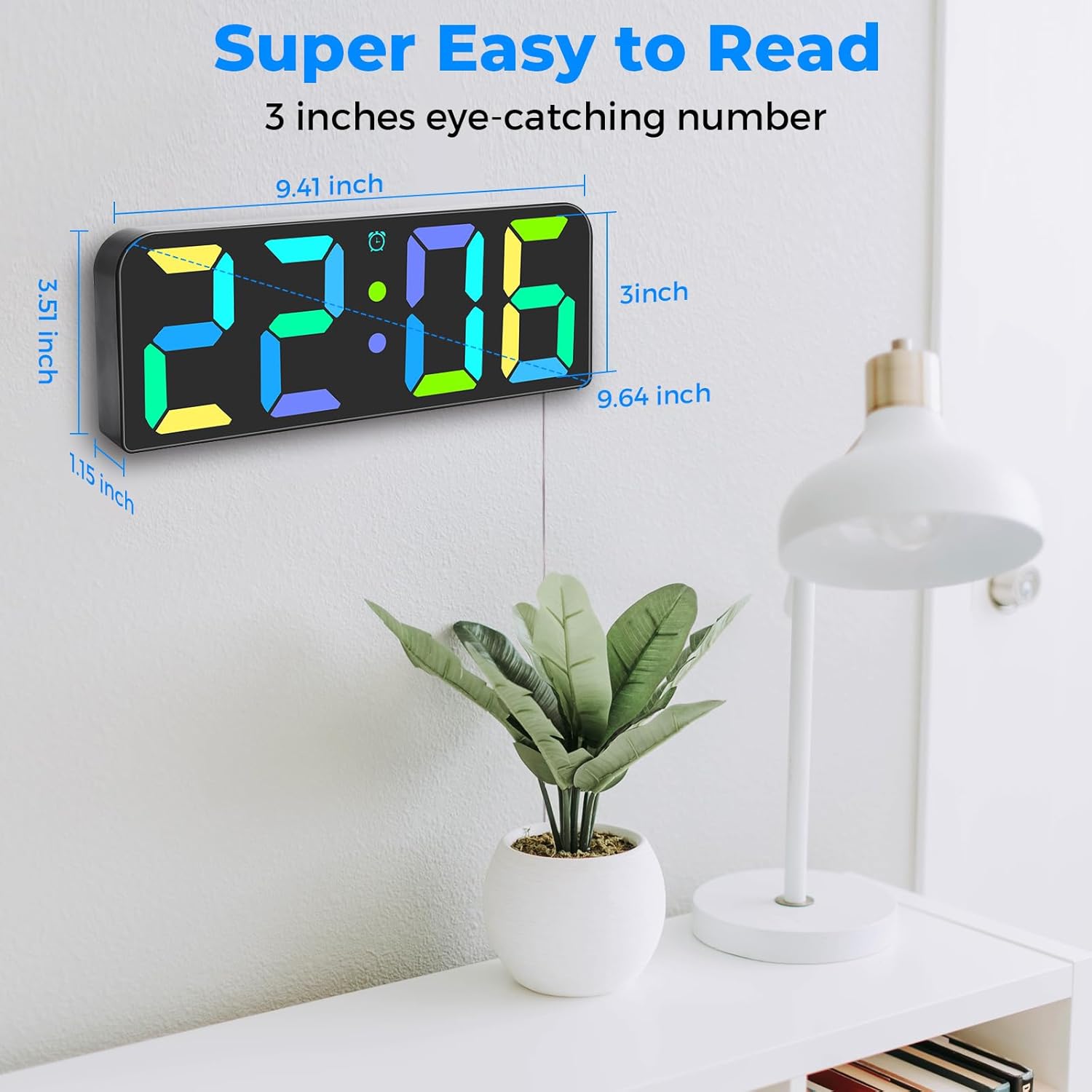
Figure 4.2: Clock Dimensions
This image provides a visual representation of the clock's physical dimensions, aiding in placement decisions.
Consider the clock's dimensions (approximately 9.41 inches wide x 3.51 inches high x 1.15 inches deep) when choosing a location.
5. Операция
5.1 Алгачкы убакытты жана датаны орнотуу
The clock is primarily set using the included remote control. Ensure the remote has working batteries.
- басыңыз SET button on the remote control to enter time setting mode.
- колдонуу UP жана ылдый саатты тууралоо үчүн баскычтар.
- Басыңыз SET again to move to minute adjustment, then use UP жана ылдый.
- Басууну улантыңыз SET to cycle through setting the year, month, and day, adjusting each with UP жана ылдый.
- Басыңыз SET орнотуу режиминен чыгуу үчүн акыркы жолу.
5.2 12/24 саат форматы

Figure 5.1: 12/24 Hour Format Options
This image demonstrates how the clock displays time in both standard 12-hour and military 24-hour formats.
To switch between 12-hour (with AM/PM indicator) and 24-hour (military) time formats:
- арналган баскычын басыңыз 12/24H button on the remote control. The display will instantly switch formats.
5.3 Жарыктыкты жөндөө

Figure 5.2: 3-Level Brightness
This image visually represents the three distinct brightness settings available on the clock, allowing users to choose based on ambient light.
The clock features 3 adjustable brightness levels (Bright, Medium, Soft). To adjust:
- басыңыз ЖАРЫКТЫК button (often represented by a sun icon) on the remote control to cycle through the levels.
5.4 RGB Color Display
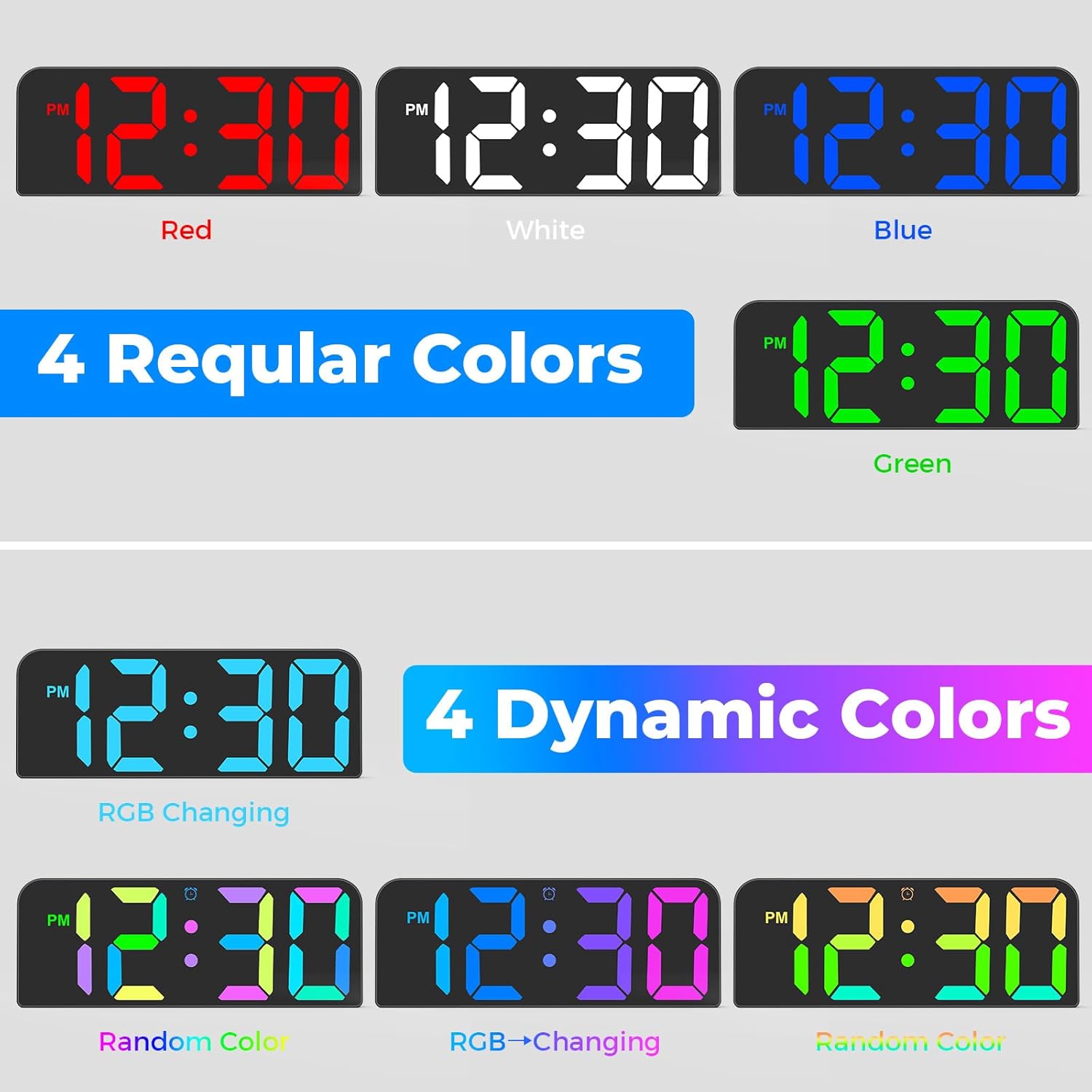
Figure 5.3: RGB Color Options
This image showcases the wide range of static and dynamic RGB color options available for the clock's display.
The clock offers a vibrant RGB color display with both static and dynamic color modes:
- Статикалык түстөр: Use the dedicated color buttons on the remote (e.g., Red, Green, Blue, White) to select a fixed color.
- Dynamic Colors: басыңыз RGB or РЕЖИМ button on the remote to cycle through dynamic color-changing modes.
5.5 Сигнал орнотуулары
The clock supports setting multiple alarms (up to 3). Refer to your remote control's specific buttons for alarm setting (often labeled with an alarm clock icon).
- басыңыз АЛАРМ button on the remote to enter alarm setting mode.
- Колдонуу UP жана ылдый каалаган ойготкуч убактысын коюуга.
- Басыңыз АЛАРМ again to confirm and move to the next alarm or exit.
- To activate/deactivate an alarm, press the corresponding alarm button (e.g., AL1, AL2, AL3) on the remote. An alarm icon will appear on the display when active.
6. Техникалык тейлөө
- Тазалоо: Use a soft, dry cloth to wipe the clock's display and body. Avoid abrasive cleaners or solvents, as they may damage the surface.
- Батареяны алмаштыруу: If the clock loses time settings frequently during power outages, the CR2032 backup battery may need replacement. Follow the steps in Section 4.2.
- Сактагыч: If storing the clock for an extended period, disconnect it from power and remove the backup battery.
7. Кыйынчылыктарды
| Көйгөй | Мүмкүн себеп | Чечим |
|---|---|---|
| Сааттын дисплейи өчүк. | Эч кандай электр байланышы же кубаты жокtage. | Ensure the USB power cable is securely connected to the clock and the power adapter is plugged into a working outlet. Check the power source. |
| Электр кубаты өчүрүлгөндөн кийин саат убакыт жөндөөлөрүн жогототtage. | Backup battery (CR2032) is dead or not installed. | Install or replace the CR2032 backup battery. Ensure it is inserted correctly. |
| Пульт иштебей жатат. | Remote battery is dead or line of sight is blocked. | Replace the remote control battery. Ensure there are no obstructions between the remote and the clock. Point the remote directly at the clock. |
| Дисплей өтө күңүрт же өтө жарык. | Brightness setting is not optimal. | Use the BRIGHTNESS button on the remote to cycle through the 3 brightness levels. |
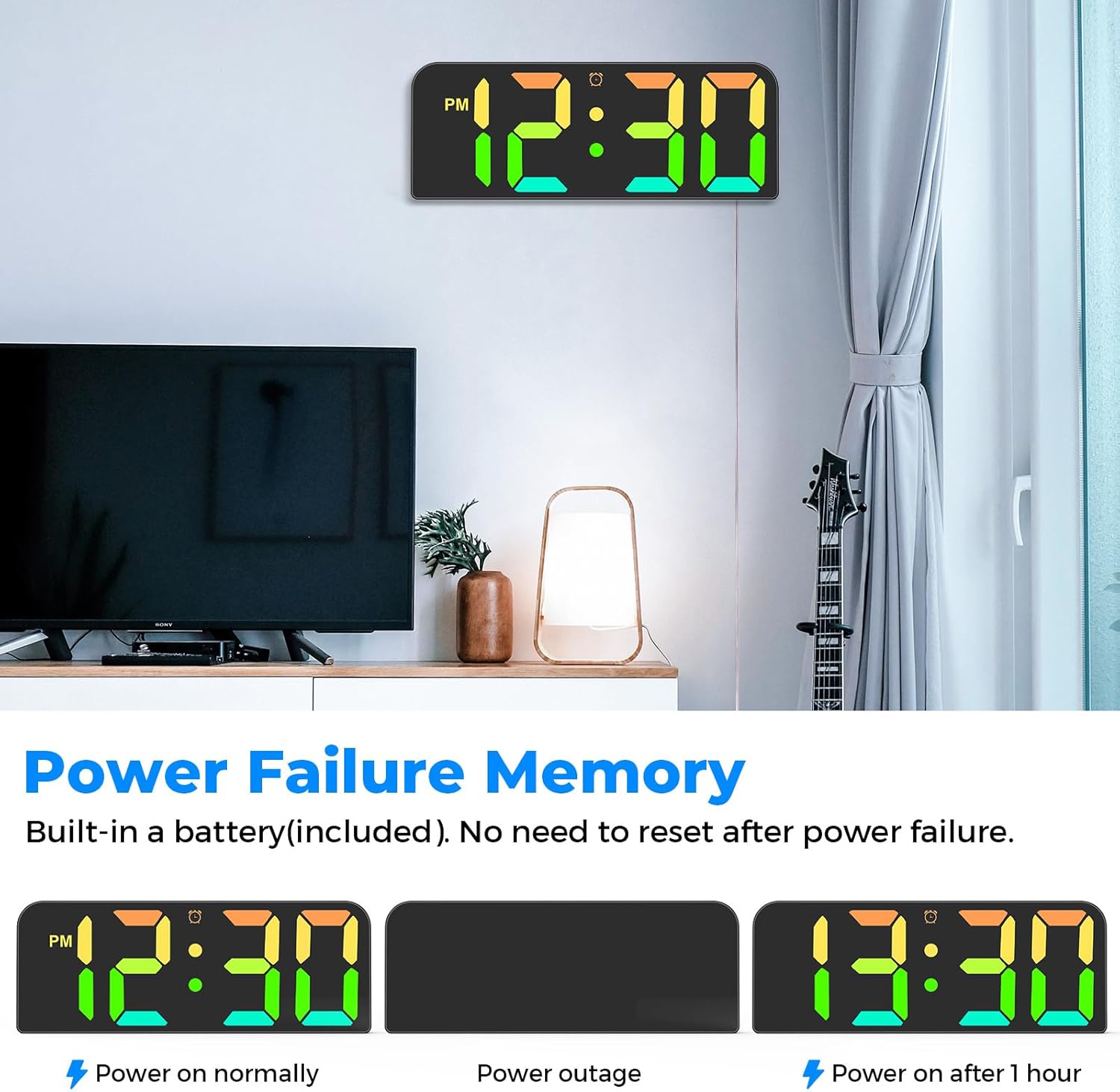
Figure 7.1: Power Failure Memory
This image demonstrates the clock's ability to retain time settings during a power outage due to its built-in backup battery.
8. Техникалык шарттар
| Өзгөчөлүк | Деталь |
|---|---|
| Бренд | Мелоя |
| Модель номери | GH0730 |
| Дисплей түрү | LED дисплей |
| Цифранын өлчөмү | 3 дюйм (болжол менен) |
| Убакыт форматы | 12 сааттык / 24 сааттык тандоо |
| Жарыктык деңгээли | 3 деңгээли жөнгө салынат |
| Өзгөчөлүктөр | Dynamic RGB Display, Remote Control, Silent Clock, Power Failure Memory, 10ft Long USB Cable |
| Power Source | Corded Electric (DC5V/1A via USB) |
| Камдык батарея | 1 x CR2032 (кошулган) |
| Материал | Пластик |
| Монтаж түрү | Дубалга орнотуу / Үстөл үстүндө |
| Өнүмдүн Өлчөмдөрү (Ж x Y x D) | Окутуу үчүн. 9.41 х 3.51 х 1.15 дюйм |
| Продукт Салмагы | 381 г |
9. Кепилдик жана колдоо
For warranty information, technical support, or any inquiries regarding your Meloya Digital Wall Clock, please contact the seller or manufacturer directly through the platform where you purchased the product. Keep your purchase receipt as proof of purchase.

