Introduction
Welcome to the user manual for your SPYPOINT FORCE-PRO-S Solar Trail Camera. This document provides comprehensive instructions to help you set up, operate, and maintain your camera effectively. The FORCE-PRO-S is designed to capture high-quality images and videos of wildlife with its 30-megapixel sensor and 4K video capabilities, enhanced by an integrated solar panel for extended battery life.
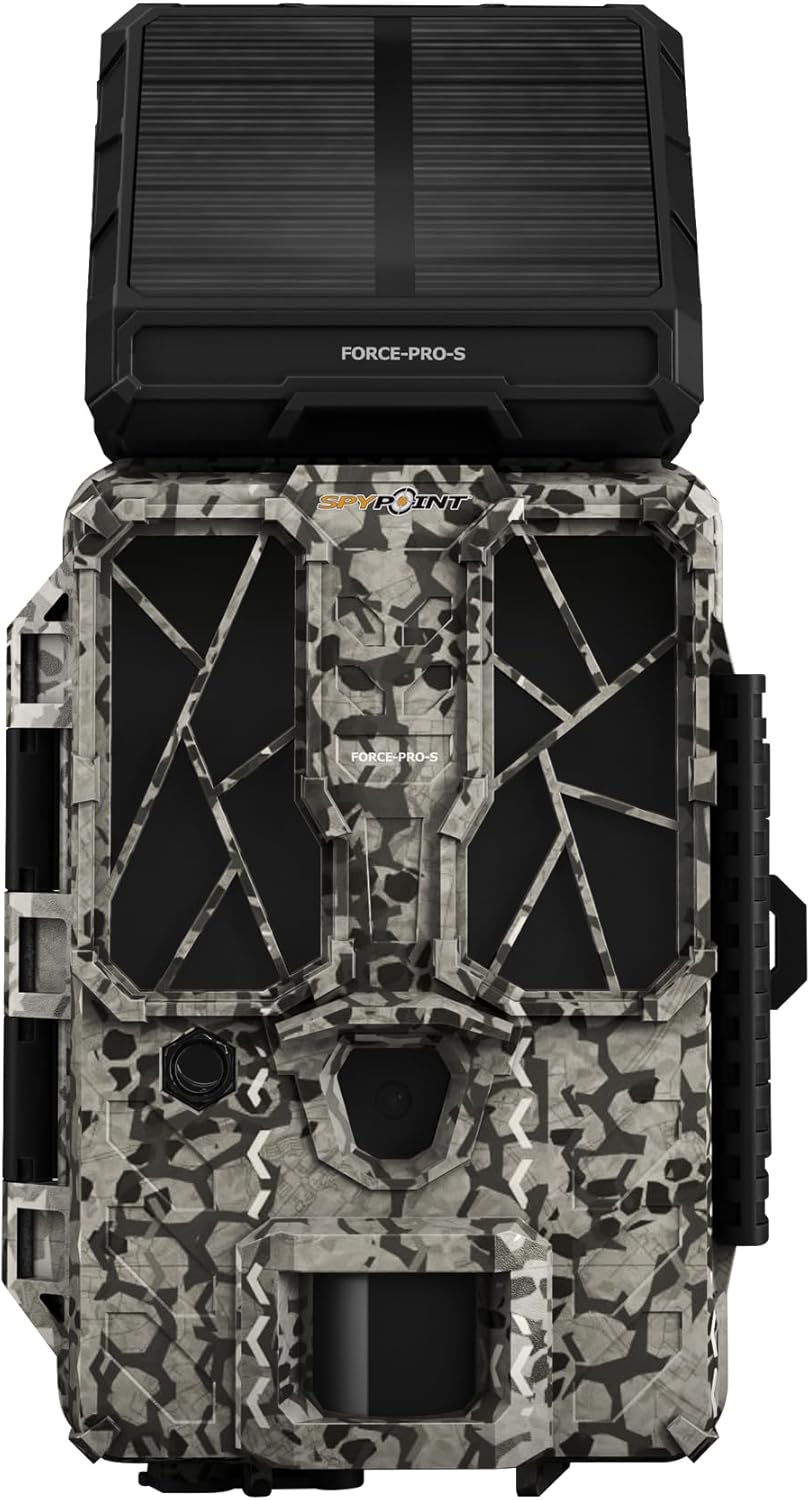
Сүрөт 1: Алдыңкы view of the SPYPOINT FORCE-PRO-S Solar Trail Camera, showcasing its integrated solar panel and camouflage design.

Figure 2: ашыкview of key features including 30 Megapixels, Solar Panel for Extended Battery Life, 0.2s Trigger Speed, and 4K Video with Sound.
Жайгашуу
1. Батареяны орнотуу жана заряддоо
The FORCE-PRO-S comes with an integrated lithium battery, which is continuously charged by the built-in solar panel. For additional power security, you can install eight AA batteries (not included) as a backup. These AA batteries will take over if the internal lithium battery is depleted, extending the camera's operational time.
- Ensure the solar panel is exposed to direct sunlight for optimal charging of the internal battery.
- Open the battery compartment and insert eight AA batteries, observing the correct polarity (+/-).
2. SD картаны киргизүү
Your FORCE-PRO-S camera includes a 16 GB SPYPOINT Class 10 SD card. This ensures reliable performance and sufficient storage for your photos and videos.
- Камерадагы SD картанын уячасын табыңыз.
- Insert the provided 16 GB SD card into the slot until it clicks into place.
- Чыгаруу үчүн картаны сыртка чыкканга чейин акырын түртүңүз.
3. Баштапкы конфигурация
The camera features a simple and intuitive menu for quick parameter adjustments.
- Кубат өчүргүчтү төмөнкүгө жылдырыңыз ЖАЙГАШУУ position to access the operating menu and view жеткиликтүү орнотуулар.
- Navigate through the menu using the control buttons (refer to the camera's display for specific button functions).
- Adjust settings such as photo resolution (up to 30 MP), video resolution (4K/2K/1080p), trigger delay, and detection sensitivity according to your needs.
- Once all desired settings are configured, move the power switch to the ON иш баштоо үчүн позиция.

Figure 3: A person adjusting the settings on the SPYPOINT FORCE-PRO-S camera in an outdoor environment.
4. Камераны орнотуу
The FORCE-PRO-S is designed for easy mounting, typically using an included tree mount strap.
- Select a suitable location, ensuring the solar panel has clear access to sunlight.
- Securely attach the camera to a tree or post using the provided mounting strap.
- Adjust the camera's angle to cover the desired detection area.
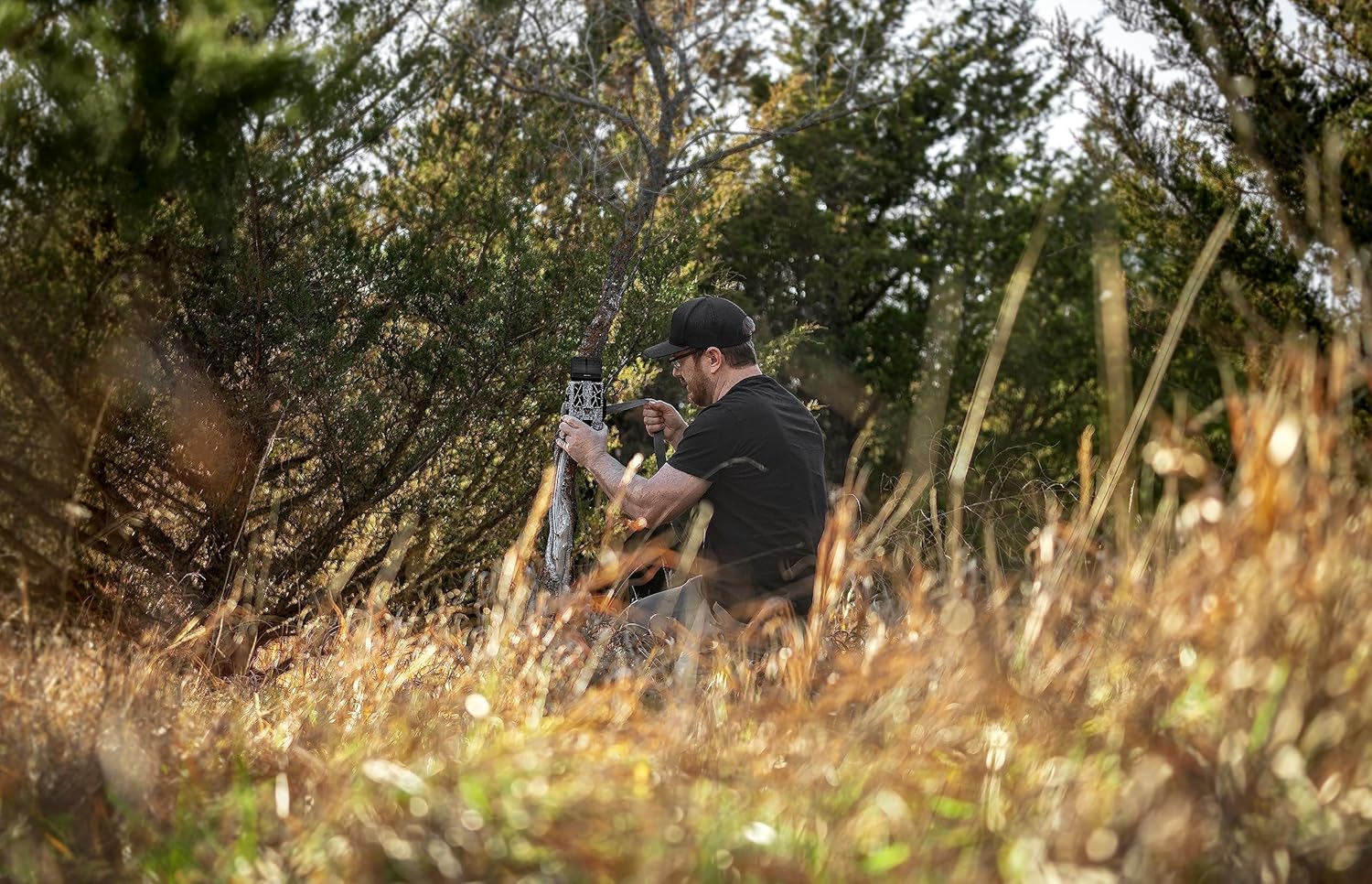
Figure 4: The SPYPOINT FORCE-PRO-S camera securely mounted on a tree, ready for operation.
Иштөө нускамалары
Once the camera is set up and powered on, it will automatically begin monitoring the area.
Сүрөт тартуу
The FORCE-PRO-S captures images at an impressive 30-megapixel resolution, providing clear and detailed photos.
- Чечим: Up to 30 MP for high-detail images.
- Триггер ылдамдыгы: A rapid 0.2-second trigger speed minimizes missed shots.
- Жарк диапазону: The flash has a range of 27.4 meters (90 feet) for effective night photography.
- аныктоо диапазону: The camera can detect movement up to 33.5 meters (110 feet).

Сүрөт 5: Мурункуample of a high-resolution 30MP photo captured by the camera, showing a deer in a field.
Видео жаздыруу
Record high-definition videos to observe wildlife behavior in detail.
- Видеонун чечилиши: Supports 4K, 2K, and 1080p video modes.
- Аудио: Videos are recorded with sound.
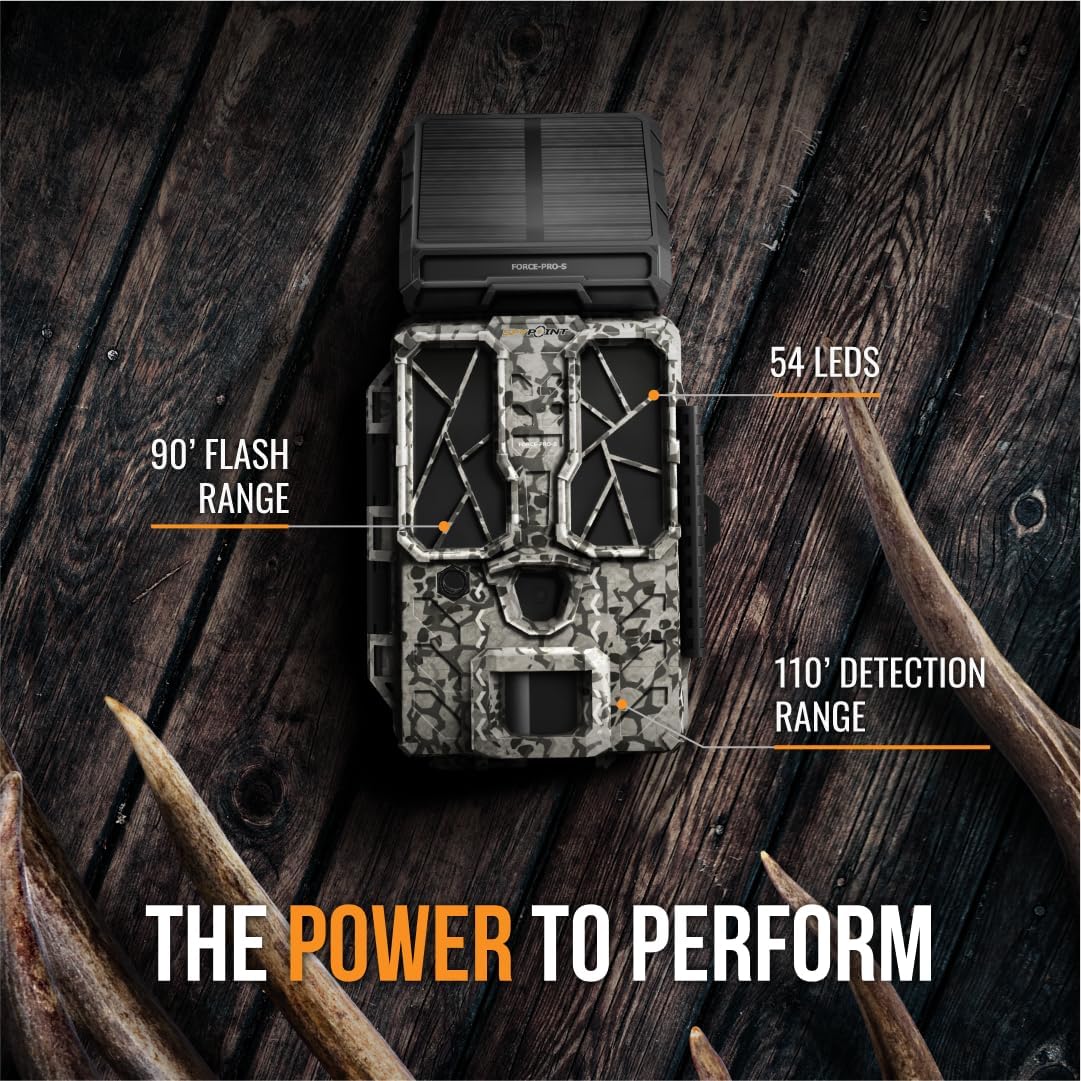
Figure 6: Illustration of the camera's performance capabilities, highlighting 90' Flash Range, 54 LEDs, and 110' Detection Range.
Техникалык тейлөө
Proper maintenance ensures the longevity and optimal performance of your SPYPOINT FORCE-PRO-S camera.
- Күн панелин тазалоо: Regularly clean the solar panel surface to ensure maximum sunlight absorption for battery charging. Use a soft, damp cloth to wipe away dirt, dust, or debris.
- Линзаны тазалоо: Keep the camera lens and motion sensor clear of obstructions. Use a lens cleaning cloth to gently wipe the lens if it becomes dirty.
- Батареяны текшерүү: Periodically check the status of your AA backup batteries, especially if the camera is deployed for extended periods in low-light conditions.
- SD Card башкаруу: Format the SD card regularly to prevent data corruption and ensure optimal recording performance. Back up important files форматтоодон мурун.
Проблемаларды чечүү
This section addresses common issues you might encounter with your FORCE-PRO-S camera.
- Камера күйбөй жатат:
- Ensure the internal lithium battery is charged (expose the solar panel to sunlight).
- Check if the optional AA batteries are correctly installed and have sufficient charge.
- Verify the power switch is in the ЖАЙГАШУУ or ON позиция.
- Сүрөт/видео тартылган жок:
- Confirm the SD card is inserted correctly and has available storage space.
- Check camera settings for trigger delay and detection sensitivity.
- Ensure the detection area is clear of obstructions and within the camera's detection range.
- Камера кирип жатканын текшериңиз ON mode, not ЖАЙГАШУУ.
- Сүрөттүн/видеонун сапаты начар:
- Clean the camera lens and ensure it is free from dirt or condensation.
- Check the selected resolution settings (e.g., 30 MP for photos, 4K for videos).
- Ensure adequate lighting for daytime shots and that the flash is enabled for night shots if needed.
- Solar Panel Not Charging:
- Күн панелинин таза жана таштандыдан таза болушун камсыз кылыңыз.
- Position the camera in an area with direct sunlight exposure for several hours daily.
Техникалык шарттар
| Өзгөчөлүк | Деталь |
|---|---|
| Бренд | SPYPOINT |
| Модель номери | FORCE-PRO-S |
| Сүрөттүн чечилиши | 30 мегапикселге чейин |
| Video Resolution | 4K/2K/1080p |
| Триггер ылдамдыгы | 0.2 секунд |
| Жарк диапазону | 27.4 метр (90 фут) |
| Тактоо диапазону | 33.5 метр (110 фут) |
| Power Source | Integrated Lithium-polymer battery (solar charged), Optional 8x AA batteries |
| Камтылган компоненттер | 16 GB SPYPOINT Class 10 SD card |
| Байланыш технологиясы | Wireless (LTE) |
| Монтаж түрү | Tree Mount |
| Продукциянын өлчөмдөрү (L x W x Y) | 10.16 x 15.24 x 25.4 см (4 x 6 x 10 дюйм) |
| Элемент Салмагы | 539.77 грамм (1.19 фунт) |
| Сунушталган Колдонуулар | Hunting, Outdoor Surveillance |
Кепилдик жана колдоо
For warranty information and technical support, please refer to the official SPYPOINT webсайтка же түздөн-түз кардарларды тейлөөгө кайрылыңыз. Сатып алуу квитанциясын кепилдик дооматтары үчүн сатып алуунун далили катары сактаңыз.
- Онлайн колдоо: зыярат кылыңыз SPYPOINT official webсайт Көп берилүүчү суроолор, көйгөйлөрдү аныктоо боюнча көрсөтмөлөр жана байланыш маалыматы үчүн.
- Кардарларды тейлөө: Contact SPYPOINT customer support for assistance with product issues or warranty inquiries.


