Introduction
The BETOWEY B2X Motorcycle Helmet Bluetooth Headset is designed to provide efficient wireless communication and high-quality audio for motorcycle riders. Featuring advanced Bluetooth 5.1 technology and large 40mm speakers, it ensures clear communication and excellent sound, even at high speeds. This manual provides comprehensive instructions for setup, operation, and maintenance of your B2X headset.

Image: The BETOWEY B2X Motorcycle Helmet Bluetooth Headset, showcasinанын кооз дизайны жана интеграцияланган башкаруу элементтери.
Кутуда эмне бар
Your BETOWEY B2X package includes the following components:
- Домофон аппараты
- Microphone & Headset
- Velcro Clamp
- USB кабели
- Бурама айдоочу
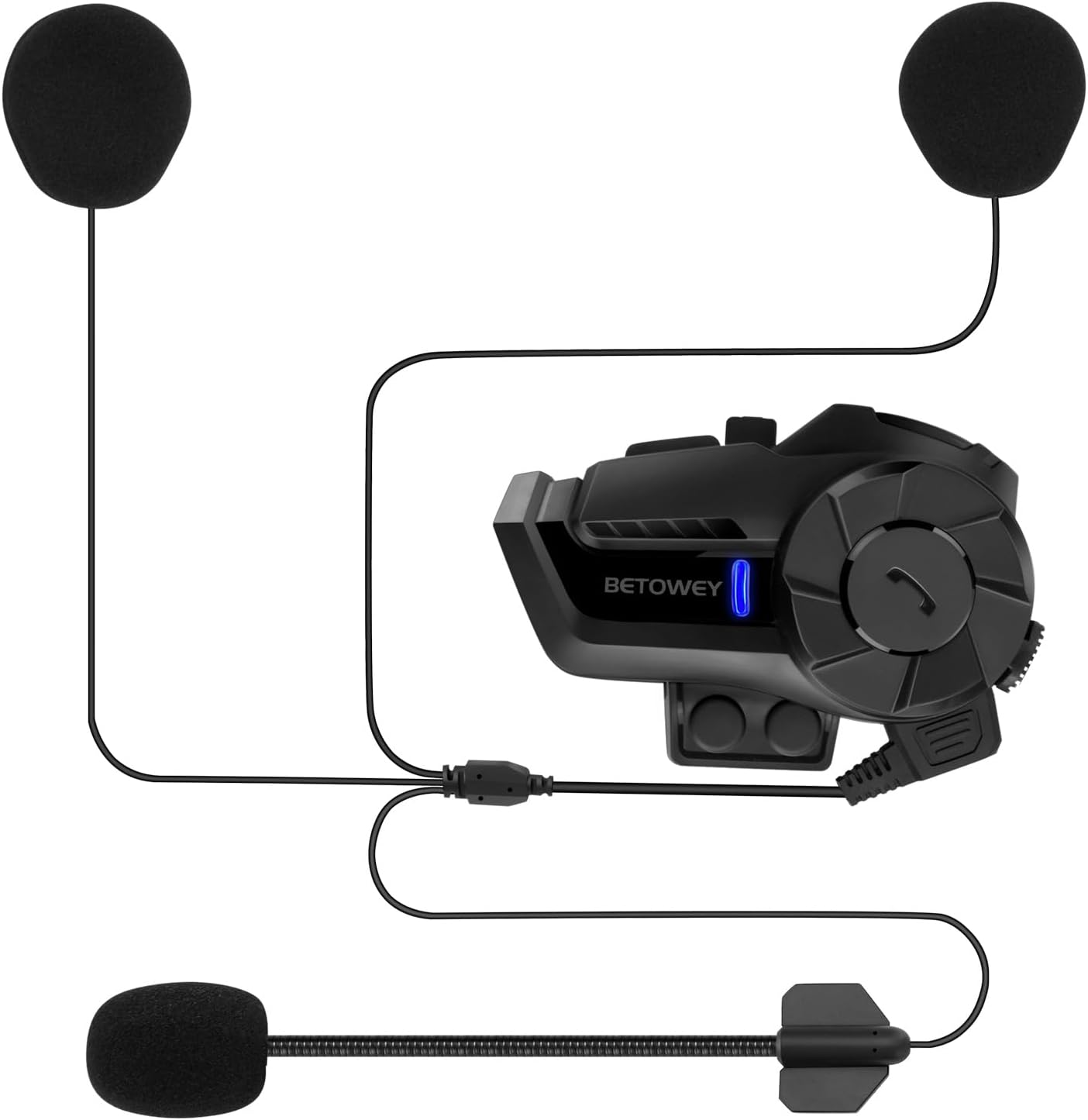
Image: A visual representation of all components included in the BETOWEY B2X package, including the main unit, microphone, speakers, and mounting accessories.
Жайгашуу
Орнотуу процедурасы
The B2X motorcycle intercom system is compatible with open-face, modular, and full-face helmets. Follow these steps for proper installation:
- Attach the intercom device to the side of your helmet using the provided velcro clampАнын бекем бекитилгенин текшериңиз.
- Insert the microphone and headset into the helmet. Position the speakers inside the helmet's ear recesses for optimal sound and comfort.
- Connect the microphone and headset cable to the headset port on the intercom device.
- Route the cables neatly within the helmet padding to avoid interference and ensure comfort.
- Use the included screwdriver for any necessary adjustments to the clamp.
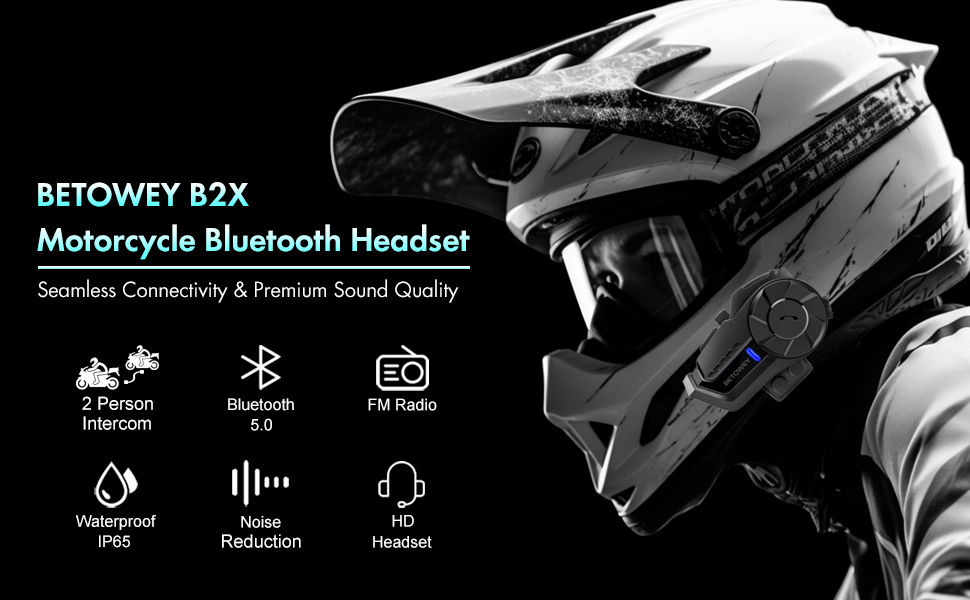
Image: Step-by-step visual guide for installing the BETOWEY B2X headset onto a motorcycle helmet.
Иштөө нускамалары
Күйгүзүү/өчүрүү
- Күйгүзүү: Press and hold the power button for 2 seconds until you hear the startup sound.
- Өчүрүү: Press and hold the power button for 5 seconds until you hear a prompt and see two slow red flashes.
Video: Demonstrates how to power on and power off the BETOWEY B2X headset, including visual cues and audio prompts.
Connection of Two Intercoms
The B2X supports intercom communication between two riders within a range of up to 800-1000 meters.
- Жупташтыруу: When both devices are in pairing mode (red and blue lights alternately flash upon startup), press the power button on one device. After a few seconds, both devices will auto-pair, slowly flash blue, and a voice prompt will announce "Bluetooth Connected".
- Ажыратуу: Press and hold the Function Button for 2 seconds.
- Кайра туташуу: Press and hold the Function Button for 2 seconds.
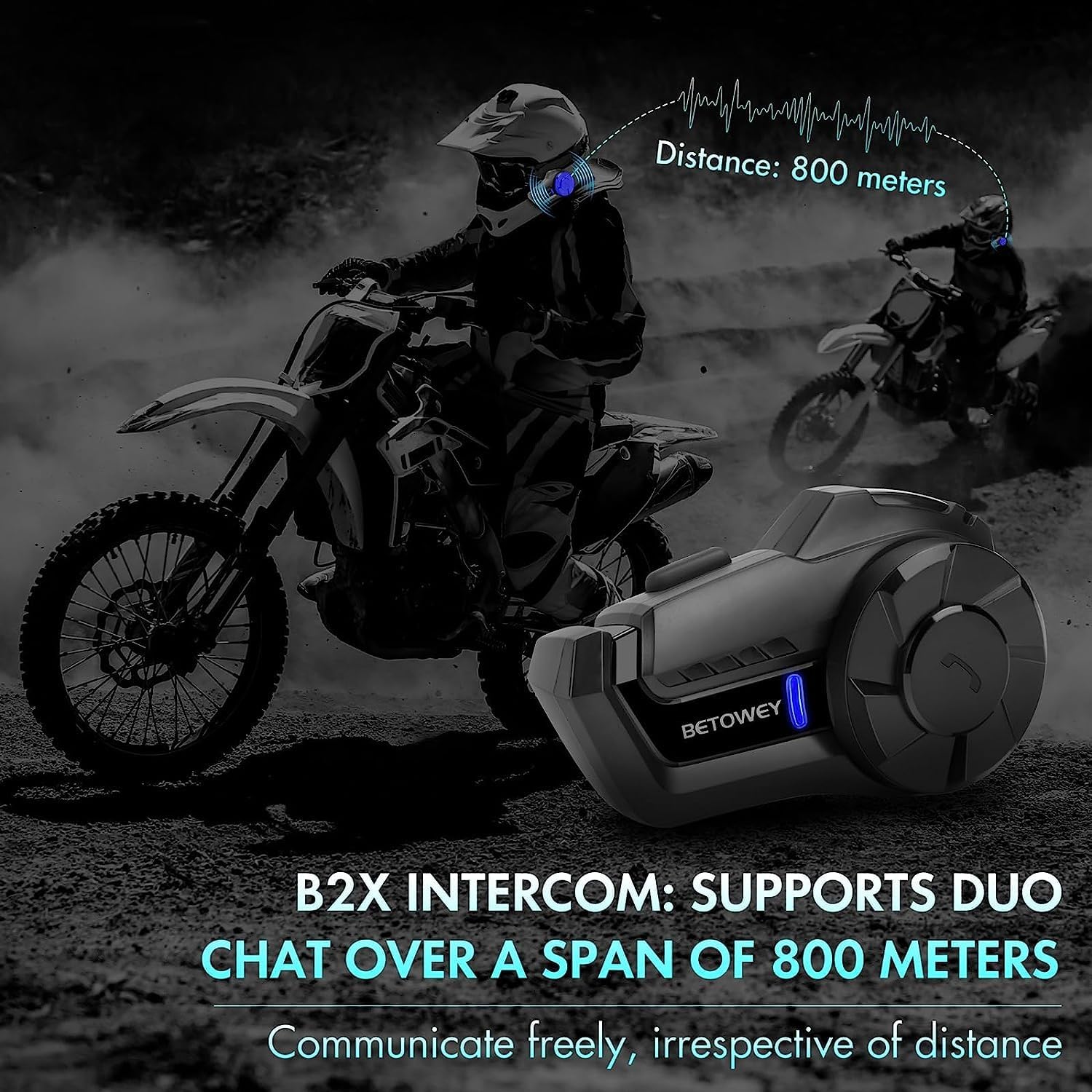
Image: Illustrates the 800-meter intercom range between two riders using the B2X headset.
Connection of Intercom and Smartphone
To connect your B2X headset to your smartphone:
- Ensure the headset is powered on and in pairing mode (red and blue lights flashing alternately).
- Мобилдик телефонуңуздагы Bluetooth функциясын иштетиңиз.
- Издөө nearby Bluetooth devices and select "B2X" to connect and pair.
Телефонду башкаруу
Manage calls effortlessly with the intuitive controls:
- Чакырууга жооп берүү: When there is an incoming call, press the Function Button once.
- Автоматтык жооп: If unattended for 8 seconds, the headset will automatically answer calls.
- Чакырууну четке кагуу: Hold the Function Button for 3 seconds until you hear a 'Beep'.
- Чакырууну аяктоо: Press the Function Button during a phone call to hang up.
- Кайра терүү: Double-click the power button in standby mode to redial the last number.
Музыкалык башкаруу
Enjoy your music on the go:
- Ойнотуу/тындыруу: Press the Function Button once.
- Кийинки ыр: Turn the knob counter-clockwise.
- Мурунку ыр: Баскычты саат жебеси боюнча буруңуз.

Image: Close-up of the B2X headset highlighting the intuitive knob design for easy control of music and calls, even with gloves.
Үндү тууралоо
Adjust the volume to your preference:
- Turn the knob counter-clockwise to lower volume.
- Turn the knob clockwise to raise volume until the desired level is reached.
FM радиосу
Access FM radio directly from your headset:
- Радиону күйгүзүү: Double-click the Function Button while in standby mode.
- Каналдарды тандоо: Quickly turn the knob and release your hand to adjust and select channels.
- Радиону өчүрүү: Double-click the Function Button again. The headset will switch back to the previous mode.
Которуу режими
Toggle between different modes:
- Hold the Function Button for 2 seconds from intercom mode to toggle between music and FM radio modes upon hearing a 'beep'.
- FM and Music Control: Double-click the Function Button to toggle FM radio. Press once to control phone music. To re-enter intercom mode, hold the key for 2 seconds until a 'beep' sound.
- Call Handling in Intercom Mode: Incoming calls auto-disconnect the intercom and resume post-call. The device takes about 5 seconds to connect.
Техникалык тейлөө
To ensure the longevity and optimal performance of your BETOWEY B2X headset, follow these maintenance guidelines:
- Тазалоо: Аппаратты жумшак менен сүртүңүз, гamp кездеме. Катуу химиялык заттарды же абразивдүү тазалагычтарды колдонуудан алыс болуңуз.
- Сактагыч: Колдонбогондо гарнитураны салкын, кургак жерде сактаңыз. Экстремалдуу температурадан сактаныңыз.
- Суу каршылык: The B2X is IP65 waterproof certified, making it resistant to dust and water splashes. However, avoid submerging the device in water.
- Заряддоо: Use the provided USB cable for charging. Do not overcharge the battery.

Image: Demonstrates the IP65 water resistance of the BETOWEY B2X headset, showing it can withstand splashes.
Проблемаларды чечүү
If you encounter issues with your BETOWEY B2X headset, try the following solutions:
| Көйгөй | Мүмкүн себеп | Чечим |
|---|---|---|
| Түзмөк күйбөйт. | Батарея аз. | Берилген USB кабели аркылуу аппаратты заряддаңыз. |
| Cannot pair with another intercom. | Not in pairing mode; too far apart. | Ensure both devices are in pairing mode (alternating red/blue lights) and within range (800-1000m). Press the power button on one device to initiate pairing. |
| Смартфонго туташуу мүмкүн эмес. | Bluetooth off on phone; device not in pairing mode. | Ensure phone Bluetooth is on and the headset is in pairing mode. Select "B2X" from your phone's Bluetooth list. |
| Начар үн сапаты / ызы-чуу. | Environmental noise; improper speaker placement. | Ensure speakers are correctly positioned over your ears. The device features Smart CVC Noise Suppression to mitigate ambient noise. |
| Батареянын иштөө мөөнөтү кыска. | Көп колдонуу; батареянын эскириши. | Ensure full charge before use. Battery life is up to 20 hours of continuous use. |

Image: Visual representation of the Smart CVC Noise Suppression technology, indicating its ability to mitigate ambient noise for clear audio.
Техникалык шарттар
| Өзгөчөлүк | Деталь |
|---|---|
| Модель аты | BETOWEY B2X |
| Байланыш технологиясы | Зымсыз (Bluetooth 5.1) |
| Домофон диапазону | Up to 800-1000 meters (2 riders) |
| Батареянын иштөө мөөнөтү | Up to 20 hours (continuous use), 300 hours (standby) |
| Заряддоо убактысы | Болжол менен 2 саат |
| Сууга туруктуулук деңгээли | IP65 (чаңга жана сууга туруктуу) |
| Аудио драйвер түрү | Динамикалык драйвер (40 мм динамиктер) |
| Noise Control | Active Noise Cancellation (Smart CVC Noise Suppression) |
| Башкаруу түрү | Media Control (Multifunctional wheel and buttons) |
| Материал | Силикон, Пластик |
| Элемент Салмагы | 48 грамм (1.69 унция) |
| Продукциянын өлчөмдөрү | 3.27 x 0.94 x 1.85 дюйм |

Image: Details on the high-capacity 700mAh lithium polymer battery, showing charging time, phone call/music time, intercom time, and standby time.
Кепилдик жана колдоо
BETOWEY is committed to providing innovative communication solutions and values customer experience. For any product-related inquiries, technical support, or warranty claims, please refer to the contact information provided with your purchase or visit the official BETOWEY store on Amazon.
The manufacturer, BETOWEY, ensures quality and performance of the B2X headset.


