Продукт бүттүview
Thank you for choosing the PowerLocus P19 Wireless Bluetooth Headphones. This manual provides detailed instructions to help you get the most out of your new headphones, ensuring a seamless audio experience.

Image: PowerLocus P19 Wireless Bluetooth Headphones in Asphalt Grey, accompanied by its protective hard shell carry case.
Негизги өзгөчөлүктөрү
- Иммерсивдүү Hi-Fi стерео үн: Equipped with neodymium speakers for superior audio clarity and deep bass.
- 3 EQ режимдери: Easily switch between Pop, Bass, and Vocal modes to optimize your listening experience for different music genres.
- Интегралдык микрофон: Built-in microphone for clear online classes, teleworking, and conference calls.
- Кулактагы башкаруу каражаттары: Convenient buttons on the earcups for volume adjustment, music playback (play/pause), and voice assistant activation.
- Bluetooth 5.3 туташуусу: Ensures stable and fast pairing with all Bluetooth-enabled devices (iOS, Android, Windows, Mac, MP3/MP4 players, TVs, etc.).
- Батареянын узак иштөө мөөнөтү: Бир кубаттоо менен 60 саатка чейин ойноо.
- USB-C тез кубаттоо: Quick and efficient charging via USB-C port.
- Зымдуу режимдин опциясы: Continue listening via the included 3.5mm audio cable even when the battery is depleted.
- Бүктөлүүчү Дизайн: Compact and portable, ideal for travel, comes with a high-quality carry pouch.
- Ыңгайлуу ылайыктуу: Soft memory foam earmuffs and a fabric headband provide comfort for extended wear.

Image: Visual representation of the P19's core features, including sound quality, EQ modes, microphone, connectivity, portability, and battery life.
Баштоо
Наушниктерди заряддоо
Биринчи жолу колдонуудан мурун, PowerLocus P19 кулакчыныңызды толугу менен кубаттаңыз. Толук кубаттоо болжол менен 3 саатты талап кылат.
- Connect the included USB-C charging cable to the charging port on the headphones.
- USB-C кабелинин экинчи учун туура келген USB кубат булагына туташтырыңыз (мисалы, дубал адаптери, компьютердин USB порту).
- Наушниктеги LED индикатору кубаттоо абалын көрсөтөт. Адатта ал толугу менен кубатталгандан кийин өчөт же түсүн өзгөртөт.
With over 60 hours of battery life, you can enjoy extended listening sessions. If the battery runs low, you can always switch to wired mode.

Image: Demonstrates the impressive battery life and convenient USB-C fast charging capabilities of the P19 headphones.
Bluetooth Жупташтыруу
Кулакчындарды зымсыз туташтыруу үчүн:
- Наушниктердин заряддалганын жана өчүрүлгөнүн текшериңиз.
- Кулакчындардын кубат баскычын LED индикатору күйүп-өчкөнгө чейин басып туруңуз, бул жупташтыруу режимин көрсөтөт.
- Түзмөгүңүздө (смартфон, планшет, ноутбук) Bluetooth иштетиңиз жана жеткиликтүү түзмөктөрдү издеңиз.
- Табылган түзмөктөрдүн тизмесинен "PowerLocus P19" тандаңыз.
- Туташкандан кийин, LED индикатору, адатта, катуу жарыкты көрсөтөт же жай күйөт.
Көп чекиттүү туташуу
The P19 headphones support multi-point connection, allowing you to connect to two devices simultaneously. For example, you can be connected to your laptop for music and your phone for calls. When a call comes in on your phone, the headphones will automatically switch to the phone, and switch back to the laptop audio once the call ends.
Зымдуу туташуу
For a wired connection or when the battery is low:
- Plug one end of the included 3.5mm audio cable into the audio jack on the headphones.
- Экинчи учун түзмөгүңүздүн 3.5 мм аудио чыгаруусуна сайыңыз.
- Наушник автоматтык түрдө зымдуу режимге өтөт.
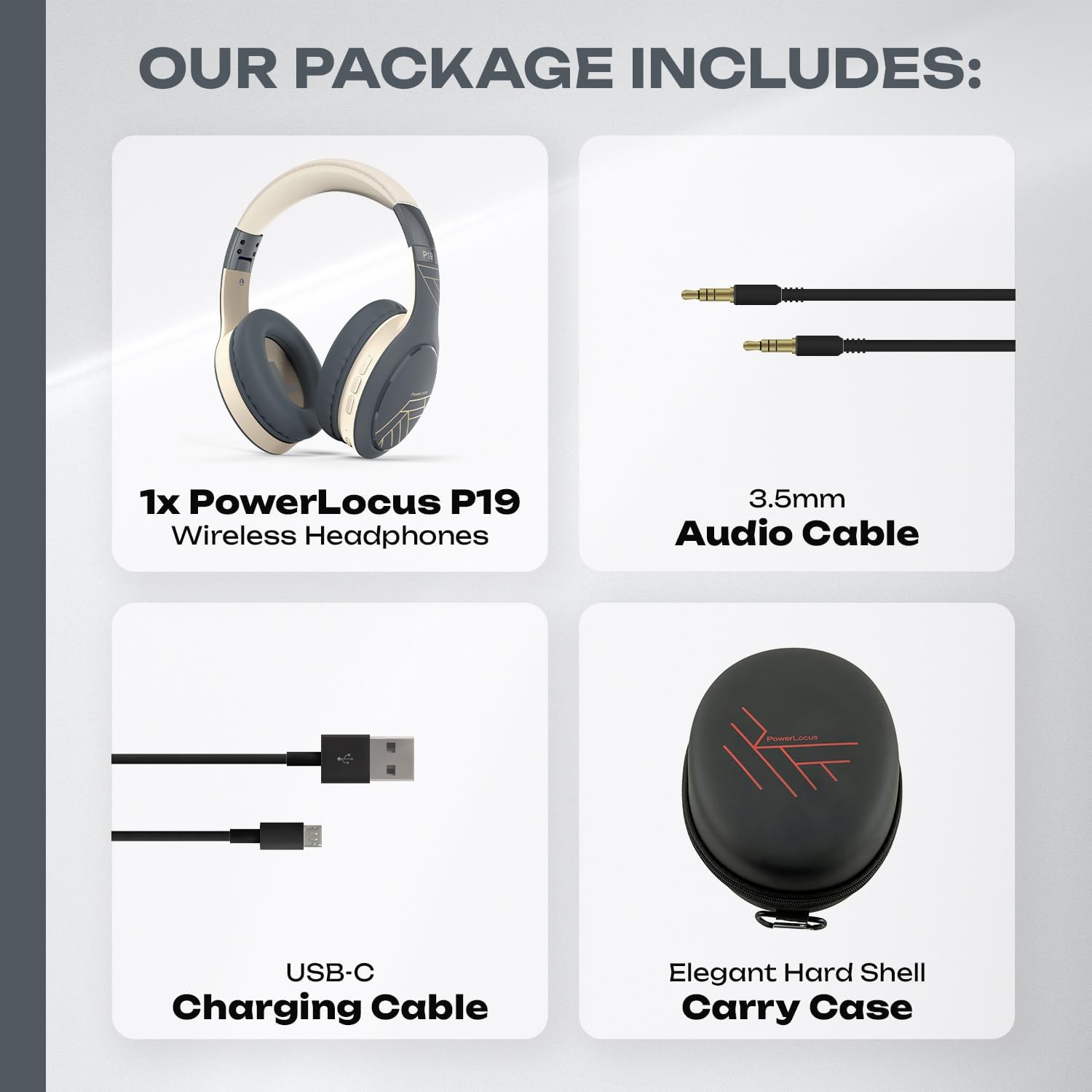
Image: The complete package contents, including the headphones, audio cable, charging cable, and carry case.
Наушниктерди иштетүү
Кулактан башкаруу
The PowerLocus P19 headphones feature intuitive controls located on the earcups:
- Кубат баскычы: Күйгүзүү/өчүрүү үчүн басып туруңуз. Музыканы ойнотуу/тындыруу же чалууларга жооп берүү/аяктоо үчүн кыска басыңыз.
- Үндү жогорулатуу/Кийинки трек: Үнүн жогорулатуу үчүн кыска басыңыз. Кийинки трекке көпкө басыңыз.
- Үнүн азайтуу/Мурунку трек: Үнүн азайтуу үчүн кыска басыңыз. Мурунку трек үчүн көпкө басыңыз.
- EQ Mode Button: Press to cycle through Pop, Bass, and Vocal EQ modes.
- Үн жардамчысы: Double-press the Power button to activate your device's voice assistant (Siri, Google Assistant, etc.).
EQ режимдери
Enhance your audio experience with three distinct equalizer modes:
- Поп режими: Optimized for popular music, providing balanced sound with clear vocals.
- Басс режими: Boosts low frequencies for a powerful and deep bass experience, ideal for electronic music or hip-hop.
- Үн режими: Emphasizes vocal clarity, perfect for podcasts, audiobooks, or acoustic tracks.
Press the EQ button on the earcup to switch between these modes.

Image: Illustrates the three distinct EQ modes (Pop, Bass, Vocal) available on the P19 headphones for a customized listening experience.
Чалууларды кабыл алуу жана кабыл алуу
The integrated microphone allows for hands-free communication:
- Чакырууга жооп берүү: Чалуу келгенде кубат баскычын кыска басыңыз.
- Чакырууну аяктоо: Чалуу учурунда Кубат баскычын кыска басыңыз.
- Чакырууну четке кагуу: Чалуу келгенде кубат баскычын көпкө басып туруңуз.
- Акыркы номерди кайра терүү: Чалуу учурунда жок болгондо Кубат баскычын эки жолу басыңыз.
Ыңгайлуу жана көчмө
The PowerLocus P19 headphones are designed for comfort during long listening sessions and easy portability.
Эргономикалык дизайн
- Жумшак эс тутум көбүгүнөн жасалган кулакчындар: The over-ear design with protein foam and premium faux leather cushions completely covers your ears, providing comfort and passive noise reduction.
- Fabric Headband: The headband is padded with a soft fabric for a snug and comfortable fit on your head.
- Adjustable Earcups: The earcups are adjustable to fit various head sizes, ensuring a personalized and secure fit.

Сүрөт: деталдуу view of the comfortable earcups and headband, highlighting the materials and adjustable features.
Бүктөлүүчү дизайн
The P19 headphones feature a foldable design, making them easy to store and transport. They come with a premium hard shell carry case for added protection.
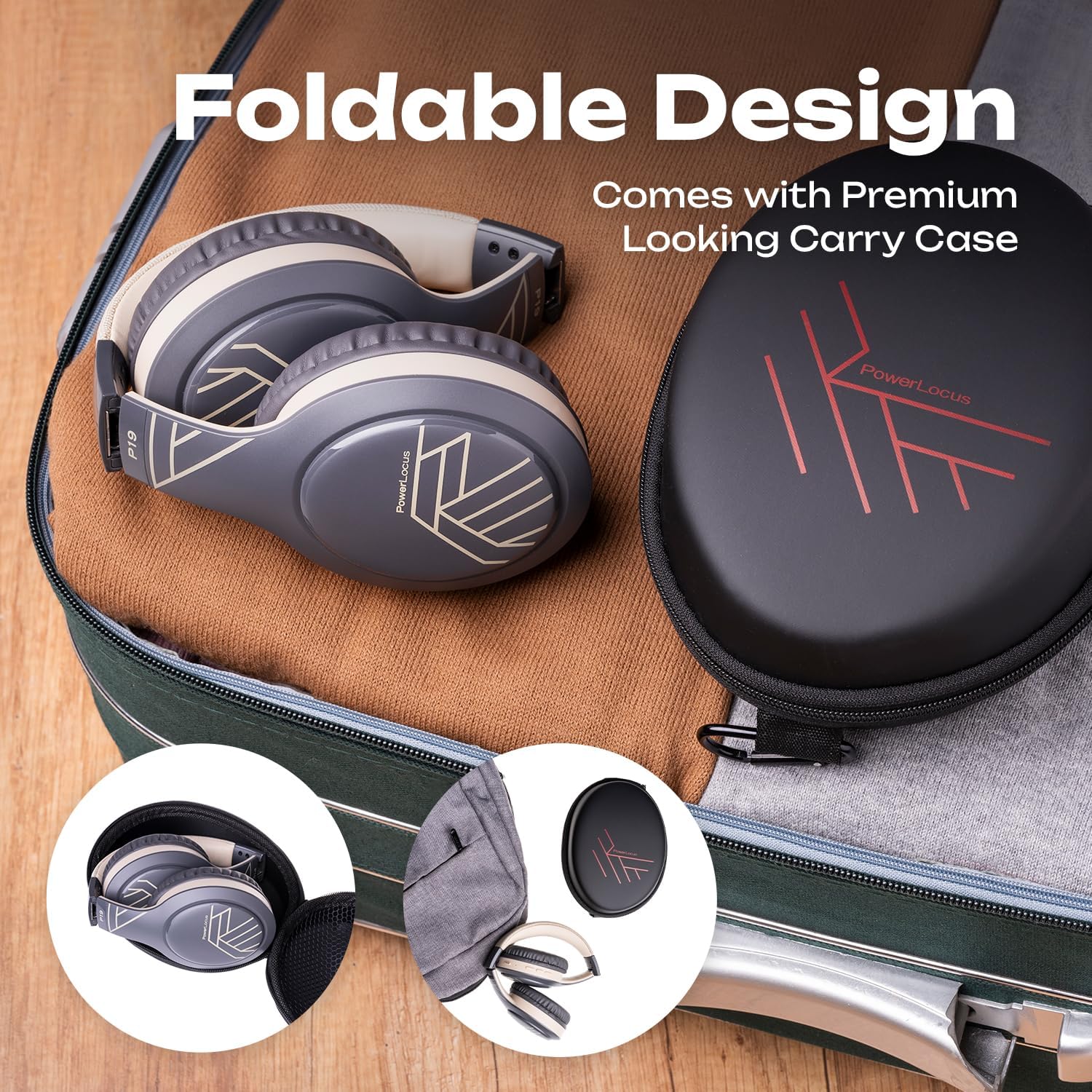
Image: The headphones neatly folded and stored in their included carry case, ready for travel.

Image: Various usage scenarios demonstrating the versatility of the P19 headphones for travel, communication, and active lifestyles.
Кароо жана тейлөө
To ensure the longevity and optimal performance of your PowerLocus P19 headphones, follow these care guidelines:
- Тазалоо: Use a soft, dry cloth to wipe the headphones. For earcups, gently wipe with a slightly damp колдонуудан мурун чүпүрөк менен сүртүп, толугу менен кургатыңыз. Катуу химиялык заттарды же абразивдүү тазалоочу каражаттарды колдонбоңуз.
- Сактагыч: When not in use, store the headphones in their included hard shell carry case to protect them from dust, scratches, and impacts.
- Температура: Кулакчындарды өтө жогорку температурага (ысык же суук) же жогорку нымдуулукка дуушар кылбаңыз.
- Суу каршылык: Бул кулакчындар суу өткөрбөйт. Суу же башка суюктуктар менен байланыштырбаңыз.
- Заряддоо: Only use the provided USB-C cable for charging. Do not attempt to charge with damaged cables or chargers.
Проблемаларды чечүү
If you encounter any issues with your PowerLocus P19 headphones, refer to the table below for common problems and solutions.
| Көйгөй | Мүмкүн себеп | Чечим |
|---|---|---|
| Кулакчындар күйбөйт. | Батарея аз. | Charge the headphones fully using the USB-C cable. |
| Түзмөк менен жупташтыруу мүмкүн эмес. | Headphones not in pairing mode; Bluetooth disabled on device; Device too far. | Ensure headphones are in pairing mode (flashing LED). Enable Bluetooth on your device. Move headphones closer to the device (within 10 meters). Try restarting both devices. |
| Үн жок же үнү төмөн. | Volume too low; Incorrect audio source; Headphones not connected. | Increase volume on both headphones and connected device. Ensure headphones are properly paired/connected. Check if the correct audio output is selected on your device. |
| Үндүн бузулушу. | Device too far; Interference; Audio file сапаты. | Move closer to the connected device. Avoid strong electromagnetic interference. Try playing a different audio file. |
| Микрофон иштебей жатат. | Microphone muted; Incorrect input device selected. | Ensure microphone is not muted on your device. Check audio settings on your device to ensure PowerLocus P19 is selected as the input device. |
Техникалык мүнөздөмөлөр
| Өзгөчөлүк | Спецификация |
|---|---|
| Модель аты | P19 |
| Байланыш технологиясы | Зымсыз (Bluetooth 5.3) |
| Наушник уясы | 3.5 мм Джек |
| Frequency Response | 2.4Гц - 2.48кГц |
| Звукоизоляция | Пассивдүү ызы-чууну азайтуу |
| Импеданс | 32 Ом |
| Форма фактору | Circum-Aural (Over-Ear) |
| Кулак жайгаштыруу | Ашыкча кулак |
| Материал | EVA |
| Заряддоо убактысы | Болжол менен 3 саат |
| Оюн убактысы | 60 саатка чейин |
| Өзгөчөлүктөр | Volume Control, Lightweight, Integrated Microphone, Wireless/Wired Mode |
| Сууга туруктуулук деңгээли | Суу өткөрбөйт |
| Шайкеш түзмөктөр | iPhone, Samsung, Android, Laptop, TV, PC, Xiaomi, Oppo, LG, Sony, Desktop Computers |
Кепилдик жана Кардарларды колдоо
Your PowerLocus P19 headphones come with a comprehensive warranty and dedicated customer support to ensure your satisfaction.
- 2 жылдык кепилдик: Enjoy peace of mind with a 24-month warranty covering manufacturing defects.
- 45 күндүк төлөмдү кайтаруу саясаты: If you are not completely satisfied, you can request a refund within 45 days of purchase.
- France-Based Customer Support: Our friendly and quality customer support team is available 12 hours a day, 7 days a week, to assist you with any queries or issues.
For assistance, please refer to the contact information provided with your product packaging or visit the official PowerLocus brand store on Amazon: PowerLocus Brand Store.


