1. Киришүү
Thank you for choosing the IMILAB C20 Pro Home Security Camera. This manual provides detailed instructions for setting up, operating, and maintaining your camera to ensure optimal performance. The C20 Pro offers 2K crystal clear images, 360° free rotation, infrared night vision, human detection, and two-way audio communication for comprehensive home monitoring.

Figure 1.1: IMILAB C20 Pro Home Security Camera
Сураныч, колдонуудан мурун бул колдонмону кылдат окуп чыгыңыз жана аны келечекте маалымат үчүн сактап коюңуз.
2. Пакеттин мазмуну
Таңгактан чыгаргандан кийин, төмөнкү нерселердин бардыгы камтылганын текшериңиз:
- IMILAB C20 Pro Home Security Camera
- Кубаттуу адаптер
- USB кабели
- Wall Mounting Accessories (screws, wall plugs)
- User Manual
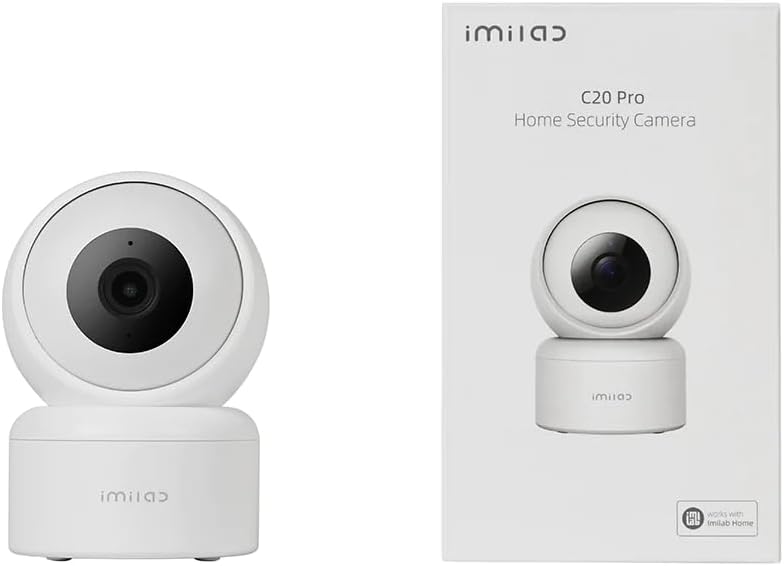
Figure 2.1: Camera and typical packaging contents. Actual packaging may vary.
3. Продукт бүтүп калдыview
Familiarize yourself with the various components of your IMILAB C20 Pro camera.

3.1-сүрөт: Каптал View

3.2-сүрөт: Артка View (showing power port, reset button, and Micro SD card slot)
- Объектив: Video foo тартатtage.
- Индикатор жарыгы: Shows camera status (e.g., blue for connected, orange for waiting for connection).
- Микрофон: Аудио киргизүү жана эки тараптуу байланыш үчүн.
- Баяндамачы: Аудио чыгаруу жана эки тараптуу байланыш үчүн.
- Микро SD карта слоту: Жергиликтүү видео сактоо үчүн (64 ГБ чейин колдойт, карта кошулган эмес).
- Калыбына келтирүү баскычы: Press and hold to reset the camera to factory settings.
- Электр порту: Кубат адаптерине туташат.
4. Орнотуу
Follow these steps to set up your IMILAB C20 Pro camera.
- Download the IMILAB Home App: Издөө 'IMILAB Home' in your smartphone's app store (Google Play Store or Apple App Store) and install the application.
- Каттоо эсебин түзүү: Open the IMILAB Home app and follow the on-screen instructions to register a new account or log in if you already have one.
- Камераны күйгүзүү: Connect the provided USB cable to the camera's power port and the power adapter, then plug the adapter into a power outlet. The camera's indicator light will turn orange and blink, indicating it is ready for connection.
- Түзмөк кошуу: In the IMILAB Home app, tap the '+' icon to add a new device. Select 'IMILAB C20 Pro' from the list of available devices.
- Wi-Fi'га туташуу: Follow the app's instructions to connect the camera to your 2.4GHz Wi-Fi network. You will be prompted to scan a QR code generated by the app using the camera's lens. Hold your phone approximately 15-20 cm (6-8 inches) from the camera lens until you hear a voice prompt confirming successful scanning.
- Орнотуу жана орнотуу:
The camera can be placed on a flat surface or mounted on a wall or ceiling. For ceiling mounting, the camera supports inverted installation.

4.1-сүрөт: Мисample of Inverted Installation
If mounting, use the provided mounting accessories. Ensure the camera is securely fastened. In the app settings, you can enable 'Inverted Image' if the camera is mounted upside down to correct the video orientation.
5. Иштөө нускамалары
Once your camera is set up, you can access its features through the IMILAB Home app.
5.1 Live View жана панорамалоо/кыйшайтуу башкаруусу
Open the IMILAB Home app and select your C20 Pro camera to view the live feed. You can use the on-screen controls to pan (horizontal) and tilt (vertical) the camera lens, providing a 360° coverage of the area.

Figure 5.1: 360° Free Rotation Capability
5.2 Эки тараптуу аудио байланыш
The camera supports two-way audio, allowing you to speak through the camera and hear audio from its vicinity. Tap the microphone icon in the live view interface to activate this feature.
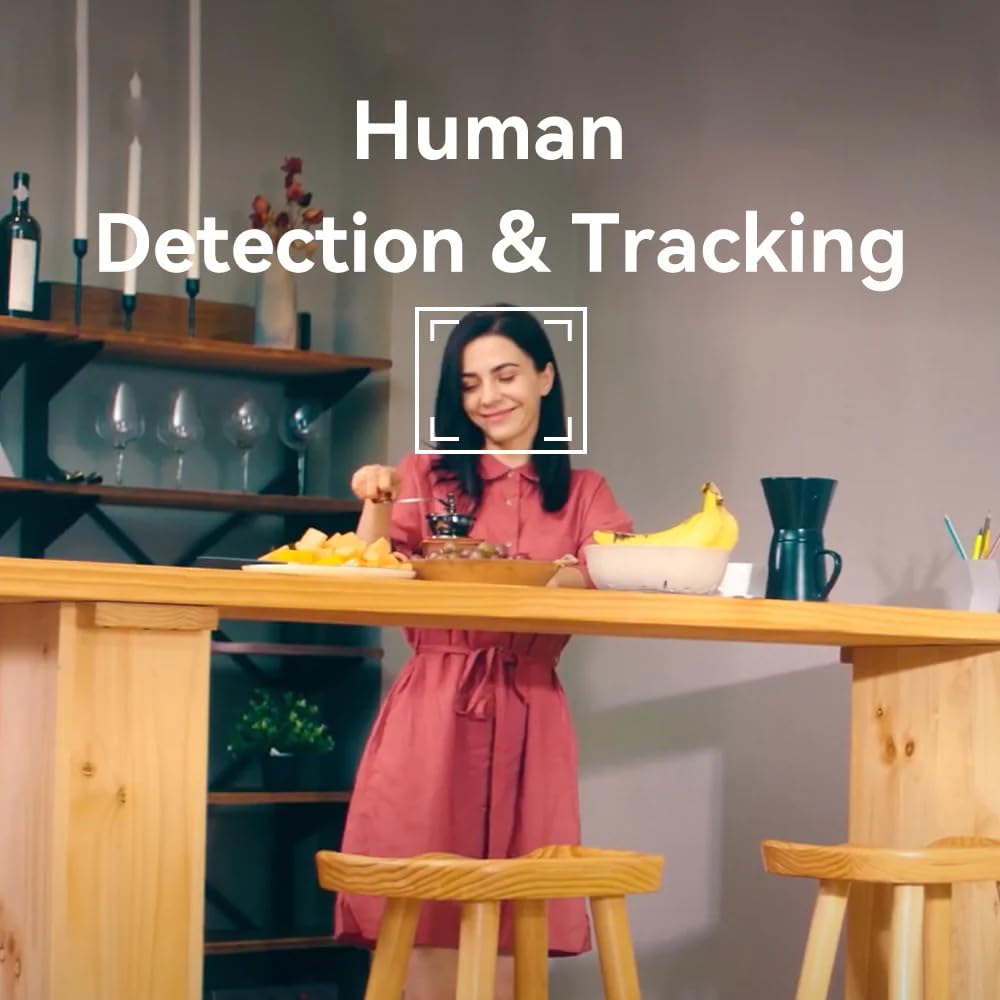
Figure 5.2: Two-Way Video Talk Feature
5.3 Human Detection & Tracking
The C20 Pro can detect human figures and track their movement within its field of view. Enable this feature in the app settings to receive alerts and automatically record relevant events.

Figure 5.3: Human Detection & Tracking in action
5.4 Инфракызыл түнкү көрүнүш
The camera automatically switches to infrared night vision in low-light conditions, providing clear black-and-white video footage up to a certain distance.
5.5 Видеону жазуу жана сактоо
The camera supports continuous recording or event-triggered recording. Footage can be stored on a Micro SD card (purchased separately) or via cloud storage services (subscription may be required). The camera provides 2K (3MP) high-resolution video for detailed monitoring.

Figure 5.4: 2K High Resolution Video Quality
6. Техникалык тейлөө
Үзгүлтүксүз техникалык тейлөө камераңыздын узак мөөнөттүү иштешин жана оптималдуу иштешин камсыз кылат.
- Тазалоо: Gently wipe the camera lens and body with a soft, dry cloth. Avoid using harsh chemicals or abrasive materials that could damage the surface.
- Программалык камсыздоонун жаңыртуулары: Periodically check the IMILAB Home app for available firmware updates. Keeping your camera's firmware up-to-date ensures you have the latest features and security enhancements.
- Экологиялык шарттар: Ensure the camera is used within its specified operating temperature and humidity ranges. Avoid exposing it to extreme temperatures, direct sunlight, or excessive moisture.
7. Кыйынчылыктарды
If you encounter issues with your IMILAB C20 Pro camera, refer to the following common problems and solutions:
| Көйгөй | Мүмкүн себеп | Чечим |
|---|---|---|
| Камера оффлайн | No power, Wi-Fi disconnected, poor Wi-Fi signal | Электр кубатына туташууну текшериңиз. Камераны жана роутерди өчүрүп-күйгүзүңүз. Камеранын Wi-Fi диапазонунда экенин текшериңиз. |
| Wi-Fi'га туташпай жатат | Туура эмес Wi-Fi сырсөзү, 5 ГГц тармагы, роутерден өтө алыс камера | Verify Wi-Fi password. Ensure you are connecting to a 2.4GHz network. Move camera closer to router. Reset camera and try again. |
| Видеонун сапаты начар | Insufficient bandwidth, dirty lens | Check internet speed. Clean the camera lens. Adjust video resolution in app settings. |
| No audio or two-way talk issues | Microphone/speaker blocked, app settings | Ensure nothing is obstructing the microphone or speaker. Check audio settings in the IMILAB Home app. |
| Микро SD карта таанылган жок | Card not inserted correctly, incompatible card, faulty card | Reinsert the card. Ensure it is a compatible Micro SD card (Class 10 or higher, up to 64GB). Try formatting the card in the app or with a computer. |
If the problem persists after trying these solutions, please contact IMILAB customer support.
8. Техникалык шарттар
| Өзгөчөлүк | Деталь |
|---|---|
| Модель аты | CMSXJ56B C20 Pro |
| Бренд | IMILAB |
| Резолюция | 3 МП (2К) |
| Байланыш технологиясы | Зымсыз (2.4 ГГц Wi-Fi) |
| Pan/Tilt | 360° эркин айлануу |
| Түнкү көрүнүш | Infrared Night Vision |
| Өзгөчөлүктөр | Human Detection & Tracking, Two-Way Call, Motion & Human Alerts, Sounds Detection, Inverted Installation |
| Сактагыч параметрлери | Булуттагы сактагыч, Micro SD карта (64 ГБ чейин) |
| Видеону кысуу | H.265/H.264 |
| Power Source | Электр зымдары |
| Сунушталган колдонуу | Ички коопсуздук |
| Продукциянын өлчөмдөрү | 50 x 4999.99 x 50 см; 250 г |
9. Кепилдик жана колдоо
IMILAB products are designed for reliability and performance. For specific warranty information, please refer to the warranty card included with your product or visit the official IMILAB website. For technical support, frequently asked questions, or to report an issue, please contact IMILAB customer service through their official channels.
Официалдуу Webсайт: www.imilab.com
10. Коопсуздук маалыматы
- Do not disassemble, repair, or modify the camera.
- Use only the provided power adapter and cable to avoid damage or fire.
- Keep the camera away from water, fire, and extreme temperatures.
- Камераны күчтүү электромагниттик талаалардын жанына коюудан качыңыз.
- Камеранын кулап түшпөшү үчүн бекем орнотулганын текшериңиз.
- This product is intended for indoor use only, despite some specifications mentioning 'Outdoor' usage, the primary recommended use is 'Indoor Security'.


