Introduction
Thank you for choosing the XtremeMac Wireless 5000 mAh Power Bank. This compact and powerful portable charger is designed to provide convenient wireless and wired charging for your compatible devices, especially optimized for iPhone models with MagSafe technology. Please read this manual thoroughly before using the product to ensure safe and optimal performance.
Пакеттин мазмуну
- XtremeMac Wireless 5000 mAh Power Bank (Model: XWH-PMS2-13)
- USB-C заряддоо кабели
- Колдонуучунун Колдонмосу (бул документ)
Продукт бүттүview
Familiarize yourself with the components of your XtremeMac Wireless Power Bank.

1-сүрөт: XtremeMac Wireless Power Bank - Front, Back, and Side Views. This image illustrates the device's compact design, the magnetic charging area on the front, the USB-C port, and the power button on the side.
- Magnetic Charging Surface: For wireless charging of compatible devices.
- USB-C порту: For charging the power bank and for wired output charging.
- Кубат баскычы: Зымсыз кубаттоону иштетет жана батареянын деңгээлин текшерет.
- LED көрсөткүчтөрү: Show battery level and charging status.
Жайгашуу
1. Power Банктын алгачкы заряддоосу
Before first use, fully charge your XtremeMac Wireless Power Bank.
- Берилген USB-C кабелин кубат банкындагы USB-C портуна туташтырыңыз.
- USB-C кабелинин экинчи учун туура келген USB кубат адаптерине туташтырыңыз (кошумча эмес).
- Кубаттоо жүрүп жатканын көрсөтүү үчүн LED индикаторлору күйөт. Толук заряддалганда бардык LEDдер туруктуу болот.
2. Attaching to Your iPhone (MagSafe)
The power bank is designed for seamless magnetic attachment to MagSafe-compatible iPhones (iPhone 12, 13, 14, and 15 series).

2-сүрөт: Magnetic Attachment for iPhone. This image demonstrates how the power bank securely clicks onto the back of a compatible iPhone for wireless charging.
- Align the power bank with the back of your MagSafe-compatible iPhone.
- The magnets will automatically snap the power bank into place, ensuring proper alignment for wireless charging.
Иштөө нускамалары
1. Wireless Charging (MagSafe)
To charge your iPhone wirelessly:

3-сүрөт: Wireless Charging in Progress. This image shows an iPhone receiving a wireless charge from the power bank, indicated by the charging animation on the phone screen.
- Attach the power bank to the back of your MagSafe-compatible iPhone.
- Press the power button on the side of the power bank. Wireless charging will begin within 5 seconds.
- The LED indicators on the power bank will show its remaining charge. Your iPhone screen will also indicate charging.
- To stop charging, simply detach the power bank or press the power button again.
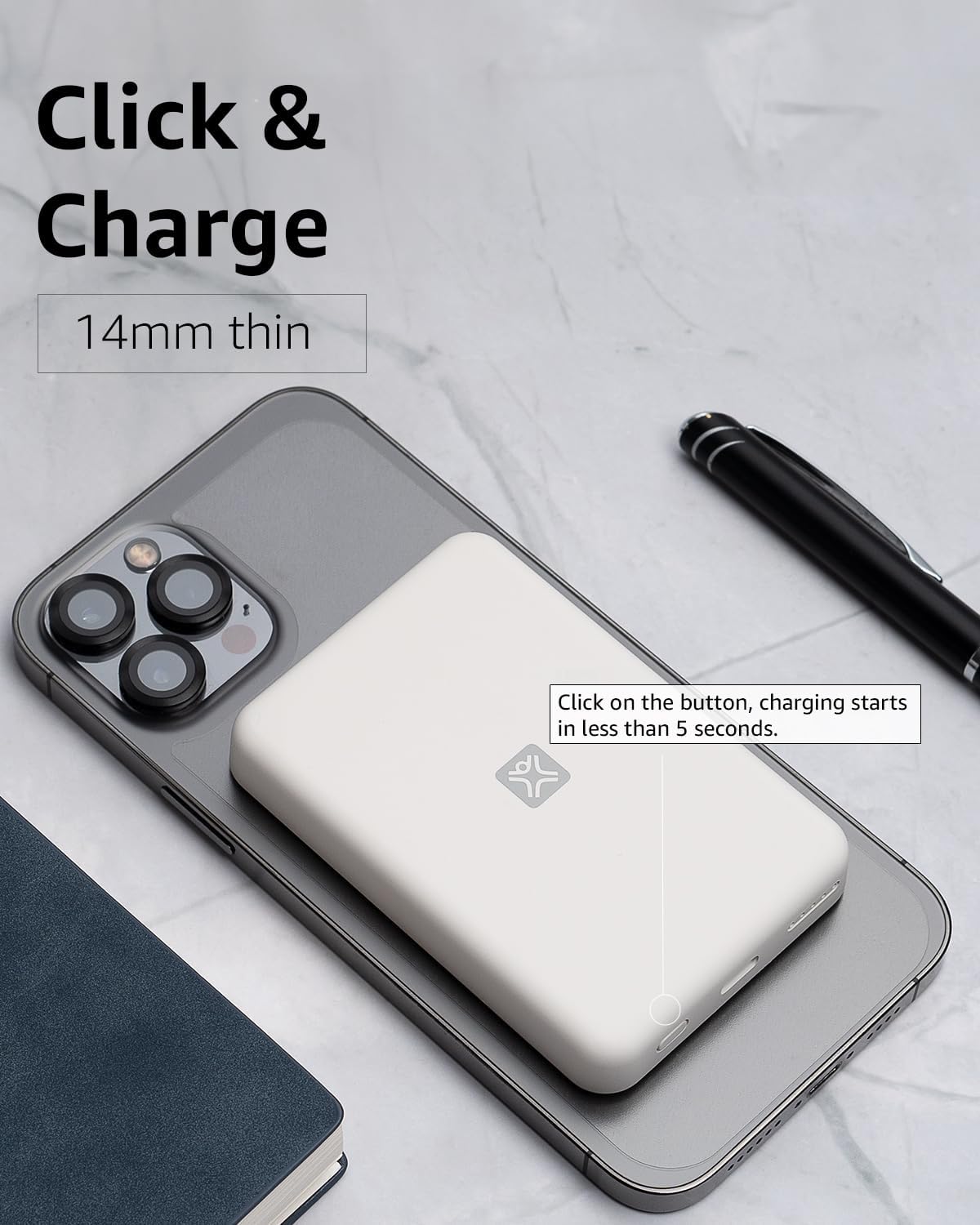
4-сүрөт: Activating Wireless Charge. This image highlights the power button and the quick activation of wireless charging.
2. Wired Charging (USB-C PD)
For faster charging or to charge non-wireless devices, use the USB-C port.

5-сүрөт: Wired Charging via USB-C. This image shows the power bank connected to a phone using a USB-C cable, demonstrating its faster wired charging capability.
- Connect one end of a USB-C cable (or a compatible cable for your device) to the USB-C port on the power bank.
- Connect the other end to your device's charging port.
- Charging will typically begin automatically. If not, press the power button on the power bank.
3. Батареянын деңгээлин текшерүү
LED жарыктары менен көрсөтүлгөн калган батареянын деңгээлин текшерүү үчүн кубат баскычын бир жолу басыңыз.
Техникалык тейлөө
- Тазалоо: Power банктын бетин тазалоо үчүн жумшак, кургак чүпүрөктү колдонуңуз. Суюк тазалагычтарды же аэрозолдорду колдонбоңуз.
- Сактагыч: Power банкты күн тийбеген жана экстремалдык температурадан алыс, салкын, кургак жерде сактаңыз.
- Батареяга кам көрүү: Батареянын иштөө мөөнөтүн узартуу үчүн, үзгүлтүксүз колдонулбаса, кубат банкты жок дегенде үч айда бир жолу толук заряддап туруңуз.
Проблемаларды чечүү
| Көйгөй | Мүмкүн себеп | Чечим |
|---|---|---|
| Power банк заряддалбай жатат. | Кабель туура туташкан эмес; кабель/адаптер бузук; Power Bank толук заряддалган. | Ensure cable is securely connected. Try a different USB-C cable and power adapter. Check LED indicators; if all are solid, it's fully charged. |
| Түзмөк зымсыз кубатталбай жатат. | Device not MagSafe compatible; misaligned; power bank low on charge; power button not pressed. | Ensure your device is MagSafe compatible (iPhone 12/13/14/15 series). Realign the power bank. Recharge the power bank. Press the power button to activate. |
| Device not charging via cable. | Cable not connected properly; faulty cable/device; power bank low on charge. | Ensure cable is securely connected. Try a different cable. Recharge the power bank. |
| Жай кубаттоо. | Using a non-PD charger/cable; device case interfering with wireless charging. | For wired charging, ensure you are using a USB-C PD compatible charger and cable. For wireless, remove thick or metallic phone cases. |
Техникалык шарттар
| Өзгөчөлүк | Деталь |
|---|---|
| Модель номери | XWH-PMS2-13 |
| Батарея сыйымдуулугу | 5000 мАч |
| Зымсыз чыгуу | 7.5 Вт чейин (MagSafe менен шайкеш келет) |
| Wired Output/Input | USB-C (Power Delivery compatible) |
| Өлчөмдөр | Болжол менен 17.1 x 8.9 x 2.2 см (6.7 x 3.5 x 0.9 дюйм) |
| Салмагы | Болжол менен 85 г (3 унция) |
| Батарея түрү | Литий ион |
| Шайкештик | MagSafe compatible iPhones (12, 13, 14, 15 series) for wireless charging; USB-C devices for wired charging. |

6-сүрөт: 5000 mAh Capacity and Charge Estimates. This image provides an overview of the power bank's capacity and estimated number of full charges for various iPhone models.
Коопсуздук маалыматы
- Do not expose the power bank to extreme temperatures, direct sunlight, or high humidity.
- Аппаратты ажыратпаңыз, өзгөртпөңүз же оңдоого аракет кылбаңыз.
- Балдар жетпеген жерде сактаңыз.
- Power банкты кулап же катуу таасирлерге дуушар кылуудан качыңыз.
- Эгерде Power Bank бузулган же шишип кеткен болсо, колдонбоңуз.
- Продукцияны жергиликтүү эрежелерге ылайык таштаңыз.
Кепилдик жана колдоо
For warranty information, technical support, or customer service inquiries, please refer to the official XtremeMac webсайтка же түздөн-түз кардарларды колдоо менен байланышыңыз. Сатып алганыңыздын далили катары сатып алуу дүмүрчөгүңүздү сактаңыз.


