1. Киришүү
Thank you for choosing the iFFALCON 43-inch 4K Ultra HD Smart QLED Google TV, model iFF43Q73. This manual provides essential information for the safe and efficient use of your television. Please read it thoroughly before operating the device and retain it for future reference.
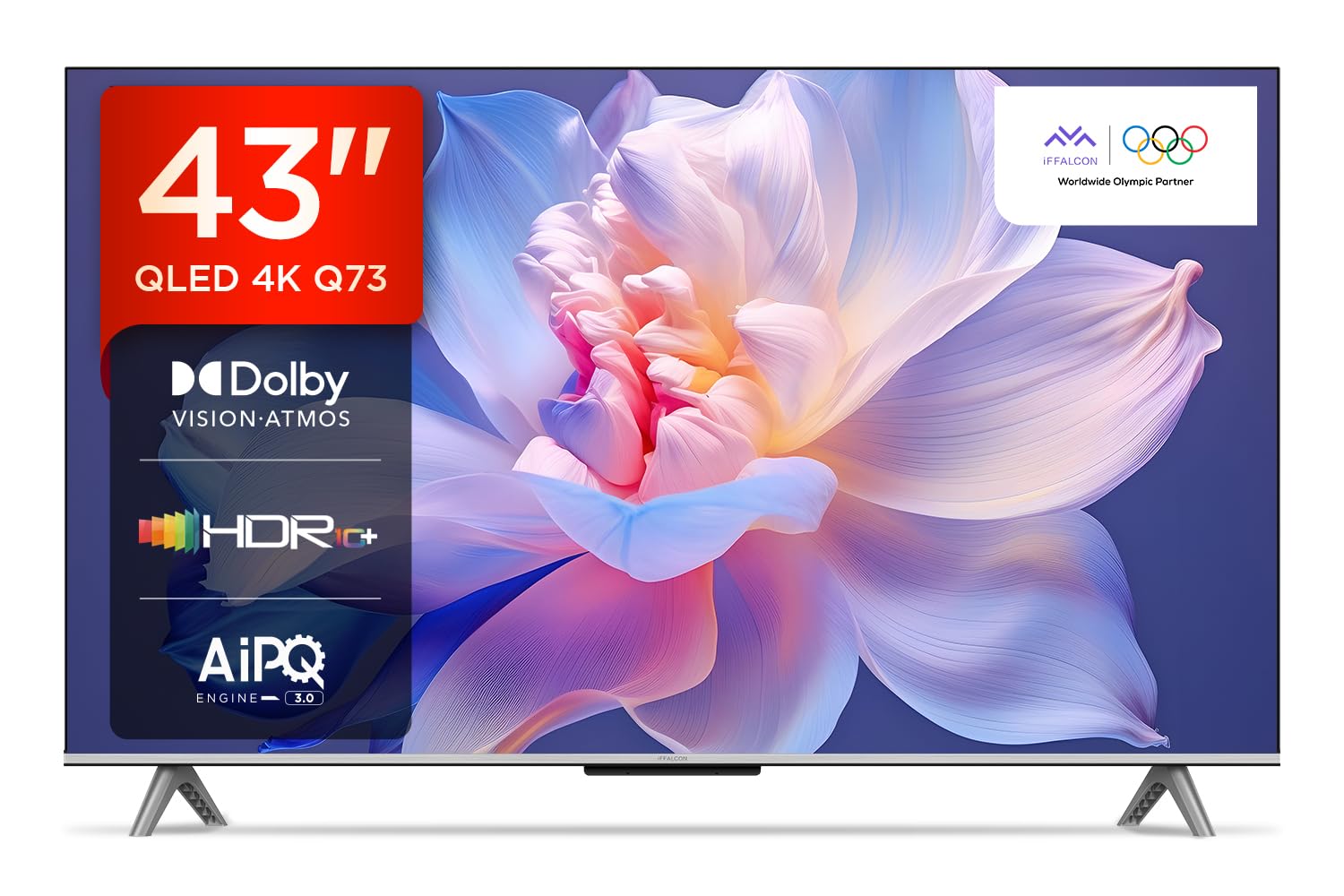
Сүрөт: алдыңкы view of the iFFALCON 43-inch 4K Ultra HD Smart QLED Google TV.
2. Коопсуздук маалыматы
Электр тогуна урунуунун, өрттүн же телевизордун бузулушунун алдын алуу үчүн ар дайым төмөнкү коопсуздук көрсөтмөлөрүн аткарыңыз:
- Телевизорду жамгырга же нымга тийгизбеңиз.
- туура желдетүүнү камсыз кылуу; желдетүү тешиктерин жаап албаңыз.
- Өндүрүүчү белгилеген тиркемелерди/аксессуарларды гана колдонуңуз.
- Чагылган бороондо же көпкө чейин пайдаланылбай турганда сыналгыны розеткадан ажыратыңыз.
- Бардык тейлөөлөрдү квалификациялуу тейлөө кызматкерлерине тапшырыңыз.
3. Кутуда эмне бар
Таңгактан чыгаргандан кийин, бардык буюмдар бар экенин текшериңиз:
- 1N LED телевизор
- 1N аудио кабели
- 1N Stand (for table mounting)
- 1N Колдонуучунун колдонмосу
- 1N алыстан башкаруу
- 1N Кепилдик картасы
- 2N AAA батареялары (алыстан башкаруу үчүн)
4. Орнотуу
4.1 Физикалык орнотуу
Your iFFALCON TV can be installed on a table stand or wall-mounted. Ensure the installation surface is stable and can support the TV's weight.

Image: The iFFALCON TV placed on a media console, illustrating a typical table-top setup.
Стол орнотуу:
- Carefully place the TV face down on a soft, flat surface.
- Attach the provided stand legs to the designated slots on the bottom of the TV using the screws included.
- Ensure the stand is securely fastened before carefully lifting the TV to its upright position.
Дубалга орнотуу:
For wall mounting, a compatible VESA wall mount kit (not included) is required. Follow the instructions provided with your wall mount kit. Professional installation is recommended.

Image: The iFFALCON TV displayed as wall-mounted in a modern living room setting.
4.2 Баштапкы күйгүзүү жана конфигурация
- Электр шнурду сыналгыга, андан кийин розеткага туташтырыңыз.
- Берилген AAA батарейкаларын пультка салыңыз.
- Аны күйгүзүү үчүн пульттун же сыналгыдагы кубат баскычын басыңыз.
- Баштапкы орнотууну аяктоо үчүн экрандагы көрсөтмөлөрдү, анын ичинде тилди тандоону, тармакка туташууну (Wi-Fi же Ethernet) жана Google аккаунтуна кирүүнү аткарыңыз.
5. Сыналгыңызды иштетүү
5.1 Алыстан башкаруу
Акылдуу алыстан башкаруу пульту ар кандай функцияларга жана агымдык кызматтарга тез жетүүнү камсыз кылат.

Image: The iFFALCON smart remote control, highlighting dedicated buttons for Netflix, Prime Video, YouTube, and TCL Channel, along with Google Assistant functionality.
5.2 Google TV интерфейси
Your TV runs on Google TV, offering a personalized experience with content recommendations and easy access to apps.

Image: The Google TV home screen displaying various streaming apps and content recommendations.

Image: A visual representation of the Google TV platform, emphasizing its user-friendly interface.
Негизги өзгөчөлүктөрү:
- Hands Free Үн башкаруу: Use "Ok Google" to search for content, control smart home devices, and get information.
- Google Watchlist: Add movies and TV shows to a unified watchlist from various services.
- Google Балдар: Access curated content suitable for children.
- Google Meet: Conduct video calls directly from your TV (requires compatible camera, not included).

Image: A user interacting with the TV using the "Ok Google" voice command to check the weather.

Image: The Google Watchlist feature shown across both a mobile device and the TV screen.

Image: The Google Kids interface, displaying child-friendly content and shows.

Image: A video call in progress using Google Meet on the iFFALCON TV.
6. Байланыш
The iFFALCON iFF43Q73 offers multiple connectivity options for external devices and networks.

Сүрөт: деталдуу view of the TV's side panel, illustrating the various input and output ports.
- HDMI порттору (3): Connect set-top boxes, Blu-ray players, and gaming consoles. HDMI 3 supports eARC/ARC for enhanced audio return.
- USB порту (1): Медиа ойнотуу үчүн USB сактагыч түзмөктөрүн туташтыруу үчүн.
- LAN (Ethernet): Зымдуу интернет байланышы үчүн.
- Гарнитуранын чыгышы: Наушниктерди же тышкы динамиктерди туташтыруу үчүн.
- Санариптик аудио чыгышы (оптикалык): Саундбарларга же үй кинотеатрынын тутумдарына туташуу үчүн.
- Антенна/Кабель: Антеннаны же кабелдик ТВ сигналын туташтыруу үчүн.
- Адаптерде AV: Композиттик видео жана стерео аудиону колдонуу менен эски түзмөктөрдү туташтыруу үчүн.
- Wi-Fi: Built-in for wireless internet access.
- Bluetooth: Наушник же оюн контроллери сыяктуу зымсыз аксессуарларды туташтыруу үчүн.

Image: An illustration of an HDMI 2.1 cable connecting to the TV, highlighting its advanced capabilities.

Image: A laptop screen being cast to the iFFALCON TV, demonstrating low latency casting functionality.
7. Дисплей өзгөчөлүктөрү
Experience stunning visuals with advanced display technologies.

Сүрөт: An overview of the iFFALCON TV's key display and audio features, including QLED, Dolby Vision Atmos, HDR10+, MEMC, High Brightness, DTS:X, Gaming in Dolby Vision, Game Master, and Edgeless Design.
- QLED дисплей: Quantum Dot technology delivers vibrant colors and improved brightness.
- 4K Ultra HD (3840 x 2160): Provides four times the resolution of Full HD for incredible detail.
- Dolby Vision & HDR10+: Advanced HDR formats for enhanced contrast, brightness, and color accuracy.
- 4K HDR Pro: Optimizes HDR content for a superior viewтажрыйбасы.
- AIPQ 3.0 Engine: AI-powered picture quality engine for intelligent optimization of color, contrast, and clarity.
- MEMC (Motion Estimation, Motion Compensation): Reduces motion blur and makes fast-moving scenes smoother.
- High Brightness (300 nits): Ensures clear visibility even in well-lit rooms.
- 178 градус кең Viewбурч: Consistent picture quality from various viewпозициялар.

Image: An illustration demonstrating the layers and technology behind a QLED display.

Image: The Dolby Vision logo displayed over a vibrant, colorful abstract image, representing enhanced visual quality.

Image: The HDR10+ logo positioned next to an image of a colorful, explosive visual effect, symbolizing dynamic range.

Image: A split image demonstrating the difference between standard and high brightness, showing a more vivid landscape on the right.

Image: A comparison showing a skier with motion blur (Without MEMC) versus a clear image (With MEMC), illustrating the motion compensation technology.
8. Аудио өзгөчөлүктөрү
Immersive sound experience with integrated speaker boxes.
- 30 Ватт чыгаруу: Powerful audio for clear sound.
- MS12Z with Dolby Atmos: Айланаңызда кыймылдаган көп өлчөмдүү үн чыгарат.
- DTS Virtual:X: Creates an immersive audio experience without the need for additional speakers.
- Integrated Speaker Boxes (Bottom Side): Optimized speaker placement for enhanced sound delivery.

Image: An illustration of the Dolby Atmos sound experience, showing sound waves emanating from the TV and surrounding the viewэ.

Image: A visual representation of Dolby Atmos audio filling a living room, with sound waves surrounding the TV.

Image: The DTS:X logo with an illustration of dolphins jumping out of water, depicting immersive sound.

Image: A visual representation of DTS:X audio, showing sound waves emanating from the TV and surrounding a viewer on a couch.
9. Оюн функциялары
Enhance your gaming experience with dedicated features.
- Оюн мастери: A suite of features designed for gamers.
- Gaming in Dolby Vision: Experience games with enhanced visuals and dynamic range.
- ALLM (Авто аз күтүү режими): Оюн консолу аныкталганда, телевизорду автоматтык түрдө аз кечигүү режимине которот, бул киргизүү кечигүүсүн азайтат.
- Оюн тилкеси: Quick access to game-related settings and information during gameplay.

Image: The Game Master feature displayed on the TV screen, showing icons for Game Bar, ALLM, and Aiming Aid.

Image: A gaming scene displayed on the TV with the 'Gaming in Dolby Vision' logo, indicating enhanced visual quality for games.

Image: The Game Master logo with icons for Game Bar, ALLM, and Aiming Aid, illustrating the gaming optimization features.

Image: The Game Bar interface displayed at the bottom of the TV screen during gameplay, showing options like HGIG, StatsBar, Boost, and Toolbox.

Image: A split screen comparison of a racing game with ALLM Mode OFF (left) and ALLM Mode ON (right), demonstrating reduced input lag.
10. Техникалык тейлөө
Түз эфир телевизоруңуздун узакка кызмат кылуусун жана жакшы иштешин камсыз кылат.
- Экранды тазалоо: Электроника үчүн атайын жасалган жумшак, түксүз кездемени колдонуңуз. Абразивдүү тазалагычтарды же эриткичтерди колдонбоңуз.
- Рамканы тазалоо: Wipe with a soft, dry cloth. For stubborn marks, a slightly damp кездеме, андан кийин кургак чүпүрөк колдонсо болот.
- Вентиляция: Ensure the TV's ventilation openings are clear of dust and obstructions.
- Электр кабели: Электр шнурунун бузулушу бар-жоктугун дайыма текшерип туруңуз.
11. Кыйынчылыктарды
Жалпы маселелер жана алардын чечимдери үчүн бул бөлүмдү караңыз.
| Көйгөй | Мүмкүн себеп | Чечим |
|---|---|---|
| Күч жок | Power cord disconnected, no power from outlet. | Электр шнурунун туташуусун текшериңиз. Башка түзмөк менен розетка сынагы. |
| Сүрөт жок, бирок үн бар | Туура эмес киргизүү булагы, бузулган кабель. | Verify correct input source. Check HDMI/AV cable connections. |
| Үн жок, бирок сүрөт бар | Volume muted, external audio device issue. | Unmute volume. Check audio settings. Ensure external audio devices are connected correctly. |
| Пульт иштебей жатат | Өлгөн батареялар, тоскоолдуктар, пульт жупташкан эмес. | Replace batteries. Remove obstructions. Re-pair Bluetooth remote if applicable. |
| Wi-Fi туташуу маселелери | Туура эмес сырсөз, роутер маселеси, сигналдын кийлигишүүсү. | Wi-Fi сырсөзүн кайра киргизиңиз. Роутерди кайра иштетүү. Сыналгы роутерге жакыныраак жылдырыңыз же тоскоолдуктарды азайтыңыз. |
12. Техникалык шарттар
Detailed technical specifications for the iFFALCON 43-inch 4K Ultra HD Smart QLED Google TV.

Image: A diagram illustrating the dimensions and weight of the iFFALCON 43-inch TV, both with and without the stand.
| Өзгөчөлүк | Деталь |
|---|---|
| Модел | iFF43Q73 |
| Screen Size | 43 дюйм (108 см) |
| Дисплей технологиясы | QLED |
| Резолюция | 4K Ultra HD (3840 x 2160) |
| Жаңыртуу ылдамдыгы | 60 Гц |
| Операция системасы | Google TV |
| Процессор | 64-бит төрт ядролуу процессор |
| RAM | 2 ГБ |
| Сактагыч | 16 ГБ |
| Аудио чыгаруу | 30 Ватт |
| Үн Technology | Dolby Atmos, DTS Virtual: X |
| Байланыш | 3 HDMI Ports, 1 USB Port, Wi-Fi, Bluetooth, Ethernet |
| Энергияны керектөө (күйгүзүлгөн режимде) | 130 Ватт |
| Продукциянын өлчөмдөрү (стенд менен) | 8 x 95.7 x 60.3 см |
| Буюмдун салмагы (стенд менен) | 6.7 кг |
13. Кепилдик жана колдоо
Your iFFALCON TV comes with a 2 жылдык кепилдик provided by the manufacturer from the date of purchase. For warranty claims, please use your Amazon e-invoice as proof of purchase.
For technical support or service inquiries, please refer to the contact information provided on the warranty card or visit the official iFFALCON support webсайт.


