Introduction
The Altec Lansing Kid Safe 2-in-1 Wireless Bluetooth Headphones (Model MZX4410) are designed to provide a safe and enjoyable audio experience for children. These headphones feature volume-limiting technology to protect delicate hearing, comfortable ear cushions, and versatile connectivity options. This manual provides instructions for setup, operation, and maintenance to ensure optimal performance and longevity of your headphones.
Кутуда эмне бар
- Altec Lansing Kid Safe 2-in-1 Wireless Bluetooth Headphones
- USB-C заряддоо кабели
- 3.5 мм аудио кабель
- Коргоочу кап
- Колдонуучунун Колдонмосу (бул документ)
Продукт өзгөчөлүктөрү
- Crystal Clear үн: High-quality audio with enhanced bass for an immersive listening experience.
- Safe Volume Limiting: Integrated technology limits maximum volume to 85dB to protect children's hearing.
- 2-ин-1 туташуусу: Supports both wireless Bluetooth and wired 3.5mm audio connections.
- Зымсыз диапазон: Up to 30 feet of Bluetooth wireless range for unrestricted movement.
- Ыңгайлуу дизайн: Soft ear cushions and an adjustable, cushioned headband ensure a comfortable fit for extended wear.
- Бүктөлүүчү жана көчмө: Convenient foldable design for easy storage and transport.
- Туруктуу курулуш: Built to withstand active use.
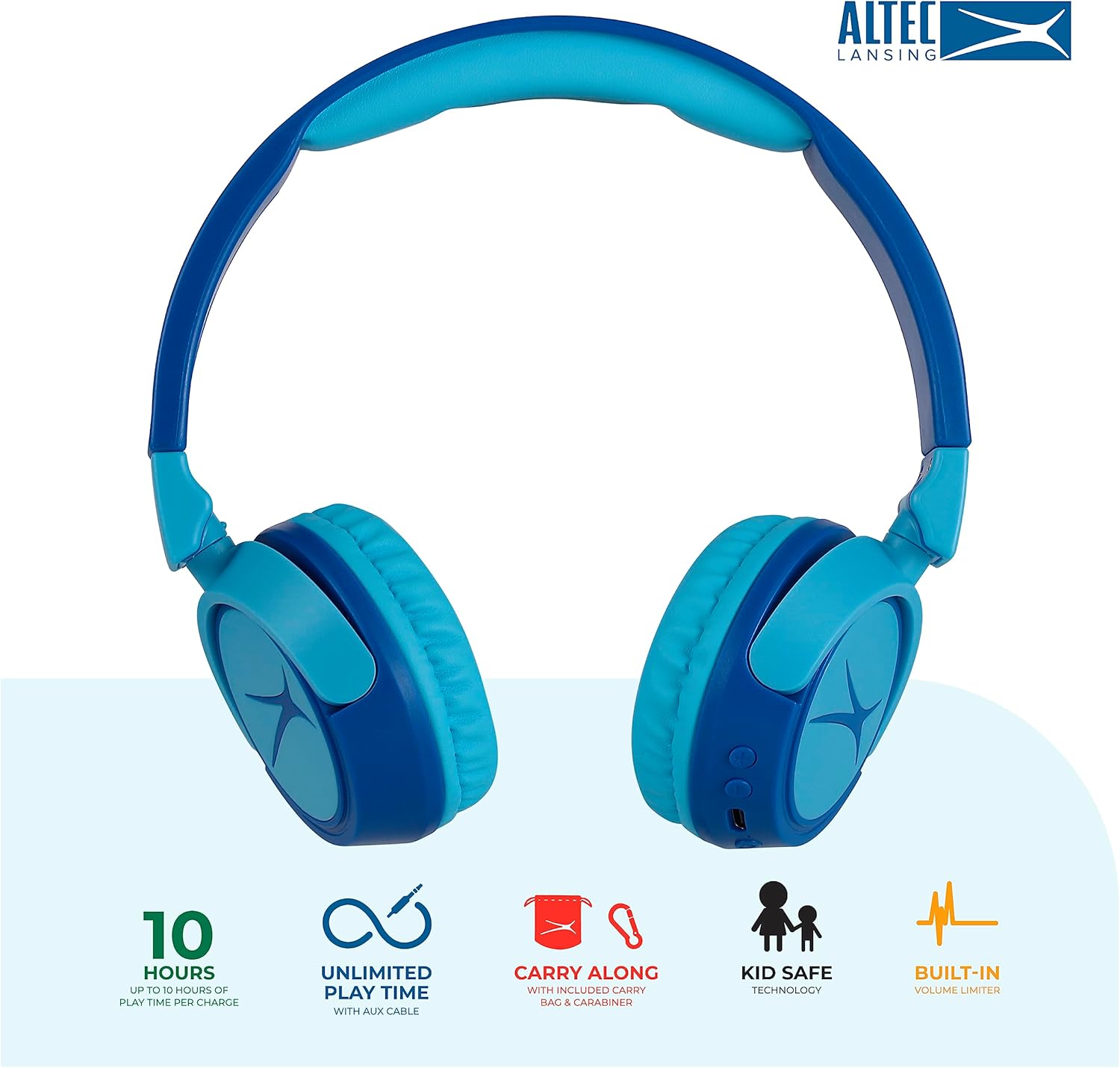
Image: Key features of the Altec Lansing Kid Safe Headphones, including battery life, wired option, portability, and safety features.

Image: Visual representation of the 85dB volume limiting technology for safe listening.
Орнотуу нускамалары
1. Наушниктерди заряддоо
- Locate the USB-C charging port on the headphone earcup.
- Connect the provided USB-C charging cable to the port on the headphones.
- Plug the other end of the USB-C cable into a compatible USB power source (e.g., computer, wall adapter).
- LED индикатору кубаттоо учурунда күйөт жана түсүн өзгөртөт же толук заряддалганда өчөт.
- Толук кубаттоо болжол менен 10 саат ойноо убактысын камсыз кылат.
2. Bluetooth Жупташтыруу
- Наушниктердин заряддалганын текшериңиз.
- Press and hold the Power button on the headphone earcup until the LED indicator flashes blue and red, indicating pairing mode.
- Түзмөгүңүздө (смартфон, планшет, компьютер) Bluetooth жөндөөлөрүнө өтүп, Bluetooth'ду иштетиңиз.
- Select "Altec Lansing MZX4410" from the list of available devices.
- Once connected, the LED indicator will show a solid blue light.
- The headphones will automatically reconnect to the last paired device when powered on, if within range.
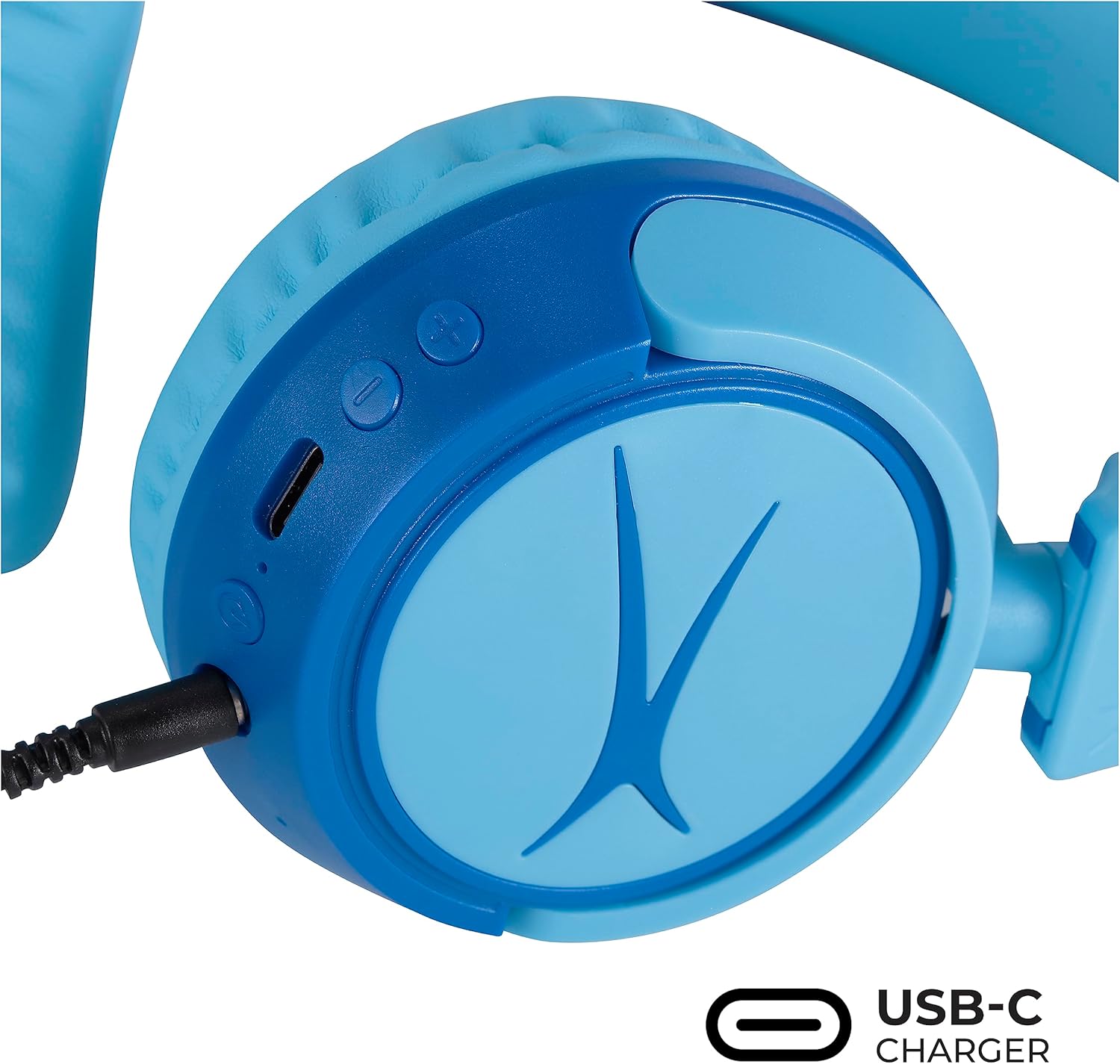
Image: Detail of the headphone controls and ports for charging and wired connection.
Иштөө нускамалары
Күйгүзүү/өчүрүү
- Күйгүзүү үчүн, LED индикатору күйгөнгө чейин Кубат баскычын басып, кармап туруңуз.
- Өчүрүү үчүн, LED индикатору өчкөнчө Кубат баскычын басып, кармап туруңуз.
Үндү көзөмөлдөө
- Үндү катуулатуу үчүн "+" баскычын колдонуңуз.
- Үндү азайтуу үчүн "-" баскычын колдонуңуз.
- The volume is limited to 85dB for hearing protection.
Медиа көзөмөл
- Аудиону ойнотуу же тындыруу үчүн Ойнотуу/Тыным баскычын бир жолу басыңыз.
- Press and hold the '+' button to skip to the next track.
- Press and hold the '-' button to go to the previous track.
Зымдуу туташуу (милдеттүү эмес)
For unlimited playtime or when Bluetooth is not available, use the provided 3.5mm audio cable:
- Plug one end of the 3.5mm audio cable into the audio jack on the headphone earcup.
- Экинчи учун түзмөгүңүздүн 3.5 мм аудио чыгаруусуна сайыңыз.
- Наушник автоматтык түрдө зымдуу режимге өтөт.

Image: The headphones are compatible with multiple devices via Bluetooth or wired connection.
Video: An official product video demonstrating the Altec Lansing Kid Safe Bluetooth Headphones.
Техникалык тейлөө
Тазалоо
- Наушниктерди жумшак, кургак чүпүрөк менен сүртүңүз.
- Катуу химиялык заттарды же абразивдүү материалдарды колдонбоңуз.
- Нымдуулуктун тешиктерге кирбегенин текшериңиз.
Сактагыч
- Fold the headphones for compact storage.
- Store them in the provided protective case when not in use to prevent damage.
- Кургак, салкын жерде сактаңыз.

Image: Features highlighting the adjustable and cushioned design for comfort.
Проблемаларды чечүү
- Кубат жок: Наушниктердин толук заряддалганын текшериңиз. USB-C кабели аркылуу кубат булагына туташуу.
- Bluetooth аркылуу жупташтыруу мүмкүн эмес: Make sure the headphones are in pairing mode (flashing blue/red LED). Check that Bluetooth is enabled on your device and that the headphones are within the 30-foot range. Try restarting both the headphones and your device.
- No Sound in Wireless Mode: Verify that the headphones are successfully paired and connected to your device. Check the volume levels on both the headphones and your device.
- No Sound in Wired Mode: Ensure the 3.5mm audio cable is securely plugged into both the headphones and your device. Check the volume levels on your device.
- Sound is Too Low: The headphones feature a built-in volume limiter at 85dB for safety. This is a design feature and not a malfunction.
Техникалык шарттар
| Өзгөчөлүк | Деталь |
|---|---|
| Модель аты | MZX4410 |
| Байланыш технологиясы | Зымсыз (Bluetooth), Зымдуу (3.5 мм уяча) |
| Зымсыз байланыш технологиясы | Bluetooth |
| Bluetooth диапазону | 30 Фут |
| Батареянын иштөө мөөнөтү | 10 саат |
| Көлөмдүн чеги | 85dB (Kid Safe) |
| Башкаруу түрү | Медиа башкаруу, тийүү |
| Өзгөчөлүктөр | Adjustable Headband, Detachable Cable, Foldable, Lightweight, Wireless |
| Материал | Пластик |
| Элемент Салмагы | 8.8 унция (0.25 килограмм) |
| Өндүрүүчү | Altec Lansing Technologies |
| UPC | 021331082107 |
Кепилдик жана колдоо
For warranty information and customer support, please refer to the official Altec Lansing website or contact their customer service directly. Details can typically be found on the product packaging or the Altec Lansing support portal.


