Introduction
Сатып алганыңыз үчүн рахматasing the AZATOM Spitalfields 2 Portable DAB/DAB+ Digital FM Radio. This manual provides essential information for setting up, operating, and maintaining your new radio. Please read this manual thoroughly before use to ensure proper functionality and to maximize your listening experience.
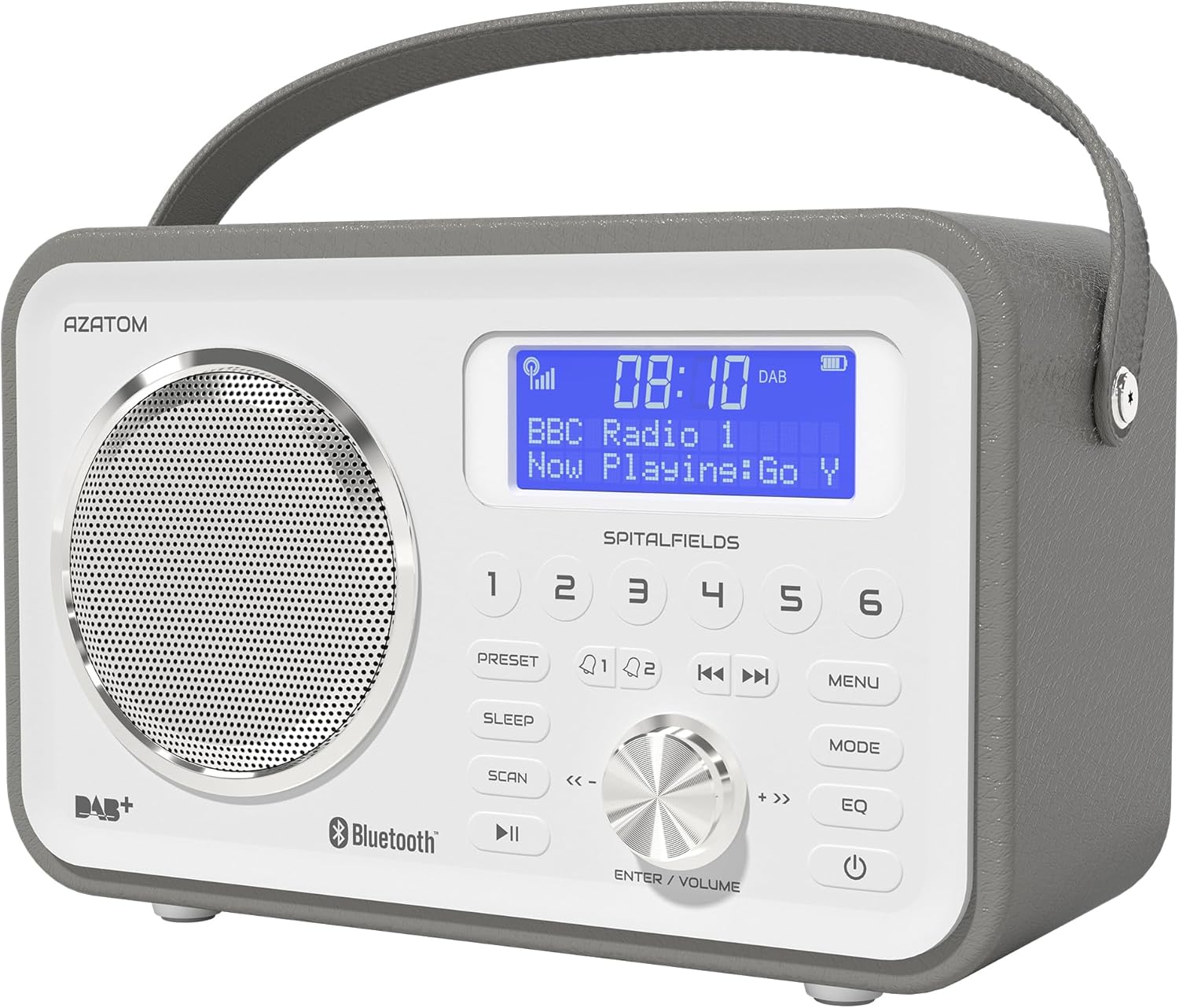
The AZATOM Spitalfields 2 radio features a classic retro design with a modern digital display and intuitive controls.
Маанилүү коопсуздук нускамалары
Always follow these basic safety precautions when using your radio:
- Аппаратты жамгырга, нымдуулукка же экстремалдык температурага дуушар кылбаңыз.
- Агрегатты ажыратпаңыз же өзгөртпөңүз. Бардык тейлөөлөрдү квалификациялуу кызматкерлерге тапшырыңыз.
- Ашыкча ысып кетүүнүн алдын алуу үчүн аппараттын айланасында туура желдетүүнү камсыз кылыңыз.
- Аппарат менен кошо берилген кубат адаптерин гана колдонуңуз.
- Агрегатты күчтүү магнит талаасынан алыс кармаңыз.
- Угуунун начарлашына жол бербөө үчүн, узак убакыт бою өтө катуу үн менен угуудан алыс болуңуз.
Негизги өзгөчөлүктөрү
- DAB/DAB+ жана FM радиосу: Enjoy a wide range of digital and analog radio stations.
- Bluetooth 5.0 туташуусу: Wirelessly stream audio from your compatible devices.
- Ойготкучтун функциясы: Set multiple alarms with snooze and sleep timer features.
- Кайра заряддалуучу батарея: Көчмө колдонуу үчүн орнотулган батарея.
- Алдын ала коюлган станциялар: Store your favorite DAB and FM stations for quick access.
- Алыстан башкаруу: Conveniently operate the radio from a distance.
- Quality Stereo Sound: Enhanced audio experience with a built-in subwoofer.
DAB/DAB+/FM Radio

Experience crystal-clear digital radio with DAB/DAB+ or tune into traditional FM broadcasts.
Bluetooth 5.0 туташуу

Effortlessly stream music from your smartphone, tablet, or other Bluetooth-enabled devices.
Alarm Clock & Sleep Timer

Wake up to your favorite station or a buzzer with the integrated alarm clock, and drift off to sleep with the adjustable sleep timer.
Pre-set Stations

Quickly access your preferred radio stations by saving them to the dedicated preset buttons.
Заряддалуучу батарея

The built-in rechargeable battery allows for convenient portable use, perfect for any room or on the go.
Premier Control with Remote
Control all functions of your radio from the comfort of your couch using the included remote control.
Пакеттин мазмуну
Сураныч, бардык элементтер бар экенин текшериңиз:
- AZATOM Spitalfields 2 DAB/DAB+ Digital FM Radio
- Кубаттуу адаптер
- Алыстан башкаруу
- Колдонуучунун Колдонмосу (бул документ)
Продукт бүттүview
Familiarize yourself with the controls and display of your Spitalfields 2 radio.
The front panel features a clear display, speaker, and various control buttons.
Алдыңкы панелдин башкаруу элементтери
- Дисплей экраны: Shows time, station information, and menu options.
- Алдын ала коюлган баскычтар (1-6): Сүйүктүү станцияларыңызды сактап коюңуз жана кайра чакырып алыңыз.
- PRESET баскычы: Access preset memory.
- SLEEP баскычы: Уйку таймерин коюу.
- SCAN баскычы: Automatically scan for stations.
- ОЙНОО/ТЫНДЫРУУ баскычы: Play/pause in Bluetooth mode.
- MENU баскычы: Тутум орнотуулары.
- MODE баскычы: DAB, FM жана Bluetooth режимдерин которуштуруу.
- EQ баскычы: Эквалайзердин жөндөөлөрүн тууралаңыз.
- КҮЧ баскычы: Аппаратты күйгүзүңүз / өчүрүңүз.
- ENTER/VOLUME Knob: Rotate to adjust volume or navigate menus; press to confirm selection.
- SKIP Buttons (<<, >>): Navigate tracks in Bluetooth mode or stations in radio mode.
Жайгашуу
Күйгүзүлүүдө
- Оптималдуу кабыл алуу үчүн телескопиялык антеннаны толугу менен узартыңыз.
- Connect the supplied power adapter to the DC IN port on the back of the radio and plug it into a wall outlet. The internal battery will begin charging.
- басыңыз КҮЧ радиону күйгүзүү үчүн баскыч.
Initial Scan (DAB/FM)
Upon first power-on, the radio will automatically perform a full scan for DAB stations. This may take a few minutes. Once complete, the radio will tune to the first available station.
- To manually initiate a scan in DAB mode, press the SCAN баскычы.
- FM режиминде басып, кармап туруңуз SCAN Кийинки жеткиликтүү станцияны автоматтык түрдө издөө үчүн баскычты басыңыз.
Убакыт жана дата орнотуу
The time and date are usually automatically set via DAB signal. If not, or if you wish to adjust manually:
- басыңыз МЕНЮ баскычы.
- айлантыңыз ENTER/VOLUME knob to navigate to 'System Settings' and press the knob to confirm.
- Navigate to 'Time/Date' and press to confirm.
- Select 'Set Time/Date' or 'Auto Update' as desired and follow the on-screen prompts.
Иштөө нускамалары
Radio Modes (DAB, FM)
басыңыз РЕЖИМ DAB жана FM радио режимдеринин ортосунда которулуу үчүн баскычты басыңыз.
DAB режими
- айлантыңыз ENTER/VOLUME knob to browse available DAB stations. Press the knob to select a station.
- Басыңыз SCAN to perform a full scan for new stations.
FM режими
- айлантыңыз ENTER/VOLUME knob to fine-tune the frequency.
- басып, кармап туруңуз SCAN button to automatically tune to the next strong station.
Bluetooth операциясы
- басыңыз РЕЖИМ button until 'Bluetooth' is displayed. The radio will enter pairing mode.
- On your Bluetooth-enabled device (e.g., smartphone), search for 'Spitalfields 2' in the Bluetooth settings and select it to pair.
- Once paired, you can stream audio from your device to the radio. Use the ОЙНОО/ТЫНЫТТЫРУ жана ӨТКӨРҮҮ buttons on the radio or remote to control playback.
Ойготкуч саат функциясы
- басыңыз МЕНЮ button and navigate to 'Alarms'.
- Select 'Alarm 1' or 'Alarm 2' to configure.
- Set the alarm time, duration, source (Buzzer, DAB, FM), and frequency (Daily, Once, Weekdays, Weekends).
- Ensure the alarm is set to 'On'.
- Ойготкуч чыкканда, басыңыз КҮЧ button to snooze, or press any other button to turn off the alarm.
Уйку таймери
Уйку таймери радиону белгиленген убакыттан кийин автоматтык түрдө өчүрүүгө мүмкүндүк берет.
- басыңыз УЙКУ button repeatedly to cycle through sleep timer options (e.g., 15, 30, 45, 60, 90, 120 minutes, Off).
- The selected time will be displayed briefly.
Алдын ала орнотуулар
Алдын ала орнотууну сактоо
- Каалаган DAB же FM станциясына тууралаңыз.
- Press and hold one of the numbered АЛДЫН АЛА buttons (1-6) until 'Preset Stored' appears on the display.
Алдын ала орнотууну кайра чакыруу
- Briefly press the corresponding numbered АЛДЫН АЛА Сакталган станцияны чакырып алуу үчүн (1-6) баскычын басыңыз.
Аудио жөндөөлөрү (эквалайзер)
Үн профессионалын тууралаңызfile сиздин каалооңуз боюнча.
- басыңыз EQ button repeatedly to cycle through equalizer presets (e.g., Normal, Flat, Jazz, Rock, Classical, Pop, News, My EQ).
- If 'My EQ' is selected, you can customize bass and treble settings via the menu.
Алыстан башкарууну колдонуу
The remote control provides full functionality of the radio from a distance. Ensure the remote has working batteries and is pointed towards the front of the radio.
- All buttons on the remote correspond to functions available on the radio's front panel.
- Use the numeric buttons (0-9) to directly enter preset numbers or navigate menus.
Техникалык тейлөө жана кам көрүү
- Тазалоо: Радиону жумшак, кургак чүпүрөк менен сүртүңүз. Абразивдүү тазалагычтарды же эриткичтерди колдонбоңуз.
- Батареяга кам көрүү: For optimal battery life, avoid fully discharging the battery frequently. If storing the radio for an extended period, charge it fully every few months.
- Антенна: Телескопиялык антеннаны бузуп албаш үчүн этияттык менен кармаңыз.
- Сактагыч: Радиону салкын, кургак жерде, түз күндүн нурунан жана экстремалдык температурадан алыс сактаңыз.
Проблемаларды чечүү
| Көйгөй | Мүмкүн себеп | Чечим |
|---|---|---|
| Күч жок | Power adapter not connected; battery depleted. | Ensure power adapter is securely connected and plugged in. Charge the battery. |
| Үн жок / Үн сапаты начар | Volume too low; poor signal; incorrect mode. | Increase volume. Extend antenna fully. Re-scan for stations. Ensure correct mode (DAB/FM/Bluetooth). |
| DAB станциялары табылган жок | Weak DAB signal; no full scan performed. | Ensure antenna is fully extended. Perform a full DAB scan. Try repositioning the radio. |
| Bluetooth жупташкан жок | Radio not in Bluetooth mode; device too far; previously paired. | Switch radio to Bluetooth mode. Ensure device is within range. Forget 'Spitalfields 2' on your device and try pairing again. |
| Пульт иштебей жатат | Batteries depleted; obstruction; not pointed correctly. | Replace remote control batteries. Ensure no obstruction between remote and radio. Point remote directly at the radio's front panel. |
Техникалык шарттар
| Өзгөчөлүк | Деталь |
|---|---|
| Бренд | АЗАТОМ |
| Модель номери | AZSPTLSBK1 |
| Салмагы | 750 грамм |
| Аппараттык интерфейс | 3.5 mm Audio, Bluetooth, Headphones |
| Спикердин максималдуу чыгаруу күчү | 30 Ватт |
| UPC | 718157745964 |
Кепилдик маалымат
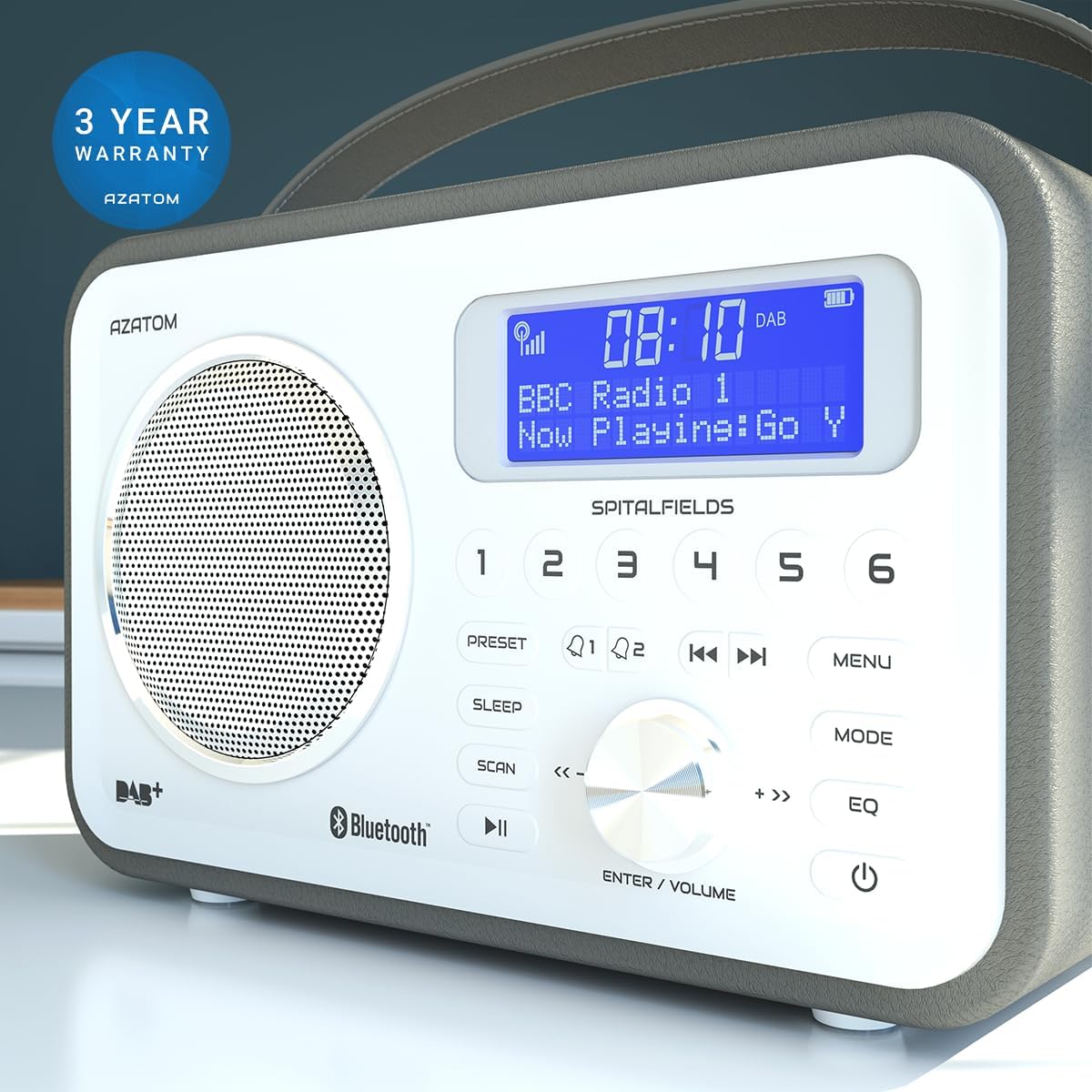
The AZATOM Spitalfields 2 radio comes with a 3 жылдык кепилдик from the date of purchase. This warranty covers manufacturing defects and faulty workmanship under normal use. Please retain your proof of purchase for warranty claims.
The product is backed by a 3-year warranty, ensuring peace of mind.
The warranty does not cover damage caused by misuse, accident, unauthorized modification, or normal wear and tear. For full terms and conditions, please refer to the AZATOM official webсайтка же кардарларды колдоо менен байланышыңыз.
Кардарларды колдоо
If you encounter any issues not covered in this manual or require further assistance, please visit the official AZATOM webколдоо булактары, көп берилүүчү суроолор жана байланыш маалыматы үчүн сайт.
Webсайт: www.azatom.com
Please have your model number (AZSPTLSBK1) and purchase details ready when contacting support.


