1. Киришүү
This manual provides detailed instructions for the setup, operation, and maintenance of your LinknLink eTHS WiFi Smart Temperature and Humidity Monitor Sensor. Please read this manual thoroughly before using the device to ensure proper functionality and safety.
1.1 Коопсуздук маалыматы
- Түзмөктү суудан жана нымдуулугу жогору чөйрөлөрдөн алыс кармаңыз.
- Аппаратты экстремалдык температурага же тике күн нуруна калтырбаңыз.
- Use only the specified power adapter (5V mini USB) to prevent damage.
- Аппаратты түшүрүүдөн же катуу таасирлерден сактаныңыз.
- Аппаратты өз алдынча бөлүүгө же оңдоого аракет кылбаңыз. Жардам алуу үчүн кардарларды колдоо бөлүмүнө кайрылыңыз.
2. Продукт бүтүп калдыview
2.1 Негизги өзгөчөлүктөрү
- Accurate and Fast Reading: Equipped with a Swiss-made Sensirion sensor, providing temperature accuracy up to ±0.54°F/±0.3°C and humidity accuracy up to ±2%RH. Data refreshes every 2 seconds.
- Wi-Fi Connection Without Hub: Connects directly to 2.4G Wi-Fi, eliminating the need for a separate hub.
- App Real-Time Status and Alert: View current status and 24-hour data curves. Set customizable high and low limits for immediate alerts on your phone.
- FREE Data Storage and Export: Offers up to 3 years of free data storage. Export full data to Excel at any time.
- Works with Alexa/Google: Voice control compatibility with Amazon Alexa and Google Home for temperature and humidity inquiries. Supports Alexa Routines for advanced automation.
- TH2MQTT Home Assistant: Integrates with Home Assistant via MQTT protocol for advanced home automation based on real-time data.
2.2 Кутуда эмне бар
- LinknLink eTHS Sensor Unit
- Sensor Cable (USB)
- Колдонуучунун колдонмосу
2.3 Продукт диаграммасы
Below is an image of the LinknLink eTHS sensor and its accompanying mobile application interface.
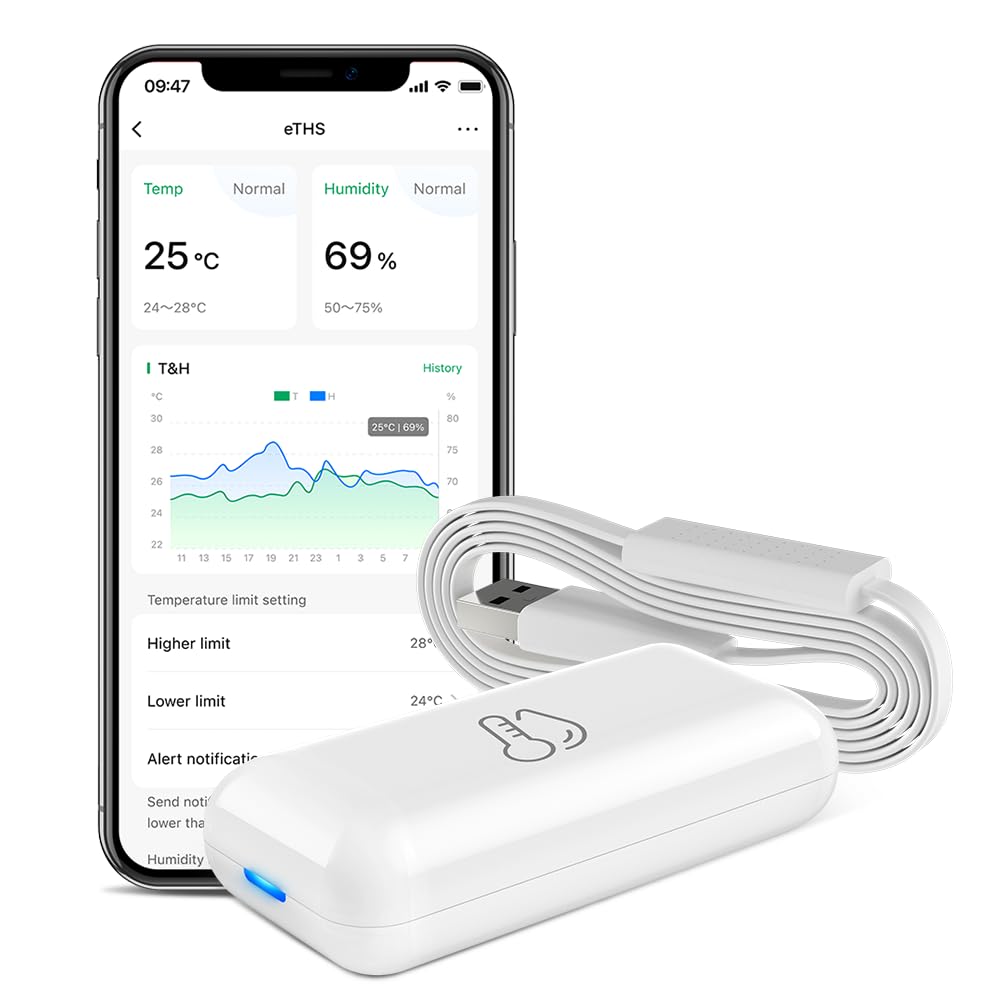
Figure 1: LinknLink eTHS Sensor and App Interface. The compact sensor unit is shown next to a smartphone displaying current temperature and humidity, along with historical data graphs and alert settings.
3. Техникалык шарттар
| Спецификация | Нарк |
|---|---|
| Модель номери | eTHS |
| Пакеттин өлчөмдөрү | 2.95 x 1.85 x 1.54 дюйм |
| Элемент Салмагы | 1.76 унция |
| Бренд | LinknLink |
| Өзгөчө өзгөчөлүк | Жогорку тактык |
| Түс | Ак |
| Сырткы материал | Пластик |
| Дисплей түрү | Дисплей жок |
| Байланыш технологиясы | Wi-Fi (2.4G) |
| Температуранын тактыгы | ±0.54°F / ±0.3°C |
| Нымдуулуктун тактыгы | ± 2% RH |
| Маалыматтарды жаңыртуу ылдамдыгы | 2 секунд сайын |
4. Орнотуу колдонмосу
4.1 Колдонмону орнотуу
- Издөө the "LinknLink" app in your smartphone's app store (Google Play Store for Android or Apple App Store for iOS).
- Тиркемени жүктөп алып, орнотуңуз.
- Жаңы аккаунтка катталыңыз же сизде мурунтан эле бар болсо кириңиз.
4.2 Device Power-Up and Wi-Fi Connection
The LinknLink eTHS sensor is designed for convenient installation, powered by a 5V mini USB cable.
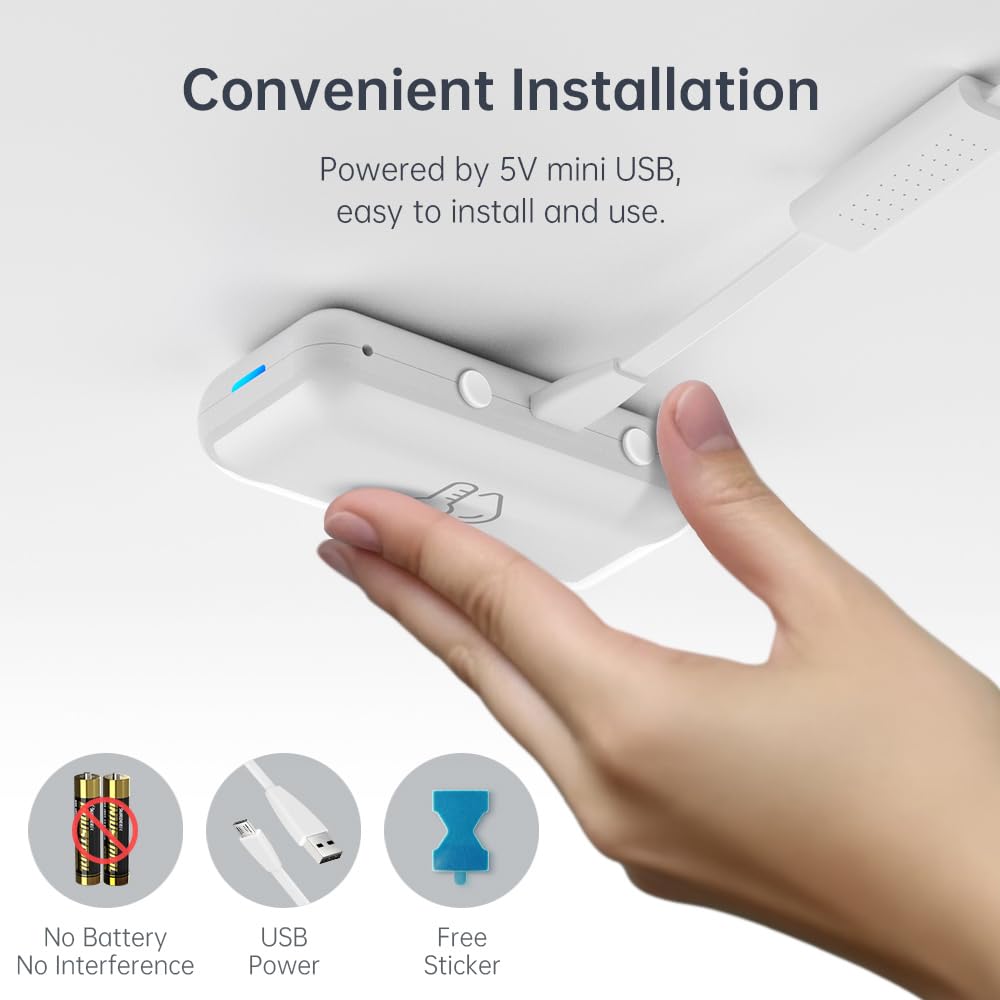
Figure 2: Convenient USB-powered installation of the eTHS sensor. The image shows a hand connecting a USB cable to the sensor, highlighting its battery-free operation and simple setup.
- Plug the provided USB sensor cable into the LinknLink eTHS sensor unit.
- Connect the other end of the USB cable to a 5V USB power source (e.g., a USB wall adapter, computer USB port).
- The device will power on, and an indicator light will show its status.
- Open the LinknLink app and follow the on-screen instructions to add a new device. Ensure your smartphone is connected to a 2.4G Wi-Fi network.
- The eTHS sensor connects directly to your Wi-Fi network, eliminating the need for a separate hub.
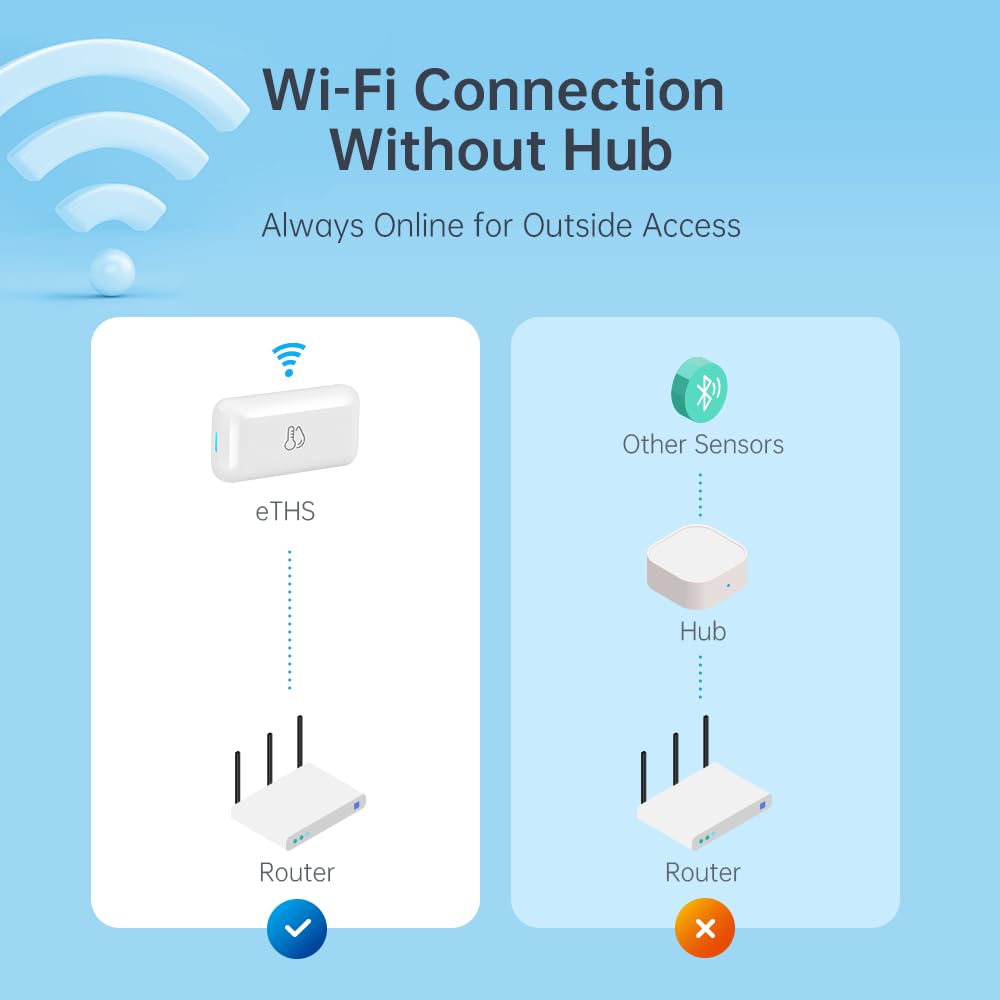
Figure 3: Direct Wi-Fi connection of the eTHS sensor, showing how it connects to a router without an intermediate hub, unlike other sensors.
5. Иштөө нускамалары
5.1 Real-Time Monitoring and Alerts
The LinknLink eTHS allows you to monitor environmental conditions remotely and receive alerts for significant changes.
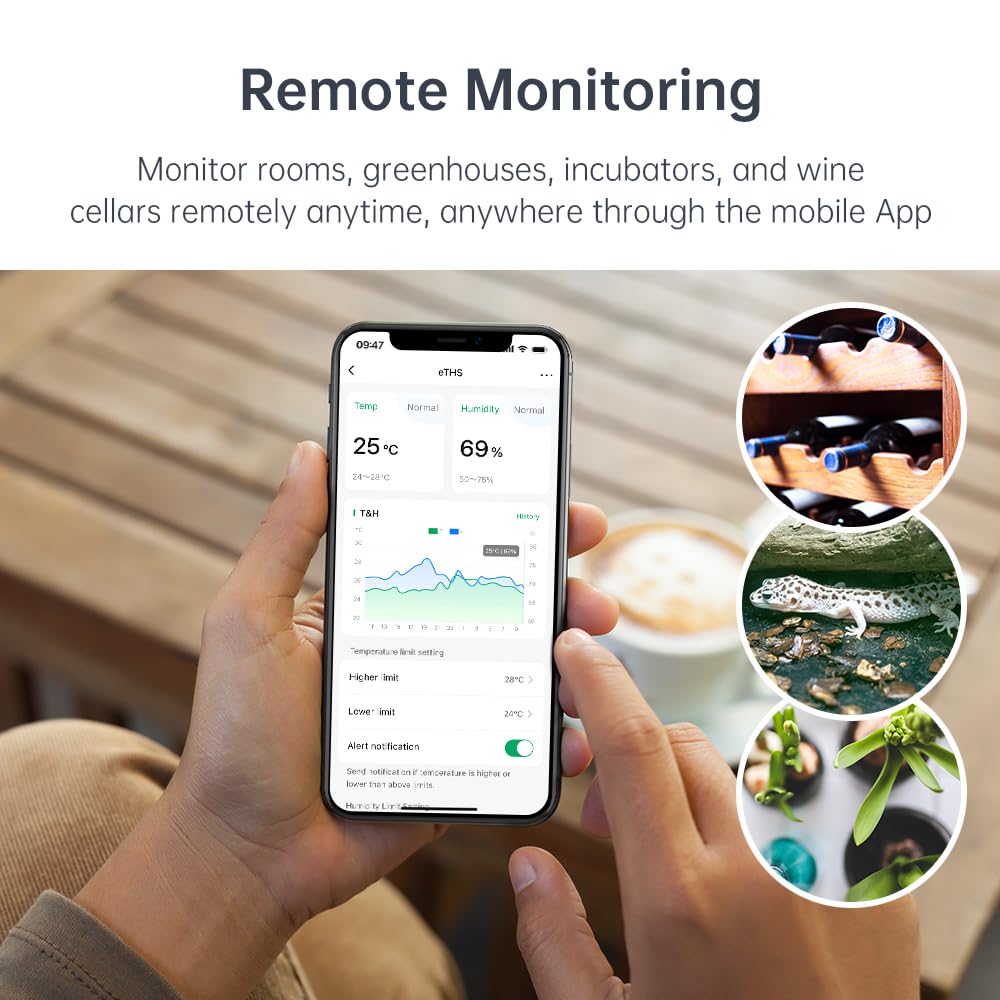
Figure 4: Remote monitoring capabilities of the eTHS sensor in diverse environments such as a greenhouse, wine cellar, and animal incubator.
- Open the LinknLink app to view реалдуу убакыт температура жана нымдуулук маалыматтар.
- The app displays a 24-hour data curve, allowing you to track trends.
- Set higher and lower temperature/humidity limits within the app.
- Receive immediate push notifications on your phone if readings exceed or fall below your set limits.
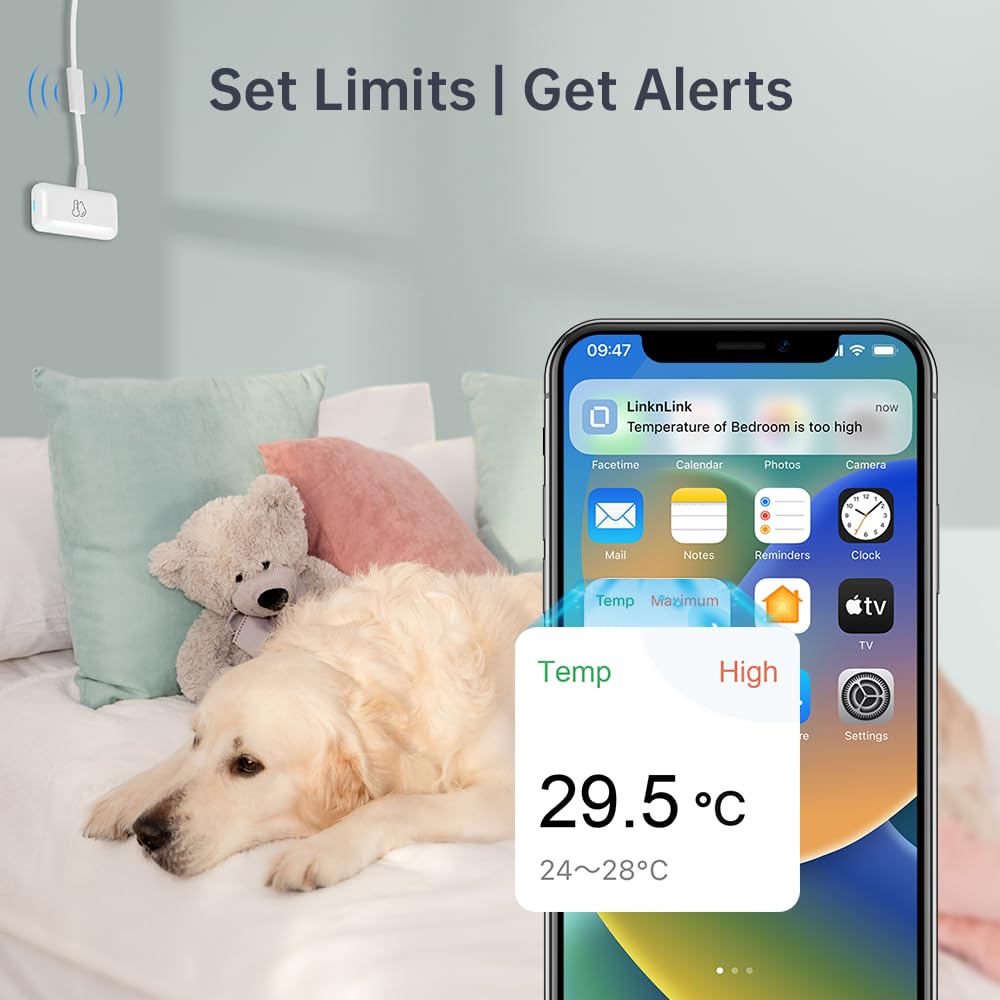
5-сүрөт: Мисample of a high-temperature alert notification received on a smartphone, demonstrating the sensor's ability to notify users of environmental changes.
5.2 Маалыматтарды сактоо жана экспорттоо
The eTHS sensor offers extensive data logging capabilities.
- Access detailed historical data within the LinknLink app.
- The device provides up to 3 years of free data storage.
- You can export the full data history to an Excel file for record-keeping or analysis at any time.
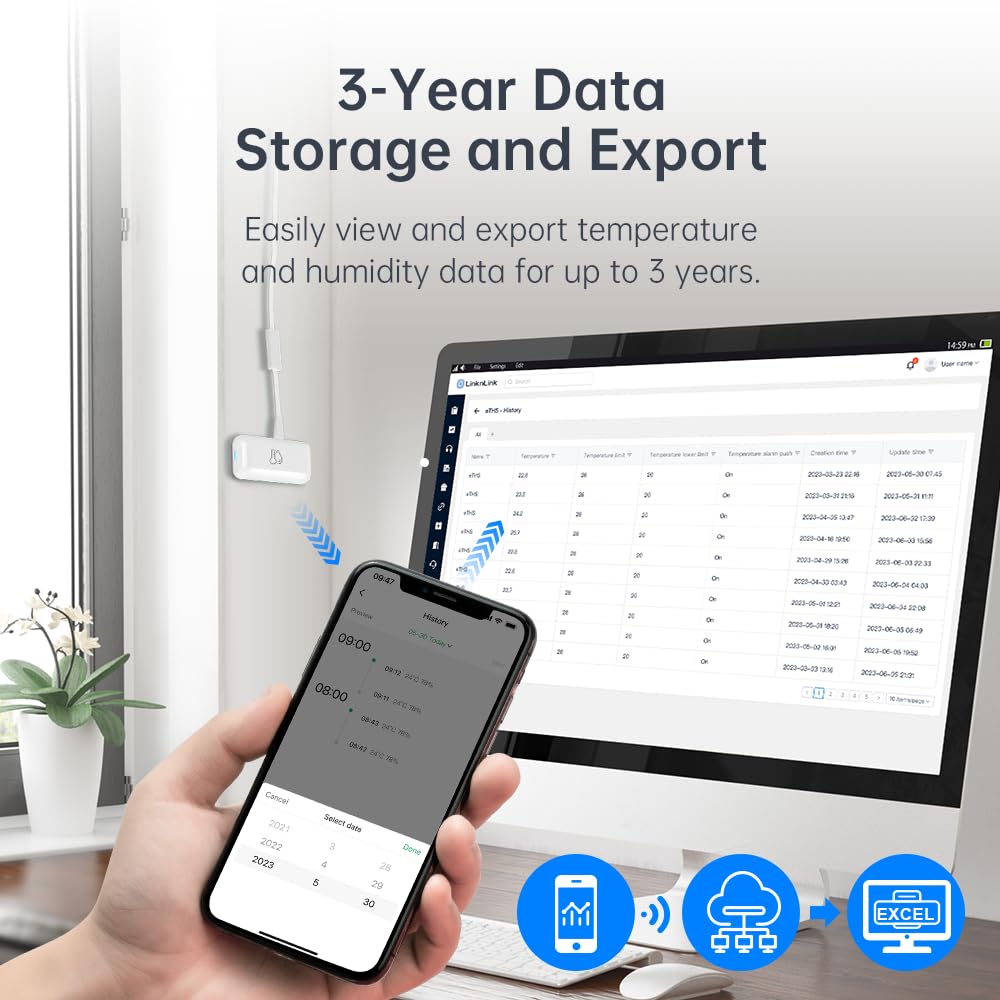
6-сүрөт: Viewing and exporting historical temperature and humidity data from the eTHS sensor to a computer, with a smartphone displaying data trends.
5.3 Үн менен башкаруунун интеграциясы
The LinknLink eTHS is compatible with popular voice assistants.
- Link your LinknLink account with Amazon Alexa or Google Home through their respective applications.
- Once linked, you can ask Alexa or Google Assistant for the current temperature or humidity in the room where the sensor is located.
- Example commands: "Alexa, what's the temperature in the living room?" or "Hey Google, what's the humidity in the basement?"
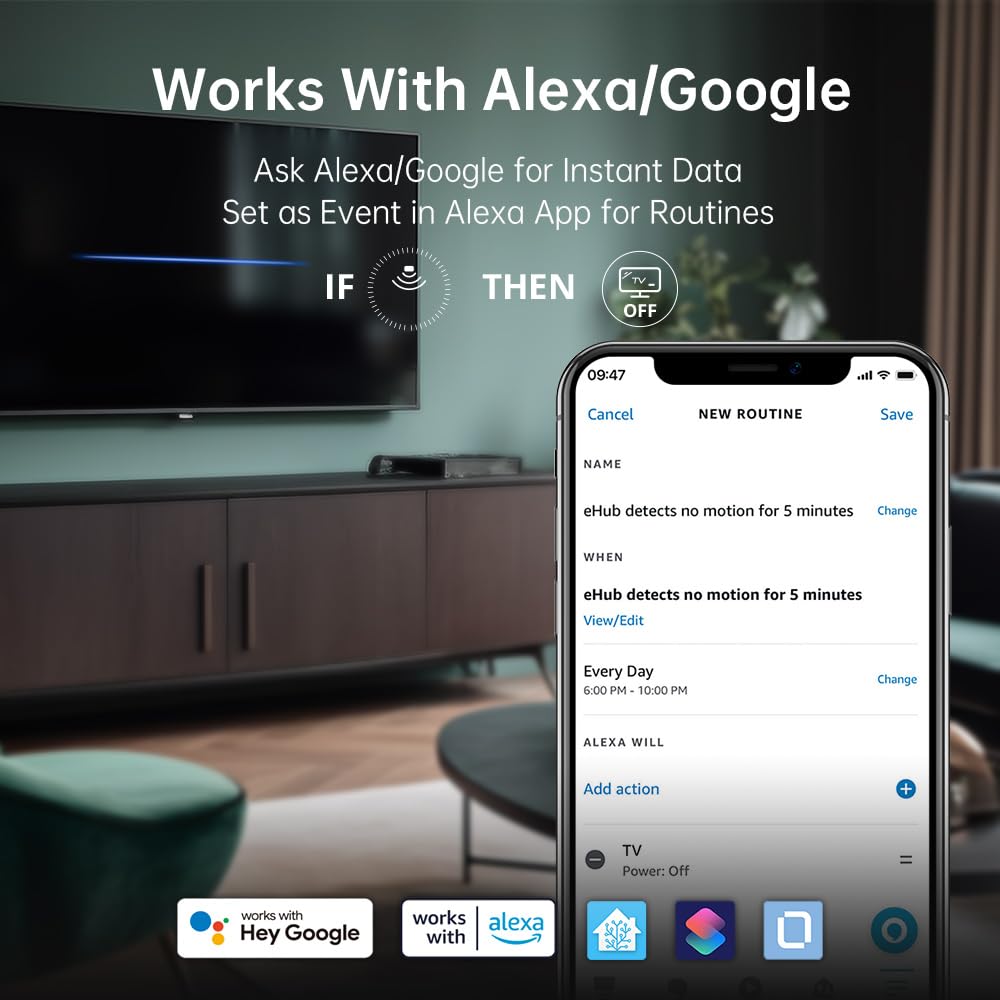
Figure 7: The eTHS sensor's compatibility with Alexa and Google Home, demonstrating how it can be used in routines to trigger actions based on motion detection.
6. Өркүндөтүлгөн функциялар
6.1 TH2MQTT Home Assistant Integration
The eTHS sensor supports TH2MQTT, a bridge that connects the temperature and humidity sensor to Home Assistant using the MQTT protocol. This enables advanced automation scenarios.
- Monitor and react to changes in temperature and humidity within Home Assistant.
- Trigger actions such as turning on an air conditioner when the temperature is too high or activating a humidifier when humidity drops below a certain level.
- Automate your home environment based on real-time data.
6.2 Using Temperature/Humidity as Alexa Routine Triggers
While Alexa natively supports motion sensors as routine triggers, temperature and humidity sensors are not directly supported as events. However, LinknLink provides a smart workaround using a virtual "Toggle" device.
Video 1: Tutorial on how to use the LinknLink eTHS sensor to trigger Alexa Routines based on temperature or humidity changes. This video demonstrates the process of creating a virtual toggle device in the LinknLink app and linking it to Alexa to enable advanced automation.
- Create a Virtual Toggle Device: In the LinknLink app, navigate to "Smart Services" and create a "Toggle State" device. This virtual device has two states: "Triggered" and "Standby".
- Link to Alexa: The "Toggle" device will be discovered by Alexa as a motion sensor, which also has two states: "Motion Detected" and "No Motion Detected". These states will mirror the "Triggered" and "Standby" states of your virtual toggle.
- Create Routines in LinknLink App:
- Create a routine where the eTHS temperature rising above a certain threshold (e.g., 25°C) changes the "Toggle" device state to "Triggered".
- Create another routine where the eTHS temperature dropping below a certain threshold (e.g., 24°C) changes the "Toggle" device state to "Standby".
- Create Routines in Alexa App:
- Create an Alexa routine where "When Toggle detects motion" (i.e., temperature is high), Alexa performs a desired action (e.g., turns on a smart fan, sends a notification).
- Create another Alexa routine where "When Toggle detects no motion" (i.e., temperature is normal/low), Alexa performs another action (e.g., turns off the smart fan, sends a notification).
This method effectively uses the virtual toggle as an intermediary to allow temperature and humidity changes to trigger Alexa routines, expanding your home automation possibilities.

Figure 8: An illustrative diagram detailing the process of using a virtual toggle device within the LinknLink App to enable temperature-based triggers for Alexa Routines, allowing control over other smart home devices.
7. Техникалык тейлөө
7.1 Тазалоо
- Wipe the device clean with a soft, dry cloth.
- Do not use liquid cleaners or aerosol sprays, as they may damage the sensor or electronic components.
7.2 Микропрограмма жаңыртуулары
Periodically check the LinknLink app for available firmware updates. Updates can improve performance, add new features, and enhance security. Follow the in-app instructions to perform any updates.
8. Кыйынчылыктарды
If you encounter issues with your LinknLink eTHS sensor, refer to the following common troubleshooting steps:
- Түзмөк Wi-Fi'га туташпай жатат:
- Ensure your Wi-Fi network is 2.4Ghz. The device does not support 5Ghz networks.
- Түзмөк Wi-Fi роутериңиздин диапазонунда экенин текшериңиз.
- Колдонмодо Wi-Fi сырсөзүңүздүн туура киргизилгенин текшериңиз.
- Restart your router and the eTHS sensor.
- Туура эмес окуулар:
- Ensure the sensor is not placed near heat sources (e.g., direct sunlight, heating vents) or cold drafts.
- Avoid placing the sensor in areas with high airflow or stagтаза аба.
- Allow the sensor to stabilize for at least 30 minutes after placement for accurate readings.
- Колдонмо дайындарды көрсөтпөйт:
- Смартфонуңуздагы интернет байланышын текшериңиз.
- Ensure the eTHS sensor is online and connected to Wi-Fi.
- Close and reopen the LinknLink app.
- Эгер көйгөй чечилбесе, түзмөктү кайра жупташып көрүңүз.
- Alexa/Google Home Not Responding:
- Verify that the LinknLink skill/service is enabled in your Alexa or Google Home app.
- Ensure your eTHS sensor is discovered and listed in the Alexa/Google Home devices.
- Үн буйруктарыңыздын тактыгын текшериңиз.
9. Кепилдик жана колдоо
9.1 Кепилдик маалыматы
The LinknLink eTHS WiFi Smart Temperature and Humidity Monitor Sensor comes with a standard manufacturer's warranty. Please refer to the product packaging or the official LinknLink webатайын кепилдик шарттары жана шарттары үчүн сайт.
9.2 Кардарларды колдоо
For further assistance, technical support, or warranty claims, please contact LinknLink customer service through the following channels:
- Электрондук почта: [Кардарларды колдоо кызматынын электрондук почтасын бул жерге киргизиңиз]
- Webсайт: LinknLink Official Store
- Телефон: [Кардарларды колдоо кызматынын телефон номерин бул жерге киргизиңиз]
Please have your product model number (eTHS) and purchase information ready when contacting support.


