Introduction
This manual provides comprehensive instructions for the setup, operation, and maintenance of your XUANZIT LED Digital Wall Clock. Please read this manual thoroughly before use to ensure proper functionality and longevity of your device.
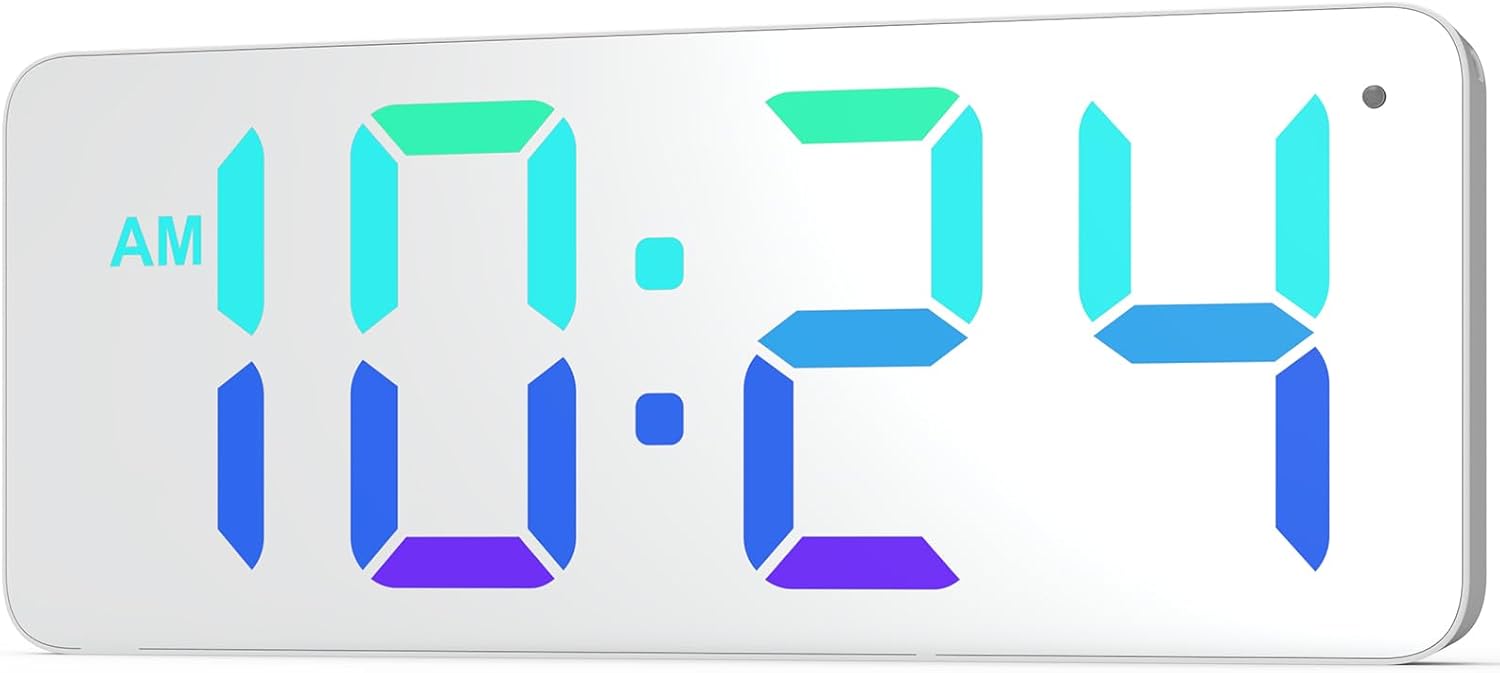
Сүрөт: алдыңкы view of the XUANZIT LED Digital Wall Clock, showing its large, clear digital display with time 10:24 AM in vibrant RGB colors.
Пакеттин мазмуну
Төмөндө тизмеленген нерселердин баары пакетиңизге камтылганын текшериңиз:
- XUANZIT LED Digital Wall Clock
- USB кубат кабели (10 фут)
- USB Power Adapter (Output: DC 5V/1A)
- Plastic Anchors & Screws
- Adhesive Hooks (2)
- User Manual

Image: All components included in the product package, laid out on a surface. This includes the clock, USB cable, power adapter, mounting screws, and adhesive hooks.
Продукт өзгөчөлүктөрү
- Dynamic RGB Display: Features a unique dynamic RGB color-changing display.
- Modern Mirror Surface: Enhances aesthetic appeal and blends with modern decor.
- Чоң цифралар: 2.8-inch digits for clear visibility from a distance.
- Proper Font Spacing: Designed for optimal readability.
- 3-Level Auto-Brightness: Adjusts brightness automatically based on ambient light (High, Medium, Low).
- Оңой илинип турган дизайн: Two positioning pins on the back for simple installation.
- 10-Ft Long USB Power Cable: жайгаштырууда ийкемдүүлүктү камсыз кылат.
- 12/24 саат убакыт форматы: Easily switch between formats.

Image: Diagram illustrating the clock's ability to display time in various static and dynamic RGB colors, including red, emerald-green, white, sky-blue, and flowing RGB patterns.

Сүрөт: Жакын план view of the clock highlighting the 2.8-inch digit size and the overall 9-inch screen size, along with the ambient light sensor.

Image: Three panels showing the clock in different brightness levels (high, medium, low) to illustrate the 3-level auto-brightness feature in varying room light conditions.
Жайгашуу
Power Connection
- Connect the small end of the USB power cable to the concealed power jack on the back of the clock.
- Plug the large end of the USB power cable into the provided USB power adapter.
- Insert the USB power adapter into a standard electrical outlet.
- Саат күйүп, убакытты көрсөтөт.
Note: This is a plug-in digital wall clock and is not battery-operated for primary function. A CR2032 battery (included) is for backup only to retain settings during power outages.
Монтаждоо нускамалары
The clock features an easy-hanging design with two positioning pins on the back to assist with installation.
- Press the entire clock against the desired wall location to mark where the nails or screws should go. The positioning pins will leave small indentations.
- For drywall, hammer the nails directly into the marked spots. For plaster or concrete, drill a small pilot hole and insert the plastic anchors before screwing in the screws.
- Hang the wall clock onto the installed nails or screws using the hanging holes on the back.

Сүрөт: Арткы view of the XUANZIT clock, detailing the location of the hanging hole, positioning pins, easy-setting buttons, concealed power jack, and backup battery compartment.
Иштөө нускамалары
The clock has easy-setting buttons located on the back for time and display adjustments.
Убакытты коюу
- Locate the "SET" button on the back of the clock.
- Press and hold the "SET" button until the hour digits begin to flash.
- Use the "+" and "-" buttons to adjust the hour.
- Press "SET" again to move to the minute digits.
- Мүнөттөрдү тууралоо үчүн "+" жана "-" баскычтарын колдонуңуз.
- Press "SET" one more time to confirm and exit time setting mode.
12/24 сааттык форматты которуу
To switch between 12-hour and 24-hour time formats:
- While in normal time display mode, press the "SET" button once briefly.
- The display will toggle between 12-hour (with AM/PM indicator) and 24-hour formats.
Image: Comparison of the clock displaying time in 12-hour format (10:24 PM) and 24-hour format (22:24), demonstrating the easy switching capability.
Adjusting Display Colors/Modes
The clock offers various RGB display options. Use the "MODE" button (or similar, if available, otherwise assume "+" or "-" button cycles through modes after a specific press of SET/MODE) to cycle through them.
- Press the "+" button (or designated color/mode button) briefly to cycle through available static colors (e.g., Red, Emerald-Green, White, Sky-Blue).
- Continue pressing the "+" button to cycle through dynamic color modes (e.g., RGB Flowing, RGB Changing, Random Color).
- The clock will automatically save the last selected display mode.
Auto-Brightness Feature
The clock is equipped with a built-in light sensor that automatically adjusts the display brightness to one of three levels (High, Medium, Low) based on ambient light conditions. No manual adjustment is required for this feature.
Техникалык тейлөө
To ensure the longevity and optimal performance of your XUANZIT LED Digital Wall Clock, follow these maintenance guidelines:
- Тазалоо: Gently wipe the mirror surface and body with a soft, dry, lint-free cloth. Do not use abrasive cleaners, solvents, or chemical sprays, as these can damage the finish.
- Күч: Always use the provided USB power adapter and cable. Do not expose the clock to excessive moisture or extreme temperatures.
- Камдык батарея: The CR2032 backup battery is designed to retain time settings during brief power interruptions. If the clock frequently loses time after power outages, consider replacing the CR2032 battery.
Проблемаларды чечүү
| Көйгөй | Мүмкүн себеп | Чечим |
|---|---|---|
| Саат күйбөй жатат. | Электр энергиясы жок; бош байланыш. | Ensure the USB cable is securely connected to the clock and the adapter. Verify the adapter is plugged into a working electrical outlet. |
| Убакыт туура эмес. | Time not set; power interruption. | Follow "Setting the Time" instructions. If power was interrupted, the backup battery might be low or depleted. |
| Дисплей өтө жарык/күңүрт. | Auto-brightness adjustment. | The clock features auto-brightness. Ensure the light sensor (small dot on the top right of the display) is not obstructed. The brightness adjusts automatically based on ambient light. |
| Cannot change display colors. | Incorrect button usage. | Ensure you are pressing the correct button (e.g., "+" or "MODE") to cycle through color options. Refer to "Adjusting Display Colors/Modes" section. |
Техникалык шарттар
- Бренд: СЮАНЦИТ
- Модель номери: XZT74-CW
- Түсү: RGB
- Продукциянын өлчөмдөрү: 8.89 x 3.81 x 2.9 см (3.5 x 1.5 x 1.14 дюйм)
- Элемент Салмагы: 249 г (0.55 фунт)
- Материал: Пластик
- Дисплей түрү: Digital LED
- Кубат киргизүү: DC 5V/1A (USB менен иштейт)
- Өзгөчөлүктөр: 10Ft Long USB Cable, Built-in Light Sensor for Auto-Dimming, Dynamic RGB Display, Large Display
Кепилдик жана колдоо
For warranty information or technical support, please contact XUANZIT customer service through the retailer where the product was purchased or visit the official XUANZIT website. Please have your model number (XZT74-CW) and purchase details ready when contacting support.
For further assistance, you may refer to the product page on Amazon.ca: XUANZIT LED Digital Wall Clock on Amazon.ca


