1. Киришүү
This manual provides instructions for the VTech CS2051 DECT 2 Handset Cordless Home Telephone with Answering Machine. It covers setup, operation, maintenance, and troubleshooting to ensure optimal performance of your device. Please read these instructions carefully before using your telephone.
2. Пакеттин мазмуну
Пакетиңизде төмөнкү заттар бар экенин текшериңиз:
- 1 x Негизги бирдиги
- 2 x зымсыз телефондор
- 2 х телефон заряддагычтар
- 2 x AC Adaptors (for base unit and chargers)
- 2 x Battery Packs (AAA batteries required, included)
- 1 x Телефон линиясы
- 1 x Quick Start Guide

Image: The VTech CS2051 system, showing the main base unit with one handset, and a separate charger with the second handset.
3. Орнотуу
3.1 Батареяны орнотуу
- Ар бир телефондун артындагы батарея бөлүкчөсүнүн капкагын ачыңыз.
- Insert the supplied AAA battery pack, ensuring correct polarity.
- Батарея уясынын капкагын жабыңыз.
- Place each handset on its respective charger or the base unit to charge for at least 16 hours before first use.
3.2 Негизги блокту туташтыруу
- Телефон линиясынын шнурунун бир учун негизги блоктогу LINE портуна туташтырыңыз.
- Телефон линиясынын экинчи учун телефонуңуздун розеткасына туташтырыңыз.
- Connect the AC adaptor to the POWER port on the base unit.
- Plug the AC adaptor into a mains power outlet.
- For the additional charger, connect its AC adaptor to the charger and then to a mains power outlet.
3.3 Телефонду каттоо
Your handsets are typically pre-registered to the base unit. If a handset displays 'Unregistered' or 'Register Handset', follow these steps:
- Негизги бирдикте баскычын басып, кармап туруңуз БЕТ button for approximately 5 seconds until the registration indicator light flashes.
- On the handset, navigate to the 'Registration' menu (refer to the Quick Start Guide for specific menu navigation).
- Select 'Register Handset' and enter the system PIN (default is usually 0000).
- The handset will display 'Registering...' and then 'Handset Registered' upon successful completion.
4. Иштөө нускамалары
4.1 Чалууларды кабыл алуу жана кабыл алуу
- Чалуу үчүн: басыңыз СҮЙЛӨШҮҮ баскычын, андан кийин номерди териңиз. Же болбосо, алгач номерди терип, андан кийин басыңыз СҮЙЛӨШҮҮ.
- Чакырууну кабыл алуу үчүн: Телефон шыңгыраганда, басыңыз СҮЙЛӨШҮҮ баскычы.
- Чалууну аяктоо үчүн: басыңыз END button or place the handset back on the base unit/charger.
4.2 Санариптик автожооп бергич
The base unit includes a digital answering machine to record messages when you are unavailable.
- Ойнотулган билдирүүлөр: басыңыз ОЙНОО/ТОКТОТУУ button on the base unit. The display will show the number of new messages.
- Кабарларды жок кылуу: During message playback, press the ЖОК негизги бирдиктеги баскыч.
- Орнотуу: Access the answering machine settings via the handset menu to record your outgoing message or adjust settings.

Image: The base unit of the VTech CS2051, highlighting the digital answering system with a message count display.
4.3 Nuisance Call Blocker
This feature allows you to block unwanted incoming calls.
- Номерди бөгөттөө: During or after a call, access the call blocker menu on the handset. You can add numbers to a block list.
- Blocking Unknown Numbers: The system can be configured to block calls from numbers not stored in your phonebook or from withheld numbers.

Image: A VTech CS2051 handset, illustrating the call blocker feature for managing unwanted calls.
4.4 Чалуучуну аныктоо жана чалуу күтүү
These features require subscription from your telephone service provider.
- Чалуучунун ID: The handset display shows the caller's number (and name if stored in your phonebook) before you answer. The phone stores up to 20 incoming call records.
- Чалуу күтүүдө: If you are on a call and another call comes in, you will hear a tone. You can switch between calls.

Image: A close-up of the VTech CS2051 handset display showing an incoming call number, demonstrating the Caller ID feature.
4.5 Динамик
The speakerphone function allows for hands-free conversations.
- Жандыруу үчүн: Чалуу учурунда, басыңыз СПИКЕР баскычы.
- Өчүрүү үчүн: басыңыз СПИКЕР кайра басыңыз же телефонду кулагыңызга көтөрүңүз.
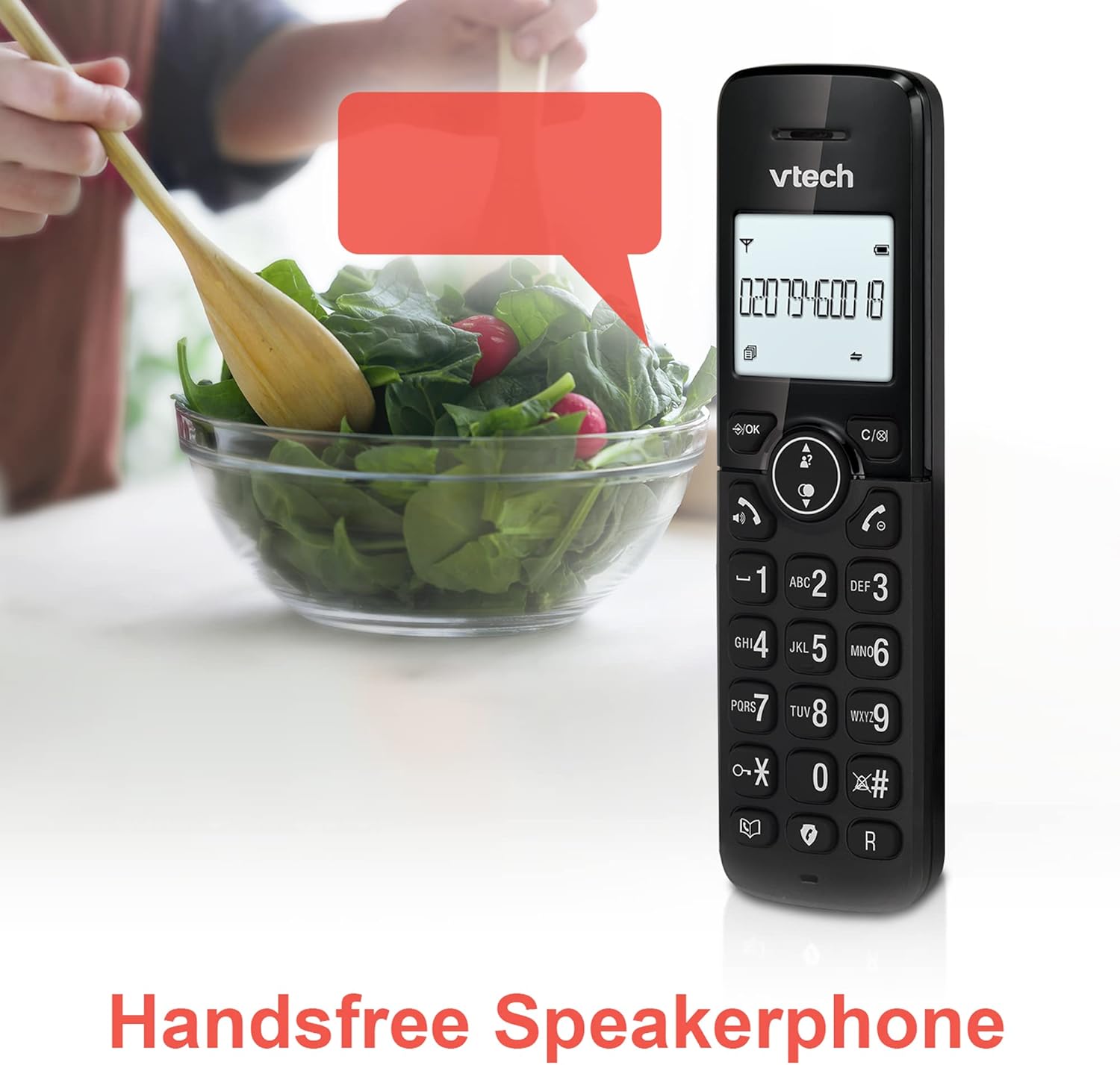
Image: A VTech CS2051 handset positioned for hands-free use, illustrating the speakerphone capability.
4.6 Домофон
You can use the handsets to communicate with each other internally.
- To Initiate: басыңыз INT button on one handset and select the desired handset to call.
4.7 Adjustable Ring Volume and Melody
Customize the ringtone and volume to your preference.
- Access the 'Ringtone Settings' or 'Volume Settings' menu on the handset to choose from available melodies and adjust the ring volume.

Image: A VTech CS2051 handset, highlighting the controls for adjusting ring volume and melody settings.
4.8 Alarm and Mute Function
- Ойготкуч: Set an alarm through the handset menu.
- Үнсүз: Чалуу учурунда, басыңыз БАСУУ button to temporarily silence your microphone. Press again to unmute.

Image: Illustrates the alarm function (represented by a clock icon) and the mute function (represented by a musical note icon) available on the VTech CS2051.
5. Техникалык тейлөө
- Тазалоо: Wipe the telephone and handsets with a soft, damp кездеме. Абразивдүү тазалагычтарды же эриткичтерди колдонбоңуз.
- Батареяга кам көрүү: Ensure handsets are placed on the charger when not in use to maintain battery life. Replace batteries when performance significantly degrades.
- Жайгашкан жери: Place the base unit in a central location, away from other electrical appliances that may cause interference.
6. Кыйынчылыктарды
- Терүү үнү жок: Ensure the telephone line cord is securely connected to both the base unit and the wall socket. Check if the AC adaptor is properly plugged in.
- Телефон заряддалбай жатат: Verify the handset is correctly seated in the charger/base unit. Clean the charging contacts on both the handset and charger with a dry cloth.
- Чалуунун сапаты/тоскоолдугу начар: Негизги блокту башка электрондук түзүлүштөрдөн (мисалы, Wi-Fi роутерлерден, микротолкундуу мештерден) алыс жылдырыңыз. Телефон негизги блоктун чегинде экенин текшериңиз.
- Handset Displays 'Unregistered': 3.3-бөлүмдөгү телефонду каттоо кадамдарын аткарыңыз.
- Автожооп бергич жаздырбай жатат: Check the answering machine settings via the handset menu to ensure it is enabled and has sufficient recording time.
7. Техникалык шарттар
| Өзгөчөлүк | Спецификация |
|---|---|
| Модел | CS2051 |
| Телефон түрү | DECT Cordless |
| Телефондордун саны | 2 |
| Жооп берүү системасынын түрү | Digital (up to 15 minutes record time) |
| Чалуучунун идентификациясы | Ооба (жазылуу талап кылынат) |
| Nuisance Call Blocker | Ооба |
| Дисплей | 1.8 дюймдук арткы жарыктандырылган дисплей |
| Батареялар | 4 AAA батарейка талап кылынат (кошулган) |
| Материал | Акрилонитрил бутадиен стирол (ABS) |
| Power Source | Батарея менен иштейт |
| Көп линия операциясы | Ооба |
8. Кепилдик жана колдоо
This VTech CS2051 product is supplied as an Amazon Renewed item. For specific warranty details and support, please refer to the Amazon Renewed program terms and conditions or contact Amazon Renewed customer service directly. VTech provides manufacturing support for its products. For technical assistance or further information, please visit the official VTech support website or consult the full user manual if available from the manufacturer.


