1. Киришүү
This manual provides detailed instructions for the installation, operation, and maintenance of your XTRONS IX82A3AHL Single Din Car Stereo. Please read this manual thoroughly before use to ensure proper functionality and to prevent damage.
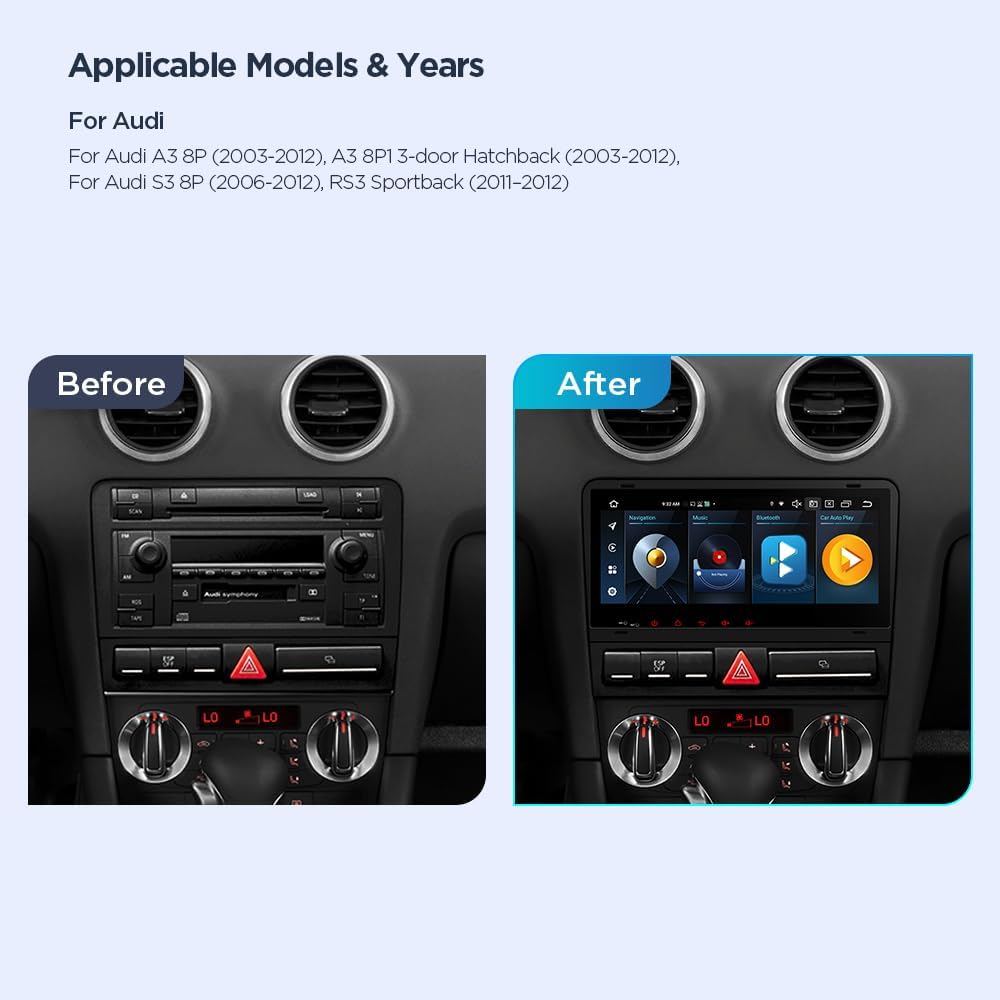
1.1 Applicable Models and Years
- Audi A3 8P (2003-2012)
- Audi A3 8P1 3-эшик Хэтчбек (2003-2012)
- Audi S3 8P (2006-2012)
- Audi RS3 Sportback (2011-2012)
2. Коопсуздук маалыматы
Always prioritize safety during installation and operation. Improper installation can lead to vehicle damage or personal injury. Consult a professional if you are unsure about any installation steps.
- Аппаратты айдоодон алаксыта тургандай иштетпеңиз.
- Кыска туташуунун алдын алуу үчүн бардык зымдар туура туташтырылганын жана изоляцияланганын текшериңиз.
- Түзмөктү өтө жогорку температурага, күндүн түз тийген нуруна же нымдуулукка узак убакытка дуушар кылбаңыз.
- Агрегатты ажыратууга же өзгөртүүгө аракет кылбаңыз. Бул кепилдикти жокко чыгарып, зыян келтириши мүмкүн.
3. Пакеттин мазмуну
Verify that all items listed below are present in the package before beginning installation.
- 2 × ISO зымдарынын шнуру
- 1 × RCA кабели
- 1 × 4G антеннасы
- 1 × SIM Card Slot Cable
- 1 × CANbus кутучасы
- 2 × USB Cable
- 1 × GPS антеннасы
- 1 × Радио антеннасынын кабели
- 1 × WiFi Antenna
- 2 × Uninstallation Tool
- 2 × Клип
- 1 × Колдонуучунун колдонмосу

4. Орнотуу жана орнотуу
Careful installation is crucial for optimal performance. If you are not experienced with car audio installation, it is recommended to seek professional assistance.
4.1 Маанилүү шайкештик эскертүүлөрү
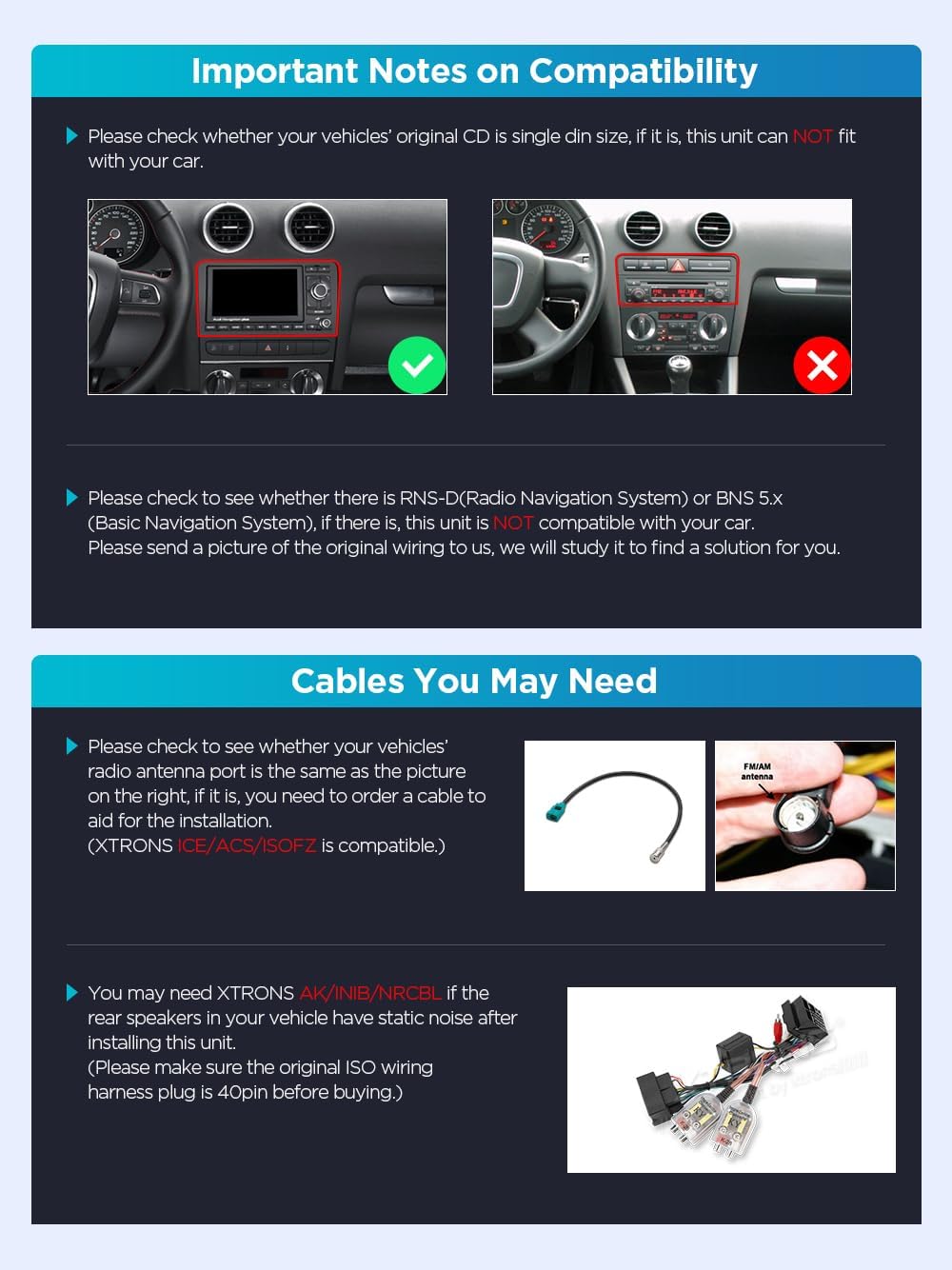
- Ensure your vehicle's original CD player is single DIN size. This unit is жок compatible with double DIN setups.
- If your vehicle has an RNS-D (Radio Navigation System) or BNS 5.x (Basic Navigation System), this unit is жок туура келет.
- Check your vehicle's radio antenna port. If it matches the image provided, you may need to order an additional cable for installation (XTRONS ICE/ACS/ISOFZ is compatible).
- For vehicles experiencing static noise from rear speakers, XTRONS AK/INIB/NRCBL may be required. Ensure your original ISO wiring harness plug is 40-pin before purchasing.
4.2 Электр өткөргүч схемасы
Refer to the following diagram for correct wiring connections. Each numbered point corresponds to a specific connection.

Key to Wiring Diagram:
- Wi-Fi антеннасы
- 4G Антенна
- Мини микрофон
- Radio Antenna Port
- GPS антеннасы
- 4G SIM карта оюгу
- SUBWOOFER, Subwoofer Output
- RL OUT, Rear Left Audio Output
- RR OUT, Rear Right Audio Output
- AUX IN, Video Input
- CAM IN, Camera Video Input
- Wi-Fi антеннасы
- FL OUT, Front Left Audio Output
- FR OUT, Front Right Audio Output
- IR порт
- Front DVR VIDEO IN
- AUX-RIN, Audio Input Right
- AUX-LIN, Audio Input Left
- REVERSE, Reversing Control Cable
- USB порт 1
- USB порт 2
- USB порт 3
- K1, Steering wheel control key1
- GND
- K2, Steering wheel control key2
- Арткы оң аудио чыгышы
- Арткы Сол аудио чыгышы
- Алдыңкы Сол аудио чыгышы
- Оң алдыңкы аудио чыгышы
- AUX R OUT, Audio Output Right
- AUX L OUT, Audio Output Left
- CANbus кутучасы
- ISO зымдары
5. Иштөө нускамалары
This section covers the basic operation of your XTRONS car stereo, including its user interface, connectivity features, and navigation.
5.1 Колдонуучу интерфейси (UI)
The unit features an intuitive user interface designed for ease of use while driving. You can customize themes and access frequently used functions via the quick menu bar.

5.2 Smartphone Connectivity (CarAutoPlay & Android Auto)
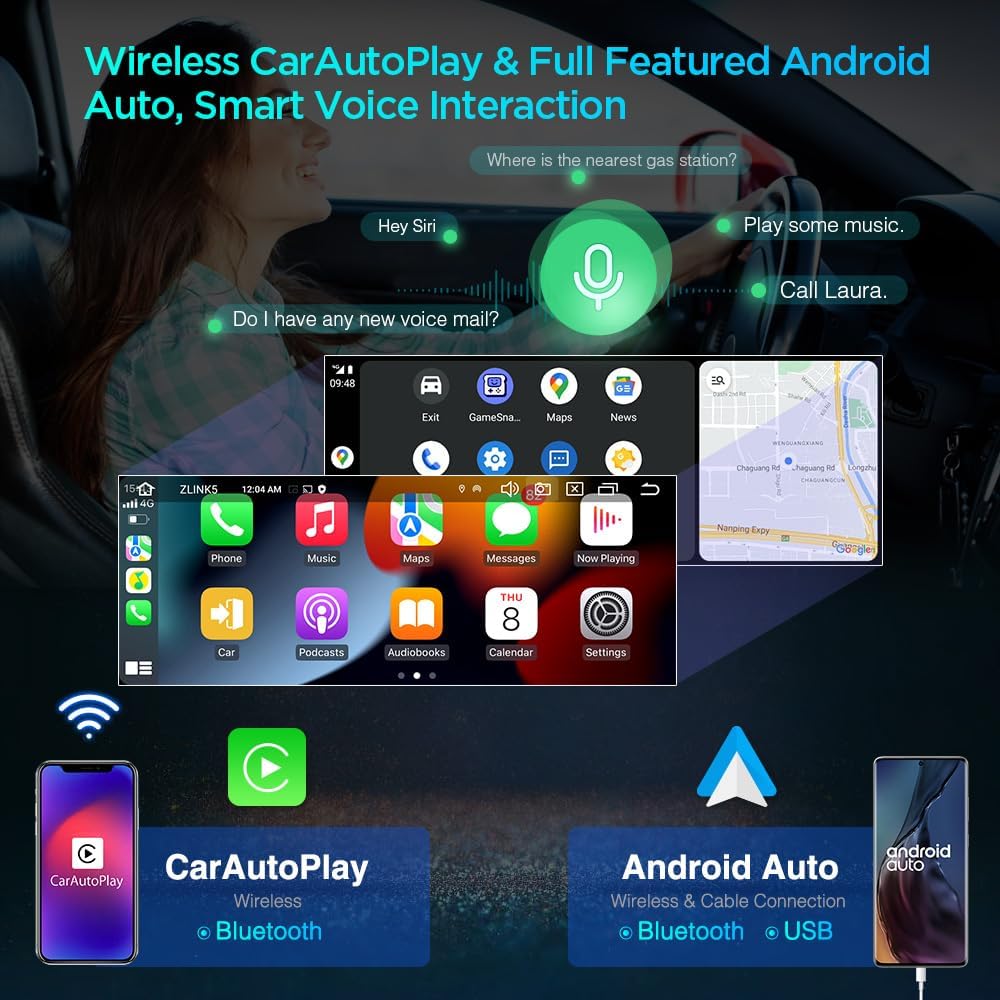
Connect your smartphone for seamless integration of navigation, music, and communication features. The unit supports both wireless CarAutoPlay and wireless/wired Android Auto.
- Wireless CarAutoPlay: Connect via Bluetooth for Apple CarPlay functionality.
- Зымсыз жана зымдуу Android Auto: Connect via Bluetooth for wireless Android Auto or via USB for a wired connection.
- Utilize voice commands (e.g., "Hey Siri" or "Hey Google") for hands-free operation.
Video 1: Demonstration of the XTRONS Car Stereo for Audi A3, highlighting features like Android Auto, DSP, and QLED display.
5.3 4G байланышы
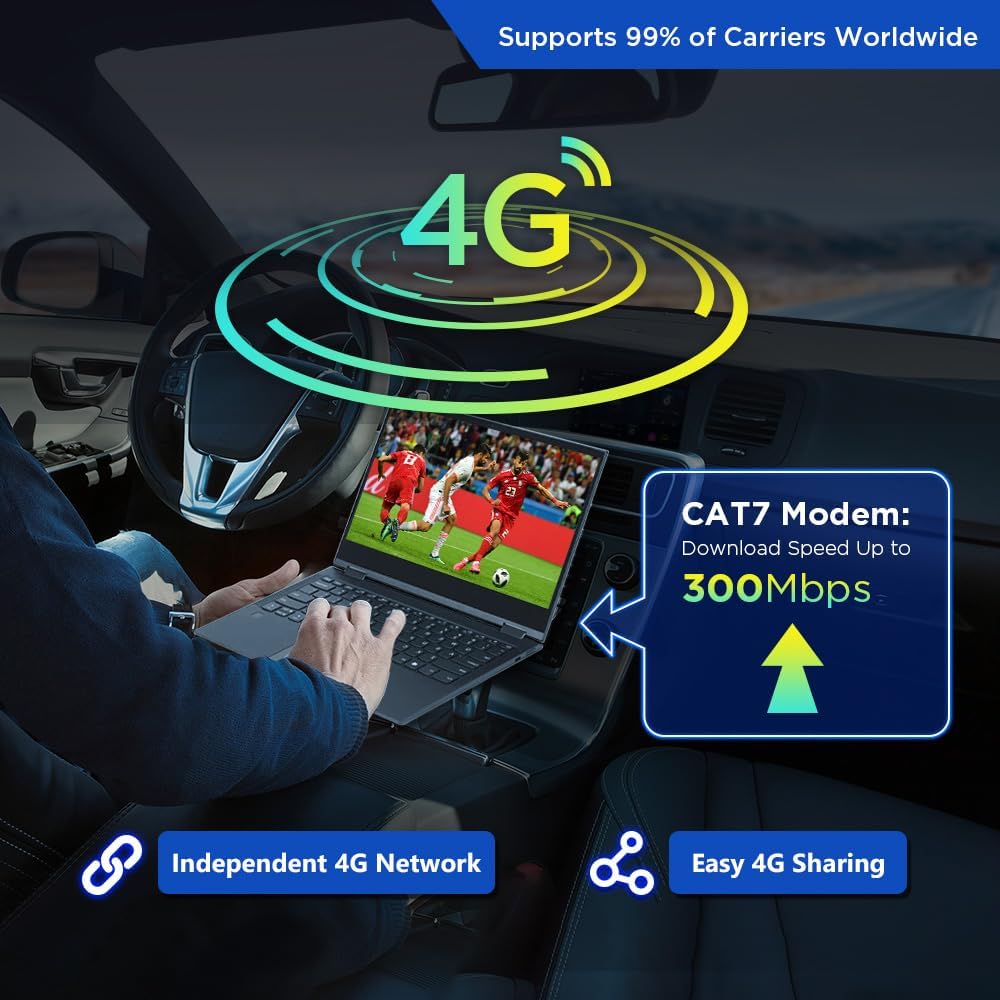
The unit features a global 4G LTE modem. Insert a Micro-SIM card (not included) to access mobile broadband. You can also share your mobile network via USB tethering from your phone.
- Supports 99% of worldwide carriers.
- Supported Bands: 1, 2, 3, 4, 5, 7, 8, 12, 17, 20, 28, 38, 40, 41, 42.
- Not Supported Bands: 13, 25, 26.
- CAT7 Modem offers download speeds up to 300Mbps.
5.4 Санарип үн процессору (DSP)
The built-in DSP enhances audio quality, allowing for precise sound customization. Adjust equalizer settings, sound field, and volume levels to optimize your listening experience.
5.5 GPS навигациясы
The unit supports various Android-compatible navigation software, including Google Maps, Sygic, and Waze. Ensure a GPS antenna is properly connected for accurate positioning.
5.6 Экранды бөлүү жана сүрөт ичиндеги сүрөт режими
- Бөлүнгөн экран: Run two applications simultaneously, such as navigation and a music player.
- Сүрөттөгү сүрөт: Maintain video playback in a small window while using other functions on the main screen.
6. Техникалык шарттар
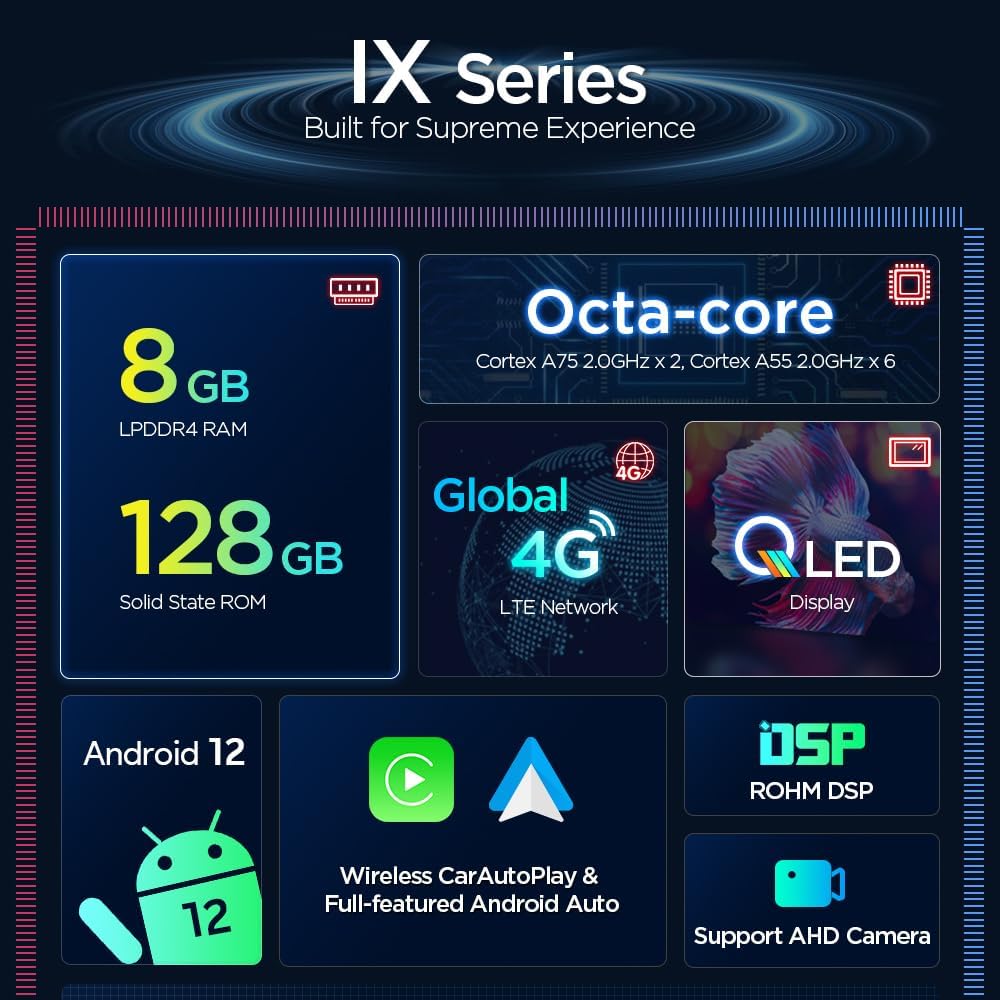
Key technical specifications of the XTRONS IX82A3AHL car stereo.
| Өзгөчөлүк | Деталь |
|---|---|
| Операция системасы | Android 12 |
| Процессор | Octa Core CPU |
| RAM | 8 ГБ |
| ROM | 128 ГБ |
| Screen Size | 8.8 дюйм |
| Дисплей түрү | QLED сенсордук экраны |
| Резолюция | 1280x480 |
| Байланыш | Bluetooth 5.0, Cellular (4G LTE), USB, Wi-Fi (2.4GHz & 5GHz) |
| Controller Type | Android, Google Жардамчы, iOS |
| Аудио чыгаруу режими | Стерео |
| Каналдардын саны | 4 |
| Өзгөчөлүктөр | Built-in DSP, Wireless CarAutoPlay, Full-featured Android Auto, Split Screen, Picture-in-Picture |
7. Техникалык тейлөө
Унааңыздын стереосун туура тейлөө анын узак мөөнөттүү иштешин жана оптималдуу иштешин камсыз кылат.
- Тазалоо: Экранды жана сыртын тазалоо үчүн жумшак, кургак чүпүрөктү колдонуңуз. Абразивдүү тазалагычтардан же эриткичтерден качыңыз.
- Программалык камсыздоо жаңыртуулары: Periodically check for and install software updates to ensure the system runs efficiently and securely.
- Айлана-чөйрөнү коргоо: Protect the unit from extreme heat, cold, and direct moisture.
8. Кыйынчылыктарды
This section addresses common issues you might encounter. If a problem persists, contact customer support.
| Көйгөй | Мүмкүн болгон себеп / Чечим |
|---|---|
| Күч жок | Check power connections and fuses. Ensure the ACC wire is correctly connected. |
| Үн жок / Үн сапаты начар | Verify speaker connections. Check audio settings (volume, balance, fader, DSP). Ensure all audio cables are securely connected. If static, consider XTRONS AK/INIB/NRCBL. |
| GPS Signal Loss / Inaccurate Positioning | Ensure the GPS antenna is installed in a clear line of sight to the sky. Check antenna connection. |
| Bluetooth туташуу маселелери | Ensure Bluetooth is enabled on both the unit and your phone. Delete previous pairings and re-pair. |
| Microphone Echo / Poor Call Quality | Adjust microphone gain settings. Ensure the microphone is positioned correctly and not obstructed. |
| Түзмөк катып калат / жооп бербейт | Perform a soft reset (refer to the device's specific reset procedure). If persistent, consider a factory reset (data will be lost). |
9. Кепилдик жана колдоо
XTRONS камсыз кылат 1 жылдык кепилдик for this unit, covering manufacturing defects from the date of purchase. This warranty does not cover damage caused by improper installation, misuse, accidents, or unauthorized modifications.
For technical support, warranty claims, or any inquiries, please contact XTRONS customer service through the platform where the product was purchased. Provide your product model number (IX82A3AHL) and purchase details for faster assistance.


