1. Киришүү
This manual provides detailed instructions for the installation, operation, maintenance, and troubleshooting of your XPG CORE Reactor II VE 650W Power Supply Unit (PSU). Please read this manual thoroughly before using the product to ensure proper functionality and safety.
2. Коопсуздук маалыматы
- PSUну орнотуудан, алып салуудан же тазалоодон мурун ар дайым кубат шнурын розеткадан ажыратыңыз.
- PSUну ачпаңыз casinг. Жогорку томtages are present inside, which can cause electric shock. The warranty will be void if the casing ачылды.
- PSUну жакшы желдетилген жерге, жылуулук булактарынан, тике күн нурунан жана нымдан алыс орнотуңуз.
- Ensure all cables are securely connected. Loose connections can cause damage to components.
- Use only the modular cables provided with this PSU. Using third-party cables may cause damage and void the warranty.
- Бул продукт компьютер системаларында гана колдонуу үчүн иштелип чыккан. Аны башка максатта колдонбоңуз.
3. Пакеттин мазмуну
Төмөндө тизмеленген нерселердин баары сиздин продукт таңгагыңызда бар экенин текшериңиз:
- XPG CORE Reactor II VE 650W Power Supply Unit
- Modular Cable Set (including 12V-2x6 cable)
- AC Power Cord
- Монтаждоо бурамалар
- Quick Start Guide

Image: The XPG CORE Reactor II VE 650W power supply unit shown with its retail box, modular cables, AC power cord, and quick start guide.
4. Продукт бүтүп калдыview
The XPG CORE Reactor II VE 650W is an 80 PLUS Gold certified power supply compliant with Intel's ATX 3.1 specifications. It features a fully modular design and an FDB (Fluid Dynamic Bearing) fan for efficient and quiet operation.

Сүрөт: Алдыңкы бети view of the XPG CORE Reactor II VE 650W power supply, showcasing its fan grille and XPG branding.

Image: The rear panel of the XPG CORE Reactor II VE 650W power supply, featuring the AC power inlet and the main power switch.

Image: A close-up of the modular cable connection panel on the XPG CORE Reactor II VE 650W PSU, showing labeled ports for Motherboard, CPU & VGA, 12V-2x6, and SATA & Molex connectors.
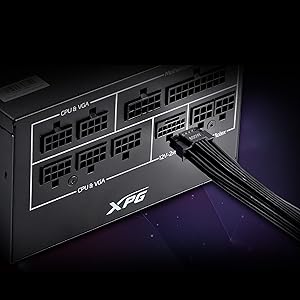
Сүрөт: деталдуу view of the 12V-2x6 connector port on the XPG CORE Reactor II VE 650W PSU, designed for next-generation graphics cards.
5. Орнотуу жана орнотуу
Follow these steps to properly install your XPG CORE Reactor II VE 650W PSU into your computer system:
- Системаңызды даярдаңыз: Компьютериңиз толугу менен өчүрүлгөнүн жана розеткадан суурулганын текшериңиз. Компьютериңиздин корпусун ачыңыз.
- Эски PSUну алып салуу (эгер бар болсо): Эски кубат булагынан бардык кабелдерди ажыратып, аны корпустан чыгарыңыз.
- Жаңы PSUну орнотуу: Insert the XPG CORE Reactor II VE 650W PSU into the designated PSU bay in your computer case. Secure it with the provided mounting screws.
- Негизги кабелдерди туташтыруу:
- 24-пин ATX кабелин энеңизге туташтырыңыз.
- Connect the 4+4-pin or 8-pin EPS/CPU cable(s) to your motherboard's CPU power connector(s).
- Connect the appropriate PCI-E (6+2-pin) or 12V-2x6 cable(s) to your graphics card(s).
- Connect SATA power cables to your storage drives (HDDs, SSDs) and optical drives.
- Connect Molex cables to any peripherals requiring them.
Ensure all modular cables are firmly seated into both the PSU and the respective components.
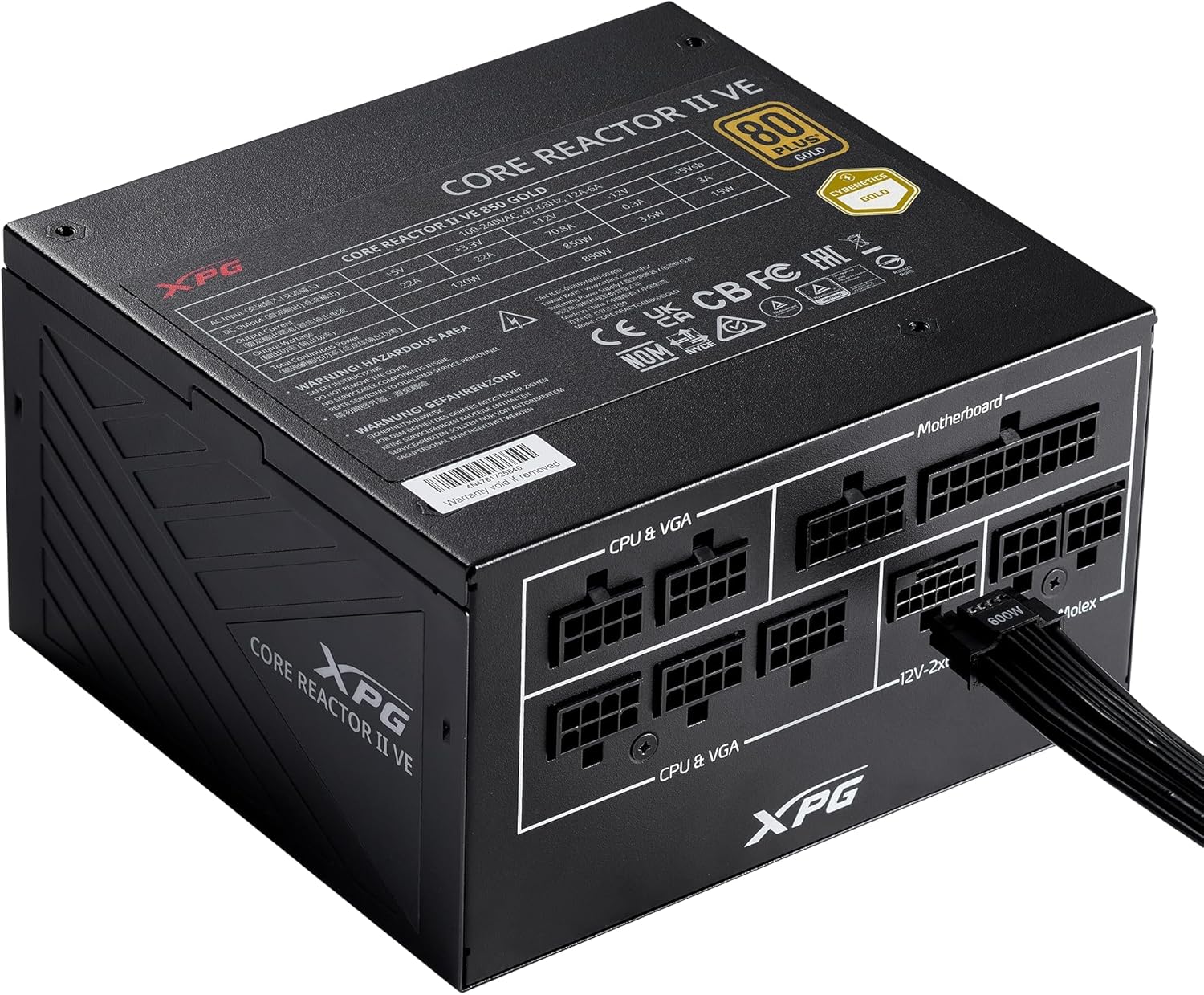
Image: The XPG CORE Reactor II VE 650W power supply with a 12V-2x6 cable connected to its modular port, illustrating a typical cable connection.
- Кабелдик башкаруу: Корпусуңуздун ичиндеги аба агымын жана кооздукту жакшыртуу үчүн кабелдерди тыкан өткөрүңүз.
- Корпусту жаап, кубаттуулукту туташтырыңыз: Close your computer case. Connect the AC power cord to the PSU's inlet and then to a wall outlet.
- Күйгүзүү: Flip the power switch on the back of the PSU to the 'ON' position and power on your computer.
6. Иштөө нускамалары
The XPG CORE Reactor II VE 650W PSU operates automatically once installed and powered on. It features an FDB fan with intelligent fan control, which adjusts its speed based on the PSU's temperature and load to maintain optimal cooling and minimize noise.
The PSU is designed to provide stable and reliable power to your system. No user intervention is typically required during normal operation.
7. Техникалык тейлөө
To ensure the longevity and optimal performance of your XPG CORE Reactor II VE 650W PSU, consider the following maintenance tips:
- Чаңды тазалоо: Periodically clean the fan grille and the interior of your computer case to prevent dust buildup. Dust can impede airflow and lead to overheating. Use compressed air for this purpose, ensuring the system is powered off and unplugged.
- Кабель текшерүү: Бардык модулдук кабелдик туташуулардын бекемдигин текшерүү үчүн мезгил-мезгили менен текшерип туруңуз.
- Курчап турган чөйрө: Operate the PSU in a clean, dry, and well-ventilated environment.
8. Кыйынчылыктарды
If you encounter issues with your XPG CORE Reactor II VE 650W PSU, refer to the following common troubleshooting steps:
- Кубат жок:
- AC кубат шнурунун PSUга да, розеткага да бекем туташканын текшериңиз.
- Кубат булагынын арткы жагындагы кубат которгучу "ON" абалында экенин текшериңиз.
- Розетканын иштеп жатканын башка түзмөктү сайып текшериңиз.
- Confirm that the 24-pin ATX and 4+4-pin/8-pin EPS/CPU cables are correctly and firmly connected to the motherboard.
- Системанын туруксуздугу/Кокус өчүрүүлөр:
- Ensure all power cables to components (motherboard, CPU, GPU, drives) are securely connected.
- Check for proper ventilation within your computer case. Overheating can cause instability.
- If you have recently added new components, ensure the 650W output is sufficient for your total system load.
- желдеткич айланбай жатат:
- The FDB fan features intelligent control and may not spin at low loads or temperatures. This is normal operation.
- If the fan does not spin under heavy load and the PSU feels excessively hot, contact support.
- адаттан тыш үндөр:
- A slight coil whine can sometimes occur under specific loads; this is generally not indicative of a fault.
- If you hear grinding or scraping noises, power off the system immediately and contact support.
Эгер бул кадамдар көйгөйүңүздү чечпесе, кошумча жардам алуу үчүн Кепилдик жана колдоо бөлүмүнө кайрылыңыз.
9. Техникалык шарттар
Key technical specifications for the XPG CORE Reactor II VE 650W PSU:
| Өзгөчөлүк | Спецификация |
|---|---|
| Модель номери | COREREACTORIIVE650G-BKCUS |
| Чыгуу Wattage | 650 Ватт |
| Натыйжалуулуктун сертификациясы | 80 PLUS Gold, CYBENETICS Gold |
| ATX стандарты | ATX 3.1 / EPS v2.92 |
| Форма фактору | ATX |
| Муздатуу ыкмасы | Air (FDB 120mm Fan) |
| Энергия менен жабдуунун дизайны | Толук модулдук |
| Продукциянын өлчөмдөрү (L x W x Y) | 5.86 x 5.9 x 3.38 дюйм (140x150x86мм) |
| Элемент Салмагы | 5.07 фунт |
| Туташтыргычтын түрлөрү | ATX, Molex, PCI Express, SATA, 12V-2x6 |
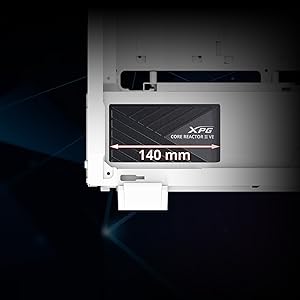
Image: A diagram illustrating the compact 140mm length of the XPG CORE Reactor II VE power supply, highlighting its compatibility with various PC cases.

Image: Visual representation of the multiple protection mechanisms integrated into the PSU, including OPP (Over Power Protection), OVP (Over Voltage Protection), SIP (Surge & Inrush Protection), SCP (Short Circuit Protection), UVP (Under Voltage Protection), OCP (Over Current Protection), OTP (Over Temperature Protection), and NLO (No Load Operation).
10. Кепилдик жана колдоо
For warranty information, technical support, or service inquiries regarding your XPG CORE Reactor II VE 650W PSU, please visit the official XPG website or contact their customer support directly. Details can typically be found on the product packaging or the manufacturer's official support pages.
Кепилдик дооматтар үчүн сатып алганыңыздын далилин сактаңыз.