1. Киришүү
This manual provides comprehensive instructions for the setup, operation, and maintenance of your TouchWo 75-inch 4K Interactive Touchscreen Smart Board (Model TWHD75). This device integrates a 4K touchscreen monitor with dual Android 11 and Windows 10 Pro operating systems, designed for interactive use in office and classroom environments.
Пакеттин мазмуну
- 1 x Electronic Whiteboard
- 1 x Электр линиясы
- 1 х Продукт Колдонмо (бул документ)
- 1 x Портативдик стенд
- 1 x WiFi антеннасы
- 1 x Screen mirroring device
- 1 x Presenter and Stylus

Figure 1: Included Accessories and Mounting Options. The image displays the main unit, a mobile stand, a wall mounting bracket, a power line, a WiFi antenna, and a capacitive stylus. Note that the wall mounting bracket is an alternative to the mobile stand.
2. Орнотуу
2.1 Стендди чогултуу
The portable stand is included for easy mobility. Follow the instructions provided with the stand for proper assembly. Ensure all screws are securely tightened before mounting the smart board.
2.2 Дубалга орнотуу (кошумча)
If wall mounting, use a compatible VESA wall mount bracket (not included) and ensure the wall structure can support the weight of the 75-inch smart board (approximately 114.4 pounds or 51.9 kg). Consult a professional for installation if unsure.
2.3 Баштапкы байланыштар
- Кубат туташуу: Connect the provided power line to the smart board and a grounded electrical outlet (110 Volts AC).
- WiFi антеннасы: Attach the WiFi antenna to the designated port on the smart board for wireless network connectivity.
- Перифериялык түзмөктөр: Connect any desired peripheral devices such as external cameras, microphones, or additional storage via the available USB ports.

Figure 2: TouchWo 75-inch Smart Board on Portable Stand. This image shows the assembled unit ready for use.
3. Иштөө нускамалары
3.1 Күйгүзүү/өчүрүү
Press the power button located on the smart board to turn the device on or off. Allow a few moments for the system to boot up.
3.2 Dual OS Functionality (Android 11 & Windows 10 Pro)
The smart board features a dual operating system setup, allowing you to switch between Android 11 and Windows 10 Pro. The Android configuration includes RK3568, 4GB RAM + 32GB ROM. The Windows configuration includes Core i7, 16GB RAM + 512GB SSD. Refer to the on-screen prompts or system settings for switching between operating systems.
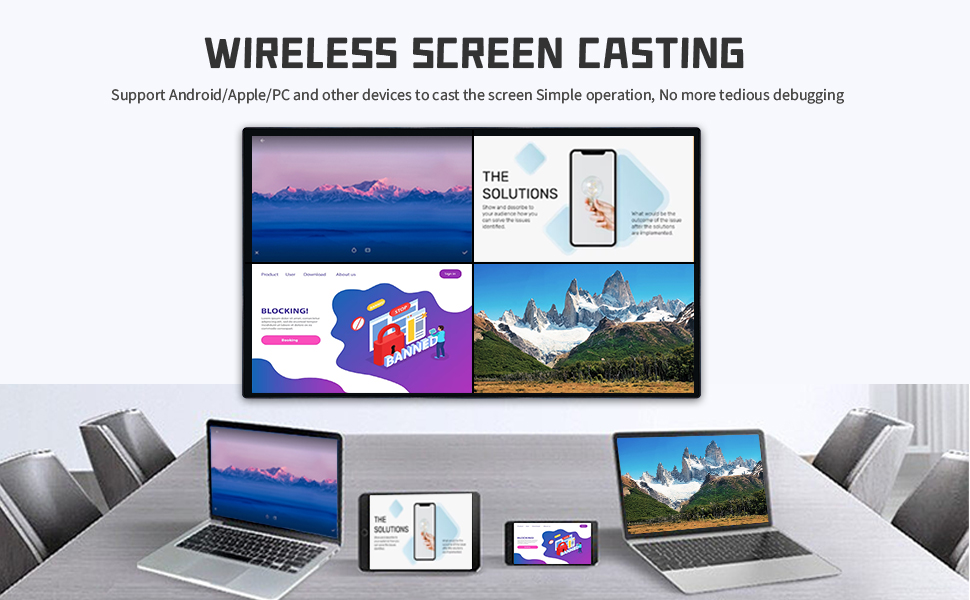
Figure 3: Dual OS Capability. This graphic visually represents the ability to switch between Windows 10 Pro and Android 11 operating systems, effectively providing three modes of operation: Windows, Android, and a standard touchscreen monitor.
3.3 Touchscreen Operation (40-Point Touch)
The 40-point touch screen allows for multiple users and gestures. Use your fingers or the provided stylus for interaction. The screen supports various gestures:
- Бир жолу таптоо: Select items, open applications.
- Эки жолу таптоо: Execute actions, zoom.
- Басып кармап туруңуз: Контексттик менюларга кирүү.
- Эки манжа менен таптаңыз: Specific application functions.
- Two-Finger Double Tap: Specific application functions.
- Two-Finger Press: Specific application functions.
The touch response time is within 5ms, and the screen can be operated while wearing gloves.

Figure 4: 40-Point Touch Technology. This graphic illustrates different touch gestures and their corresponding actions on the interactive display.
3.4 Байланыш жана интерфейстер
The smart board offers multiple connectivity options:
- HDMI (In & Out): 2x ports for connecting external video sources and outputting display. HDMI IN and USB OTG enable screen casting from other devices with touch functionality.
- USB: Multiple USB ports (6 total) for peripherals.
- VGA: For legacy video connections.
- RJ45: Зымдуу тармакка туташуу үчүн Ethernet порту.
- Wi-Fi: Supports 2.4G and 5G wireless networks.
- Bluetooth 5.0: For wireless accessory connection.
- Камтылган динамиктер: Аудио чыгаруу үчүн.
3.5 Screen Mirroring and Digital Signage
The device supports screen mirroring from smartphones, laptops, or tablets. Use the included screen mirroring device or compatible software for wireless casting. The smart board can also function as a digital signage display, supporting both horizontal and vertical placement.
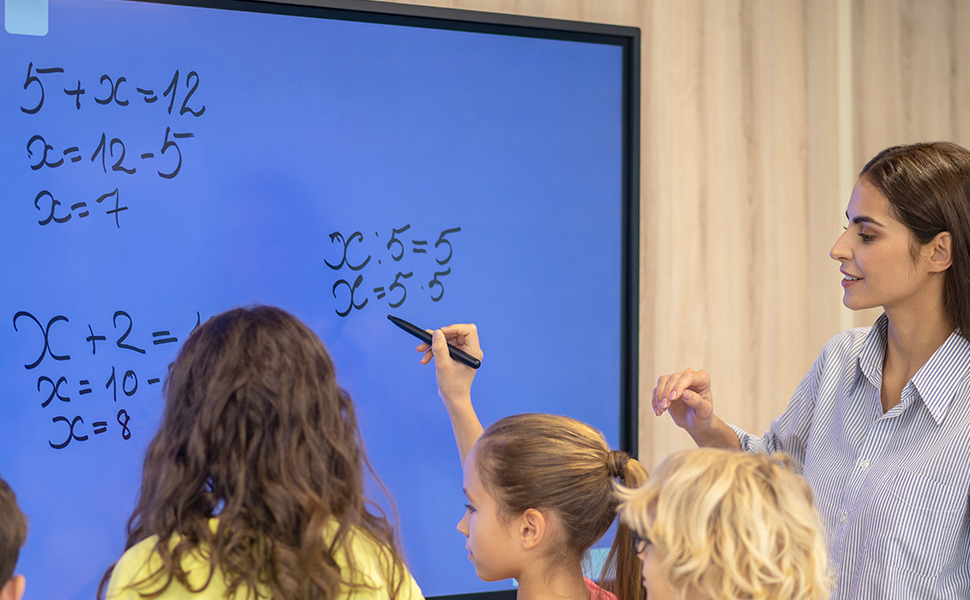
Figure 5: Wireless Screen Casting. This image illustrates how multiple devices can wirelessly cast their screens to the smart board.
3.6 Interactive Whiteboard Features
Utilize the included stylus to draw and annotate on an infinite canvas. This feature is suitable for presentations, brainstorming, and educational purposes.
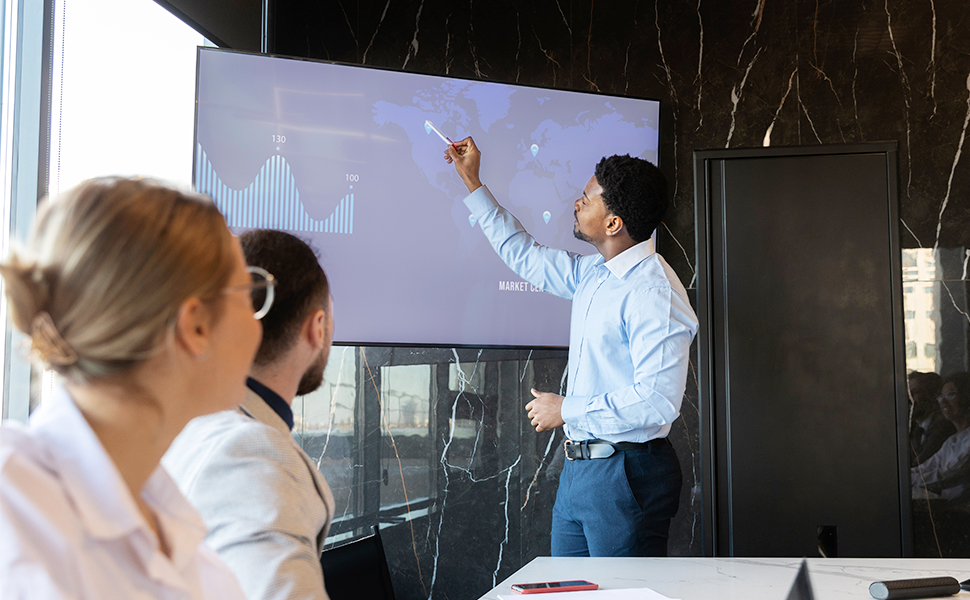
Figure 6: Interactive Whiteboard in Classroom. A teacher and students are using the smart board for an interactive lesson.
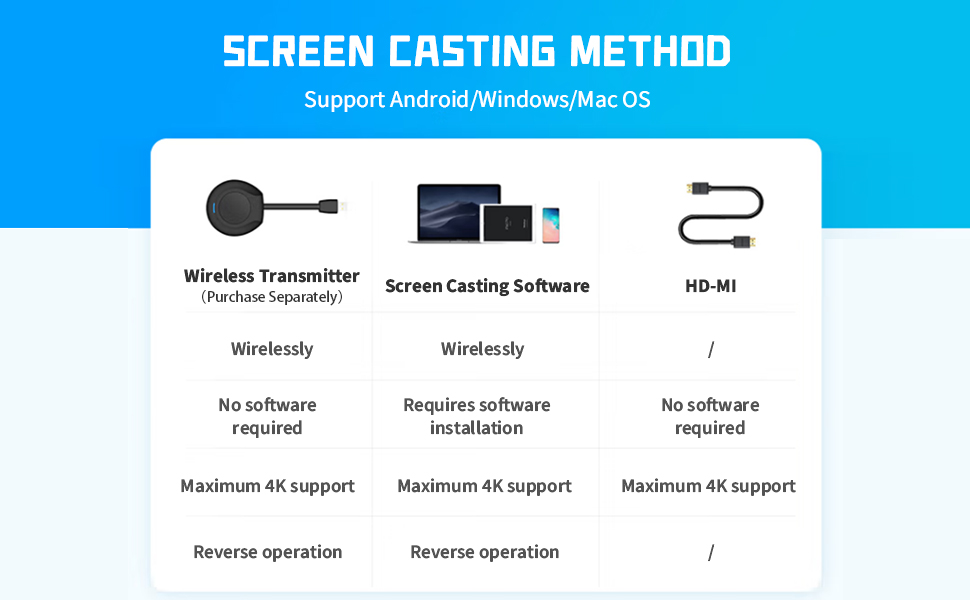
Figure 7: Smart Board for Meetings. A presenter is interacting with data displayed on the smart board during a business meeting.
4. Техникалык тейлөө
4.1 Экранды тазалоо
To clean the screen, power off the device and unplug it. Use a soft, lint-free cloth lightly dampened with a non-abrasive, screen-safe cleaning solution. Do not spray liquid directly onto the screen. Avoid using harsh chemicals or abrasive materials.
4.2 Жалпы кам көрүү
- Keep the smart board away from direct sunlight and heat sources.
- Аппараттын айланасында туура желдетүүнү камсыз кылыңыз.
- Avoid placing heavy objects on the smart board.
- Чийилип калбашы үчүн, экранды курч нерселерден коргоңуз.
5. Кыйынчылыктарды
5.1 Күч жок
- Check if the power cable is securely connected to both the smart board and the electrical outlet.
- Башка аспапка туташтыруу менен электр розеткасынын иштеп жатканын текшериңиз.
- Ensure the power button on the smart board has been pressed.
5.2 Тийүүгө жооп жок
- Restart the smart board.
- Экран таза жана тоскоолдуктар жок экенин текшериңиз.
- If using a stylus, ensure it is functioning correctly.
- Check if the touch functionality is enabled in the system settings of the active operating system (Android or Windows).
5.3 Экранды чагылдыруу маселелери
- Ensure both the smart board and the source device are connected to the same Wi-Fi network.
- Verify that the screen mirroring device is properly connected and configured.
- Check for any software updates for the screen mirroring application on your source device.
- For HDMI connections, ensure the cable is securely connected and the correct input source is selected on the smart board.
5.4 Operating System Switching Problems
- Ensure the system has fully booted into one OS before attempting to switch.
- Follow the specific instructions for OS switching within the device's interface.
- If persistent issues occur, a factory reset might be necessary (consult support before proceeding).
6. Техникалык шарттар
| Өзгөчөлүк | Деталь |
|---|---|
| Модель номери | TWHD75 |
| Screen Size | 75 дюйм |
| Резолюция | 3840 x 2160 пиксель (4K UHD 2160p) |
| Аспект катышы | 16:9 |
| Сүрөттүн жарыктыгы | 400 лм |
| Touch Technology | 40 Points Touch Screen, < 5ms response time |
| Операциялык системалар | Android 11 (RK3568, 4G RAM + 32G ROM), Windows 10 Pro (Core i7, 16G RAM + 512G SSD) |
| Байланыш | 2x HDMI (In & Out), USB (6 total), VGA, RJ45, Wi-Fi (2.4G+5G), Bluetooth 5.0 |
| Аудио | Камтылган динамиктер |
| Power Input | 110 вольт (AC) |
| Продукциянын өлчөмдөрү | 3.2 x 67.2 x 40 дюйм (8.1 x 170.7 x 101.6 см) |
| Элемент Салмагы | 114.4 фунт (51.9 кг) |
| Өндүрүүчү | Guangzhou Touchwo Electronics Co., Ltd |
| Биринчи жеткиликтүү күн | 12-июль, 2023-жыл |
7. Кепилдик жана колдоо
For warranty information and technical support, please refer to the documentation provided with your purchase or contact TouchWo customer service. Details for contacting support are typically available on the manufacturer's official webсайт же сатуучу аркылуу.
Кардарларды колдоо: Жардам алуу үчүн кайрылыңыз TouchWo Store on Amazon же сатып алуу документтериңизде берилген байланыш маалыматын караңыз.


