1. Продукт бүтүп калдыview
The Acer Aspire 3 Slim Laptop is designed for everyday computing tasks, offering a balance of performance and portability. It features an AMD Ryzen 3 7320U processor, a 15.6-inch Full HD IPS display, 8GB of LPDDR5 RAM, and a 512GB PCIe SSD. The laptop operates on Windows 11 Home in S Mode, providing a streamlined and secure user experience. Its design emphasizes ease of use and efficient multitasking.

Сүрөт 1.1: Алдыңкы view Acer Aspire 3 Slim ноутбукунун, showcasing дисплей жана клавиатура.
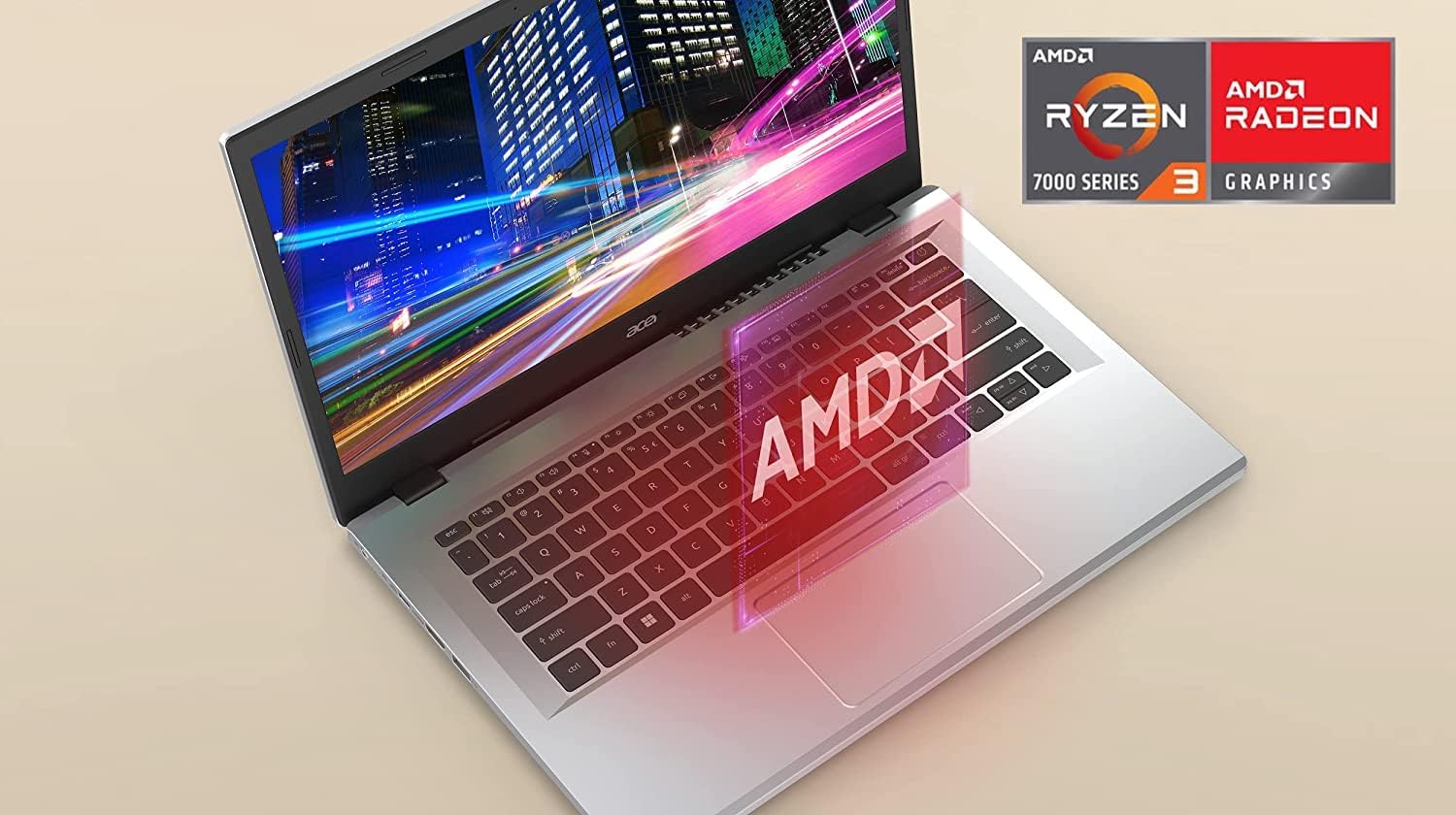
Image 1.2: The laptop display highlighting the AMD Ryzen processor and Radeon Graphics capabilities.
2. Пакеттин мазмуну
Пакетте бардык буюмдар бар экенин текшериңиз:
- Acer Aspire 3 Slim ноутбук
- AC кубат адаптери
- Батарея (интегралдык)
3. Баштапкы орнотуу
3.1 Кубатты туташтыруу
- Connect the AC adapter to the laptop's DC-in port.
- AC адаптерин розеткага сайыңыз.
- Allow the laptop to charge for at least 30 minutes before initial use.
3.2 Биринчи жүктөө жана Windows 11 орнотуу
- Ноутбукту иштетүү үчүн кубат баскычын басыңыз.
- Follow the on-screen instructions to complete the Windows 11 Home in S Mode setup. This includes selecting your region, keyboard layout, connecting to a Wi-Fi network, and setting up your Microsoft account.
- Windows 11 Home in S Mode is designed for security and performance, primarily using apps from the Microsoft Store. You can switch out of S Mode if needed, but this action is irreversible.

Сүрөт 3.1: Каптал view of the laptop illustrating the available ports, including USB Type-C, USB 3.2 Gen 1, and HDMI 2.1.
4. Ноутбугуңузду иштетүү
4.1 Күйгүзүү/өчүрүү
- Күйгүзүү: Баскычтопто жайгашкан кубат баскычын басыңыз.
- Өчүрүү: Click the Start button, then Power > Shut down. Alternatively, press and hold the power button for a few seconds to force a shutdown (not recommended for regular use).
4.2 Дисплей
The laptop features a 15.6-inch Full HD (1920 x 1080) IPS display, providing clear visuals and wide viewбурчтар.

Image 4.1: Visual representation of the 1920x1080 Full HD and IPS display technology.
4.3 Баскычтоп жана сенсордук такта
Терүү үчүн толук өлчөмдөгү клавиатураны, ал эми навигация үчүн так сенсордук тактаны колдонуңуз. Сенсордук такта жакшыртылган башкаруу үчүн көп сенсордук жаңсоолорду колдойт.
4.4 Байланыш
- Wi-Fi 6 (802.11ax): Connect to wireless networks for internet access. The laptop supports 2x2 MU-MIMO technology for a stable connection.
- USB порттору: Includes one USB Type-C Port (USB 3.2 Gen 2, up to 10 Gbps, with DisplayPort over USB Type-C & USB Charging) and two USB 3.2 Gen 1 Ports for connecting peripherals.
- HDMI: One HDMI 2.1 Port with HDCP support for connecting to external displays.
- Аудио Jack: A single Headphone/Speaker/Line-Out Jack for audio output.
4.5 Камера жана аудио
- HD алдыңкы камера: Features Acer’s TNR (Temporal Noise Reduction) technology for improved image quality in low-light conditions during video calls.
- Acer PurifiedVoice: Equipped with AI Noise Reduction technology to filter out background noise for clear communication during online meetings.
5. Техникалык тейлөө жана кам көрүү
5.1 Тазалоо
- Экранды жана сырткы беттерди тазалоо үчүн жумшак, түксүз чүпүрөктү колдонуңуз.
- Катуу химиялык заттарды же абразивдүү тазалагычтарды колдонуудан алыс болуңуз.
- For the display, use a screen-specific cleaner if necessary, applied to the cloth, not directly to the screen.
5.2 Батареяга кам көрүү
- Батареянын иштөө мөөнөтүн узартуу үчүн, бат-баттан батарейканы толук зарядсыздандырбаңыз.
- Ноутбукту узак убакытка колдонбогондо салкын, кургак жерде сактаңыз.
5.3 Жылуулук башкаруу
The Acer Aspire 3 features an improved thermal system with a larger fan surface area, enhancing cooling efficiency. To ensure optimal performance and prevent overheating:
- Вентиляция тешиктери тоскоол болбогонун текшериңиз.
- Use the laptop on a hard, flat surface rather than soft materials like blankets or pillows.

Image 5.1: Illustration of the improved thermal system and airflow within the laptop.
6. Кыйынчылыктарды
Бул бөлүмдө сиз кабылышы мүмкүн болгон жалпы маселелерди чечүү жолдору каралган.
6.1 Кубат жок / Ноутбук күйбөйт
- AC адаптери ноутбукка да, иштеген электр розеткасына да бекем туташып турганын текшериңиз.
- Башка аспапка сайып, розетка иштеп жатканын текшериңиз.
- Эгер батарейка толугу менен түгөнүп калса, аны күйгүзүүгө аракет кылуудан мурун кеминде 30 мүнөт кубаттоого уруксат бериңиз.
6.2 Дисплей маселелери
- If the screen is blank, try adjusting the display brightness using the function keys (Fn + F3/F4, or similar icons).
- If an external monitor is connected, ensure the correct display output is selected (Fn + F5, or similar icons).
- Ноутбукту кайра иштетиңиз.
6.3 Wi-Fi байланыш көйгөйлөрү
- Windows жөндөөлөрүндө Wi-Fi иштетилгенин текшериңиз.
- Зымсыз роутериңизди жана модемиңизди өчүрүп күйгүзүңүз.
- Башка түзмөктөр бир эле Wi-Fi тармагына туташа аларын текшериңиз.
- Update Wi-Fi drivers through Windows Update or Acer's support webсайт.
7. Техникалык шарттар
| Өзгөчөлүк | Спецификация |
|---|---|
| Модель аты | Acer Aspire 3 |
| Элемент моделинин номери | AMD Ryzen 3 7320U |
| Дисплей өлчөмү | 15.6 дюйм |
| Screen Resolution | 1920 x 1080 пиксел (Full HD IPS) |
| Процессор | AMD Ryzen 3 7320U (4.1 ГГц чейин) |
| RAM | 8 ГБ LPDDR5 |
| Сактагыч | 512 ГБ PCIe SSD |
| Графика | AMD Radeon графикасы (интегралдык) |
| Зымсыз байланыш | Wi-Fi 6 (802.11ax), 2x2 MU-MIMO |
| Порттар | 1x USB Type-C (USB 3.2 Gen 2, DisplayPort, USB кубаттоо), 2x USB 3.2 Gen 1, 1x HDMI 2.1, 1x Гарнитура/Спикер/Line-Out Jack |
| Операция системасы | Windows 11 Home S режиминде |
| Өлчөмдөрү (LxWxH) | 14.29 x 9.35 x 0.74 дюйм |
| Элемент Салмагы | 6 фунт |
8. Кепилдик жана колдоо
8.1 Кепилдик маалыматы
This product includes a standard manufacturer's warranty. Additionally, a 1-year standard warranty is provided specifically for the upgraded SSD component.
8.2 Кардарларды колдоо
For further assistance, technical support, or detailed warranty information, please visit the official Acer support webсайтына кириңиз же алардын кардарларды тейлөө кызматына кайрылыңыз. Байланыш маалыматы үчүн продуктуңуз менен кошо берилген документтерди караңыз.


