1. Киришүү
The OQIMAX Aux Bluetooth 5.0 Adapter is a versatile 2-in-1 wireless device designed to add Bluetooth functionality to your non-Bluetooth audio equipment. It can operate as both a Bluetooth transmitter and a Bluetooth receiver, allowing you to stream audio wirelessly to or from various devices such as car stereo systems, home stereo systems, wired headphones, computers, and televisions.
2. Продукт бүтүп калдыview
2.1 Пакеттин мазмуну
- OQIMAX Aux Bluetooth 5.0 Adapter
- USB заряддоо кабели
- User Manual
Note: An audio connection cable (e.g., 3.5mm AUX cable) is not included and must be purchased separately if required for your setup.
2.2 Аппараттын компоненттери

Сүрөт: бүттүview of the OQIMAX Aux Bluetooth 5.0 Adapter, highlighting its microphone, multifunction button, indicator light, transmitter/receiver switch, Aux In/Out port, and 5V/1A charging port.
- Микрофон: Үнсүз чалуу үчүн.
- Multifunction Button (M / Power / Play / Pause): Used for power on/off, play/pause music, answer/end/reject calls, and redial.
- Индикатор жарыгы: Түзмөктүн абалын көрсөтөт (жупташтыруу, туташуу, кубаттоо).
- Transmitter / Receiver Switch: Toggles between TX (Transmitter) and RX (Receiver) modes.
- Aux In / Out Port: 3.5mm audio jack for connecting to audio devices.
- 5V/1A Charging Port: Аппаратты кубаттоо үчүн микро USB порту.
3. Орнотуу жана заряддоо
3.1 Аппаратты заряддоо

Image: The OQIMAX adapter connected to a charging port, illustrating its battery life and charging time.
Before first use, fully charge the adapter. Connect the provided USB charging cable to the 5V/1A charging port on the adapter and to a standard USB power source (e.g., car charger, wall adapter, computer USB port).
- Индикатор жарыгы кубаттоо абалын көрсөтөт.
- Толук кубаттоо болжол менен 2 саатты талап кылат.
- Once fully charged, the device provides up to 8 hours of working time for music playback or calls.
3.2 Күйгүзүү/өчүрүү
- Күйгүзүү үчүн: Press and hold the Multifunction Button until the indicator light turns on.
- Өчүрүү үчүн: Press and hold the Multifunction Button until the indicator light turns off.
4. Иштөө режимдери

Image: A visual representation of the adapter's dual functionality, showing how it connects in Transmitter Mode (TX) to send audio from wired sources to Bluetooth headphones/speakers, and in Receiver Mode (RX) to receive audio from smartphones/tablets to wired car stereos/headphones/speakers.
4.1 Receiver Mode (RX)
In RX mode, the adapter receives audio wirelessly from a Bluetooth-enabled device (e.g., smartphone, tablet, laptop) and outputs it to a non-Bluetooth audio device (e.g., car stereo, wired headphones, wired speaker).
- Адаптерди төмөнкүгө которуңуз RX режими using the Transmitter/Receiver switch.
- Connect the adapter's Aux In/Out port to the audio input of your non-Bluetooth device (e.g., car stereo AUX-in, headphone jack) using a 3.5mm audio cable (not included).
- Power on the adapter. The indicator light will flash, indicating it is in pairing mode.
- On your Bluetooth-enabled device, search for Bluetooth devices and select "OQIMAX Adapter" (or similar name) to pair.
- Once paired, the indicator light will become solid. You can now play audio from your Bluetooth device, and it will be transmitted to your connected non-Bluetooth audio system.
4.2 Transmitter Mode (TX)
In TX mode, the adapter takes audio from a non-Bluetooth audio source (e.g., TV, computer, wired home stereo) and transmits it wirelessly to a Bluetooth audio device (e.g., Bluetooth headphones, Bluetooth speaker).
- Адаптерди төмөнкүгө которуңуз TX режими using the Transmitter/Receiver switch.
- Connect the adapter's Aux In/Out port to the audio output of your non-Bluetooth source device (e.g., TV headphone jack, computer audio out) using a 3.5mm audio cable (not included).
- Power on the adapter. The indicator light will flash, indicating it is in pairing mode.
- Bluetooth гарнитураңызды же динамигиңизди жупташтыруу режимине коюңуз.
- The adapter will automatically search for and connect to nearby Bluetooth audio devices. Once paired, the indicator light will become solid. You can now listen to audio from your wired source on your Bluetooth audio device.
5. Hands Free Чалуу
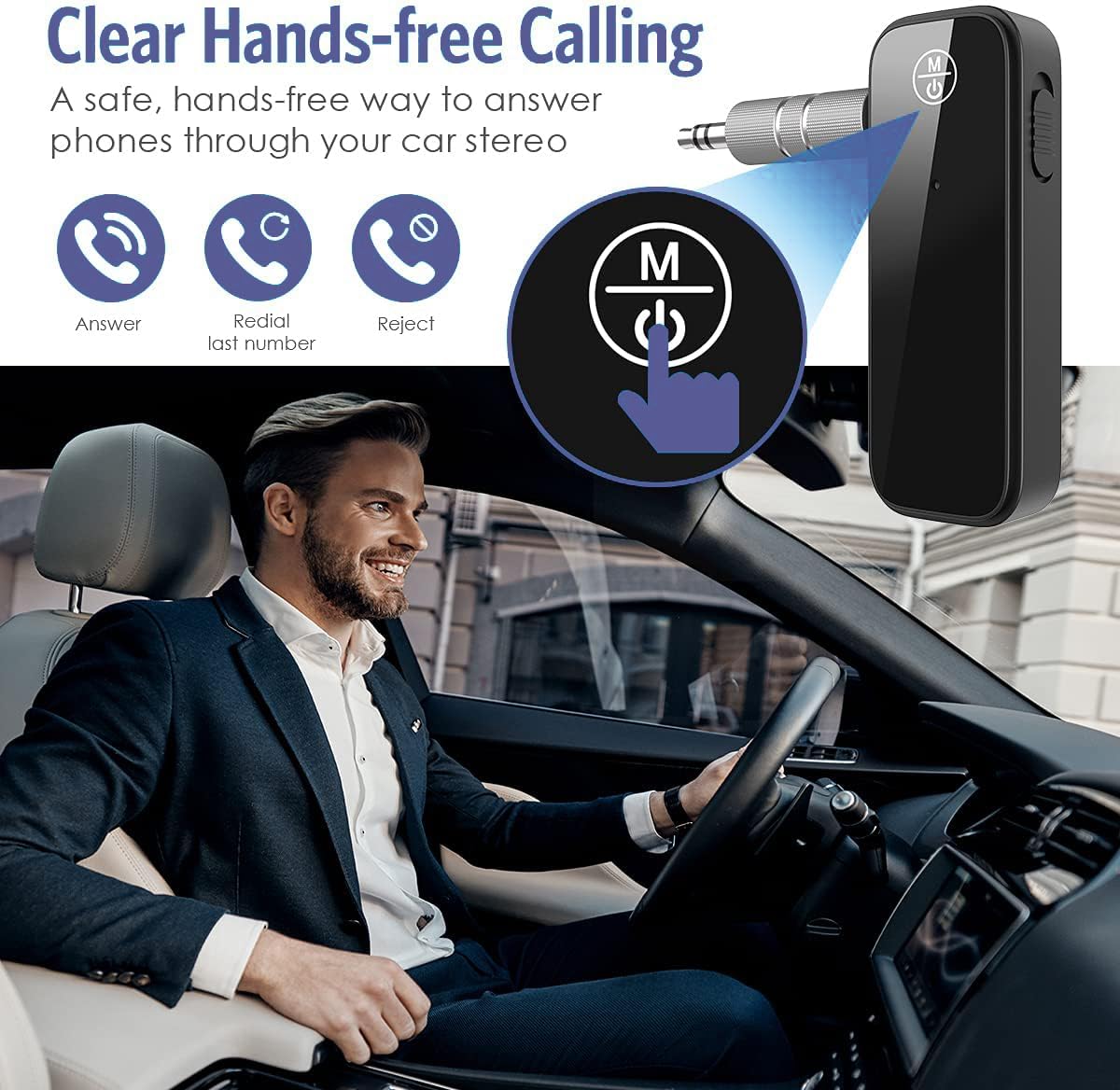
Image: The OQIMAX adapter enabling hands-free calls in a car, demonstrating its call management features.
When the adapter is in RX mode and connected to your smartphone, you can use its built-in microphone and Multifunction Button for hands-free calling.
- Чакырууга жооп берүү: Көп функциялуу баскычты бир жолу басыңыз.
- Чакырууну аяктоо: Чалуу учурунда Көп функциялуу баскычты бир жолу басыңыз.
- Чакырууну четке кагуу: Press and hold the Multifunction Button for 2 seconds when a call comes in.
- Акыркы номерди кайра терүү: Double-press the Multifunction Button.
6. Техникалык тейлөө
- Аппаратты кургак кармаңыз. ным же суюктуктардын таасиринен алыс болуңуз.
- Аппаратты ажыратууга же өзгөртүүгө аракет кылбаңыз. Бул кепилдикти жокко чыгарат жана зыян келтириши мүмкүн.
- Аппаратты жумшак, кургак чүпүрөк менен тазалаңыз. Катуу химиялык заттарды же абразивдүү тазалагычтарды колдонбоңуз.
- Аппаратты колдонбогондо салкын, кургак жерде сактаңыз.
7. Кыйынчылыктарды
- Кубат жок: Ensure the device is fully charged. Connect it to a power source using the USB charging cable.
- Жупташуу мүмкүн эмес:
- Ensure the adapter is in the correct mode (RX for receiving, TX for transmitting).
- Make sure the adapter is in pairing mode (indicator light flashing).
- Ensure the other device (smartphone, headphones) is also in pairing mode.
- Move the devices closer together (within 33 feet / 10 meters) and ensure no major obstacles.
- Turn off and on both devices, then try pairing again.
- The adapter automatically reconnects to the last paired device. If you want to pair a new device, ensure the previous device's Bluetooth is off or out of range.
- Аудио жок:
- Check that the 3.5mm audio cable is securely connected to both the adapter and the audio device.
- Ensure the adapter is in the correct mode (RX or TX) for your setup.
- Verify that both the adapter and the connected audio devices have their volumes turned up.
- Confirm that the adapter is successfully paired and connected (solid indicator light).
- Poor Audio Quality / Intermittent Connection:
- Ensure devices are within the optimal operating range (up to 33 feet / 10 meters) without significant physical obstructions (walls, doors, etc.).
- Avoid interference from other wireless devices (Wi-Fi routers, other Bluetooth devices).
- Ensure the adapter is fully charged. Low battery can affect performance.
8. Техникалык шарттар
- Бренд: OQIMAX
- Модел: B0CC1ZXKGZ
- Bluetooth версиясы: 5.0
- Иштөө режимдери: Өткөргүч (TX) / Кабыл алуучу (RX)
- Аппараттык интерфейс: Bluetooth, Bluetooth 5
- Туташтыргыч түрү: AUX, Bluetooth
- Шайкеш түзмөктөр: Headphones, Smartphones, Speakers, Tablets, Televisions, Car Stereo Systems, Home Stereo Systems
- Өзгөчөлүктөр: Built-In Microphone, Hands-Free Calling, Auto Reconnection
- Кубат булагы: Battery Powered (Rechargeable battery included)
- Заряддоо киргизүү: 5V/1A (Micro USB)
- Заряддоо убактысы: Болжол менен 2 саат
- Иш убактысы: Up to 8 hours (music/calls)
- Зымсыз диапазон: Up to 33 feet (10 meters) without obstacles
- Өлчөмдөрү: 12.4 x 6.7 x 1.9 см
- Салмагы: 30 г
9. Коопсуздук маалыматы
- Түзмөктү өтө жогорку температурага, түз күн нуруна же ачык отко тийгизбеңиз.
- Балдар жетпеген жерде сактаңыз.
- Аппаратты жана анын батареясын жергиликтүү эрежелерге ылайык таштаңыз.
- Use only the provided or a certified charging cable and adapter to prevent damage.
10. Кепилдик жана колдоо
For warranty information, technical support, or customer service inquiries, please refer to the product packaging or contact OQIMAX customer support through the retailer where the product was purchased. Please have your product model number (B0CC1ZXKGZ) and purchase details ready when contacting support.
