Introduction
Thank you for choosing the Tribesigns 200cm Double Computer Desk, Model NY069. This manual provides detailed instructions for assembly, safe operation, maintenance, and troubleshooting to ensure optimal use and longevity of your desk. Please read this manual thoroughly before assembly and use.

Image: The Tribesigns 200cm Double Computer Desk, showcasing its spacious design suitable for two workstations.
Коопсуздук маалыматы
ЭСКЕРТҮҮ: Assemble the desk carefully according to the detailed instructions provided. Do not exceed the recommended weight of 140 kg (300 lbs) to prevent damage to the desk or injury. If children are present, ensure they are kept away from the assembly area and during desk use to prevent accidents.
- Always place the desk on a flat, stable surface.
- Партада турбаңыз жана отурбаңыз.
- Чогултуу учурунда кичинекей бөлүктөрүн балдардан алыс кармаңыз.
- Бардык бекиткичтерди дайыма текшерип, алар бекем бойдон калууда.
- Avoid exposing the desk to direct sunlight or extreme temperatures.
Орнотуу жана чогултуу
The Tribesigns 200cm Double Computer Desk is designed for straightforward assembly. All necessary hardware and detailed instructions are included. Please follow the steps below carefully.
Баштоодон мурун:
- Unpack all components and verify against the parts list (refer to included manual for specific part identifiers).
- Сизде чогултуу үчүн жетиштүү орун бар экенин текшериңиз.
- Gather any required tools (usually a screwdriver or Allen wrench, often included).
- Place a soft cloth or cardboard on the floor to prevent scratching the desk components during assembly.
Чогултуу кадамдары:
- Буттарды рамкага бекитүү: Secure the metal legs to the main frame components using the provided screws and Allen wrench. Ensure all connections are firm.
- Assemble Crossbars: Connect the horizontal crossbars between the leg frames to enhance stability.
- Жумушчу столдун панелдерин жайгаштыруу: Carefully place the two desktop panels onto the assembled frame. Align the pre-drilled holes.
- Коопсуз иш тактасы: Fasten the desktop panels to the frame using the appropriate screws. Do not overtighten.
- Акыркы текшерүү: Once assembled, gently lift and move the desk to its desired location. Ensure all connections are secure and the desk is stable.

Image: Illustration of the robust metal frame construction, highlighting stability features.
Иштетүү жана колдонуу
The Tribesigns 200cm Double Computer Desk is designed for versatile use in home offices, study rooms, or shared workspaces.
- Кең жумушчу бети: The 200 x 60 cm desktop provides ample space for multiple monitors, laptops, keyboards, and other office essentials.
- Эки адамдык дизайн: This desk comfortably accommodates two individuals, allowing for collaborative work or separate workstations side-by-side.
- Салмак сыйымдуулугу: Do not exceed the maximum recommended weight of 140 kg (300 lbs) evenly distributed across the desktop.
- Жайгашкан жери: Position the desk in a well-lit area, away from direct heat sources or excessive moisture.
- Кабелдик башкаруу: Utilize cable ties or clips (not included) to organize power cords and data cables for a tidy workspace.
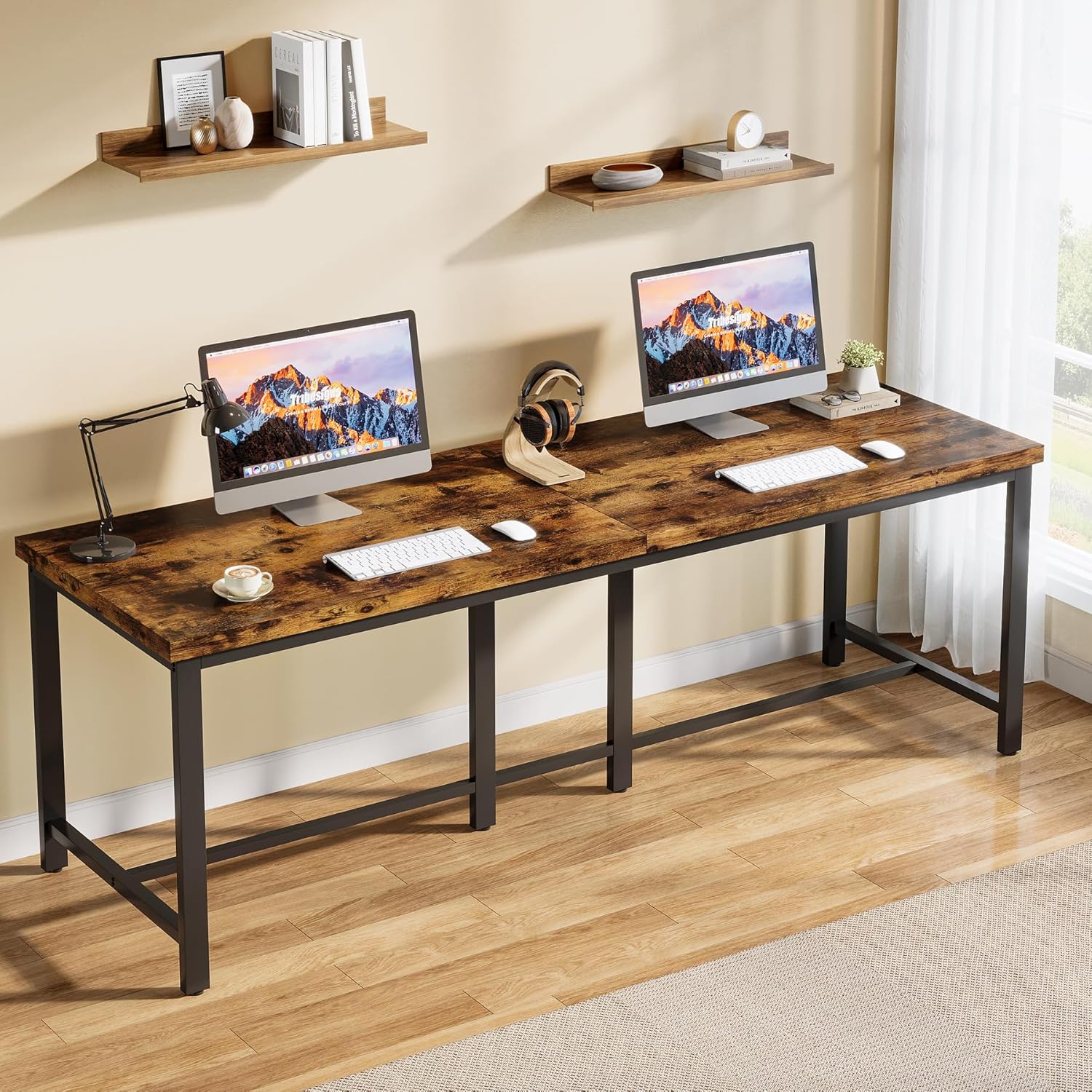
Image: The desk configured for two users, demonstrating ample space for individual setups.
Техникалык тейлөө
Тийиштүү кам көрүү жана техникалык тейлөө Tribesigns столуңуздун иштөө мөөнөтүн жана көрүнүшүн узартат.
- Тазалоо: Үстөлдүн бетин жумшак менен сүртүңүз, гamp кездеме. Катуу химиялык заттардан же абразивдүү тазалагычтардан алыс болуңуз, бул финишке зыян келтирет.
- Төгүлүүлөр: Инженердик жыгач бетине боёп же зыян келтирбөө үчүн төгүлгөн жерлерди дароо тазалаңыз.
- бекиткичтер: Бардык бурамаларды жана болттордун бекем бекитилгенин мезгил-мезгили менен текшерип туруңуз. Туруктуулукту сактоо үчүн зарыл болсо, кайра бекемдеңиз.
- Коргоо: Use coasters for drinks and desk pads for heavy equipment or sharp objects to protect the surface.
- Ашыкча жүктөөдөн качыңыз: Adhere to the recommended weight capacity to prevent structural stress.
Проблемаларды чечүү
If you encounter any issues with your Tribesigns desk, refer to the following common solutions.
| Көйгөй | Мүмкүн себеп | Чечим |
|---|---|---|
| Үстел солкулдап же туруксуз. | бош бекиткичтер; тегиз эмес пол. | Check and tighten all screws and bolts. Ensure the desk is on a level surface. Adjust leveling feet if present. |
| Чогултуу учурунда тетиктер бири-бирине туура келбейт. | Туура эмес багыт; туура эмес тетиктер колдонулган. | Review the assembly instructions carefully. Ensure parts are oriented correctly and you are using the right components for each step. |
| Беттик чийик же кичине зыян. | курч объектилердин таасири; абразивдүү тазалоо. | Use furniture repair markers or wood filler for minor scratches. Avoid abrasive cleaners. Use protective mats. |
Техникалык шарттар
Key specifications for the Tribesigns 200cm Double Computer Desk (Model NY069):
- Бренд: Tribesigns
- Модель номери: NY069
- Түсү: Vintage Күрөң + Кара
- Product Dimensions (L x D x H): Болжол менен 200 см x 60 см x 76.5 см (78.7 x 23.6 x 30.1 дюйм)
- Салмагы: Болжол менен 23.13 кг (51 фунт)
- Материал: Premium Particle Board (Engineered Wood) tabletop, Metal frame
- Салмак сыйымдуулугу: 140 кг (300 фунт)
- Дизайн: Industrial, Double Computer Desk
- Форма: Төрт бурчтук
- Бүткөн түрү: Painted wood texture

Image: Technical drawing showing the dimensions of the desk.
Кепилдик жана колдоо
For warranty information or support regarding your Tribesigns 200cm Double Computer Desk, please refer to the documentation included with your purchase or contact Tribesigns customer service directly.
Байланыш маалыматын көбүнчө өндүрүүчүнүн расмий сайтынан таба аласыз website or through the retailer where the product was purchased. Please have your model number (NY069) and purchase date ready when contacting support.


