1. Продукт бүтүп калдыview
The ATTACK SHARK X3 is an ultra-lightweight wireless gaming mouse designed for high performance and versatility. It features a PixArt PAW3395 sensor, multi-mode connectivity (wired, 2.4G wireless, Bluetooth), and a long-lasting battery, making it suitable for various computing environments and gaming needs.
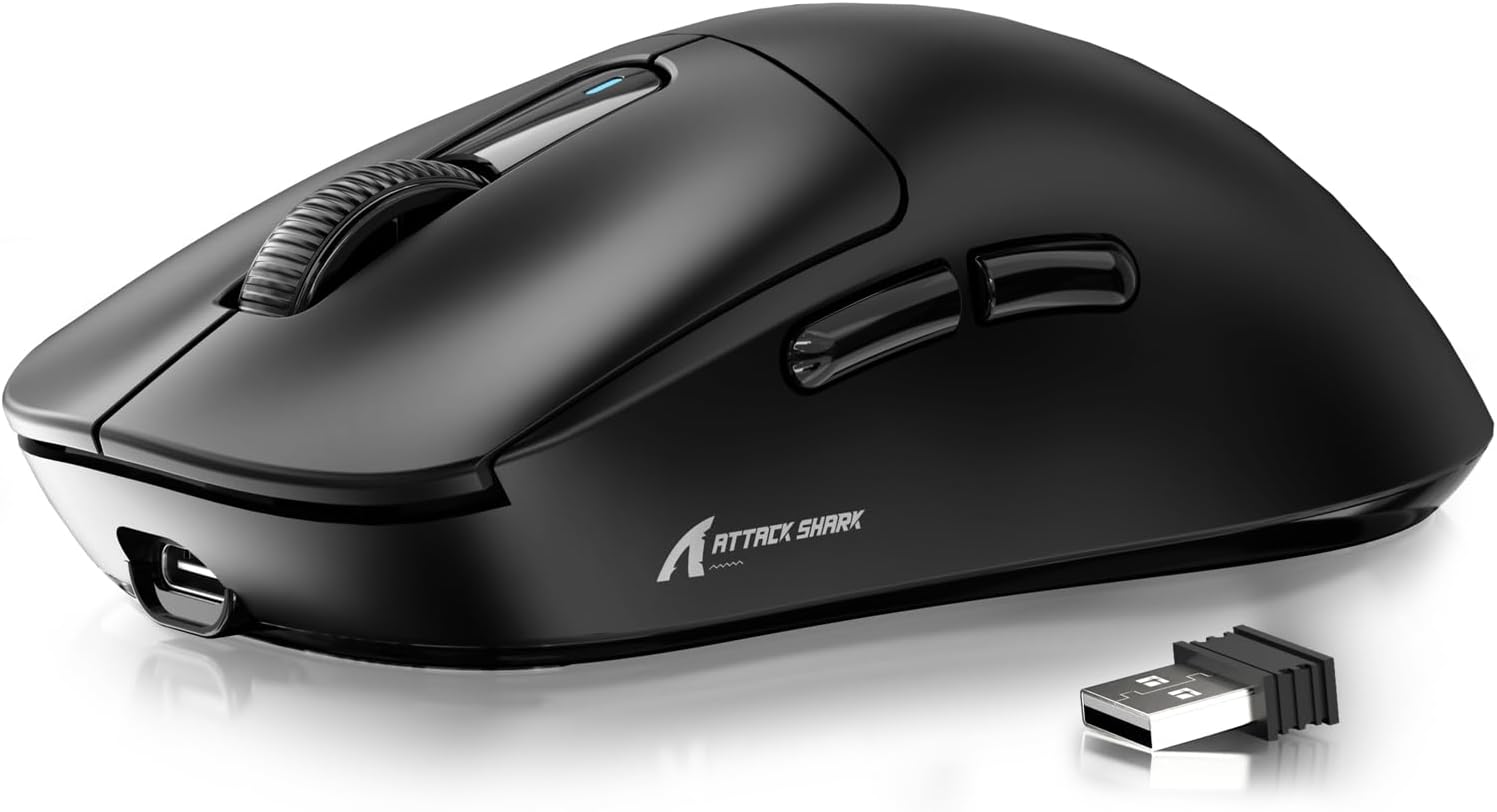
Figure 1: ATTACK SHARK X3 Wireless Gaming Mouse (Black)
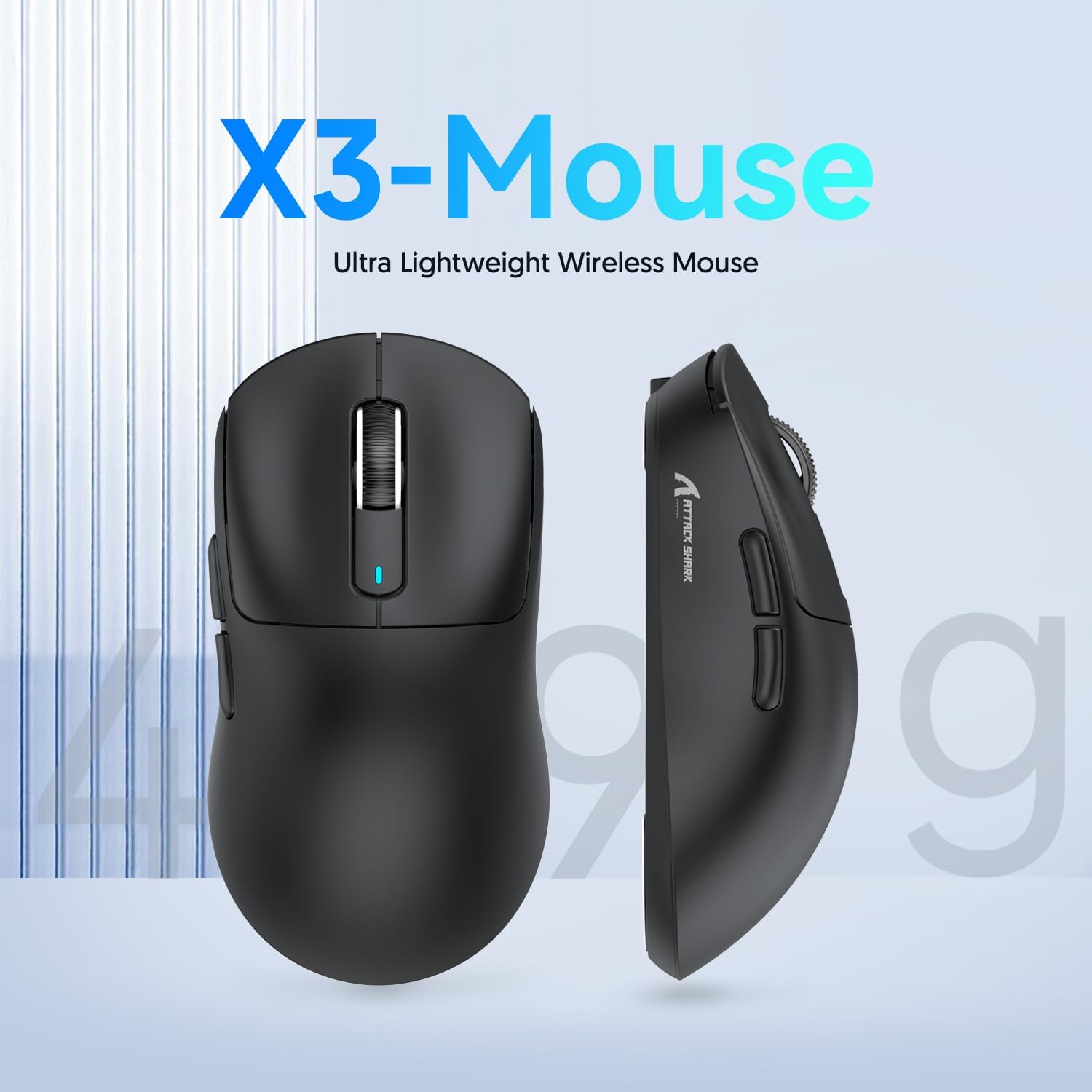
Figure 2: X3-Mouse Ultra Lightweight Design
2. Негизги өзгөчөлүктөрү
- Ультра жеңил дизайн: Weighing approximately 49g, designed for comfortable and agile movement.
- PixArt PAW3395 сенсору: Flagship gaming sensor offering up to 26000 DPI for precise tracking.
- Tri-Mode туташуу: Supports wired (Type-C), 2.4G wireless, and Bluetooth (BT5.2) connections.
- Батареянын узак иштөө мөөнөтү: Бир кубаттоо менен 200 саатка чейин үзгүлтүксүз колдонуу.
- Туруктуу өчүргүчтөр: Equipped with Kailh GM8.0 switches, rated for 80 million clicks.
- Ыңгайлаштырылган DPI: 6 adjustable DPI levels.
- Macro Drivers: Software support for macro customization and button remapping.
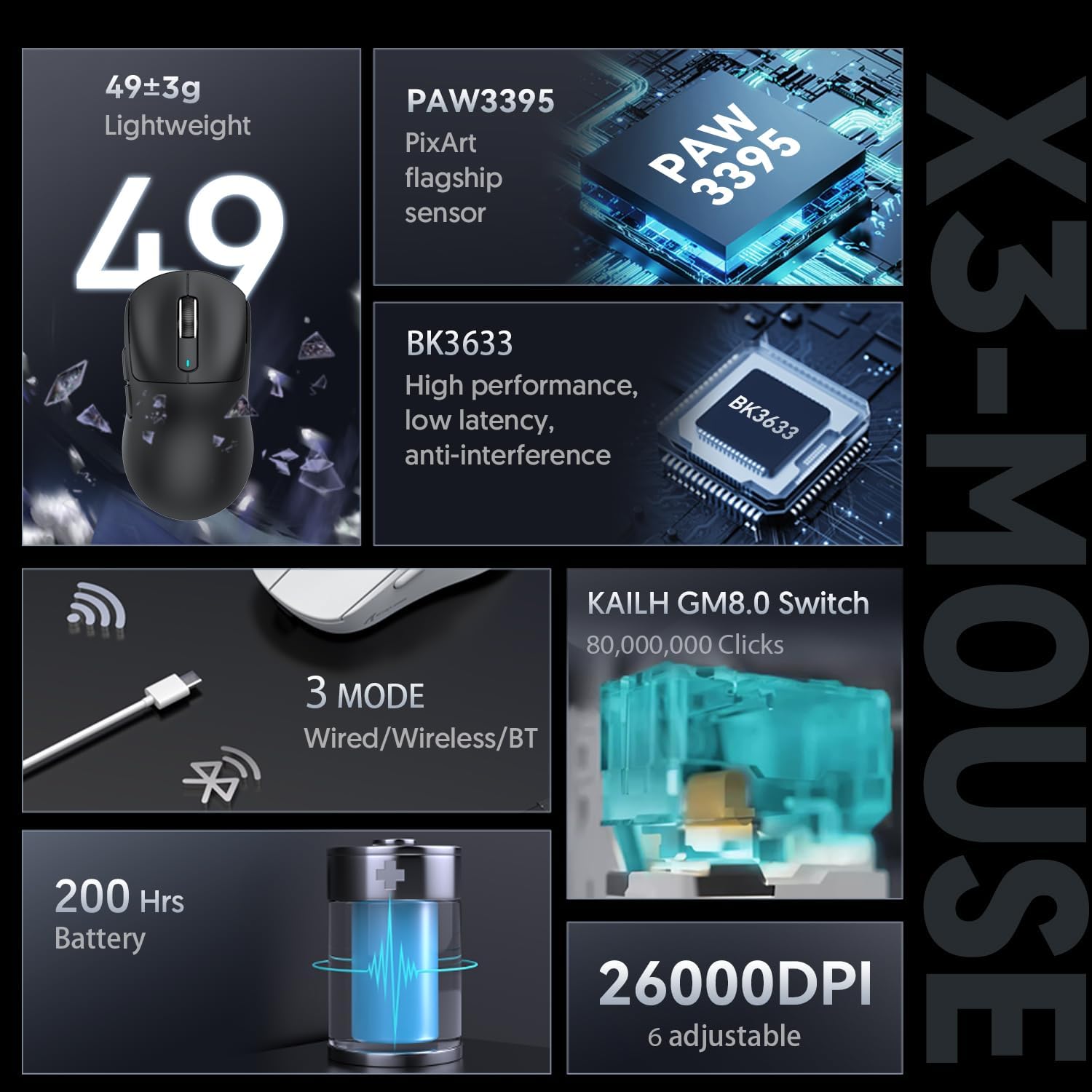
Figure 3: X3-Mouse Feature Overview

Figure 4: PixArt PAW3395 Flagship Sensor Details
3. Орнотуу
3.1 Пакеттин мазмуну
- ATTACK SHARK X3 зымсыз оюн чычканы
- USB Type-C кабели
- 2.4G USB кабыл алгыч
- Колдонуучунун Колдонмосу (бул документ)
- Optional: Grip Tapes (may vary by package)
3.2 Алгачкы заряддоо
Before first use, it is recommended to fully charge the mouse. Connect the provided USB Type-C cable to the mouse's front port and the other end to a USB power source (e.g., computer USB port, USB wall adapter). The DPI indicator light will show charging status.
3.3 Чычканды туташтыруу
The X3 mouse supports three connection modes: Wired, 2.4G Wireless, and Bluetooth.
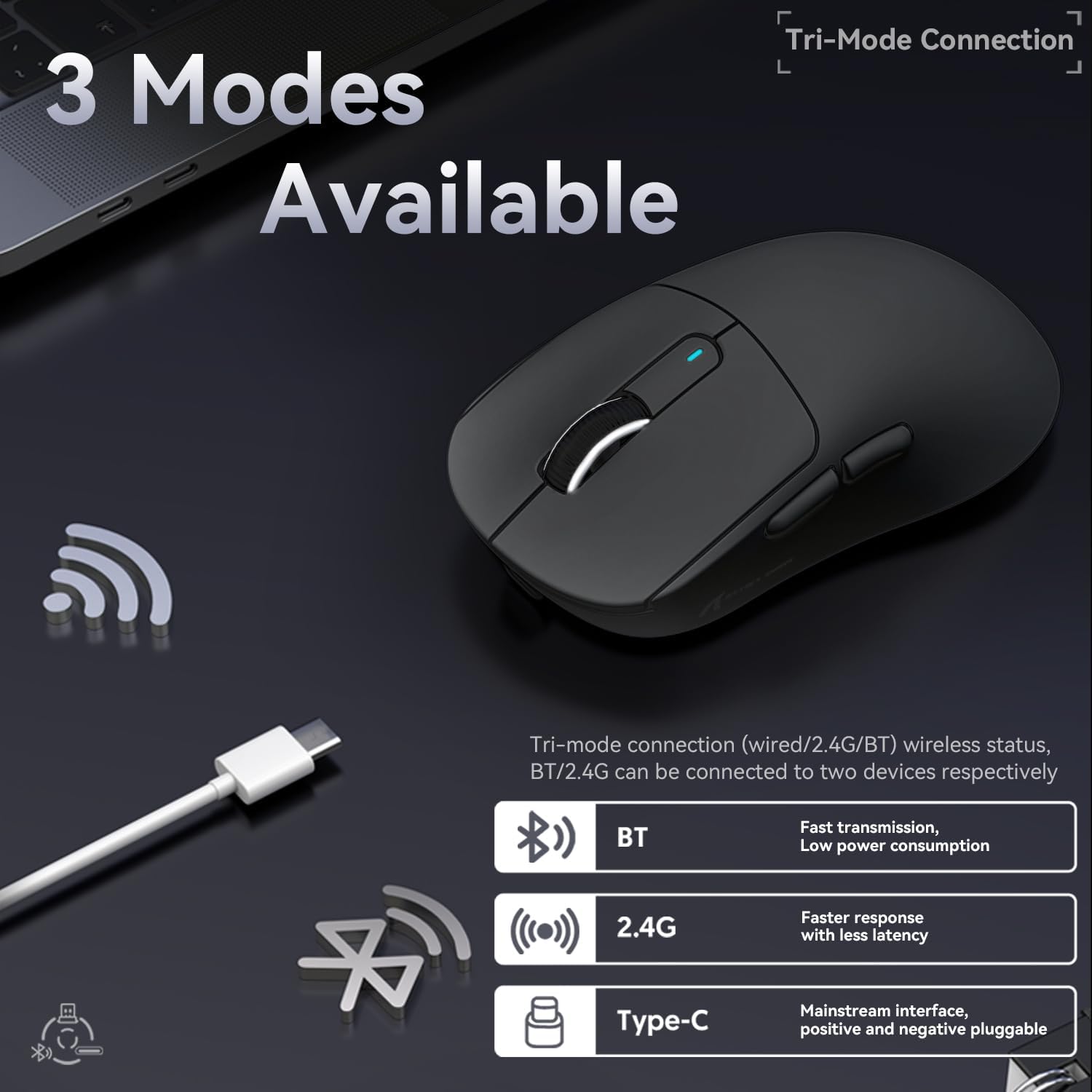
5-сүрөт: Үч режимдүү туташуу параметрлери
- Зымдуу режим:
Connect the USB Type-C cable directly from the mouse to your computer. The mouse will automatically switch to wired mode and begin charging.
- 2.4G зымсыз режими:
Locate the 2.4G USB receiver stored in the magnetic compartment on the bottom of the mouse. Plug the receiver into an available USB port on your computer. Slide the switch on the bottom of the mouse to the "2.4G" position. The mouse should connect automatically. If not, press and hold the mode switching key on the bottom for 3 seconds to initiate pairing.

Figure 6: Mouse Bottom Layout with Switch and Receiver Slot
- Bluetooth режими:
Slide the switch on the bottom of the mouse to the "BT" position. On your computer or device, open Bluetooth settings and search for new devices. Select "ATTACK SHARK X3" from the list to pair. If pairing fails, press and hold the mode switching key on the bottom for 3 seconds to enter pairing mode.
4. Иштөө нускамалары
4.1 DPI жөндөө
The mouse features a dedicated DPI switch button on the bottom (or top, depending on model variant) to cycle through preset DPI levels. The DPI indicator light will change color to indicate the current DPI setting. You can customize these levels using the official software.
4.2 Macro Customization
For advanced customization, download the official ATTACK SHARK software from the manufacturer's webсайт. Бул программа сизге мүмкүнчүлүк берет:
- Remap mouse buttons.
- Create and assign macros for complex actions.
- Adjust DPI levels and polling rate.
- Батареянын абалын көзөмөлдөңүз.
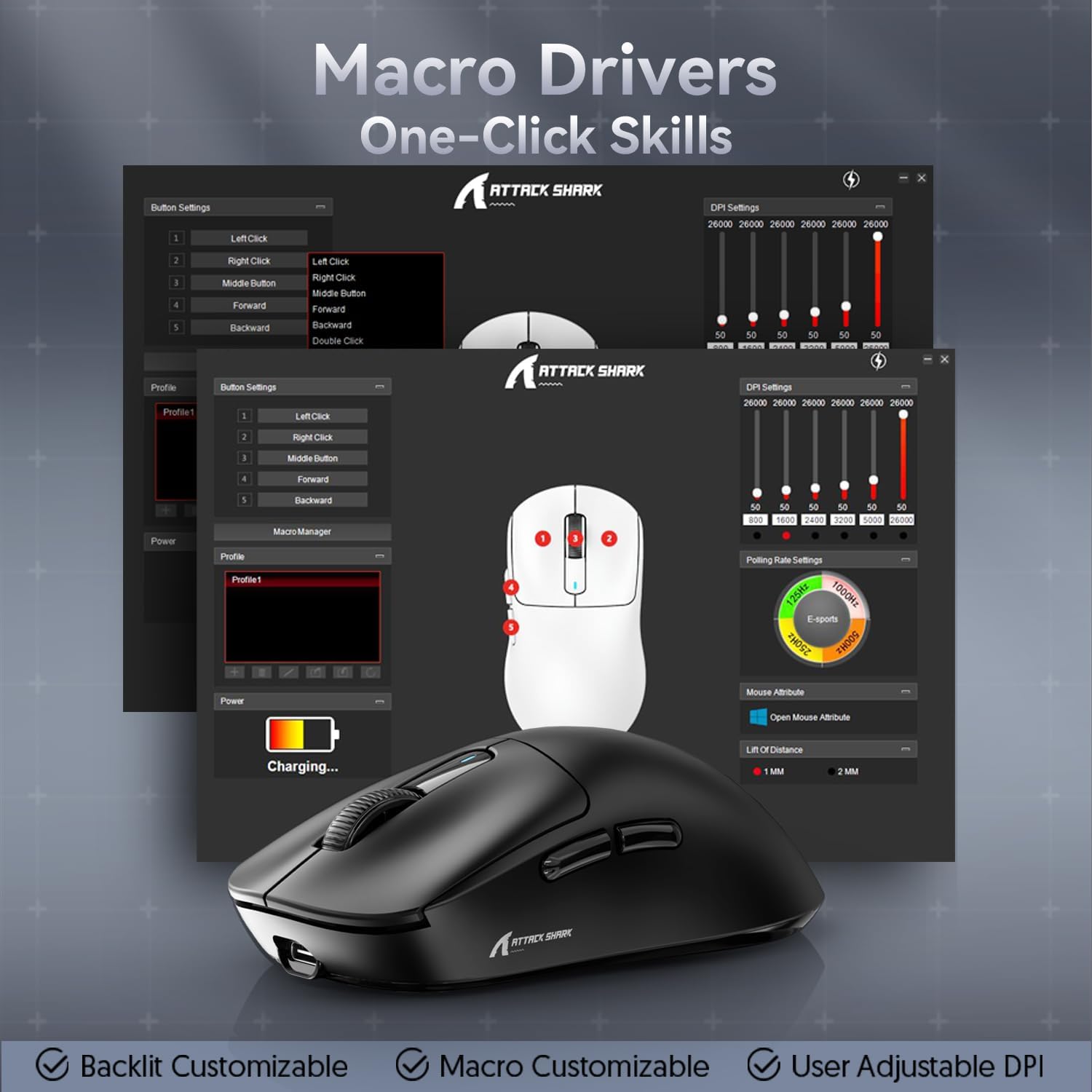
Figure 7: Macro Drivers and Software Interface
5. Батареяны башкаруу
The ATTACK SHARK X3 mouse is equipped with a high-capacity lithium battery providing up to 200 hours of usage. To preserve battery life:
- Turn off the mouse using the switch on the bottom when not in use for extended periods.
- Батареянын индикатору кубаттуулуктун аздыгын көрсөткөндө чычканды кубаттаңыз.
- Чычканды экстремалдык температурага тийгизүүдөн сактаңыз.
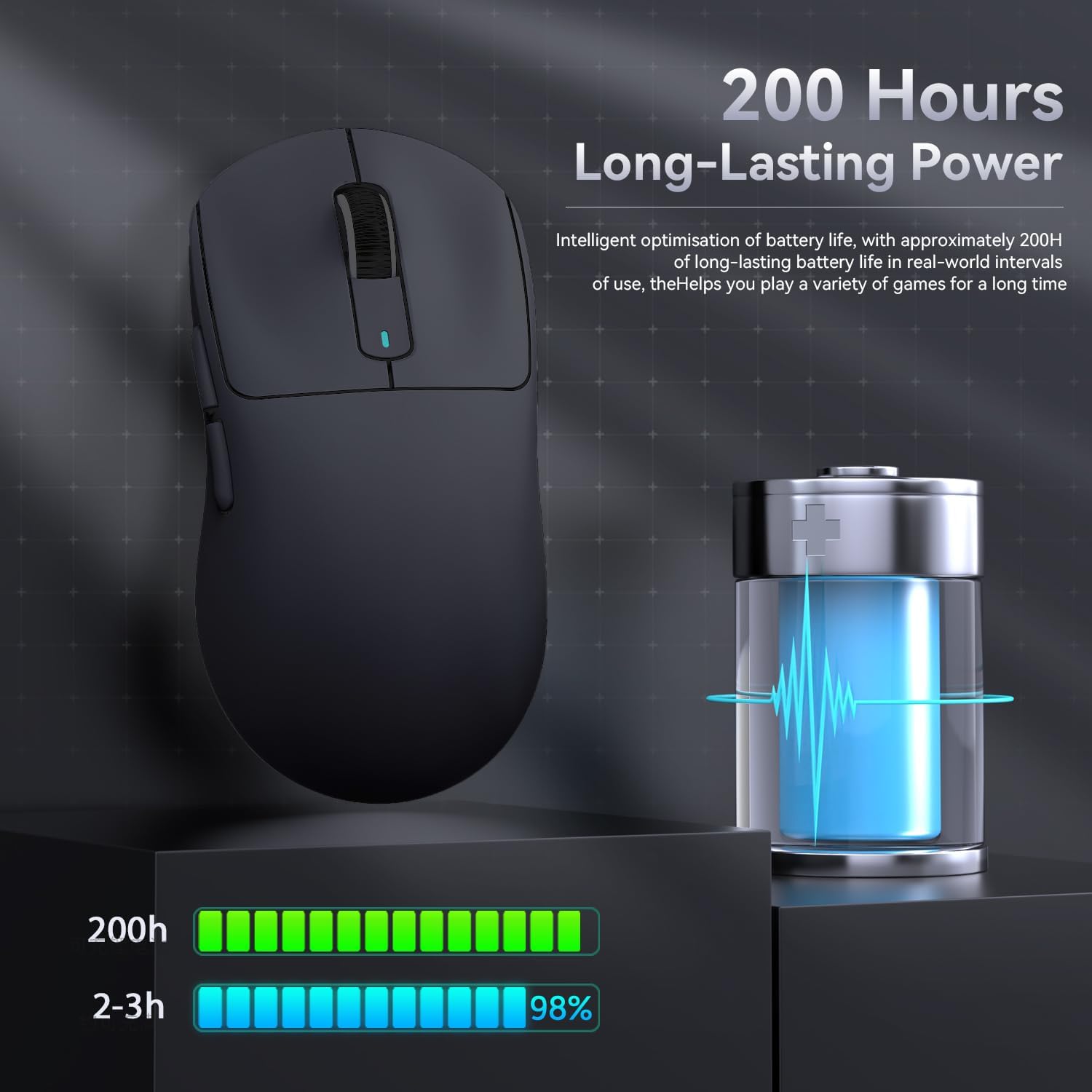
Figure 8: Battery Life Indication
6. Техникалык тейлөө
- Тазалоо: Use a soft, dry cloth to clean the mouse. Do not use harsh chemicals or abrasive materials.
- Сактагыч: Чычканды күн нурунан жана экстремалдык температурадан алыс салкын, кургак жерде сактаңыз.
- Сенсорго кам көрүү: Оптималдуу көзөмөлдөө иштеши үчүн, чычкандын түбүндөгү оптикалык сенсорду таза жана чаңдан же таштандылардан таза кармаңыз.
7. Кыйынчылыктарды
| Көйгөй | Мүмкүн себеп | Чечим |
|---|---|---|
| Чычкан жооп бербей жатат | Low battery; Incorrect connection mode; USB receiver not plugged in (2.4G); Bluetooth not paired. | Charge the mouse; Ensure the switch on the bottom is in the correct mode (2.4G/BT); Re-insert USB receiver; Re-pair Bluetooth. |
| Кечигип же үзгүлтүктүү байланыш | Тоскоолдук; Кабыл алгычтан/түзмөктөн алыстык; Батареянын заряды аз. | Move closer to the receiver/device; Ensure no strong interference sources nearby; Charge the mouse. |
| DPI өзгөрбөйт | DPI button malfunction; Software conflict. | Ensure the DPI button is pressed correctly; Restart the mouse and computer; Reinstall mouse software. |
| Программа чычканды аныктабай жатат | Driver issue; Connection problem. | Ensure mouse is connected via wired or 2.4G mode (Bluetooth might not be supported by all software features); Reinstall drivers/software. |
8. Техникалык шарттар
| Өзгөчөлүк | Деталь |
|---|---|
| Модел | X3 |
| Сенсор | PixArt PAW3395 |
| DPI | Up to 26000 (Adjustable) |
| Көз салуу ылдамдыгы | 650IPS |
| Ылдамдатуу | 50G |
| Добуш берүү көрсөткүчү | 1000Hz (Adjustable via software) |
| Байланыш | Wired (Type-C), 2.4G Wireless, Bluetooth 5.2 |
| Которгучтар | Kailh GM8.0 (80 Million Clicks) |
| Батареянын иштөө мөөнөтү | Болжол менен 200 саат |
| Салмагы | Болжол менен 49г |
| Өлчөмдөр | 118.5 мм x 61 мм x 39.7 мм (болжол менен) |
| Шайкеш OS | Windows 11, Xbox, PS, Mac (functionality may vary) |

Figure 9: ATTACK SHARK X3 Super Light Mouse Overview

Figure 10: X3MAX Exploded Diagram (Illustrative of X3 series internal components)
9. Расмий продукт Video
Video 1: ATTACK SHARK X3 Mouse Product Overview. This video provides a visual demonstration of the mouse's features, unboxing, and usage scenarios.
10. Кепилдик жана колдоо
For warranty information, technical support, or to download the latest software and drivers, please visit the official ATTACK SHARK webсайтка же кардарларды тейлөөгө кайрылыңыз. Кепилдик дооматтар үчүн сатып алуу дүмүрчөгүңүздү сактаңыз.
Расмий бренд дүкөнү: АКУЛАГА АТКАРУУ Дүкөн


