1. Киришүү
This manual provides detailed instructions for the setup, operation, maintenance, and troubleshooting of your Machenike K500-B94 Mechanical Keyboard. Please read this manual thoroughly before using the product to ensure proper functionality and longevity.
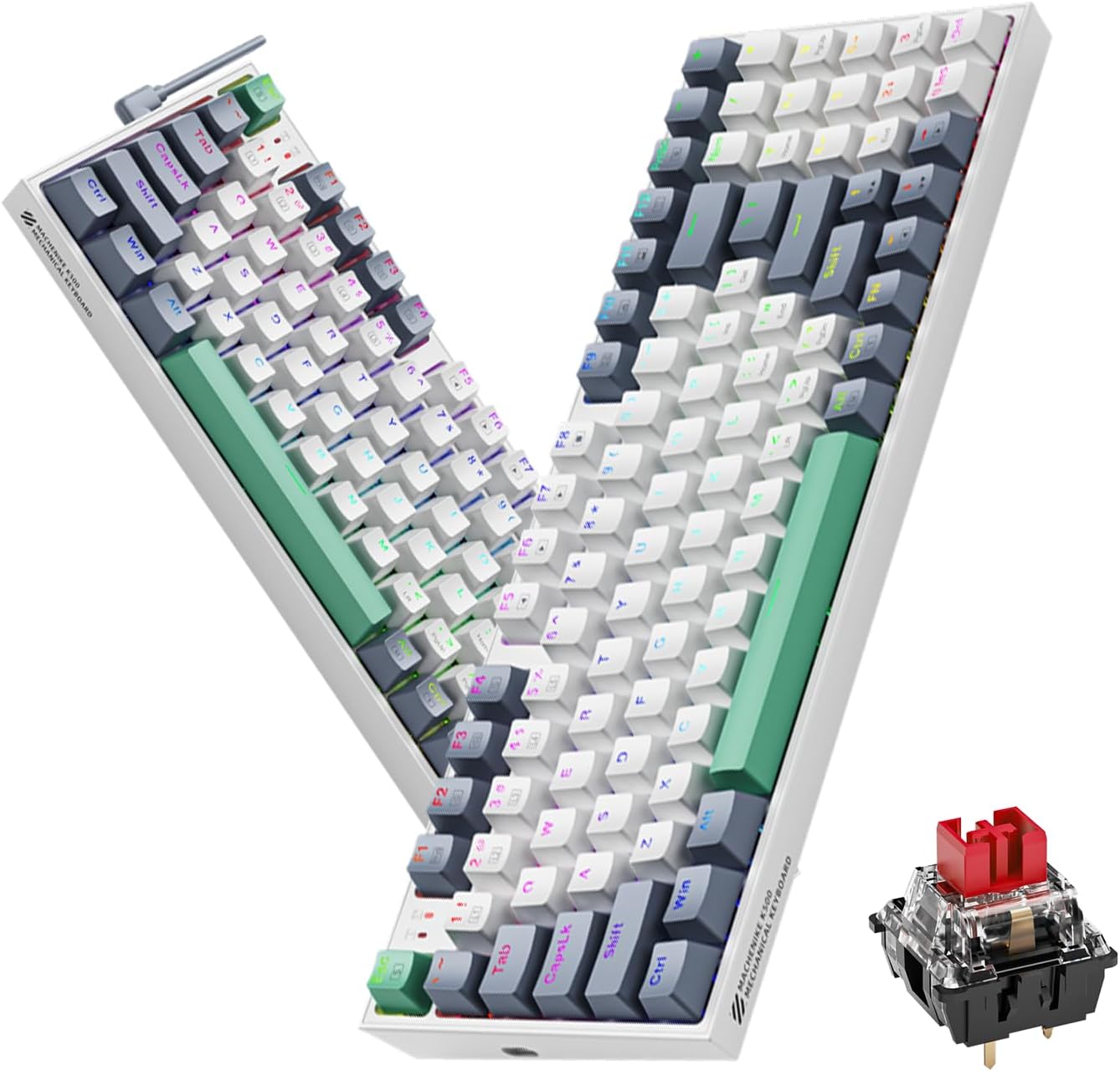
Image 1.1: The Machenike K500-B94 Mechanical Keyboard, showcasing its compact layout and a detailed view of a hot-swappable mechanical switch.
2. Пакеттин мазмуну
Пакетте бардык буюмдар бар экенин текшериңиз:
- Machenike K500-B94 механикалык клавиатурасы
- Ажыратылуучу C типтеги USB кабели
- Баскыч капкагын тартуучу (ысык алмаштырылуучу которгучтар үчүн)
- Коммутаторду тартуучу (ысык алмаштырылуучу коммутаторлор үчүн)
- Колдонуучунун Колдонмосу (бул документ)
3. Орнотуу нускамалары
- Баскычтопту таңгактан чыгаруу: Баскычтопту жана бардык аксессуарларды таңгактан кылдаттык менен чыгарып алыңыз.
- USB кабелин туташтыруу: Insert the Type-C end of the provided USB cable into the port on the keyboard. Connect the standard USB-A end to an available USB port on your computer (PC, Desktop, All-in-one, or Notebook).
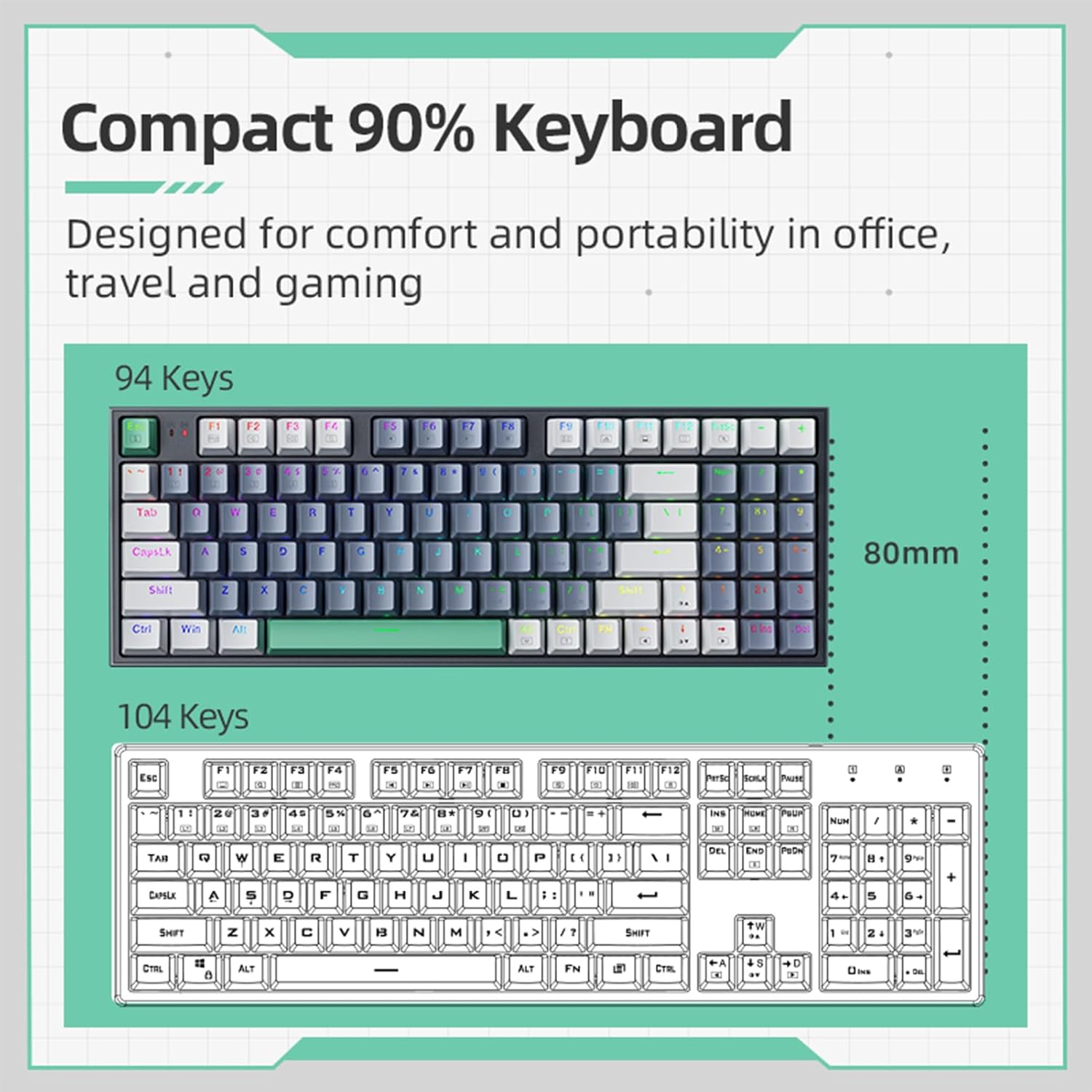
Image 3.1: Illustration of the detachable Type-C USB cable connection to the keyboard, highlighting its compatibility with various devices.
- Драйверди орнотуу: The keyboard is plug-and-play. Your operating system will automatically detect and install the necessary drivers. No additional software installation is required for basic functionality.
- Кошумча программалык камсыздоону орнотуу: For advanced customization of RGB lighting and macros, download the official Machenike K500-B94 software from the official Machenike webсайт.
4. Иштөө нускамалары
4.1. Негизги баскычтоп функциялары
The Machenike K500-B94 features a 94-key layout, providing a compact yet functional experience. All standard keyboard functions operate as expected.

Image 4.1: A visual representation of the Machenike K500-B94's 94-key compact layout, designed for comfort and portability.
4.2. RGB жарыкты башкаруу
The keyboard features customizable RGB backlighting. Use the dedicated function keys or the optional software to adjust lighting effects, brightness, and color.
- Жарыктыкты жөндөө: Typically, use Fn + Өйдө/Төмөн жебе ачкычтар.
- Effect Cycling: Колдонуу Fn + Right/Left Arrow keys to cycle through various lighting modes.
- Түс тандоо: Some modes allow color changes via Fn + specific keys or through the software.

Image 4.2: Screenshot of the customizable software interface, demonstrating options for RGB lighting effects, brightness, speed, and color selection.
4.3. Ыкчам алмаштыруучу которгучтар
The Machenike K500-B94 features hot-swappable switches, allowing users to change mechanical switches without soldering. This enables customization of typing feel and sound.

Сүрөт 4.3: деталдуу view of the keyboard with several keycaps and switches removed, illustrating the hot-swappable switch sockets for easy replacement.
Өчүргүчтү алмаштыруу үчүн:
- Каалаган клавиатураны акырын алып салуу үчүн берилген клавиатура тарткычын колдонуңуз.
- Которгучту этияттык менен кармап, түз өйдө тартуу үчүн берилген которгучту тартуучу каражатты колдонуңуз.
- Align the pins of the new switch with the holes on the PCB and press it firmly into place until it clicks.
- Баскычтоптун капкагын кайра бекитиңиз.
5. Техникалык тейлөө
5.1. Баскычтопту тазалоо
- Тазалоодон мурун клавиатураны компьютерден ажыратыңыз.
- Кылдат тазалоо үчүн баскычтоптун капкактарын алып салуу үчүн баскычтоптун капкактарын тартуучу каражатты колдонуңуз.
- Баскычтардын ортосундагы чаңды жана калдыктарды тазалоо үчүн кысылган абаны колдонуңуз.
- Wipe keycaps and the keyboard surface with a soft, damp кездеме. Катуу химиялык заттардан алыс болуңуз.
- Ensure all parts are completely dry before reattaching keycaps and reconnecting the keyboard.
5.2. Кабелдик башкаруу
The detachable Type-C cable allows for easy replacement and storage. Ensure the cable is not kinked or excessively bent to prevent damage.
6. Кыйынчылыктарды
- Баскычтоп жооп бербейт:
- USB кабели клавиатурага жана компьютерге бекем туташып турганын текшериңиз.
- Баскычтопту компьютериңиздин башка USB портуна туташтырууга аракет кылыңыз.
- Компьютерге тиешелүү маселени болтурбоо үчүн баскычтопту башка компьютерде сынап көрүңүз.
- Компьютериңизди өчүрүп күйгүзүңүз.
- RGB жарыгы иштебейт же туура эмес:
- Check if the lighting is turned off via keyboard shortcuts (e.g., Fn + specific key).
- If using the software, ensure it is running and configured correctly.
- Reinstall the optional software if issues persist.
- Атайын ачкычтар иштебейт:
- Due to the hot-swappable design, a switch might be improperly seated. Gently remove the keycap and switch, then reinsert the switch firmly.
- If a switch is faulty, replace it with a new one using the provided tools.
7. Техникалык шарттар
| Өзгөчөлүк | Деталь |
|---|---|
| Бренд | Machenike |
| Модель номери | K500-B94 |
| Түс | Ак |
| Байланыш технологиясы | USB (Detachable Type-C) |
| Ачкычтардын саны | 94 |
| Keyboard Description | Mechanical, Hot-Swappable |
| Продукт Салмагы | 830 г |
| Шайкеш түзмөктөр | PC |
8. Кепилдик жана колдоо
Machenike products are designed for reliability and performance. For warranty information and technical support, please refer to the official Machenike webсайтка же түздөн-түз кардарларды тейлөөгө кайрылыңыз.
Сатып алуу квитанциясын кепилдик дооматтары үчүн сатып алуунун далили катары сактаңыз.
Кошумча колдоо үчүн төмөнкү дарекке өтүңүз: www.machenike.com


