1. Киришүү
This manual provides essential information for the proper setup, operation, and maintenance of your Xiaomi Mi Band 7 Pro. Designed as a comprehensive activity fitness tracker, the Mi Band 7 Pro features a high-resolution AMOLED display, extended battery life, and advanced health monitoring capabilities. Please read this manual thoroughly to ensure optimal performance and longevity of your device.

Image 1.1: The Xiaomi Mi Band 7 Pro, featuring a rectangular black display and a black silicone strap.
2. Орнотуу
2.1 Кутудан чыгаруу жана баштапкы төлөм
- Carefully remove all components from the packaging. Verify that the Xiaomi Mi Band 7 Pro device, charging cable, and this user manual are present.
- Connect the charging cable to the charging contacts on the back of the Mi Band 7 Pro. Plug the USB end of the cable into a standard USB power adapter (5V/1A recommended) or a computer's USB port.
- Allow the device to charge fully before first use. A full charge typically takes approximately 2 hours. The display will indicate charging status.
2.2 Смартфонуңуз менен жупташуу
- жүктөп алыңыз Mi Fitness application from your smartphone's app store (available on iOS and Android).
- Смартфонуңузда Bluetooth иштетилгенин текшериңиз.
- Open the Mi Fitness app, create an account or log in, and follow the on-screen instructions to add a new device.
- Жеткиликтүү түзмөктөрдүн тизмесинен "Xiaomi Smart Band 7 Pro" тандаңыз.
- Confirm the pairing request on both your smartphone and the Mi Band 7 Pro display.
2.3 Түзмөктү тагынуу
For accurate heart rate and SpO₂ monitoring, wear the Mi Band 7 Pro snugly on your wrist, about one finger's width above your wrist bone. The sensor should be in contact with your skin. Avoid wearing it too tightly, which can restrict blood flow, or too loosely, which can affect sensor accuracy.
3. Иштөө нускамалары
3.1 Негизги навигация
- Өйдө/ылдый сүрүү: Менюларды жана эскертмелерди сыдырыңыз.
- Солго/Оңго сүрүү: Access quick functions or widgets (e.g., music control, weather).
- таптаңыз: Бир нерсени тандаңыз же аракетти ырастаңыз.
- Басып кармап туруңуз: Башкы экрандан сааттын беттерин ыңгайлаштырыңыз.
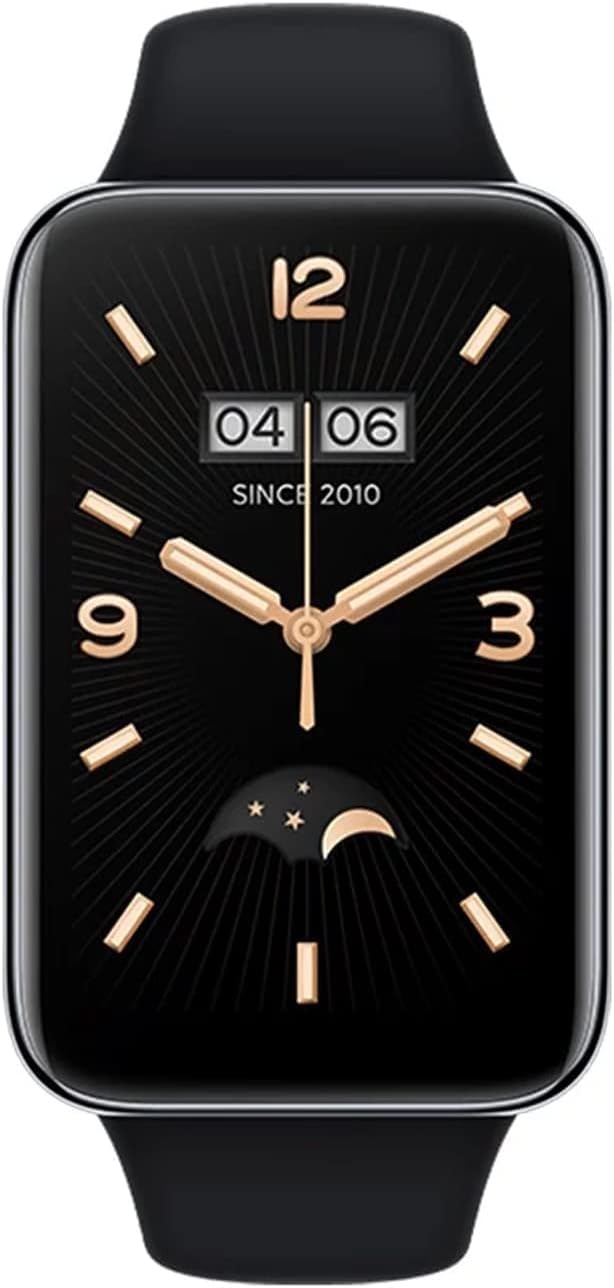
Image 3.1: A close-up of the Xiaomi Mi Band 7 Pro display showing a classic watch face with time and date.
3.2 Ден соолуктун мониторинги
- Жүрөктүн кагышы: Access the Heart Rate app on the band to view real-time heart rate. Continuous monitoring can be enabled in the Mi Fitness app.
- SpO₂ (кандагы кычкылтек): Navigate to the SpO₂ app to measure your blood oxygen saturation. Ensure your arm is still during measurement.
- Уйкуга көз салуу: The band automatically tracks your sleep patterns when worn during sleep. Detailed analysis is available in the Mi Fitness app.
- Стресс мониторинги: The band can estimate your stress levels. View data in the Mi Fitness app.
3.3 Спорт режимдери жана GPS
The Mi Band 7 Pro supports over 110 sports modes. To start a workout:
- Swipe on the band to find the "Workout" or "Sports" icon and tap it.
- Select your desired activity (e.g., Outdoor Running, Cycling, Swimming).
- For outdoor activities, the built-in GNSS (GPS) module will automatically search for a signal to track your route, distance, and pace independently.
- Tap the screen to start, pause, or end your workout.
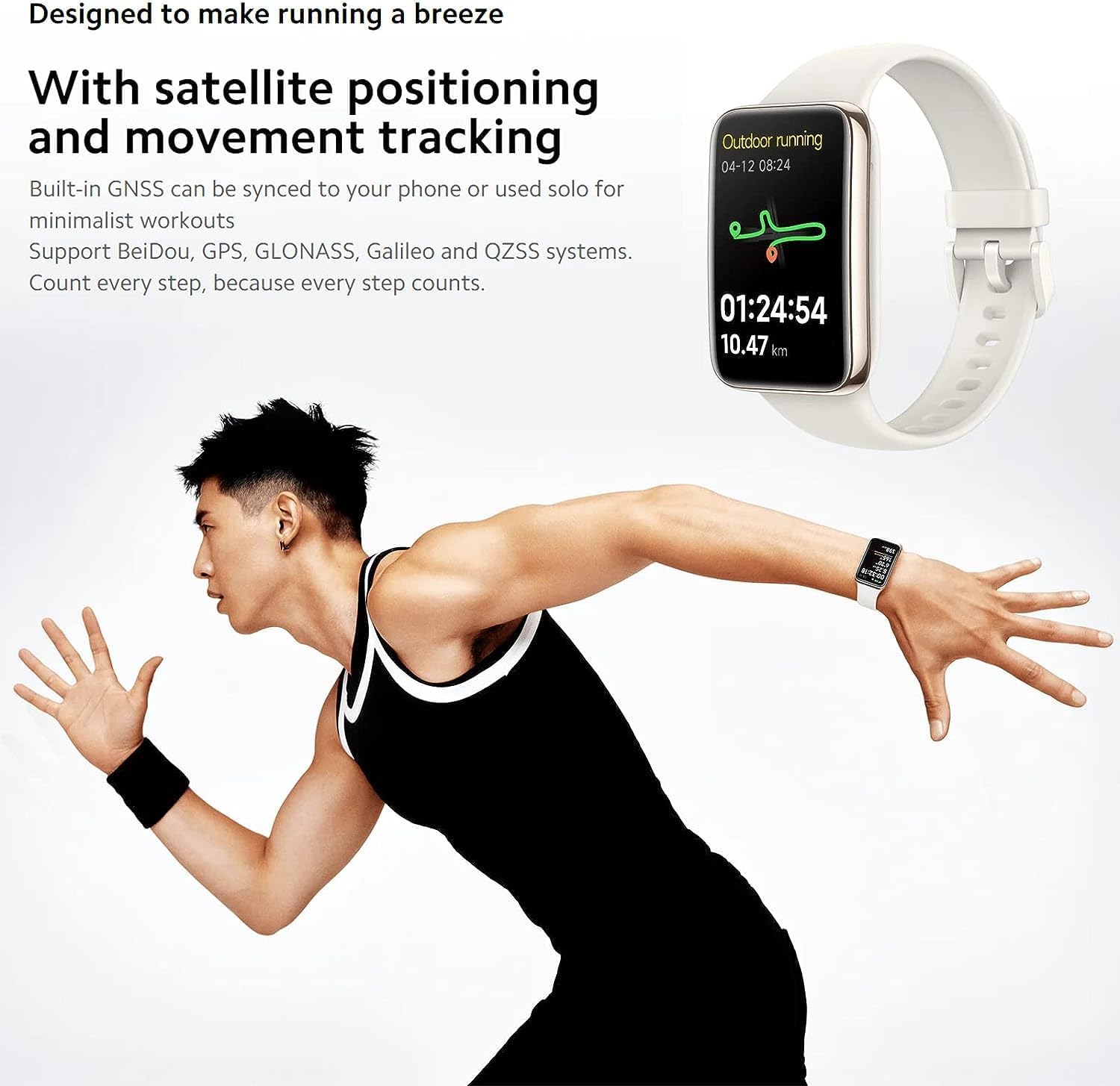
Image 3.2: The Mi Band 7 Pro displaying an outdoor running session with GPS tracking, showing duration and distance.

Image 3.3: Two Xiaomi Mi Band 7 Pro devices showing on-wrist running courses, one indicating 'Speed up' and another showing 'New record!'.
3.4 Ыңгайлаштыруу
- Бетти көрүү: Change watch faces directly on the band by pressing and holding the home screen, or explore a wider selection in the Mi Fitness app.
- Эскертмелер: Manage app notifications and call alerts through the Mi Fitness app settings.
- Ойготкучтар жана эскертүүлөр: Set alarms and sedentary reminders via the Mi Fitness app.
4. Негизги өзгөчөлүктөрү
- 1.64 дюймдук AMOLED дисплей: A large, full-color rectangular screen offering clear visuals and easy interaction.
- Камтылган GNSS: Supports Beidou, GPS, GLONASS, Galileo, and QZSS for accurate, independent outdoor activity tracking.
- 110+ Спорт режимдери: Comprehensive tracking for a wide range of physical activities.
- 12 күндүк батареянын иштөө мөөнөтү: Extended usage on a single charge under typical usage conditions.
- 24H Heart Rate & SpO₂ Monitoring: Continuous tracking of vital health metrics.
- Уйкуга көз салуу: Уйку режимин көзөмөлдөйтtages and provides insights into sleep quality.
- 5 банкоматтын сууга туруктуулугу: Suitable for swimming and showering.

Сүрөт 4.1: An overview of the Xiaomi Mi Band 7 Pro's key features, including its AMOLED display, GNSS, sports modes, battery life, and health monitoring.
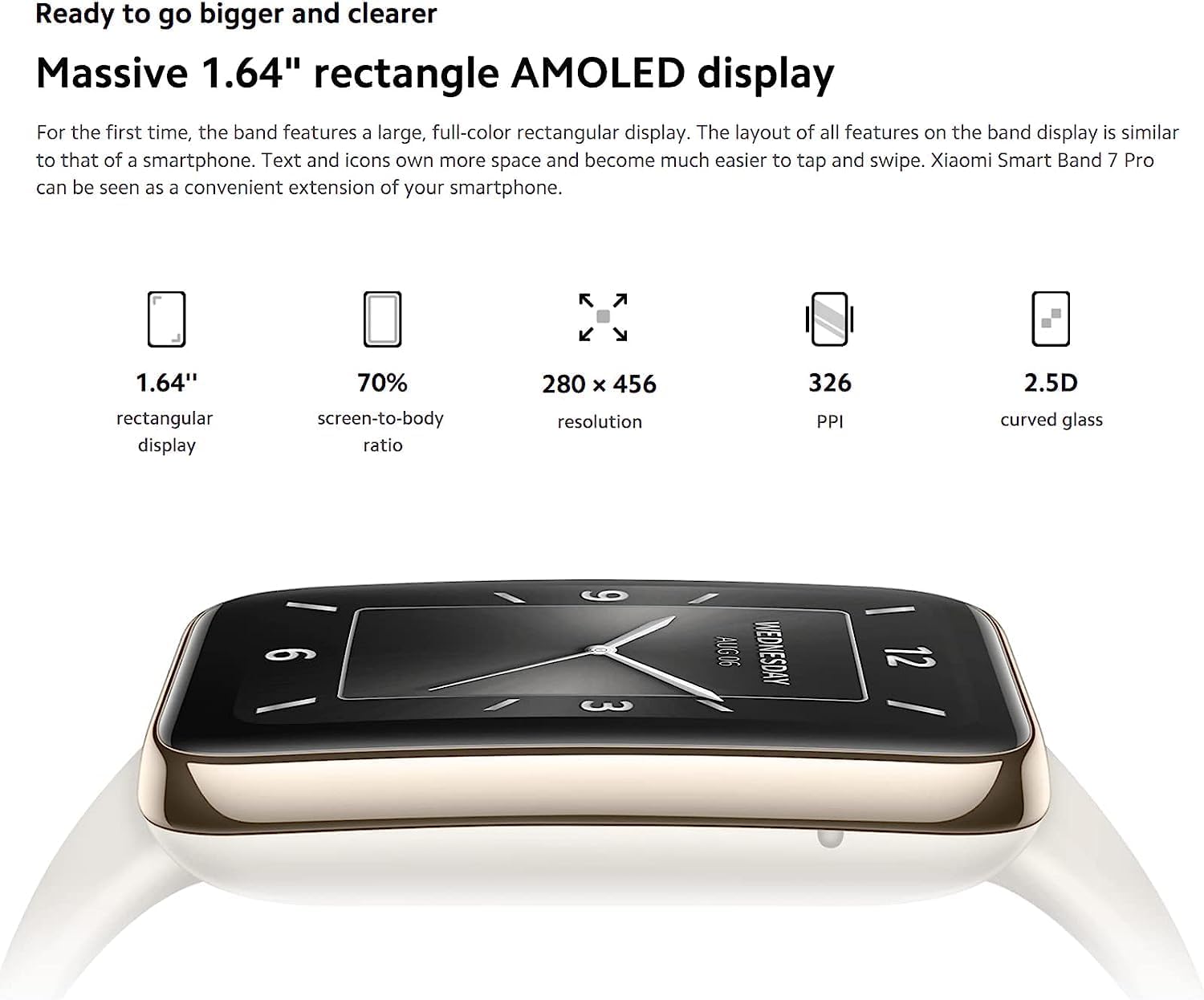
Image 4.2: Detailed specifications of the 1.64-inch rectangular AMOLED display, including 280x456 resolution and 326 PPI.

Image 4.3: Visual representation of the Mi Band 7 Pro's extended battery life (12 days typical) and 5 ATM water resistance.
5. Техникалык тейлөө
5.1 Аппаратты тазалоо
- Regularly clean the band and the device body with a soft, damp кездеме.
- Катуу химиялык заттарды, абразивдүү тазалоочу каражаттарды же эриткичтерди колдонуудан алыс болуңуз, анткени алар материалдарга зыян келтириши мүмкүн.
- Коррозияны болтурбоо үчүн заряддоодон мурун заряддоо контакттары таза жана кургак экенин текшериңиз.
5.2 Сууга туруктуулук
The Xiaomi Mi Band 7 Pro has a 5 ATM water resistance rating, meaning it can withstand pressures equivalent to a depth of 50 meters. This makes it suitable for showering and swimming in shallow water. However, it is not suitable for hot showers, saunas, diving, or high-speed water sports, as steam, hot water, or high-pressure water jets can compromise the seal.
5.3 Батареяга кам көрүү
- Батареяны бат-баттан толук кубаттап калуудан алыс болуңуз.
- Аппаратты узак убакыт бою колдонбогондо салкын, кургак жерде сактаңыз.
- Use only the provided charging cable or a certified replacement.
6. Кыйынчылыктарды
6.1 Түзмөк күйбөй жатат же жооп бербей жатат
- Аппараттын толук заряддалганын текшериңиз. Аны заряддагычка кеминде 30 мүнөт туташтырыңыз.
- If unresponsive, try a soft reset by connecting it to the charger; some models automatically restart.
6.2 Жупташтыруу маселелери
- Make sure Bluetooth is enabled on your smartphone and the Mi Band 7 Pro is within range.
- Restart both your smartphone and the Mi Band 7 Pro.
- Телефонуңуздагы (Android) Bluetooth кэшин тазалаңыз же Bluetooth жөндөөлөрүнөн (iOS/Android) түзмөктү унутуп, кайра жупташтырып көрүңүз.
- Mi Fitness колдонмосу эң акыркы версияга жаңыртылганын текшериңиз.
6.3 Ден соолук боюнча так эмес маалыматтар
- Verify the band is worn correctly: snug, one finger's width above the wrist bone, with the sensor in contact with the skin.
- Clean the sensor on the back of the device to remove any dirt or sweat residue.
- Avoid excessive movement during SpO₂ measurements.
6.4 Батареянын иштөө мөөнөтү кыска
- Disable features you don't frequently use, such as always-on display, continuous heart rate monitoring, or excessive notifications.
- Экран жарыктыгын азайтыңыз.
- Ensure the firmware is up to date via the Mi Fitness app.
7. Техникалык шарттар
| Өзгөчөлүк | Спецификация |
|---|---|
| Модель аты | Xiaomi Smart Band 7 Pro |
| Модель номери | M2141B1 |
| Дисплей | 1.64" AMOLED, 280 x 456 pixels, 326 PPI |
| Байланыш | Bluetooth |
| GPS | Built-in GNSS (Beidou, GPS, GLONASS, Galileo, QZSS) |
| Суу каршылык | 5 банкомат |
| Батареянын иштөө мөөнөтү | 12 күнгө чейин (типтүү колдонуу) |
| Сенсорлор | Heart Rate, SpO₂, Accelerometer, Gyroscope, Ambient Light Sensor |
| Элемент Салмагы | 2.22 унция |
| Түс | Кара |
8. Кепилдик жана колдоо
The Xiaomi Mi Band 7 Pro comes with a standard manufacturer's warranty. For specific warranty terms, duration, and conditions, please refer to the warranty card included with your product or visit the official XIAOMI webсайт.
For technical support, service, or further inquiries, please visit the official XIAOMI support page or contact their customer service. You can find more information and resources on the Amazonдагы XIAOMI дүкөнү.


