1. Киришүү
Thank you for choosing the N-Gear Let's Go Party 5150 Portable Bluetooth Speaker. This manual provides essential information for the safe and efficient operation of your device. Please read it thoroughly before use and retain it for future reference.

Image 1.1: N-Gear Let's Go Party 5150 Portable Bluetooth Speaker with active LED lighting.
Негизги өзгөчөлүктөрү:
- Powerful 200 Watt output with dual 6-inch speakers.
- Bluetooth wireless connectivity for seamless audio streaming.
- Integrated LED disco lighting and light projection for enhanced ambiance.
- True Wireless Stereo (TWS) function to connect multiple speakers.
- Wireless microphone included for karaoke and announcements.
- MP3 playback via USB and MicroSD card.
- AUX audio input for wired connections.
- Built-in power bank function to charge external devices.
- Up to 5 hours of battery life (actual duration may vary).
- Ыңгайлуу иштөө үчүн алыстан башкаруу.
- Сыртта колдонуу үчүн суу өткөрбөй турган дизайн.
2. Коопсуздук маалыматы
Түзмөккө зыян келтирбөө же өзүңүзгө жаракат келтирбөө үчүн төмөнкү коопсуздук чараларын сактаңыз:
- Do not expose the speaker to extreme temperatures, direct sunlight, or excessive humidity.
- Ensure the charging port cover is securely closed when not charging, especially in wet environments, to maintain its waterproof rating.
- Do not disassemble, repair, or modify the device yourself. Contact qualified service personnel for any repairs.
- Динамикти күчтүү магнит талаасынын булактарынан алыс кармаңыз.
- Белгиленген кубаттоо кабелин жана кубат адаптерин гана колдонуңуз.
- Угуунун начарлашына жол бербөө үчүн, узак убакыт бою өтө катуу үн менен угуудан алыс болуңуз.
- Балдар жетпеген жерде сактаңыз.
3. Пакеттин мазмуну
Пакетте бардык буюмдар бар экенин текшериңиз:
- N-Gear Let's Go Party 5150 Portable Bluetooth Speaker
- Зымсыз микрофон
- Алыстан башкаруу
- AC кубаттоочу кабель
- Колдонуучунун Колдонмосу (бул документ)

Image 3.1: Included Remote Control and Wireless Microphone.
4. Орнотуу
4.1 Динамикти заряддоо
- Locate the AC charging port on the back panel of the speaker.
- Connect the supplied AC charging cable to the speaker and then to a power outlet.
- Кубаттоо көрсөткүчү күйөт. Толук заряддоо үчүн болжол менен 3-4 саат күтө туруңуз.
- Once fully charged, disconnect the charging cable and ensure the port cover is sealed.
4.2 Күйгүзүү/өчүрүү
- To power on: Press and hold the Power button (usually located on the control panel) for a few seconds until you hear an audible prompt or see the display light up.
- To power off: Press and hold the Power button again until the speaker shuts down.
4.3 Bluetooth жупташтыруу
- Ensure the speaker is powered on and in Bluetooth mode. If not, press the 'MODE' button on the speaker or remote control until "Bluetooth" or "BT" is displayed.
- Мобилдик түзмөгүңүздө (смартфон, планшет ж.б.) Bluetooth иштетип, жеткиликтүү түзмөктөрдү издеңиз.
- Select "N-Gear LGP 5150" from the list of devices.
- Once paired, the speaker will emit a confirmation sound, and the Bluetooth indicator will remain solid.
Эскертүү: Динамик күйгүзүлгөндө акыркы жупташтырылган түзмөккө автоматтык түрдө кайра туташуу аракетин көрөт.
4.4 Connecting the Wireless Microphone
- Insert batteries into the wireless microphone (if not pre-installed).
- Power on the microphone using its dedicated power switch.
- The microphone should automatically connect to the speaker. Adjust the microphone volume using the dedicated knob on the speaker's control panel.
5. Иштөө нускамалары
5.1 Режимди тандоо
Press the 'MODE' button on the speaker or remote control to cycle through available input modes:
- Bluetooth (BT): For wireless audio streaming from your paired device.
- USB: MP3 ойнотуу үчүн fileUSB флешкасынан.
- MicroSD (TF Card): MP3 ойнотуу үчүн fileMicroSD картадан.
- AUX: For wired audio input using a 3.5mm audio cable.
5.2 Аудио ойнотуу
- Үндү көзөмөлдөө: Use the main volume knob on the speaker or the VOL+/- buttons on the remote control.
- Track Navigation: Use the Previous/Next buttons on the speaker or remote control to skip tracks in Bluetooth, USB, or MicroSD modes.
- Ойнотуу/Тыныгуу: Press the Play/Pause button to start or pause playback.
5.3 LED жарыктандыруу башкаруусу
The speaker features integrated LED disco lights and a top light projector.
- Press the dedicated 'LIGHT' or 'LED' button on the speaker or remote control to cycle through different light modes or turn them off.
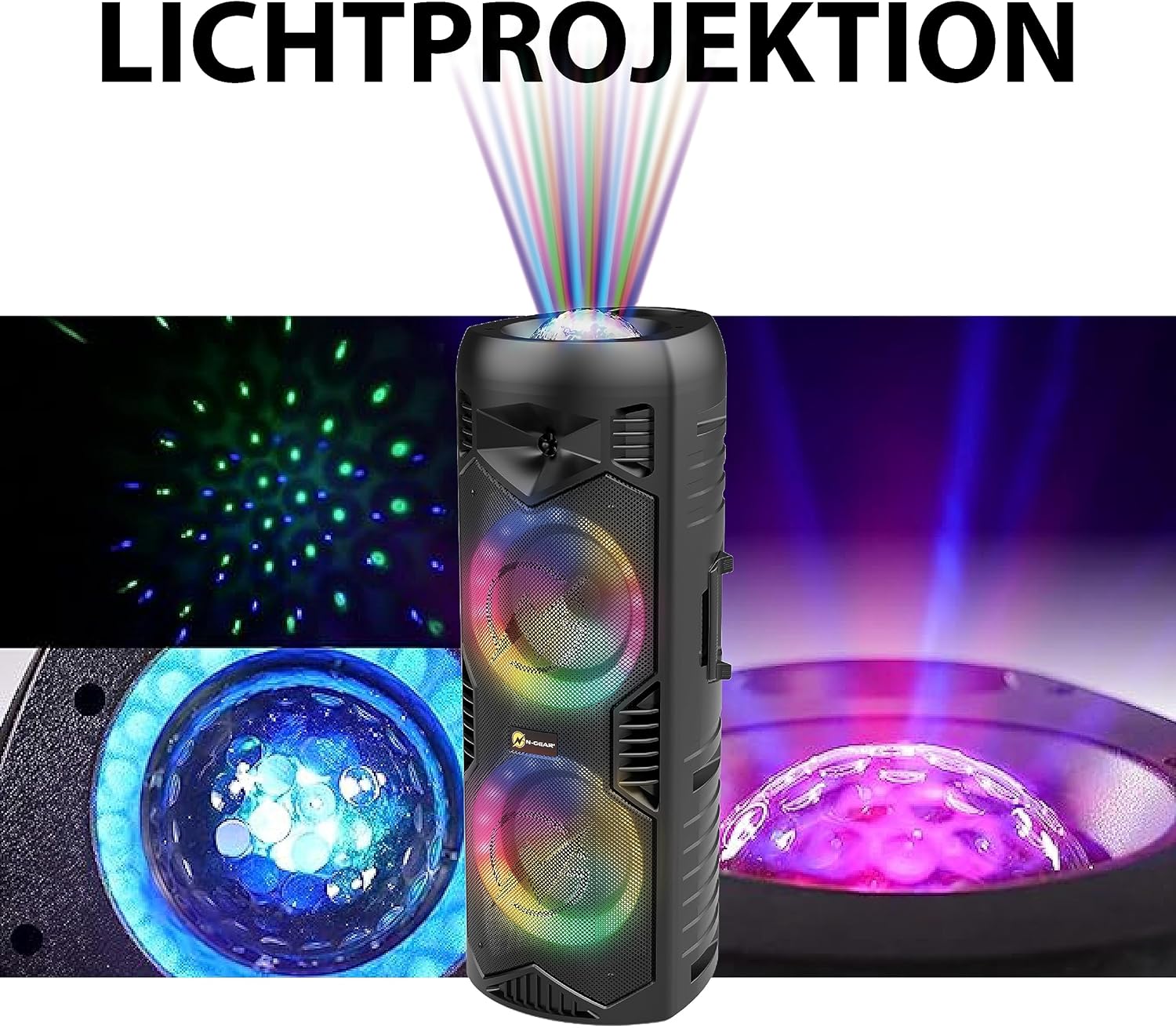
Image 5.1: Detail of the speaker's light projection and LED effects.
5.4 Чыныгы зымсыз стерео (TWS) функциясы
The TWS function allows you to pair two N-Gear Let's Go Party 5150 speakers together for a stereo sound experience.
- Эки динамик тең күйгүзүлүп, Bluetooth режиминде, бирок эч бир түзмөккө туташкан эмес экенин текшериңиз.
- On one speaker (this will be the primary speaker), press and hold the 'TWS' button (if available) or a combination of buttons as indicated in the quick start guide.
- Негизги динамик кошумча динамикти издейт. Туташтырылгандан кийин, сиз ырастоо үнүн угасыз.
- Эми мобилдик түзмөгүңүздү 4.3-бөлүмдө сүрөттөлгөндөй Bluetooth аркылуу негизги динамикке туташтырыңыз. Аудио эки динамик аркылуу тең стерео режиминде ойнотулат.
5.5 Power Bank функциясы
The speaker can be used to charge external devices via its USB output port.
- Connect your device's USB charging cable to the USB output port on the speaker.
- Динамик түзмөгүңүздү кубаттай баштайт.
6. Техникалык тейлөө
6.1 Тазалоо
- Динамиктин сыртын жумшак, d менен сүртүңүзamp кездеме. Абразивдүү тазалагычтарды же эриткичтерди колдонбоңуз.
- Колдонуудан мурун, айрыкча сууга түшкөндөн кийин, бардык порттордун кургак экенин текшериңиз.
6.2 Сактоо
- Динамикти түз күн нурунан жана өтө температурадан алыс салкын, кургак жерде сактаңыз.
- Эгер батарейканы узак убакытка сактасаңыз, анын иштөө мөөнөтүн узартуу үчүн ар бир нече ай сайын болжол менен 50% га чейин кубаттаңыз.
7. Кыйынчылыктарды
| Көйгөй | Мүмкүн себеп | Чечим |
|---|---|---|
| Динамик күйбөйт. | Батарея түгөнүп калды. | Connect the speaker to a power source using the AC charging cable and allow it to charge. |
| Динамиктен үн чыкпайт. | Volume is too low; incorrect mode selected; device not properly connected. | Increase the volume. Ensure the correct input mode (Bluetooth, USB, AUX) is selected. Re-pair Bluetooth device or check cable connections. |
| Bluetooth түзмөгү жупташа албайт. | Динамик жупташтыруу режиминде эмес; аппарат өтө алыс; кийлигишүү. | Ensure speaker is in Bluetooth mode and discoverable. Move device closer to speaker. Turn off other Bluetooth devices. |
| Микрофон иштебей жатат. | Microphone is off; batteries are low/dead; microphone volume is low. | Ensure microphone is powered on. Replace microphone batteries. Increase microphone volume on the speaker. |
| LED жарыктары иштебейт. | Жарыктар өчүрүлгөн же статикалык режимде. | Press the 'LIGHT' or 'LED' button to cycle through modes or turn them on. |
8. Техникалык шарттар
| Өзгөчөлүк | Деталь |
|---|---|
| Модель номери | LGP 5150 BK |
| Бренд | N-Gear |
| Чыгуу күчү | 200 Ватт |
| Динамик өлчөмү | Кош 6 дюймдук динамиктер |
| Байланыш | Bluetooth, USB, MicroSD, AUX (3.5mm) |
| Зымсыз технология | Bluetooth |
| Батарея түрү | Литий-ион (кошулган) |
| Батареянын иштөө мөөнөтү | 5 саатка чейин (колдонууга жараша өзгөрөт) |
| Өлчөмдөрү (L x W x Y) | 26.5 x 32 x 68.5 см (10.4 x 12.6 x 26.9 дюйм) |
| Салмагы | 5.5 килограмм (12.1 фунт) |
| Суу өткөрбөйт | Ооба |
| Камтылган компоненттер | Speaker, Wireless Microphone, Remote Control, AC Charging Cable, User Manual |

Image 8.1: Speaker Dimensions.
9. Кепилдик жана колдоо
N-Gear products are designed and manufactured to the highest quality standards. For information regarding warranty coverage, please refer to the warranty card included with your purchase or visit the official N-Gear webсайт.
For technical support, troubleshooting assistance, or service inquiries, please contact N-Gear customer support through their official channels. Contact information can typically be found on the product packaging or the N-Gear webсайт.
Webсайт: www.n-gear.eu


