Introduction
Thank you for choosing the HiFuture EVENT Bluetooth Speaker. This powerful and portable speaker is designed to deliver exceptional audio quality with vibrant RGB lighting, making it perfect for any event or gathering. This manual provides detailed instructions to help you set up, operate, and maintain your speaker for optimal performance.
Продукт бүттүview

Сүрөт 1: Алдыңкы view of the HiFuture EVENT Bluetooth Speaker, showcasing its sleek black design and dynamic RGB light ring.

Figure 2: An illustrative diagram highlighting the main features of the HiFuture EVENT speaker, including dual DSP, multiple audio inputs, dual-directional sound system, 50W woofer + 30W tweeter, RGB lights, TWS connection option, bass boost function, and power bank functionality.

Сүрөт 3: Жакын пландан view of the speaker's internal components, specifically pointing out the 50W Woofer and 30W Tweeter, which contribute to its powerful 80W sound output.

Figure 4: An internal diagram demonstrating the speaker's optimized acoustic design for deep and impactful bass, including the bass port and vibration suppression features.
Негизги өзгөчөлүктөрү
- Күчтүү аудио чыгаруу: Equipped with a 50W woofer and 30W tweeter for a total of 80W RMS output, with a maximum peak power of 180 Watts, delivering rich and clear stereo sound.
- Bluetooth байланышы: Seamless wireless connection to your devices.
- Динамикалык RGB жарыктандыруу: Enhance your listening experience with vibrant, rhythm-synced RGB lights.
- Dual DSP & Multiple Audio Inputs: Advanced Digital Signal Processing for optimized sound and versatile connectivity options.
- True Wireless Stereo (TWS) Support: Connect two EVENT speakers for an immersive stereo sound experience.
- Bass Boost Function: Dedicated feature to amplify low frequencies for deeper bass.
- Power Bank функциясы: Use the speaker to charge your other devices on the go.
- Портативдик дизайн: Durable acrylic material and table-mount type for easy placement and transport, designed for parties and various events.
Орнотуу колдонмосу
1. Кутудан чыгаруу жана баштапкы төлөм
- Динамикти жана бардык аксессуарларды таңгактан этияттык менен алып салыңыз.
- Inspect the speaker for any signs of damage.
- Before first use, fully charge the speaker using the provided charging cable. The battery life is approximately 4 hours on a full charge.
2. Күйгүзүү / Өчүрүү
- To power on, press and hold the Power button (location typically on the back or top panel) for a few seconds until you hear an audible prompt or see the indicator lights illuminate.
- To power off, press and hold the Power button again until the speaker shuts down.
Иштөө нускамалары
1. Bluetooth Жупташтыруу
- Ensure the speaker is powered on and in Bluetooth pairing mode (usually indicated by a blinking LED light). If not, press the Bluetooth button to activate pairing mode.
- Түзмөгүңүздө (смартфон, планшет, компьютер) Bluetooth жөндөөлөрүнө өтүп, Bluetooth'ду иштетиңиз.
- Издөө available devices. You should see "HiFuture EVENT" in the list.
- Select "HiFuture EVENT" to connect. Once connected, the speaker will provide an audible confirmation, and the LED light will become solid.
- Эми сиз түзмөгүңүздөн аудиону динамик аркылуу ойной аласыз.
2. Чыныгы зымсыз стерео (TWS) жупташтыруу
To pair two HiFuture EVENT speakers for a stereo experience:
- Эки динамиктин күйгүзүлгөнүн жана башка Bluetooth түзмөгүнө туташпаганын текшериңиз.
- On one speaker (this will be the primary speaker), press and hold the TWS button (refer to your speaker's button layout if unsure).
- The primary speaker will search for the secondary speaker. Once connected, both speakers will provide an audible confirmation.
- Now, connect your device to the primary speaker via Bluetooth as described in the "Bluetooth Pairing" section. Audio will play in stereo through both speakers.
3. Башкаруу элементтери жана функциялар
- Үндү көзөмөлдөө: Use the volume buttons (+/-) on the speaker or your connected device.
- Ойнотуу/тындыруу: Аудиону ойнотуу же тындыруу үчүн Ойнотуу/Тыным баскычын бир жолу басыңыз.
- Тректерди өткөрүп жиберүү: Double-press the Next Track button to skip forward, or the Previous Track button to skip backward.
- RGB жарыкты башкаруу: Press the Light button to cycle through different lighting modes or turn the lights off.
- Бас жогорулатуу: Press the Bass Boost button to activate or deactivate the enhanced bass mode.
- Power Bank функциясы: Connect your device to the speaker's USB output port to charge it.

Figure 5: The HiFuture EVENT speaker displaying its vibrant RGB lighting, which can be controlled to match your mood or music.
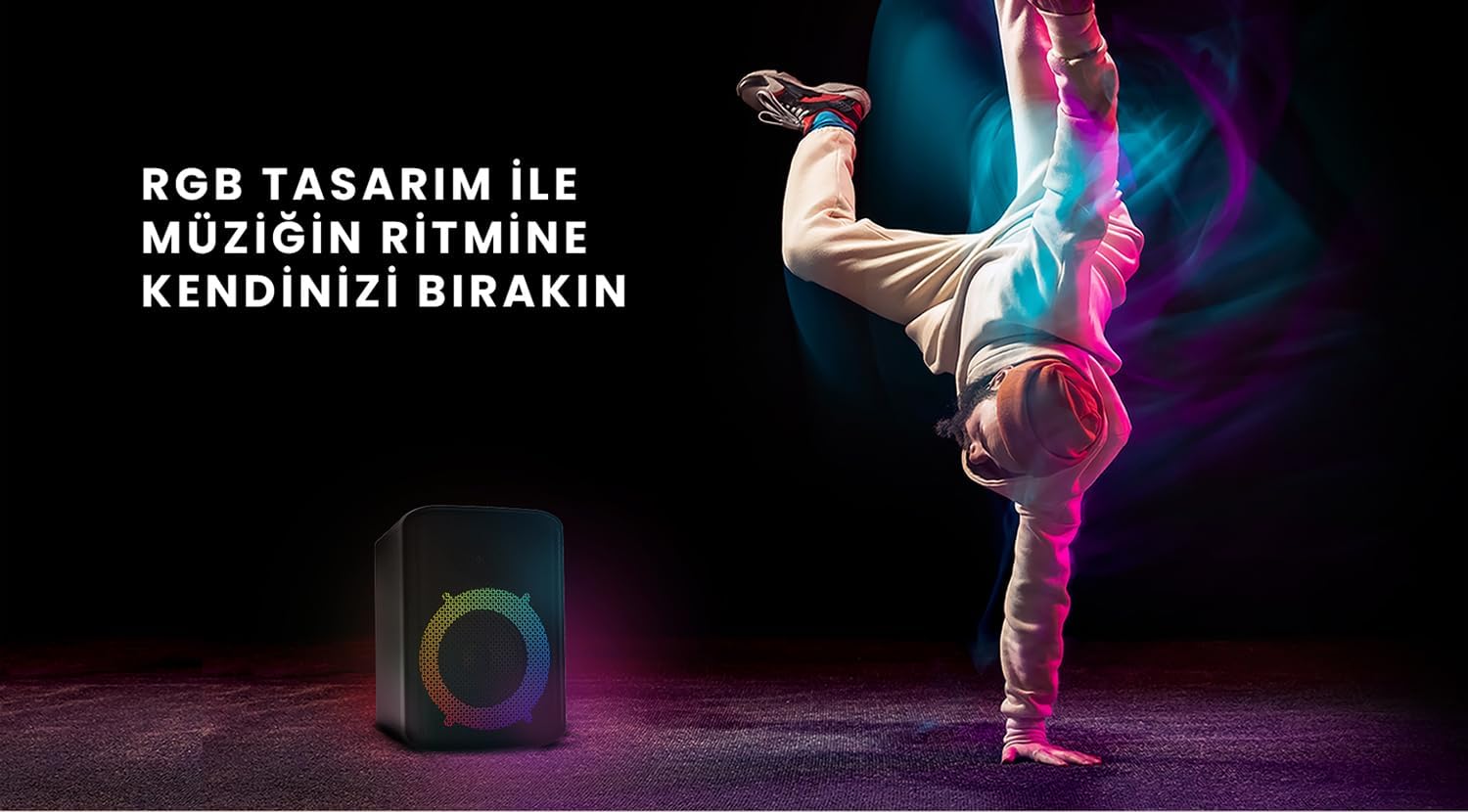
Figure 6: The HiFuture EVENT speaker in a dynamic setting, emphasizing how its RGB lighting enhances the atmosphere for parties and events.
Техникалык тейлөө
- Тазалоо: Динамиктин бетин сүртүү үчүн жумшак, кургак чүпүрөктү колдонуңуз. Абразивдүү тазалоочу каражаттарды же эриткичтерди колдонбоңуз.
- Сактагыч: Динамикти түз күн нурунан жана өтө температурадан алыс салкын, кургак жерде сактаңыз.
- Батареяга кам көрүү: Батареянын иштөө мөөнөтүн узартуу үчүн, батареяны тез-тез толук зарядсыздандырбаңыз. Аны көпкө чейин колдонбосоңуз да, үзгүлтүксүз заряддап туруңуз.
- Суу каршылык: While designed for portability, avoid exposing the speaker to excessive moisture or submerging it in water unless explicitly stated as waterproof.
Проблемаларды чечүү
| Көйгөй | Мүмкүн чечим |
|---|---|
| Динамик күйбөйт. | Динамик толугу менен кубатталганын текшериңиз. Аны кубат булагына туташтырып, кайра аракет кылыңыз. |
| Bluetooth аркылуу жупташтыруу мүмкүн эмес. |
|
| Үн жок же үнү төмөн. |
|
| RGB чырактары иштебей жатат. | Press the Light button to cycle through modes or turn them on. Ensure the speaker is powered on. |
Техникалык шарттар
| Өзгөчөлүк | Деталь |
|---|---|
| Бренд | HiFuture |
| Модел | ОКУЯ |
| Динамиктердин максималдуу чыгаруу күчү | 180 Watts (Peak), 80W RMS (50W Woofer + 30W Tweeter) |
| Байланыш технологиясы | Bluetooth |
| Аудио чыгаруу режими | Стерео |
| Монтаж түрү | Стол орнотуу |
| Материал | Акрил |
| Динамик түрү | Мультимедиа |
| Шайкеш түзмөктөр | Bluetooth-enabled devices (e.g., smartphones, tablets) |
| Түс | Кара |
| Батареянын иштөө мөөнөтү | 4 саатка чейин |
Кепилдик жана колдоо
The HiFuture EVENT Bluetooth Speaker comes with a standard manufacturer's warranty. Please refer to the warranty card included in your product packaging for specific terms and conditions. For technical support, troubleshooting assistance, or warranty claims, please contact HiFuture customer service through their official webсайтка же продуктуну сатып алган сатуучуга.


