Introduction
Thank you for choosing the ATUMTEK 55" Selfie Stick Tripod. This all-in-one device combines the functionality of a selfie stick and a stable tripod, designed for capturing photos and videos with ease and versatility. This manual provides detailed instructions on how to set up, operate, and maintain your device to ensure optimal performance.
Кутуда эмне бар
- 1 x ATUMTEK Selfie Stick Tripod
- 1 x Bluetooth Remote
- 1 x Type-C заряддоо кабели
- 1 x User Manual

Image: The ATUMTEK Selfie Stick Tripod in various configurations, including the main unit, extended tripod, and the detachable remote control.
Жайгашуу
1. Unfolding the Tripod/Extending the Selfie Stick
- Телефонду акырын тартыңызamp upwards to release the tripod legs.
- Spread the tripod legs outwards until they form a stable double triangular structure.
- To extend the pole, pull the top section upwards. The pole consists of multiple sections that can be extended to your desired length, up to 55 inches (140cm).
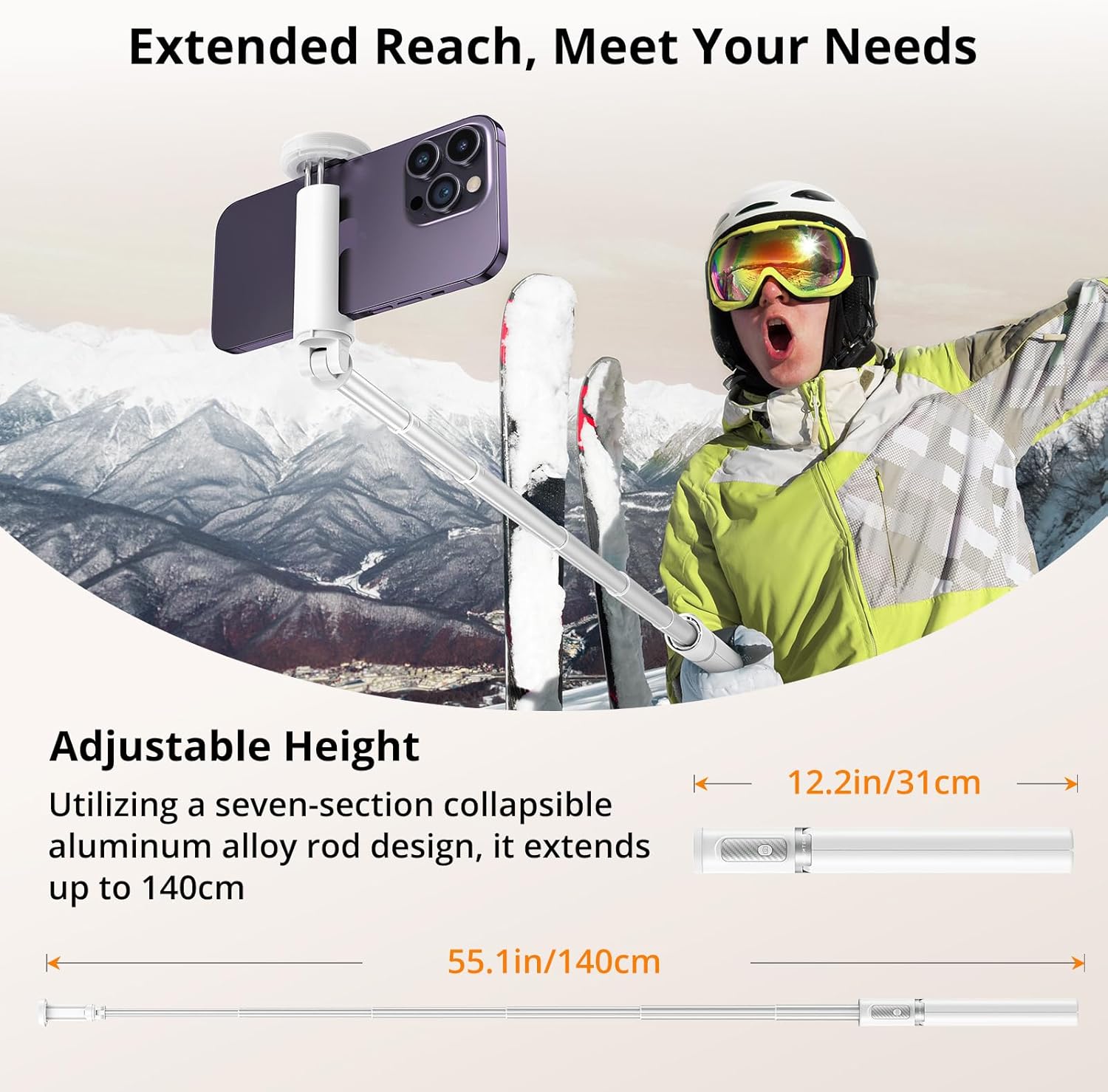
Image: Visual representation of the selfie stick's collapsed (12.2 inches) and fully extended (55.1 inches) states.
2. Смартфонуңузду тиркөө
- Телефонду ачыңыз clamp. It is designed to securely hold smartphones with widths ranging from 2.12 inches (54mm) to 3.62 inches (92mm).
- Смартфонуңузду кылдаттык менен clamp, ensuring it is centered and held firmly by the non-slip silicone pads.

Image: The phone clamp demonstrating its adjustable range and compatibility with different phone sizes.
3. Pairing the Bluetooth Remote
- The Bluetooth remote is integrated into the handle. Gently slide it out to detach.
- Press and hold the button on the remote until the indicator light flashes, indicating it's in pairing mode.
- Смартфонуңуздан Bluetooth жөндөөлөрүнө өтүп, жеткиликтүү түзмөктөрдү издеңиз.
- Select "ATUMTEK" or a similar name from the list to connect. The indicator light on the remote will stop flashing once successfully paired.
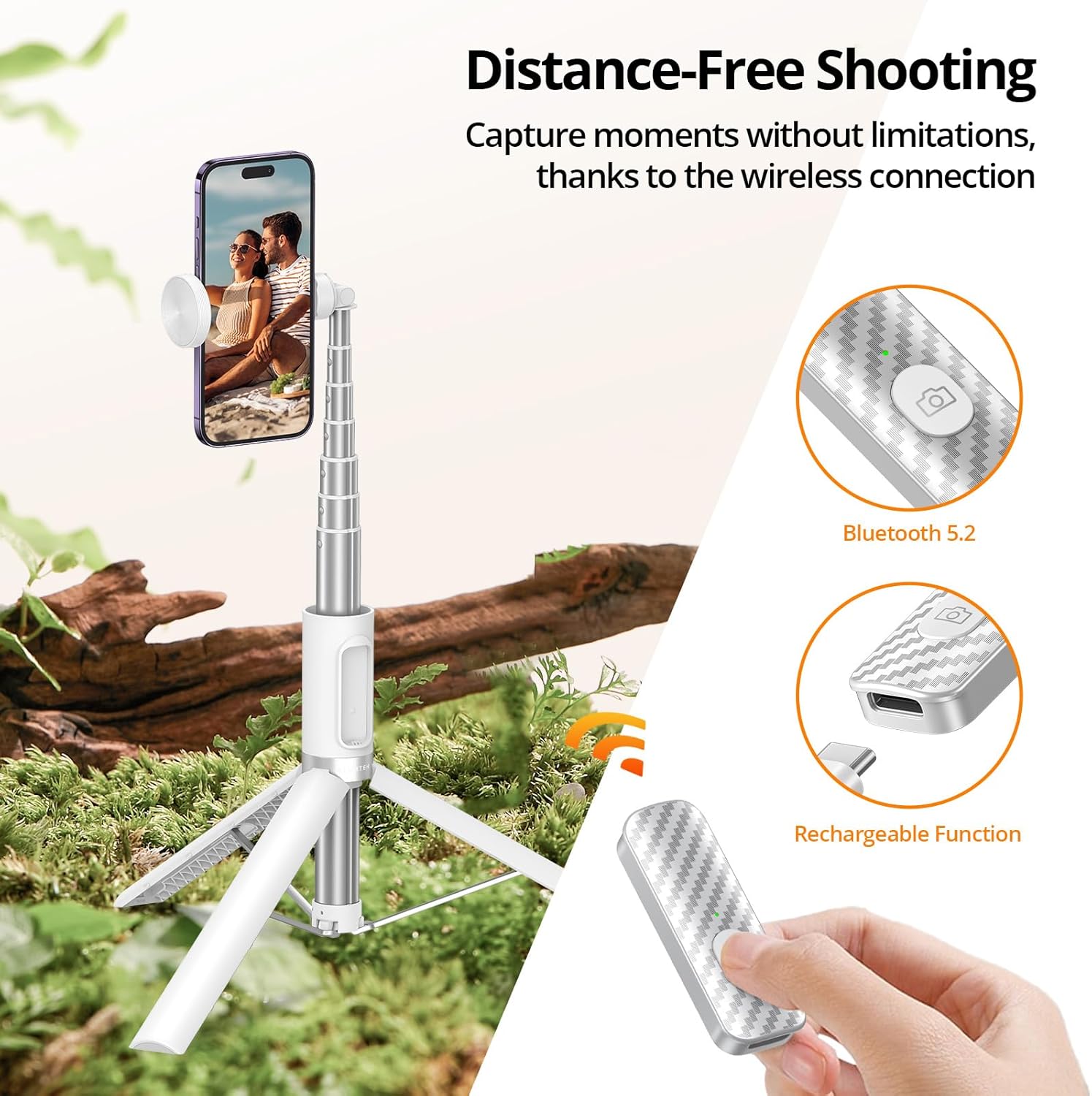
Image: The detachable Bluetooth remote, showing its design and charging capability.
Иштөө нускамалары
Селфи таякчасы катары колдонуу
- Штативдин буттары бүктөлгөнүн жана туткага бекитилгенин текшериңиз.
- Extend the aluminum pole to your desired length.
- Hold the handle firmly and use the Bluetooth remote to capture photos or start/stop video recording.

Image: The product demonstrating its use as a selfie stick for on-the-go capture.
Штатив катары колдонуу
- Extend the tripod legs fully and place the tripod on a flat, stable surface.
- Adjust the height of the pole as needed.
- Use the Bluetooth remote to take stable photos or videos from a distance.
Image: The product demonstrating its use as a stable tripod for professional shots and group photos.
Ориентацияны тууралоо
- Телефон clamp allows for 360-degree rotation, enabling you to switch between portrait and landscape modes effortlessly.
- Clamp also offers 180-degree tilt for finding the optimal filming angle.
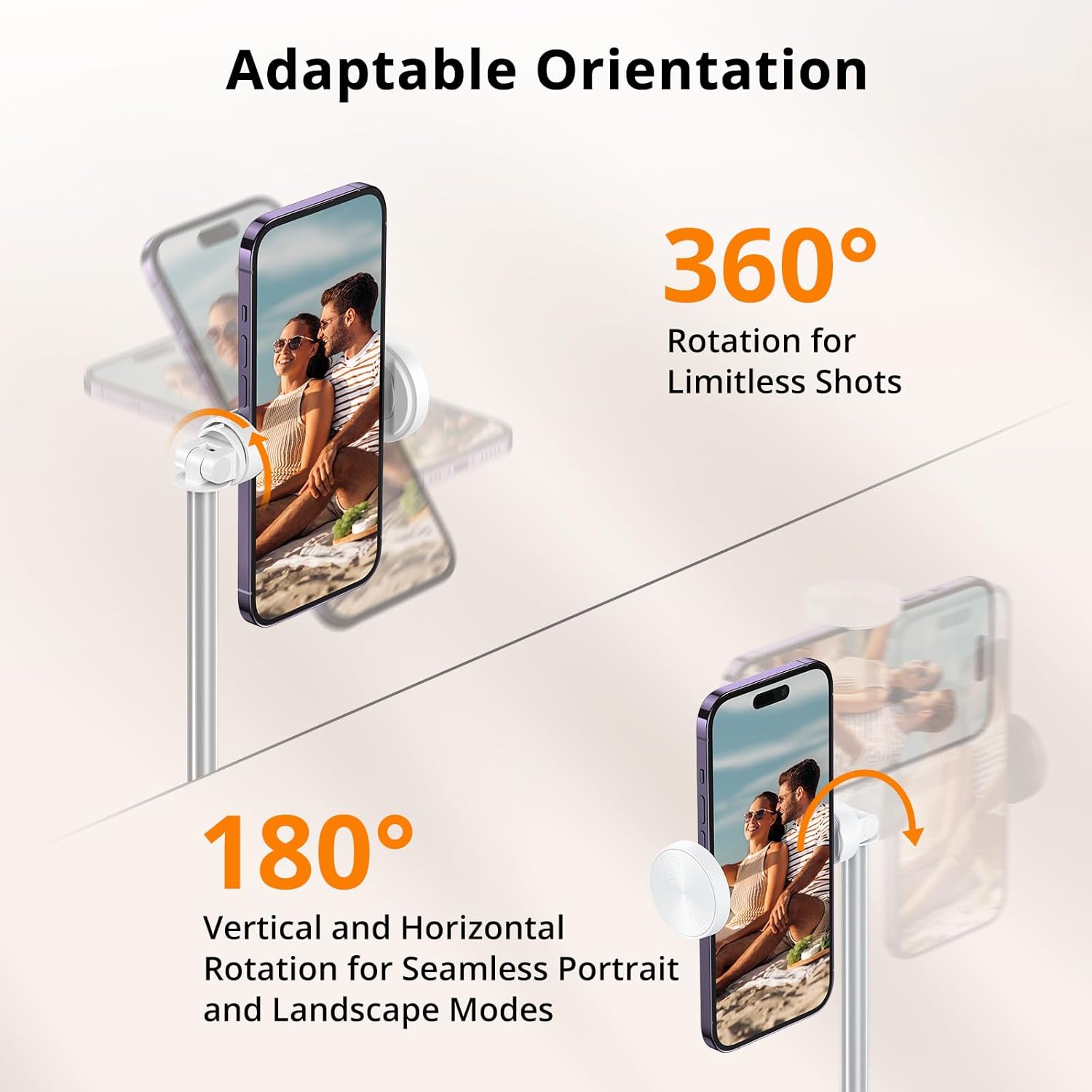
Image: Visual guide to rotating and tilting your smartphone on the tripod.
Расмий продукт Videos
Video: An unboxing and first impressions review of the ATUMTEK Selfie Stick Tripod, provided by the seller.
Видео: Жарнамалык роликasing the ATUMTEK ATSS158 55" Selfie Stick Tripod in white, provided by the seller.
Техникалык тейлөө
- Аппаратты жумшак, кургак чүпүрөк менен сүртүп, таза кармаңыз. Абразивдүү тазалагычтарды же эриткичтерди колдонуудан алыс болуңуз.
- Ensure the extendable pole sections are free of dust and debris to allow for smooth extension and retraction.
- Селфи таякчасынын штативин колдонбогон учурда салкын, кургак жерде сактаңыз.
- Charge the Bluetooth remote regularly to maintain battery health, especially if not used for extended periods.

Image: Components of the product, emphasizing the quality of materials for durability.
Проблемаларды чечүү
Алыстан туташкан жок
- Ensure the remote is charged. Connect it to a power source using the provided Type-C cable.
- Смартфонуңузда Bluetooth иштетилгенин текшериңиз.
- Unpair and re-pair the remote from your phone's Bluetooth settings.
- Ensure the remote is within the 33ft/10 meter operating range.
Tripod Instability
- Ensure the tripod legs are fully extended and locked into position.
- Place the tripod on a flat, level surface.
- Смартфонуңуздун коопсуз бекитилгенин текшериңизamped and balanced.

Image: The stable double-triangle structure of the tripod base.
Техникалык шарттар
| Өзгөчөлүк | Деталь |
|---|---|
| Модель номери | ATSS158 |
| Материал | High-quality Aluminum, ABS+PC |
| Collapsed Length | 12.2 дюйм (31 см) |
| Узундук | 55 дюйм (140 см) |
| Элемент Салмагы | 12.3 унция (350 грамм) |
| Телефон Clamp Диапазон | 2.12 дюймдан (54 мм) 3.62 дюймга чейин (92 мм) |
| Bluetooth версиясы | 5.2 |
| Пульттун батареясынын сыйымдуулугу | 50 мАч (кайра заряддалуучу литий-ион) |
| Remote Range | 33 фут (10 метр) чейин |
| Айлануу бурч | 360 degrees (phone clamp) |
| Тит бурч | 180 degrees (phone clamp) |
Кепилдик жана колдоо
ATUMTEK is committed to providing high-quality products and excellent customer service. Your ATUMTEK Selfie Stick Tripod comes with the following support:
- 30 күндүк акысыз кайтаруу саясаты: Эгерде сиз сатып алган товарыңызга канааттанбасаңыз, аны 30 күндүн ичинде кайтарып берип, толук акчаңызды кайтарып алсаңыз болот.
- 24-Month Hassle-Free Replacement Service: For any manufacturing defects or issues arising within 24 months of purchase, ATUMTEK offers a free replacement.
- Lifelong Friendly Customer Support: Our dedicated customer support team is available to assist you with any questions or concerns you may have throughout the lifetime of your product.
For support, please refer to the contact information provided on the product packaging or the official ATUMTEK webсайт.


