1. Киришүү
Thank you for choosing the Spigen OneTap Pro 3 Cryomax MagSafe Phone Charging Mount Airvent Clip. This device is designed to provide secure mounting, fast wireless charging, and active cooling for your compatible smartphone in your vehicle. Please read this manual carefully to ensure proper installation and operation.
2. Продукт бүтүп калдыview
The Spigen OneTap Pro 3 Cryomax features a powerful magnetic mount with integrated wireless charging and a cooling fan, designed for attachment to your car's air vent.
Пакеттин мазмуну:
- Spigen OneTap Pro 3 Cryomax Charging Mount
- Air Vent Clip Attachment
- USB-C - USB-C кабели
- User Manual

Image: Spigen OneTap Pro 3 Cryomax MagSafe Phone Charging Mount with a phone actively charging.
3. Орнотуу нускамалары
3.1. Attach Air Vent Clip
- Align the air vent clip with the mounting slot on the back of the charging mount.
- Push the clip firmly into the slot until it clicks into place.
3.2. Install on Vehicle Air Vent
- Identify a suitable air vent in your vehicle. The clip is compatible with horizontal, angled, and vertical air vent blades between 2.5mm and 6mm thick. Ensure there is at least 7.5mm distance between air vent blades for proper installation.
- Gently push the air vent clip onto an air vent blade.
- Rotate the locking mechanism on the clip clockwise to secure it firmly to the air vent. Do not overtighten.

Сүрөт: деталдуу view of the Spigen OneTap Pro 3 Cryomax air vent clip installation and locking mechanism, showing compatibility with various vent types.
3.3. Кубатты туташтырыңыз
- Connect the provided USB-C cable to the charging port on the Spigen OneTap Pro 3 Cryomax mount.
- Connect the other end of the USB-C cable to a 20 Вт же андан жогору USB-C кубат адаптери (sold separately) plugged into your vehicle's power outlet.
- Once powered, the mount's LED lighting will activate, indicating it is ready for use.
Video: Demonstration of installing the Spigen Cryomax MagSafe Car Mount Air Vent Clip and attaching a phone.
4. Иштөө нускамалары
4.1. Телефонуңузду орнотуу
- Ensure your phone is MagSafe compatible or has a MagSafe-compatible case.
- Bring your phone close to the magnetic surface of the mount. The strong built-in N52 magnets will automatically align and securely hold your phone in place.
- The auto-activating blue LED lights on the mount will illuminate when a phone is detected and charging begins.
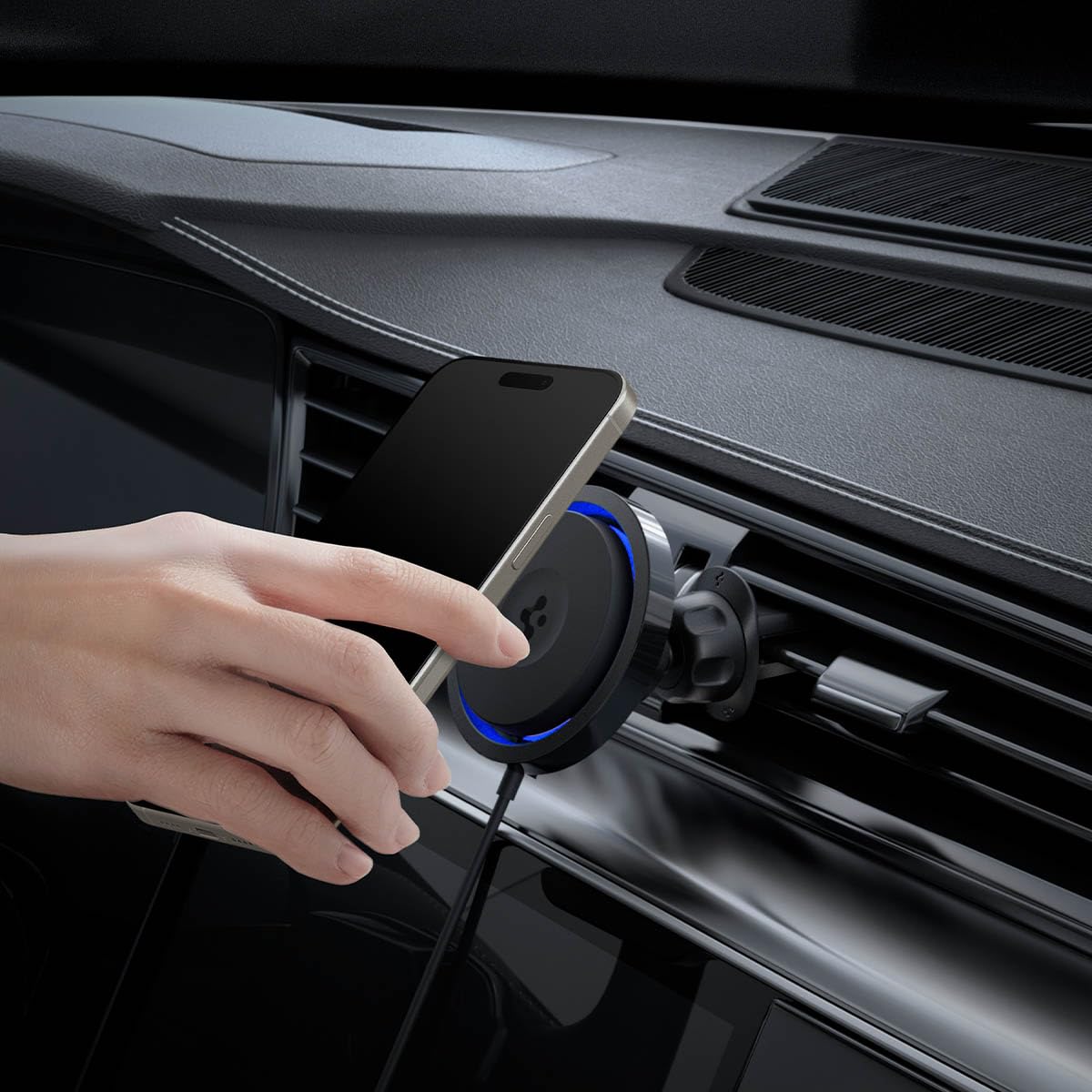
Image: A hand placing a phone onto the Spigen OneTap Pro 3 Cryomax charging mount, demonstrating the magnetic attachment.
4.2. Charging and Cooling
- Cryomax Technology: The integrated cooling airflow fan (5100 RPM) activates to prevent your phone from overheating during fast wireless charging, maintaining optimal performance.
- OneTap Technology: Provides up to 30% faster MagSafe charging compared to standard wireless charging, ensuring your device powers up efficiently.
- The cooling fan operates quietly, with an average noise level of 43.5dB.
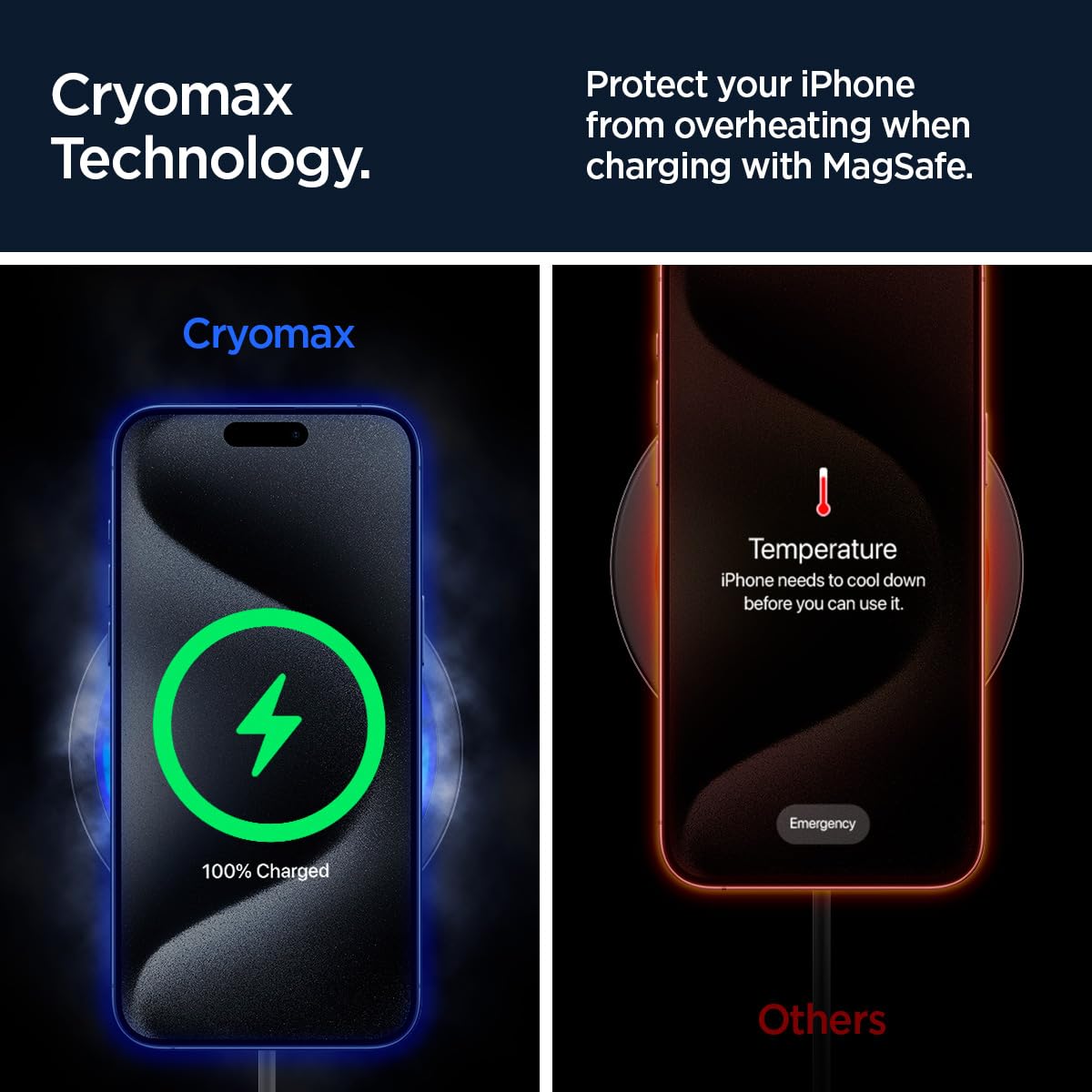
Image: A visual comparison illustrating how Cryomax technology keeps a phone cool during charging, preventing overheating.

Image: A graphic highlighting the 30% faster MagSafe charging capability provided by OneTap Technology.
4.3. Жөнгө салуу View
The mount features a ball joint for easy adjustment, allowing you to position your phone for optimal viewing angles (portrait or landscape) while driving.
5. Шайкештик
5.1. Phone Compatibility
- iPhones: Compatible with iPhones featuring MagSafe (iPhone 12, 13, 14, 15, 16, 17 series) or iPhones using MagSafe-compatible cases.
- Galaxy Phones: Compatible with Galaxy phones (e.g., S23, S24, S25 series) when used with MagSafe-compatible cases.
- Pixel Phones: Compatible with Pixel phones (e.g., Pixel 7, 8, 9 series) when used with MagSafe-compatible cases.
- Pixel 10 Series: Compatible with Pixel 10, Pixel 10 Pro, Pixel 10 Pro XL, Pixel 10 Pro Fold with Pixelsnap.

Image: Various smartphones and MagSafe-compatible cases demonstrating the broad compatibility of the Spigen OneTap Pro 3 Cryomax mount.
5.2. Air Vent Compatibility
- Only compatible with horizontal, angled, and vertical air vent blades.
- Air vent blades must be between 2.5mm and 6mm thick.
- Requires at least 7.5mm distance between air vent blades.
5.3. Optimal Charging Requirements
- For optimal charging speed, pair with a 20W+ USB-C power adapter (өзүнчө сатылат).
- Use MagSafe cases with a thickness of less than 3mm for best charging performance.
6. Техникалык шарттар
| Өзгөчөлүк | Деталь |
|---|---|
| Модель номери | ITS12WC |
| Продукциянын өлчөмдөрү | 3.78 x 3.27 x 2.99 дюйм |
| Элемент Салмагы | 5.3 унция |
| Байланыш | USB Type C, MagSafe Wireless |
| Өзгөчөлүктөр | Charging Indicator, Fast Charging, MagSafe Compatible, Ultra-Quiet Cooling, Wireless Charging |
| Форма фактору | Airvent Clip |
| Түс | Кара |
| Өндүрүүчү | Spigen |
| Ampөчүрүү | 1.5 Amps |
| Ватtage | 7.5 ватт |
| Муздатуучу желдеткичтин ызы-чуу деңгээли | Average 43.5dB |
| Магниттик күч | 1200gf (N52 magnets) |
7. Техникалык тейлөө
- Тазалоо: Use a soft, dry cloth to wipe the surface of the mount. Avoid using abrasive cleaners or solvents.
- Аба желдеткич: Periodically check the air vent blades for dust or debris that might obstruct the clip or airflow.
- Кабельге кам көрүү: Зыяндын алдын алуу үчүн USB-C кабелинин кескин ийилип же кыйшайып кетишинен алыс болуңуз.
8. Кыйынчылыктарды
8.1. Phone Not Charging
- Ensure the USB-C cable is securely connected to both the mount and the power adapter.
- Verify that your car's power outlet is functioning.
- Confirm that your power adapter is 20W or higher.
- Check if your phone case is MagSafe-compatible and less than 3mm thick.
- Remove any foreign objects between the phone and the charging surface.
8.2. Mount Not Secure on Air Vent
- Ensure the air vent clip is fully engaged and the locking mechanism is tightened.
- Verify that your air vent blades meet the compatibility requirements (thickness and spacing).
8.3. Phone Overheating
- The Cryomax technology is designed to prevent overheating. Ensure the cooling fan is operating (a faint hum may be audible).
- Ensure the air vent is not blocked and allows for proper airflow around the mount.
- If the issue persists, disconnect the device and contact support.
9. Кепилдик жана колдоо
Spigen products are manufactured with quality and care. For warranty information, technical support, or any questions regarding your Spigen OneTap Pro 3 Cryomax mount, please visit the official Spigen webсайтка же түздөн-түз кардарларды тейлөөгө кайрылыңыз. Кепилдик дооматтар үчүн сатып алуу дүмүрчөгүңүздү сактаңыз.


