1. Киришүү
Thank you for choosing the BINNUNE BG02 Gaming Headset. This manual provides detailed instructions for setting up, operating, and maintaining your headset to ensure optimal performance and longevity. Please read this manual thoroughly before using the product.
2. Продукт бүтүп калдыview жана компоненттер
The BINNUNE BG02 is a wired gaming headset designed for immersive audio and clear communication across multiple platforms. It features a comfortable over-ear design and a flexible microphone.

Сүрөт 2.1: Алдыңкы view of the BINNUNE BG02 Gaming Headset with its attached microphone.
Пакеттин мазмуну:
- BINNUNE BG02 Gaming Headset with attached 3.5mm audio cable
- PC Splitter Cable (3.5mm Y-splitter for separate audio/mic jacks)
- Quick Start Guide

Figure 2.2: Contents included in the BINNUNE BG02 Gaming Headset package, showing the headset, cables, and documentation.
Негизги өзгөчөлүктөрү:
- 50 мм титан драйверлери: For rich, full-range sound.
- Unidirectional Boom Mic: Bendable microphone designed for clear voice capture and noise suppression.
- In-line Audio Controls: Convenient access to volume adjustment and microphone mute switch.
- Платформалар аралык шайкештик: Works with PS5, PS4, PS4 Pro, Nintendo Switch, PC, and mobile devices with a 3.5mm jack.

2.3-сүрөт: Детальдуу view of the 50mm titanium-coated drivers, engineered for enhanced audio clarity and immersive sound.

Figure 2.4: A user demonstrating the flexible unidirectional boom microphone, designed to capture voice clearly while minimizing background noise.
3. Орнотуу
The BINNUNE BG02 headset connects via a standard 3.5mm audio jack. Follow the instructions below for your specific device.
3.1 Connecting to PlayStation 5 / PlayStation 4 / Nintendo Switch / Mobile Devices:
- Locate the 3.5mm audio jack on your controller (PS5/PS4), console (Nintendo Switch), or mobile device.
- Insert the 3.5mm plug of the headset cable firmly into the audio jack.
- Adjust audio settings on your device if necessary to ensure the headset is selected as the input/output device.

Figure 3.1: The BINNUNE BG02 Headset positioned with a PlayStation 5 console and controller, illustrating its intended use for gaming.
3.2 Connecting to PC:
For PCs with separate audio and microphone jacks, use the included PC splitter cable.
- Connect the 3.5mm plug of the headset to the female end of the PC splitter cable.
- Insert the green plug of the splitter cable into your PC's audio output (headphone) jack.
- Insert the pink plug of the splitter cable into your PC's microphone input jack.
- Ensure your PC's sound settings are configured to use the headset for both playback and recording.
4. Иштөө нускамалары
The BINNUNE BG02 headset features convenient in-line controls for quick adjustments during use.

4.1-сүрөт: Детальдуу view of the in-line audio controls, featuring a volume slider and a microphone mute button for easy access.
4.1 Үндү башкаруу:
- Locate the volume slider on the in-line control unit.
- Slide the control up to increase volume and down to decrease volume.
4.2 Микрофондун үнүн басуу:
- Locate the microphone mute switch on the in-line control unit.
- Flip the switch to mute the microphone (typically indicated by a red line or icon).
- Flip the switch again to unmute the microphone.
4.3 Microphone Positioning:
- The boom microphone is flexible. Adjust its position to be close to your mouth for optimal voice clarity.
- Микрофондун тоскоол болбогонун текшериңиз.
5. Шайкештик
The BINNUNE BG02 Gaming Headset is designed for broad compatibility with various gaming consoles and devices that support a 3.5mm audio connection.
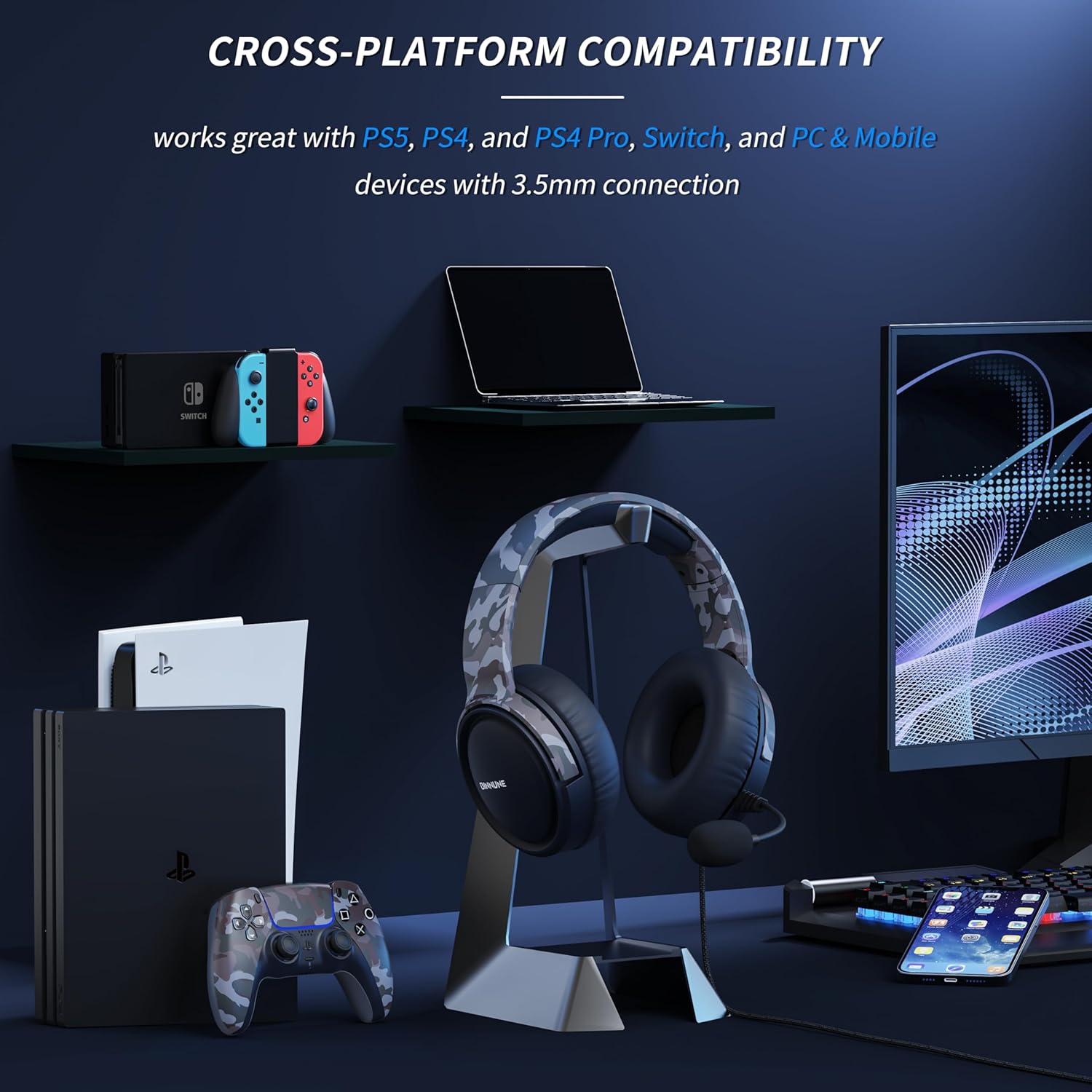
Figure 5.1: The BINNUNE BG02 Headset displayed with various compatible devices including PlayStation 5, PlayStation 4, Nintendo Switch, PC, and mobile phones.
Колдоого алынган платформалар:
- PlayStation 5 (PS5)
- PlayStation 4 (PS4)
- PlayStation 4 Pro (PS4 Pro)
- Nintendo Switch
- PC (with included splitter cable for separate audio/mic jacks)
- Mobile Devices (with 3.5mm audio jack)
6. Техникалык тейлөө
Proper care and maintenance will extend the life of your BINNUNE BG02 Gaming Headset.
- Тазалоо: Наушниктерди жана баш боолорду сүртүү үчүн жумшак, кургак чүпүрөктү колдонуңуз. өжөр кир үчүн, бир аз гamp кездемени колдонсо болот, бирок динамиктердин торлоруна же микрофонго ным кирбесин.
- Сактагыч: Гарнитураны салкын, кургак жерде, күндүн түз нурунан жана өтө жогорку температурадан алыс сактаңыз. Кабелди чаташтырып албаңыз.
- Кабельге кам көрүү: Do not pull on the cable to disconnect the headset. Always grasp the plug. Avoid sharp bends or kinks in the cable.
- Микрофонго кам көрүү: Handle the flexible boom microphone gently. Avoid excessive bending or twisting.
7. Кыйынчылыктарды
If you encounter issues with your BINNUNE BG02 Gaming Headset, refer to the following common solutions:
| Көйгөй | Мүмкүн себеп | Чечим |
|---|---|---|
| Гарнитурадан аудио жок |
|
|
| Микрофон иштебей жатат |
|
|
| Үндүн бурмаланышы же статикалык |
|
|
8. Техникалык шарттар
| Өзгөчөлүк | Деталь |
|---|---|
| Модель номери | BG02 |
| Байланыш | Зымдуу (3.5 мм уяча) |
| Айдоочунун өлчөмү | 50 мм титан айдоочулар |
| Микрофон түрү | Unidirectional Boom Mic |
| Controls | In-line Volume Slider, Mic Mute Switch |
| Форма фактору | Over-Ear (Circum-Auricular) |
| Материал | Пластик |
| Салмагы | Болжол менен 9 унция |
| Сунушталган колдонуу | Gaming, Video Conferencing |
9. Кепилдик жана колдоо
BINNUNE products are designed for reliability and performance. For any questions, technical support, or warranty inquiries, please contact BINNUNE customer service through the retailer's platform or the official BINNUNE webсайт. Кепилдик дооматтары үчүн сатып алганыңыздын далилин сактап коюңуз.
Эң акыркы колдоо маалыматы үчүн төмөнкү дарекке кайрылыңыз: www.binnune.com (Эскертүү: Бул толтургуч URL анткени продукт маалыматтарында эч кандай атайын колдоо шилтемеси берилген эмес.)


