1. Киришүү
This manual provides detailed instructions for the installation, operation, and maintenance of your Srihome SH045 Full HD PTZ WiFi IP Camera. This camera is designed for home security and surveillance, offering 1080P resolution, pan and tilt functionality, two-way audio, and advanced motion detection features.

Image 1: Srihome SH045 Full HD PTZ WiFi IP Camera. This image displays the camera unit alongside a smartphone screen showing the live feed and control interface.
2. Пакеттин мазмуну
Төмөндө тизмеленген нерселердин баары пакетиңизге камтылганын текшериңиз:
- Srihome SH045 IP камерасы
- Кубаттуу адаптер
- Монтаждоо бурамалар
- Ийени кайра коюу
- Quick User Manual

Image 2: Packing List. This image illustrates the camera and all included accessories: the camera unit, power adapter, mounting screws, reset needle, and the user manual.
3. Продукт бүтүп калдыview
The Srihome SH045 camera features a robust design suitable for both indoor and outdoor use. Key functionalities include:
- Full HD 1080P токтому: 1920x1080 пиксель чечилишинде так видео тартат.
- Pan & Tilt функциясы: Offers a 355° horizontal rotation and 70° vertical tilt for comprehensive coverage.
- Эки тараптуу аудио: Камтылган микрофон жана динамик реалдуу убакытта баарлашууга мүмкүндүк берет.
- Түнкү көрүнүш: Utilizes a starlight lens, infrared, and warm light for enhanced visibility in low-light conditions.
- Кыймылды аныктоо жана көзөмөлдөө: Automatically detects and tracks human movement, sending real-time alerts.
- IP66 Суу өткөрбөйт: Designed to withstand various weather conditions for outdoor installation.
- MicroSD картаны колдоо: Жергиликтүү видео сактоо үчүн 128 ГБ чейин колдойт.

Image 3: Key Features of Srihome SH045. This graphic highlights the camera's main features including 1080P HD, PTZ, Humanoid Tracking, Night Color, IP66 Waterproof rating, Two-Way Audio, Motion Detection, and SD Card support.
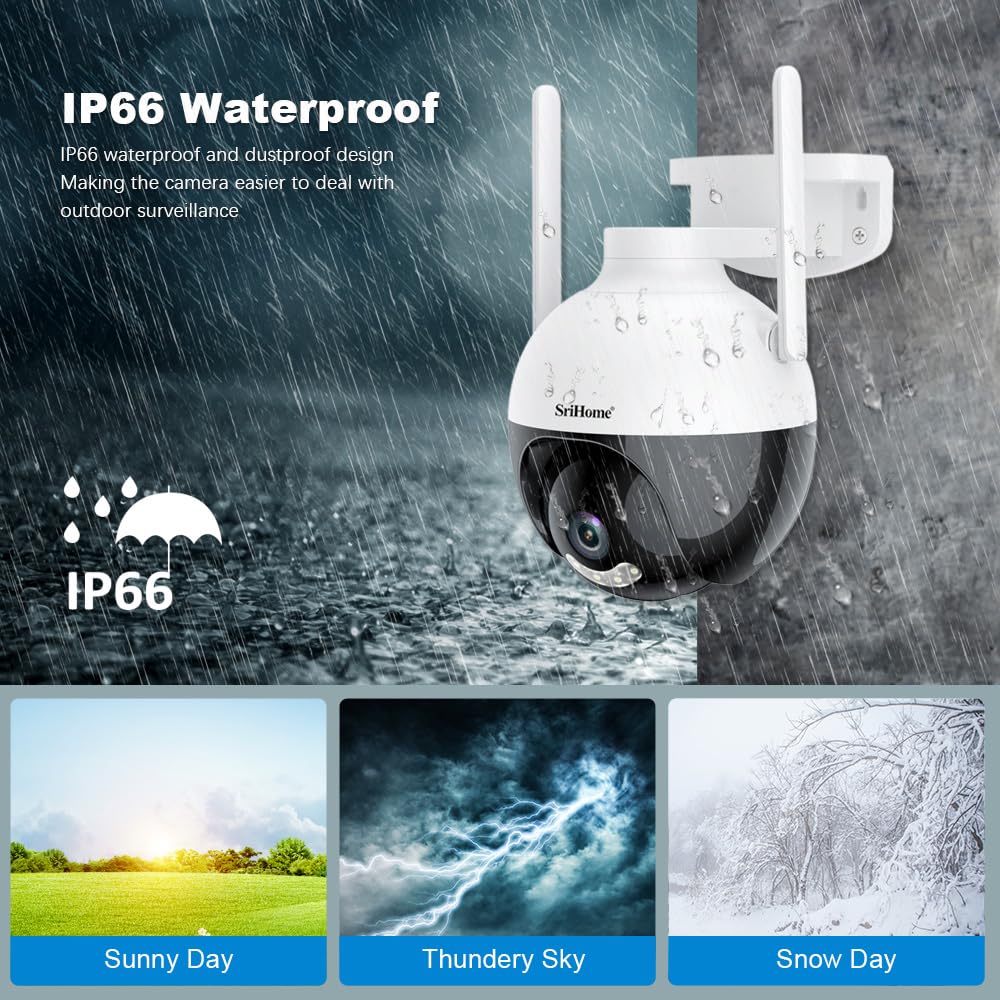
Image 4: IP66 Waterproof Design. This image demonstrates the camera's IP66 waterproof and dustproof capabilities, showing it functioning in various weather conditions like sunny, thundery, and snowy days.
4. Орнотуу
4.1 Колдонмону жүктөп алуу
контролдоо жана view your camera, download the SriHome app on your mobile device:
- For Android devices: Download from Google Play дүкөнү
- For iOS devices: Download from Apple App Store
4.2 Баштапкы туташуу
- Connect the camera to power using the provided adapter.
- Wait for the camera to initialize (indicated by a status light or audible prompt).
- Open the SriHome app and follow the on-screen instructions to add your camera. This typically involves scanning a QR code on the camera or connecting via AP hotspot.
- Ensure your mobile device is connected to a 2.4GHz Wi-Fi network during the setup process.
4.3 Орнотуу
The camera can be mounted on a wall or ceiling. Use the included screws and follow these general steps:
- Каалаган нерсени камсыз кылган ылайыктуу жерди тандаңыз viewбурчта жайгашкан жана розеткага кирүү мүмкүнчүлүгү бар.
- Mark the drilling points using the camera's base as a template.
- Тешиктерди бургула жана зарыл болсо, дубал тыгындарын салгыла.
- Secure the camera base to the mounting surface with the screws.
- Adjust the camera angle as needed after power is connected and setup is complete.

Image 5: App Download, Multi-user Viewing, and Storage Methods. This image shows QR codes for downloading the SriHome app on Android and iOS, illustrates multi-user access, and depicts various storage options including MicroSD card and cloud storage.
5. Иштөө нускамалары
5.1 Панорамалоо жана кыйшайтуу башкаруусу
From the SriHome app, you can remotely control the camera's pan (horizontal) and tilt (vertical) movements to adjust the viewing angle. Use the directional controls within the app's live view интерфейс.

Image 6: AI Technology with Motion Tracking and Pan/Tilt. This image demonstrates the camera's 355° pan and 90° tilt capabilities, along with its AI-powered motion tracking feature, showing a child being followed by the camera's view.
5.2 Эки тараптуу аудио
The camera features a built-in microphone and speaker, enabling two-way communication. Tap the microphone icon in the app to speak, and listen through the app to hear audio from the camera's location.
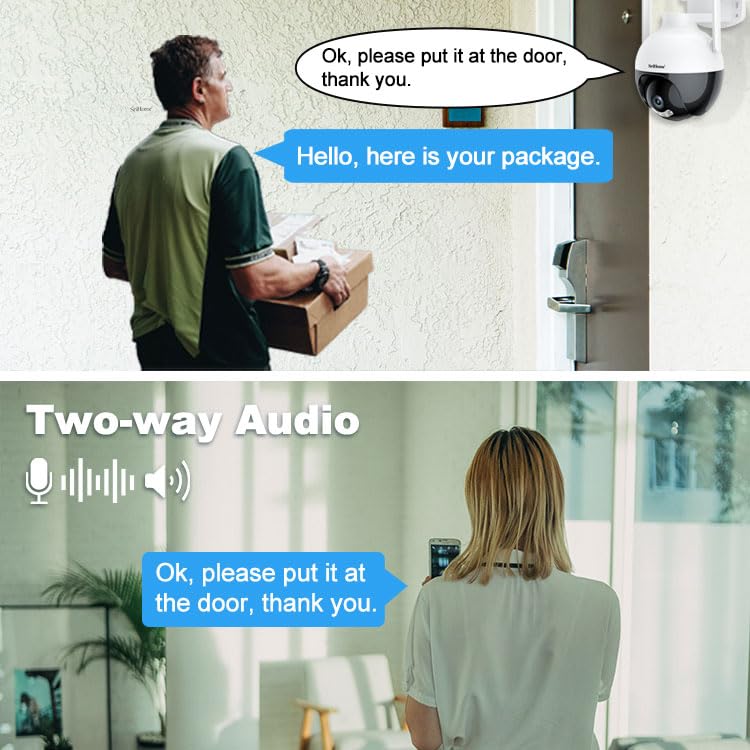
Image 7: Two-Way Audio. This image illustrates the two-way audio feature, showing a person at the door speaking to someone viewing through the camera on a smartphone.
5.3 Кыймылды аныктоо жана көзөмөлдөө
The camera can detect movement and send alerts to your phone. Enable motion detection in the app settings. The AI Humanoid Detection feature helps distinguish human shapes from other moving objects, reducing false alarms. Motion tracking allows the camera to follow detected subjects within its field of view.
5.4 Түнкү көрүү режимдери
The SH045 offers multiple night vision modes:
- Күндүзгү көрүнүш: Күндүзгү жарыкта стандарттуу түстүү видео.
- Инфракызыл түнкү көрүнүш: Black and white video in complete darkness using infrared LEDs.
- Түнкү көрүнүш: Provides full-color video in low-light conditions using a starlight lens and warm light illumination.

Image 8: Day, Infrared Night, and Color Night Vision. This image displays a comparison of the camera's visual output in different lighting conditions: clear color during the day, black and white with infrared at night, and full-color night vision.
5.5 Сактоо параметрлери
Жаздырууларды эки жол менен сактоого болот:
- MicroSD картасы: Жергиликтүү сактагыч үчүн камеранын уячасына MicroSD картасын (128 ГБ чейин, комплектке кирбейт) салыңыз.
- Булуттагы сактагыч: The SriHome app may offer cloud storage options (subscription may be required).
6. Техникалык тейлөө
- Тазалоо: Камеранын линзасын жана корпусун жумшак, кургак чүпүрөк менен акырын сүртүңүз. Абразивдүү тазалагычтардан же эриткичтерден качыңыз.
- Программалык камсыздоонун жаңыртуулары: Regularly check the SriHome app for available firmware updates to ensure optimal performance and security.
- Электр камсыздоо: Камера туруктуу кубат булагына туташтырылганын текшериңиз.
7. Кыйынчылыктарды
- Камера оффлайн: Check Wi-Fi connection, power supply, and ensure the camera is within range of your router. Restart the camera and router if necessary.
- Колдонмого туташуу мүмкүн эмес: Ensure you are using the correct 2.4GHz Wi-Fi network during setup. Reset the camera using the reset needle and try again.
- Видеонун сапаты начар: Check your internet speed. Ensure the lens is clean and free from obstructions. Adjust video quality settings in the app if your network bandwidth is limited.
- Кыймылды аныктоо иштебей жатат: Verify motion detection is enabled in the app settings. Adjust sensitivity levels if needed.
- MicroSD картасы жаздырылбай жатат: Ensure the card is inserted correctly and formatted within the app. Check if the card is full or corrupted.
8. Техникалык шарттар
| Модель аты | SriHome SH045 2MP PTZ Camera |
| Резолюция | 1080P (1920 * 1080) |
| Pan/Tilt диапазону | Пан 355°, Тилт 70° |
| Байланыш | 2.4GHz Wi-Fi (Wireless) |
| Сактагыч | MicroSD картасы (128 ГБ чейин) |
| Түнкү көрүнүш | Infrared, Color Night Vision (Starlight lens, warm light) |
| Аудио | Эки тараптуу аудио (Киргизилген микрофон жана динамик) |
| Аба ырайына каршылык | IP66 суу өткөрбөйт |
| Power Source | Электр зымдары |
| Өлчөмдөр | 20 x 10 x 6 см |
| Салмагы | 500 г |
9. Кепилдик жана колдоо
9.1 Кепилдик маалыматы
Бул продукт менен келет 1 жылдык кепилдик сатып алынган күндөн тартып. Кепилдик дооматтары үчүн сатып алганыңыздын далилин сактап коюңуз.
9.2 Кардарларды колдоо
For technical assistance or warranty inquiries, please contact Megaa Electronics, the manufacturer and importer, via:
- Электрондук почта: support@megaaelectronics.com or megaaelectronics@gmail.com
- Ватсап: 8328671337


