1. Киришүү
The OLIGHT Warrior Nano is a compact and powerful tactical flashlight designed for everyday carry (EDC), outdoor activities, and emergency situations. It features a maximum output of 1200 lumens, a throw distance of 135 meters, and a versatile dual-switch interface. This manual provides detailed instructions for the safe and effective use of your Warrior Nano flashlight.

Image 1.1: The OLIGHT Warrior Nano Tactical Flashlight.
2. Пакеттин мазмуну
Сураныч, алгандан кийин таңгактын ичиндегисин текшериңиз. Эгерде кандайдыр бир буюмдар жок болсо же бузулуп калса, сатуучуга же OLIGHT кардарларды тейлөө кызматына кайрылыңыз.
- Warrior Nano Flashlight (battery included) x 1
- MCC-1A Magnetic Charging Cable x 1
- L-Stand x 1
- Колдонуучунун колдонмосу x 1

Image 2.1: All items included in the Warrior Nano package.
3. Орнотуу жана алгачкы колдонуу
3.1. Батареяны заряддоо
The Warrior Nano comes with a rechargeable battery. Before first use, or when the battery indicator shows low power, fully charge the device.
- Connect the MCC-1A magnetic charging cable to a USB power source.
- Attach the magnetic end of the cable to the tail cap of the flashlight. The indicator on the charging cable will glow red during charging and turn green when fully charged.
Толук кубаттоо, адатта, болжол менен 2 саатты талап кылат.

Image 3.1: Charging the Warrior Nano using the magnetic charging cable.
3.2. Батарея деңгээлинин көрсөткүчү
The side switch features a tri-color battery indicator to show the remaining power:
- Жашыл: Battery level is greater than 60%.
- Ачык күрөң: Батарея деңгээли 10% жана 60% ортосунда.
- Кызыл: Батарея деңгээли 10% төмөн.

Image 3.2: The tri-color battery indicator on the side switch.
4. Операция
The Warrior Nano features both a side switch for general use and a tail switch for tactical operations.
4.1. Капталдагы которгучтун иштеши
- Күйгүзүү/өчүрүү: Кол чыракты күйгүзүү же өчүрүү үчүн капталдагы которгучту бир чыкылдатыңыз.
- Жарыктык деңгээлин өзгөртүү: When the flashlight is on, press and hold the side switch to cycle through Moonlight, Low, Medium, and High modes. Release the switch to select the desired mode.
- Ай жарыгы режими: Фонарь өчүк турганда, Ай жарыгы режимин иштетүү үчүн капталдагы которгучту болжол менен бир секунд басып туруңуз.
- Турбо режими: Double click the side switch to activate Turbo mode. Double click again to return to the previous mode.
- Strobe режими: Triple click the side switch to activate Strobe mode. Single click to exit.
4.2. Куйрук которуу операциясы
- Momentary High: Half-press and hold the tail switch for momentary High output. Release to turn off.
- Constant High: Full-press the tail switch for constant High output. Full-press again to turn off.
- Momentary Turbo: Full-press and hold the tail switch for momentary Turbo output. Release to turn off.
- Constant Turbo: Double full-press the tail switch for constant Turbo output. Full-press again to turn off.
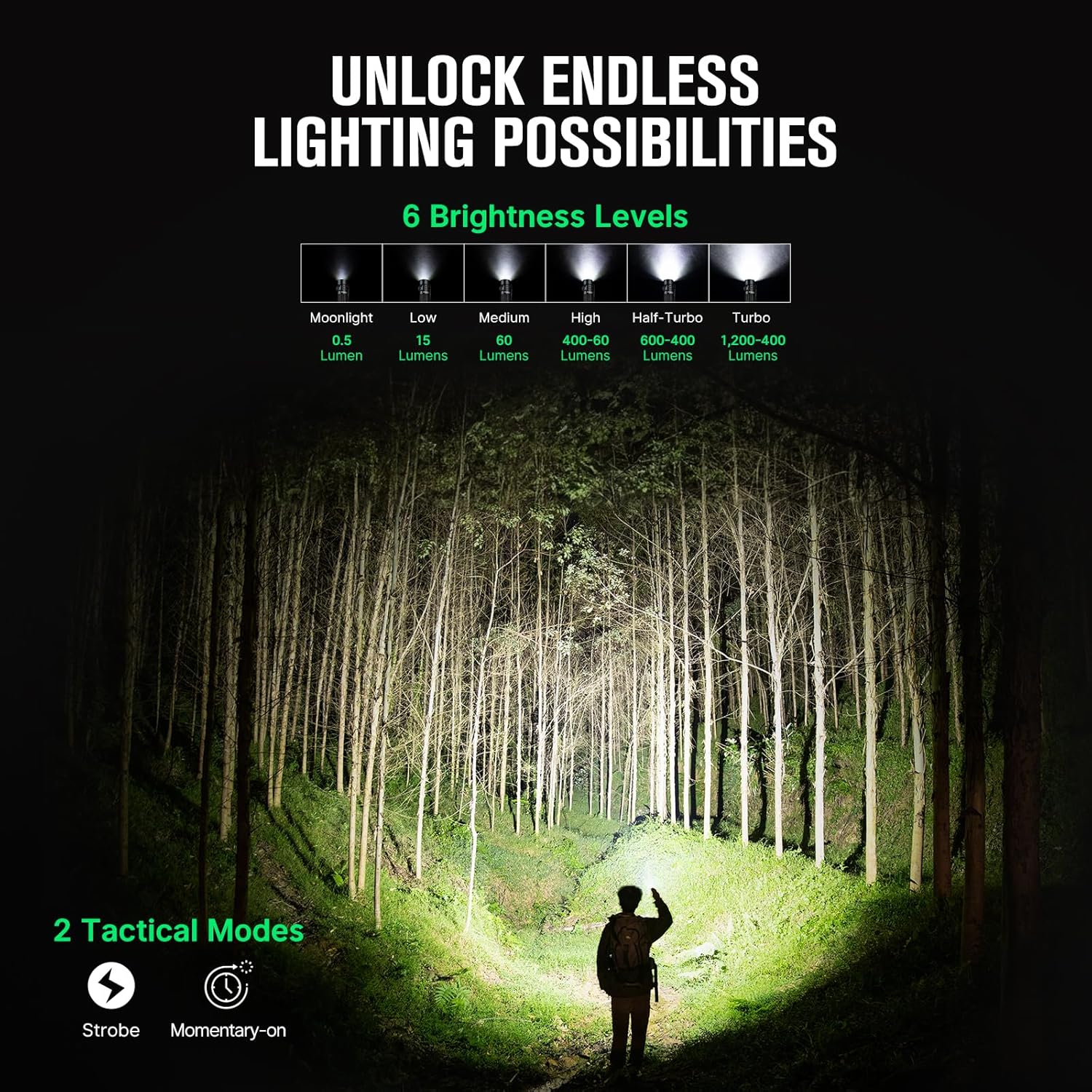
Image 4.1: Available brightness levels and tactical modes.
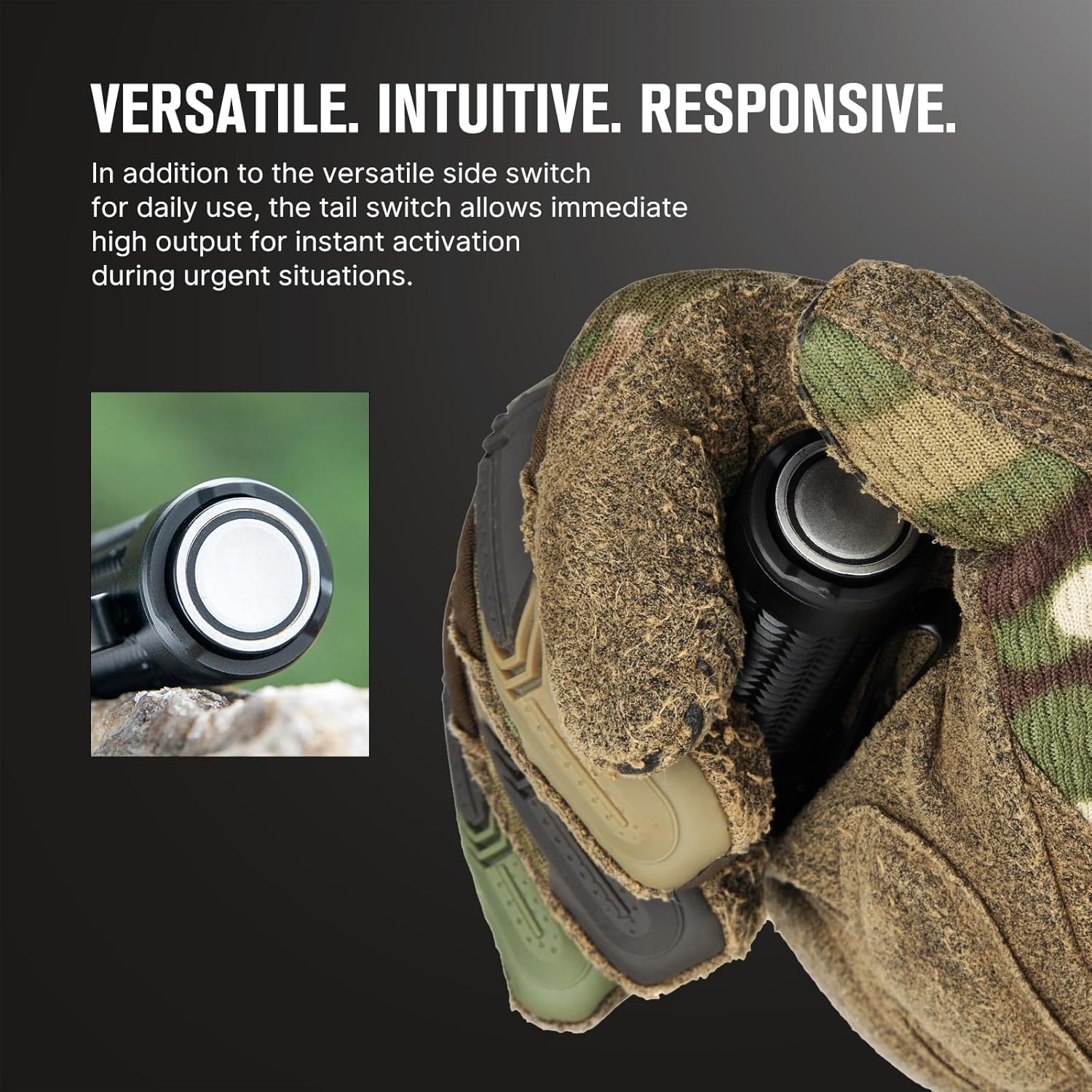
Image 4.2: The side switch for daily use and the tail switch for tactical activation.
4.3. Блоктоо функциясы
To prevent accidental activation, the Warrior Nano includes a lockout feature.
- Локаутту иштетүү: When the flashlight is off, press and hold the side switch for approximately two seconds until the Moonlight mode briefly turns on and then off. The flashlight is now locked out.
- Локаутту өчүрүү: Press and hold the side switch for approximately two seconds until the Moonlight mode turns on. The flashlight is now unlocked.

Image 4.3: The lockout feature prevents accidental activation when carrying the flashlight.
5. Техникалык тейлөө
Proper maintenance ensures the longevity and optimal performance of your Warrior Nano flashlight.
- Тазалоо: Clean the lens with a soft, clean cloth. For stubborn dirt, use a cotton swab dampспирт менен сүртүлөт.
- Майлоо: Сууга туруктуулукту сактоо үчүн маал-маалы менен O-шакектерге жука катмар силикон майын сүйкөңүз.
- Сактагыч: Store the flashlight in a cool, dry place. For long-term storage, it is recommended to charge the battery every 3-6 months to prevent over-discharge.
5.1. Сууга туруктуулук
The Warrior Nano is designed with water resistance to withstand various environmental conditions.

Image 5.1: The Warrior Nano is designed to be water resistant.
6. Кыйынчылыктарды
If you encounter issues with your Warrior Nano, please refer to the following common problems and solutions:
| Көйгөй | Мүмкүн себеп | Чечим |
|---|---|---|
| Кол чырак күйбөйт | Low battery; Lockout mode active; Loose tail cap | Charge battery; Deactivate lockout mode; Tighten tail cap |
| Жарыктын чыгышы күңүрт | Батарея аз; Линза кир | Батареяны заряддоо; Таза линза |
| Flashlight gets hot on high modes | Normal operation for high output; Half-Turbo mode engaged | This is normal. The flashlight has a thermal management system to prevent overheating. Use Half-Turbo mode for sustained high output. |
| Magnetic charging not working | Charging cable not properly connected; Dirty contact points | Ensure magnetic cable is securely attached; Clean contact points on cable and tail cap. |
If the problem persists, please contact OLIGHT customer support.
7. Техникалык шарттар
| Өзгөчөлүк | Деталь |
|---|---|
| Max Output | 1200 Lumens |
| Max Throw | 135 метр |
| Power Source | Кайра заряддалуучу литий-иондук батарейка |
| Жарык булагы түрү | LED |
| Материал | Алюминий эритмеси |
| Өлчөмдөрү (L x D) | 3.18" x 0.9" (81 мм x 23 мм) |
| Салмагы | 6.4 унция (0.18 кг) |
| Суу каршылык | Water Resistant (IPX8 equivalent) |
| Өзгөчөлүктөр | Dual Switches, Tri-color Battery Indicator, Half-Turbo Mode, Lockout Feature |
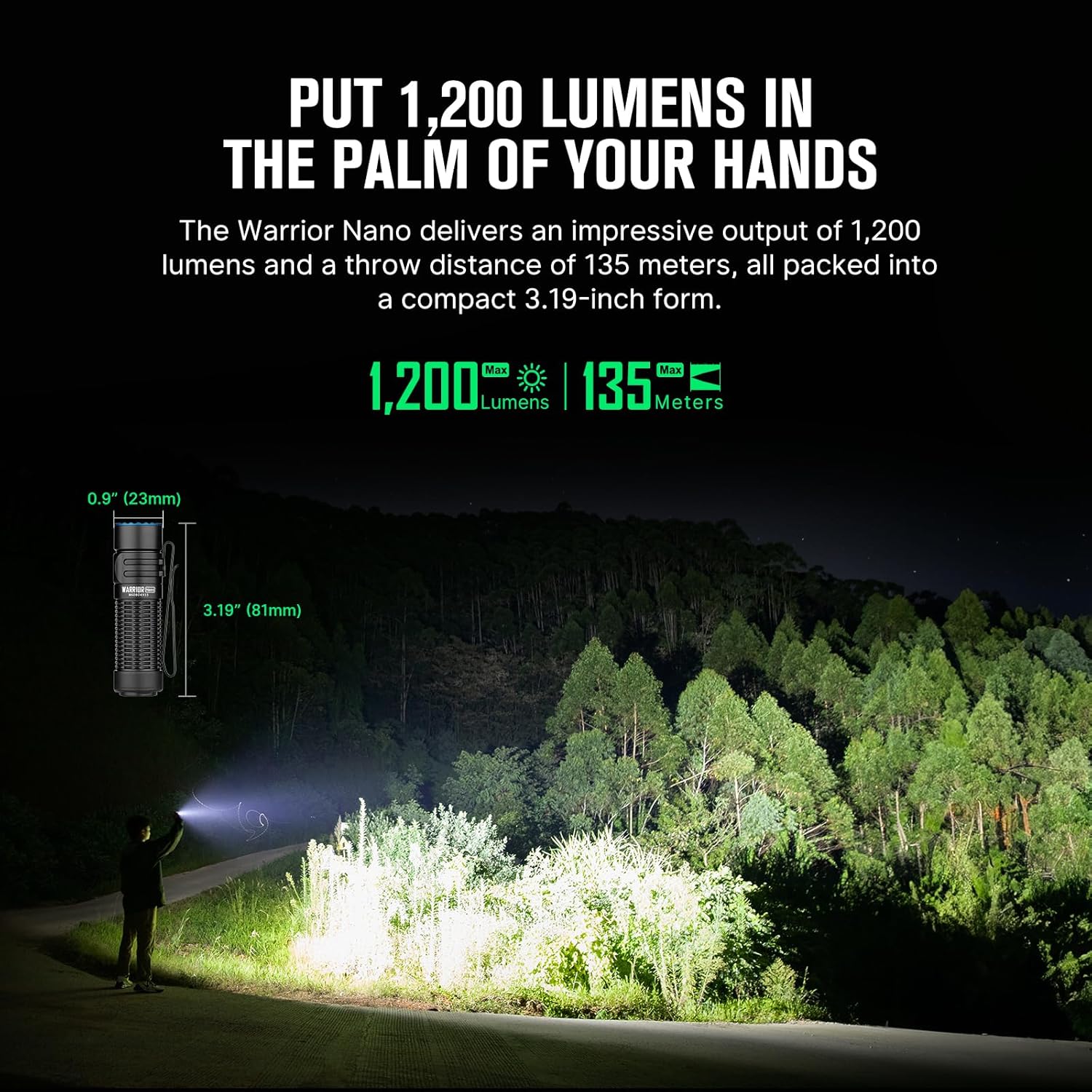
Image 7.1: Dimensions and performance metrics of the Warrior Nano.
8. Кепилдик жана колдоо
8.1. Кепилдик маалыматы
OLIGHT offers a Өмүр бою кепилдик on its products, ensuring quality and reliability. For specific terms and conditions, please refer to the official OLIGHT webсайтка же кардарларды тейлөөгө кайрылыңыз.
8.2. Кардарларды колдоо кызматы
For further assistance, technical support, or warranty claims, please visit the official OLIGHT webсайтка же кардарларды тейлөө бөлүмүнө кайрылыңыз. Сиз да зыярат кылсаңыз болот Amazon'догу OLIGHT дүкөнү көбүрөөк продукт маалымат жана колдоо ресурстар үчүн.


