1. Киришүү
Welcome to the omiXimo Ryzen 5 4500 Gaming PC user manual. This document provides essential information for setting up, operating, maintaining, and troubleshooting your new gaming computer. Designed for high-performance gaming, multimedia, and productivity, this PC features an AMD Ryzen 5 4500 processor, NVIDIA GeForce GTX 1650 graphics, 16 GB DDR4 RAM, and a 500 GB SSD, running on Windows 11 Pro.
Please read this manual carefully to ensure optimal performance and longevity of your system. Keep this manual for future reference.
2. Орнотуу колдонмосу
2.1 Пакеттен чыгаруу
Carefully remove the PC from its packaging. Inspect the contents for any signs of damage. Retain all packaging materials for potential future transport or warranty claims.
2.2 Перифериялык түзүлүштөрдү туташтыруу
- Монитор: Connect your monitor to the graphics card's display output ports (HDMI, DisplayPort) located at the rear of the PC.
- Баскычтоп жана чычкан: Баскычтоп менен чычканыңызды жеткиликтүү USB портторуна туташтырыңыз.
- Тармак: For wired internet, connect an Ethernet cable to the LAN port. For wireless, ensure your Wi-Fi antenna (if external) is connected.
- Аудио: Динамиктерди же кулакчындарды аудио чыгаруу уячаларына туташтырыңыз.
- Күч: Connect the power cable to the PC's power supply unit (PSU) and then to a wall outlet.
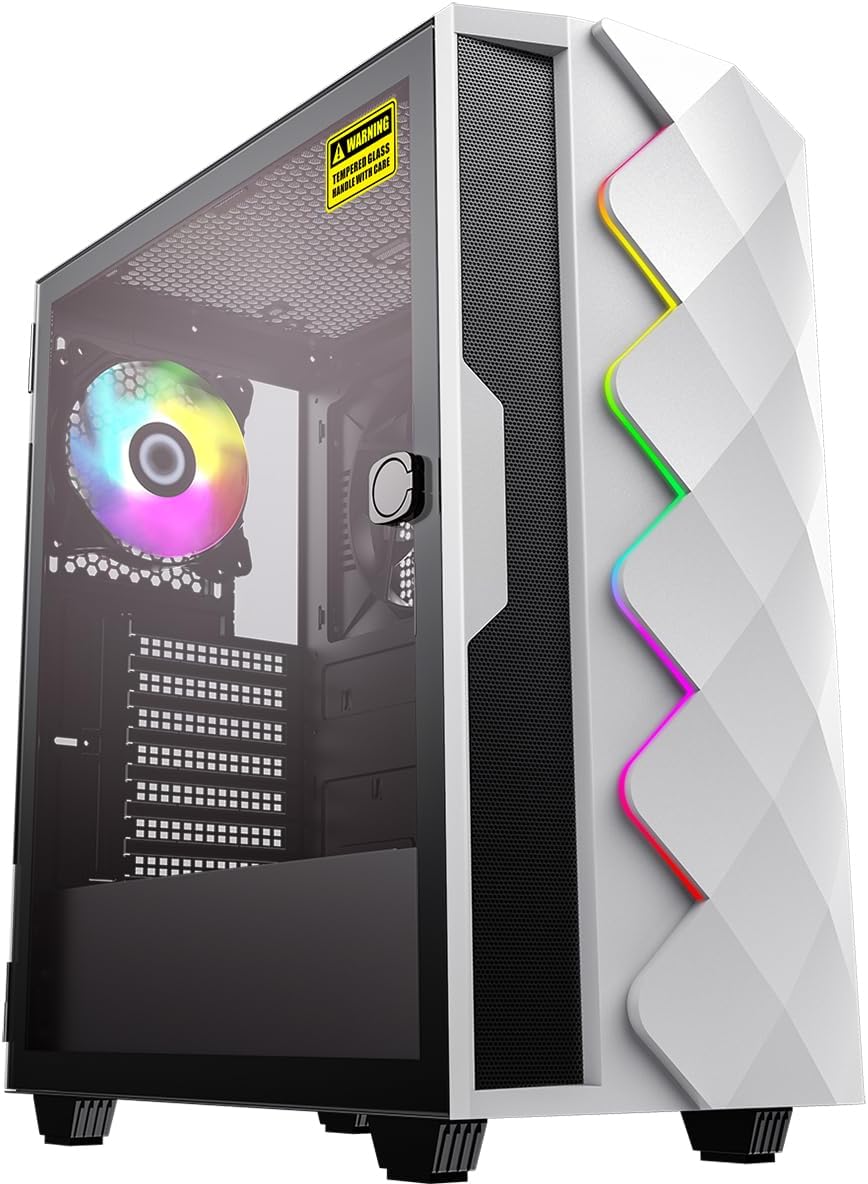
Сүрөт 2.1: Алдыңкы-сол view of the omiXimo Ryzen 5 4500 Gaming PC, showcasing анын дизайны жана RGB жарыктандыруу.

2.2-сүрөт: Арткы view of the omiXimo Ryzen 5 4500 Gaming PC, illustrating the various connectivity ports for peripherals.
2.3 Баштапкы жүктөө
After connecting all peripherals, press the power button on the front of the PC. The system will boot into Windows 11 Pro. Follow the on-screen instructions for initial setup, including language, region, and user account creation.
3. Иштөө нускамалары
3.1 Windows 11 Pro Overview
Your PC comes pre-installed with Windows 11 Pro, offering a modern interface, enhanced security features, and improved performance. Familiarize yourself with the Start Menu, Taskbar, and Settings app to customize your experience.
3.2 Оюндун натыйжалуулугу
The AMD Ryzen 5 4500 processor and NVIDIA GeForce GTX 1650 graphics card are optimized for gaming. Ensure your graphics drivers are up to date for the best performance. Adjust in-game settings to balance visual quality and frame rate according to your preferences.
3.3 Байланыш
Your PC supports Wi-Fi for wireless internet access. To connect, navigate to the Wi-Fi settings in Windows 11, select your network, and enter the password. For optimal gaming and streaming, a wired Ethernet connection is recommended.
4. Техникалык тейлөө
4.1 Тазалоо
Regular cleaning helps maintain performance and extends the lifespan of your PC. Use compressed air to clear dust from fans and vents. Wipe external surfaces with a soft, damp cloth. Ensure the PC is powered off and unplugged before cleaning.

4.1-сүрөт: Ички view of the omiXimo Ryzen 5 4500 Gaming PC, showing components and cooling fans, relevant for internal cleaning.
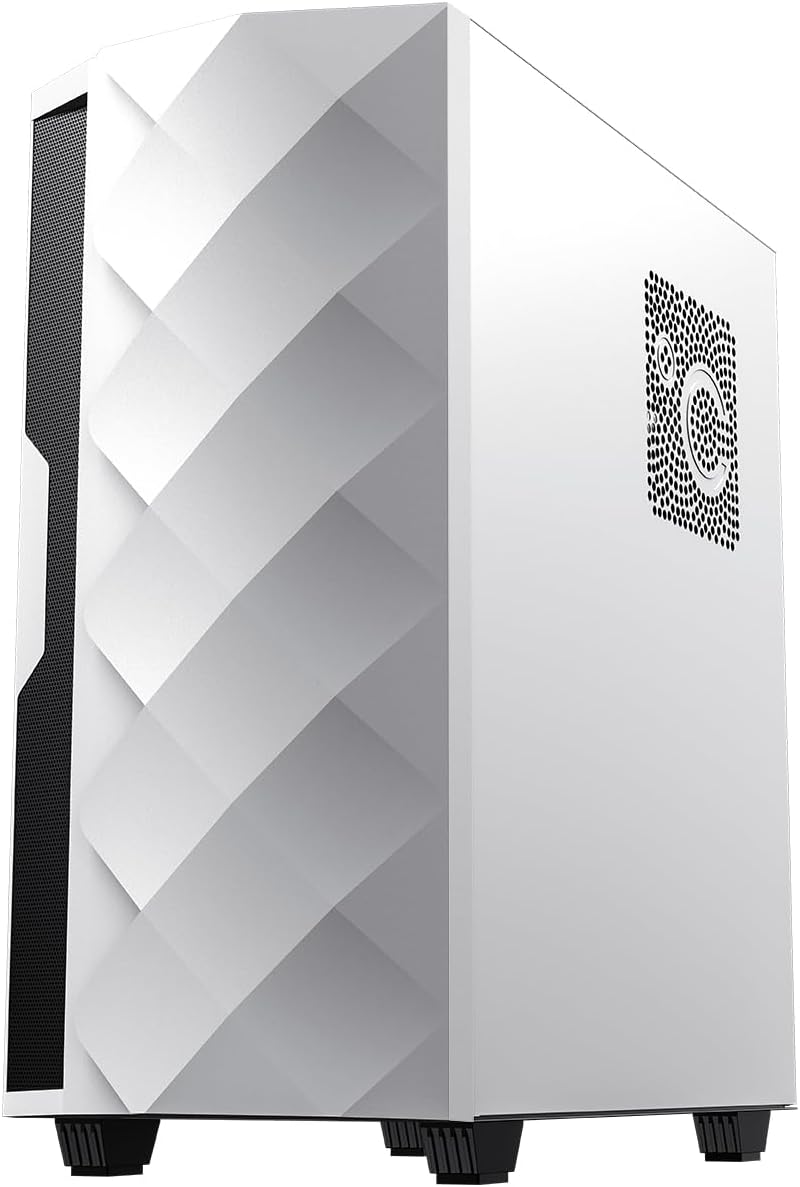
4.2-сүрөт: Төмөнкү view of the omiXimo Ryzen 5 4500 Gaming PC, highlighting the feet and potential dust filter locations.
4.2 Программалык камсыздоо жаңыртуулары
Keep your Windows operating system and all installed software up to date. Windows Update automatically handles OS updates. For other software, check their respective update mechanisms.
4.3 Driver Management
Regularly update your graphics card drivers (NVIDIA GeForce) and chipset drivers (AMD) to ensure compatibility and optimal performance, especially for new games and applications. Visit the official NVIDIA and AMD websites for the latest drivers.
5. Кыйынчылыктарды
This section addresses common issues you might encounter with your omiXimo Gaming PC.
5.1 Жалпы маселелер
- Кубат жок: Ensure the power cable is securely connected to both the PC and the wall outlet. Check the power switch on the PSU. Try a different power outlet.
- Дисплей жок: Verify that the monitor is connected to the graphics card's output, not the motherboard's. Ensure the monitor is powered on and set to the correct input source. Try a different display cable or monitor.
- Оюндардагы начар көрсөткүчтөр: Check if your graphics drivers are up to date. Ensure the PC is not overheating. Close unnecessary background applications. Verify that the game's settings are appropriate for your hardware.
- Система токтоп калат же кыйрайт: Ensure all drivers are updated. Check for Windows updates. Monitor system temperatures. Run a memory diagnostic tool.
5.2 Колдоо кызматы менен байланышуу
If you encounter issues not covered in this manual or require further assistance, please contact omiXimo customer support. Refer to your purchase documentation for contact details or visit the official omiXimo webсайт.
6. Техникалык шарттар
| Компонент | Спецификация |
|---|---|
| Бренд | omiXimo |
| Сериялар | omiXimo Ryzen 5 4500 |
| Процессор бренди | AMD |
| Процессордун түрү | Ryzen 5 4500U |
| Процессордун ылдамдыгы | 4.2 ГГц |
| RAM өлчөмү | 16 ГБ |
| Эс тутум технологиясы | DDR4 SDRAM |
| Сактагычтын көлөмү | 500 ГБ |
| Сактагыч түрү | SSD (Катуу абалдагы диск) |
| Графикалык сопроцессор | NVIDIA GeForce GTX 1650 |
| Операция системасы | Windows 11 Pro |
| Байланыш | Wi-Fi |
| Аппараттык платформа | Windows |
| Өзгөчө колдонуу | Оюндар |
7. Кепилдик жана колдоо
7.1 Кепилдик маалыматы
Your omiXimo Gaming PC is covered by a manufacturer's warranty. Please refer to the warranty card included with your purchase or visit the omiXimo webтолук шарттары жана шарттары үчүн сайт. Кепилдик дооматтар үчүн сатып алганыңыздын далилин сактаңыз.
7.2 Кардарларды колдоо
For technical support, service, or any questions regarding your product, please contact omiXimo customer service. You can find contact information on the official omiXimo Store on Amazon or through your purchase documentation.


