Introduction
This manual provides detailed instructions for the safe and efficient operation of your YABER E1 Mini Projector. Please read this manual thoroughly before using the product and retain it for future reference.
Маанилүү коопсуздук маалыматы
- l болгондо проектордун объективине тике карабаamp күйүк.
- Ашыкча ысып кетүүнүн алдын алуу үчүн проектордун айланасында туура желдетүүнү камсыз кылыңыз.
- Проектор менен кошо берилген кубат адаптерин гана колдонуңуз.
- Проекторду суудан же башка суюктуктардан алыс кармаңыз.
- Проекторду туруксуз беттерге коюудан алыс болуңуз.
- Do not attempt to disassemble or repair the projector yourself. Contact customer support for assistance.
Кутуда эмне бар
Таңгактан чыгаргандан кийин, төмөнкү нерселердин бардыгы камтылганын текшериңиз:
- 1 E1 Projector
- Алыстан башкаруу
- Электр кабели
- HDMI кабели
- Тазалоо комплекти
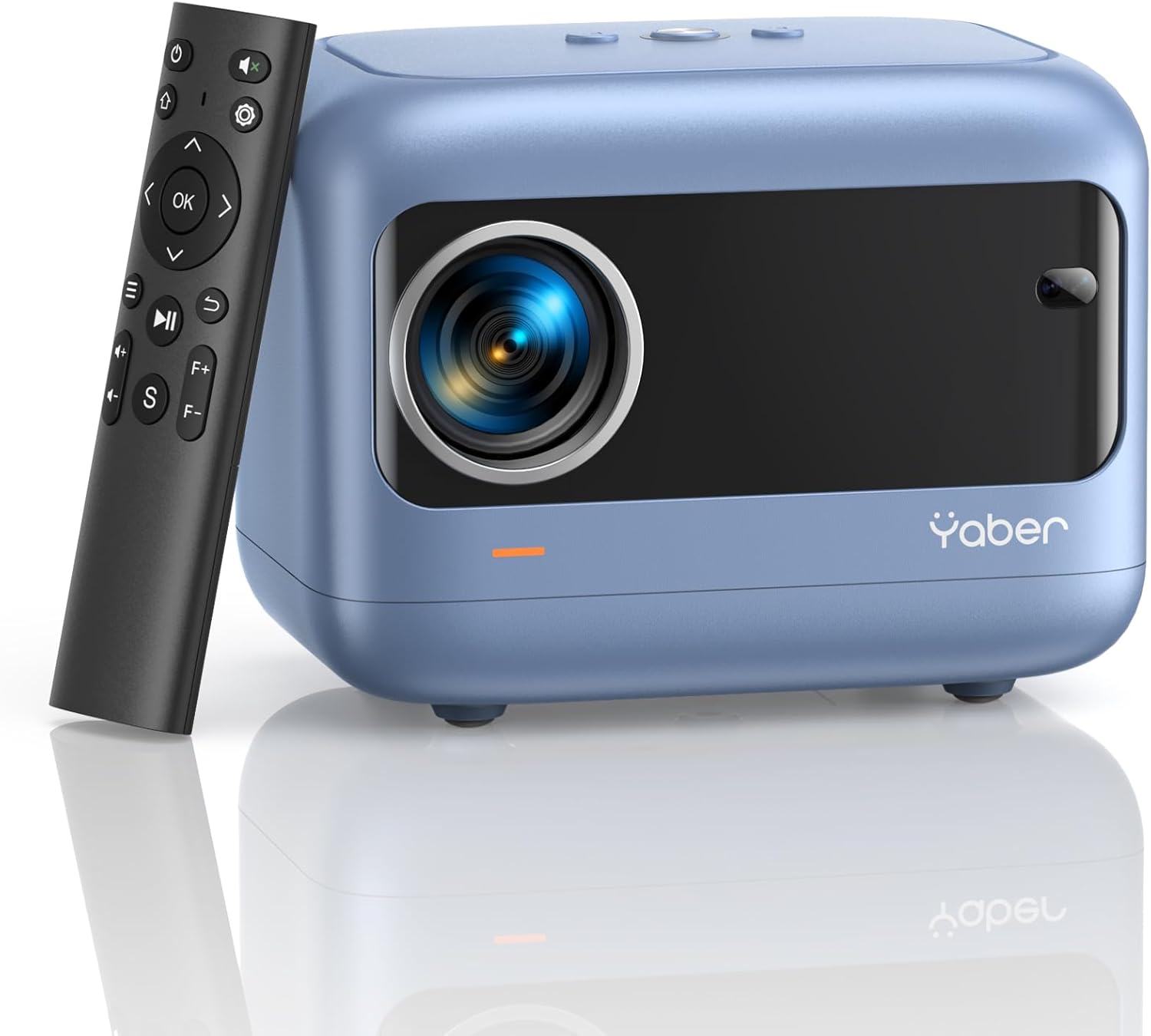
Image: YABER E1 Mini Projector with its remote control.
Орнотуу колдонмосу
1. Физикалык жайгаштыруу
Place the projector on a stable, flat surface. Ensure there is adequate space around the projector for ventilation. The optimal projection distance ranges from 2.6 feet to 16.4 feet, allowing for a screen size of 50 to 200 inches.
2. Power Connection
Берилген кубат шнурун проектордун кубат киргизүү булагына, андан кийин розеткага туташтырыңыз.
3. Initial Adjustments: Electric Focus and Keystone Correction
The YABER E1 features advanced electric focus and keystone correction for optimal image clarity and shape. Use the remote control or the buttons on the projector panel to adjust these settings.
- Электр Фокус: Automatically adjusts the lens position for precise focus.
- Негизги ташты оңдоо: Corrects image distortion (up to ±40° vertical) when the projector is not perfectly perpendicular to the screen.

Image: Adjusting electric focus using the remote control.

Image: Illustrating vertical keystone correction.
Иштөө нускамалары
1. Байланыш параметрлери
The YABER E1 offers various connectivity methods to display your content.
- Wireless Connectivity (5GHz WiFi): Supports wireless screen mirroring for iOS, Android, and Windows devices. Navigate to the WiFi settings in the projector menu to connect to your home network and enable screen mirroring from your device.
- Bluetooth 5.2: Connect external Bluetooth speakers, headphones, or other audio equipment for an enhanced sound experience. Access Bluetooth settings in the menu to pair devices.
- Зымдуу байланыштар: The projector includes multiple ports for wired connections:
- 2 x USB порттору
- 1 x HDMI порту
- 1 x 3.5mm audio port
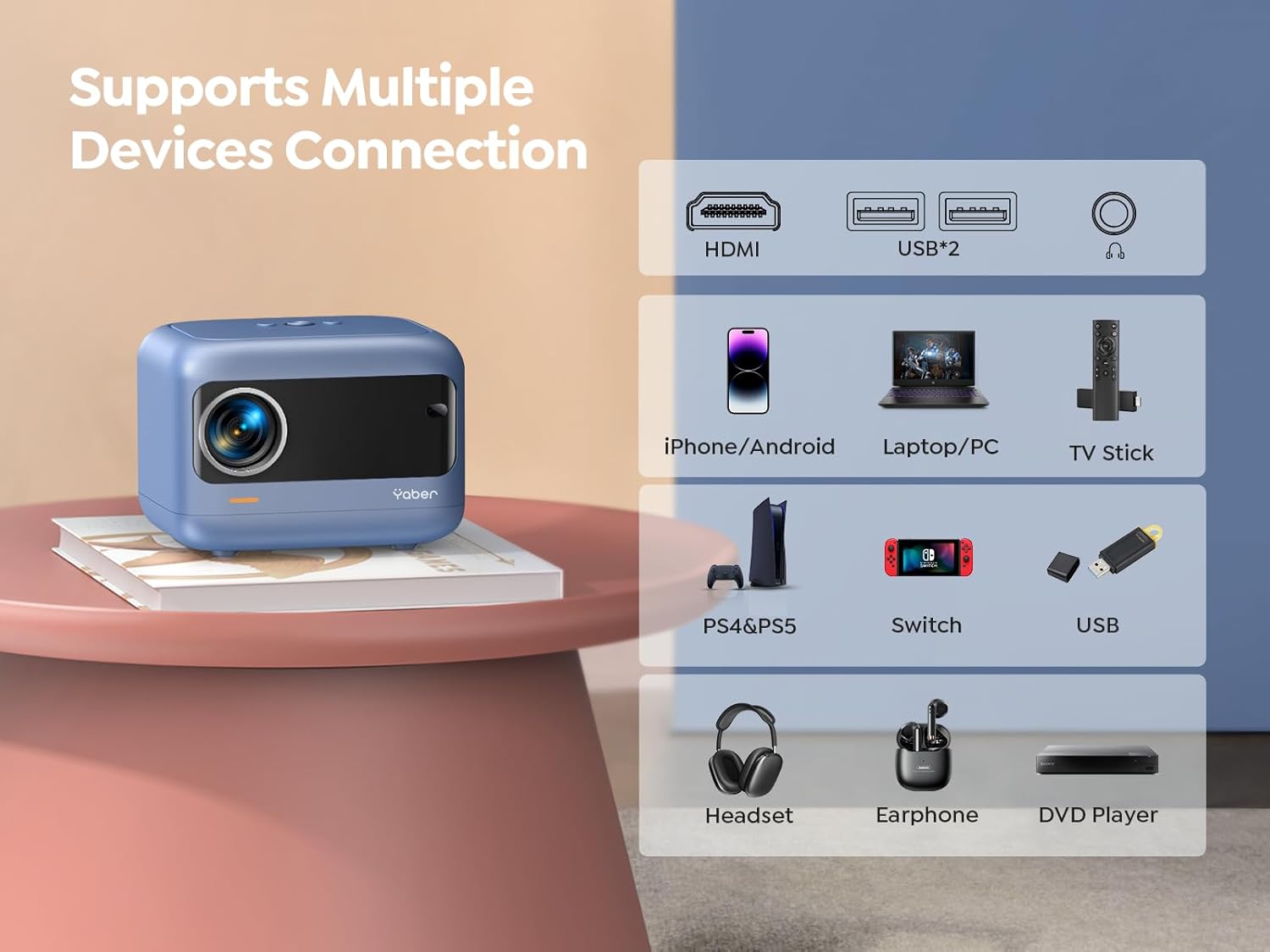
Сүрөт: бүттүview of available ports and compatible devices.

Image: Demonstrating 5G and 2.4G WiFi connectivity for streaming.

Image: Connecting external audio devices via Bluetooth 5.2.
2. Screen Zoom Function
The zoom function allows you to adjust the screen size without moving the projector. This is useful for fine-tuning the image to fit your projection surface.
3. Аудио чыгаруу
The YABER E1 includes dual 6W built-in speakers. For a more immersive audio experience, connect external speakers or headphones via Bluetooth 5.2 or the 3.5mm audio jack.
Техникалык тейлөө
- Линзаны тазалоо: Use the provided cleaning kit or a soft, lint-free cloth to gently clean the projector lens. Avoid abrasive materials that could scratch the lens.
- Чаңды тазалоо: Regularly clean the projector's vents to ensure proper airflow and prevent dust buildup, which can affect performance and lifespan.
- Сактагыч: When not in use, store the projector in a cool, dry place, ideally with the lens cap on to protect it from dust and damage.
Проблемаларды чечүү
For common issues such as signal loss, sound problems, or connectivity difficulties, please refer to the detailed troubleshooting guide available on the product detail page or contact YABER customer support.
- Сүрөт/сигнал жок: Check all cable connections (HDMI, USB) and ensure the correct input source is selected on the projector. For wireless connections, verify WiFi settings and screen mirroring activation on your device.
- бүдөмүк сүрөт: Use the electric focus function to sharpen the image. Ensure the projector is placed within the recommended projection distance.
- Бурмаланган сүрөт: Utilize the keystone correction feature to adjust the image shape.
- Үн жок: Check the volume settings on both the projector and the connected device. If using external speakers, ensure they are properly connected and powered on. Verify Bluetooth pairing if applicable.

Image: General troubleshooting tips for quick resolution.
Техникалык шарттар
| Өзгөчөлүк | Деталь |
|---|---|
| Продукциянын өлчөмдөрү | 6.26 x 4.92 x 4.61 дюйм |
| Элемент Салмагы | 2.11 фунт |
| Модель номери | YABER E1 |
| Display Resolution | 1920 x 1080 (Full HD) |
| Байланыш технологиясы | Wireless (5G WiFi), Bluetooth 5.2, HDMI, USB |
| Өзгөчөлүктөр | Electric Focus, ±40° Keystone Correction, Dual 6W Speakers, Wireless Screen Mirroring |
| Сунушталган Колдонуулар | Үй кинотеатры |
Кепилдик жана колдоо
YABER offers comprehensive customer support for your E1 Mini Projector.
- Кызмат: 24/7 customer service team.
- Алмаштыруу: 3-year free replacement policy.
- Колдоо: Өмүр бою техникалык колдоо.
- Байланыш: For any questions or assistance, please contact us via email at support03@yaberauto.com.

Сүрөт: бүттүview of YABER's customer service commitments.


