1. Продукт бүтүп калдыview
The hohem iSteady XE is an ultra-light, foldable 3-axis gimbal stabilizer designed for smartphones. It features iSteady 7.0 stabilization technology, providing enhanced anti-shake performance for smoother video footage. This gimbal is compatible with a wide range of smartphones, including Android and iPhone models, and supports a payload of up to 0.62 lbs.
Key features include one-key inception mode, face and object tracking, and a user-friendly design that requires no tedious leveling, making it suitable for beginners and experienced users alike.

Image: The hohem iSteady XE Gimbal Stabilizer shown with a smartphone mounted, alongside its mini tripod and USB-C charging cable.
2. Кутуда эмне бар
- hohem iSteady XE Gimbal for Smartphone
- Мини штатив
- Ташуу кутусу
- USB-C заряддоо кабели
- USB-C - USB-C кабели
3. Орнотуу колдонмосу
3.1 Гимбалды кубаттоо
Before first use, fully charge the gimbal using the provided USB-C charging cable. Connect the cable to the gimbal's charging port and a suitable USB power adapter. The battery indicator lights will show the charging status. A full charge can provide up to 8 hours of operation.
3.2 Смартфонуңузду орнотуу
The iSteady XE is designed for quick setup without tedious leveling. Simply unfold the gimbal and clamp your smartphone securely in the center position of the phone holder. Ensure the phone is balanced as much as possible for optimal performance.

Image: The hohem iSteady XE Gimbal shown in its compact, folded state, emphasizing its portability.
3.3 App Installation (Hohem Joy)
For full functionality and access to creative templates and advanced features like face and object tracking, download the Хохем Джой app from your smartphone's app store. Follow the in-app instructions to connect your gimbal via Bluetooth.
4. Иштөө нускамалары
4.1 Күйгүзүү/өчүрүү
Press and hold the power button for a few seconds to turn the gimbal on or off.
4.2 Stabilization and Movement
The iSteady XE utilizes iSteady 7.0 3-axis stabilization to ensure smooth and stable footage, even during dynamic movements. The gimbal automatically adjusts to maintain a steady horizon.

Image: The hohem iSteady XE Gimbal in action, capturing stable footage of a basketball game, highlighting its 3x improved stability.
4.3 Smart Tracking Features
Through the Hohem Joy app, enable AI-powered face and object tracking. This feature allows the gimbal to automatically follow a selected subject, keeping it in frame with precision and accuracy.

Image: The hohem iSteady XE Gimbal demonstrating AI face and object tracking during a family gathering, ensuring subjects remain in focus.
4.4 One-Key Inception Mode
Activate the One-Key Inception mode directly from the gimbal's controls (no app limits). This feature allows you to create dynamic 180-degree rotating videos, adding a cinematic effect to your content.
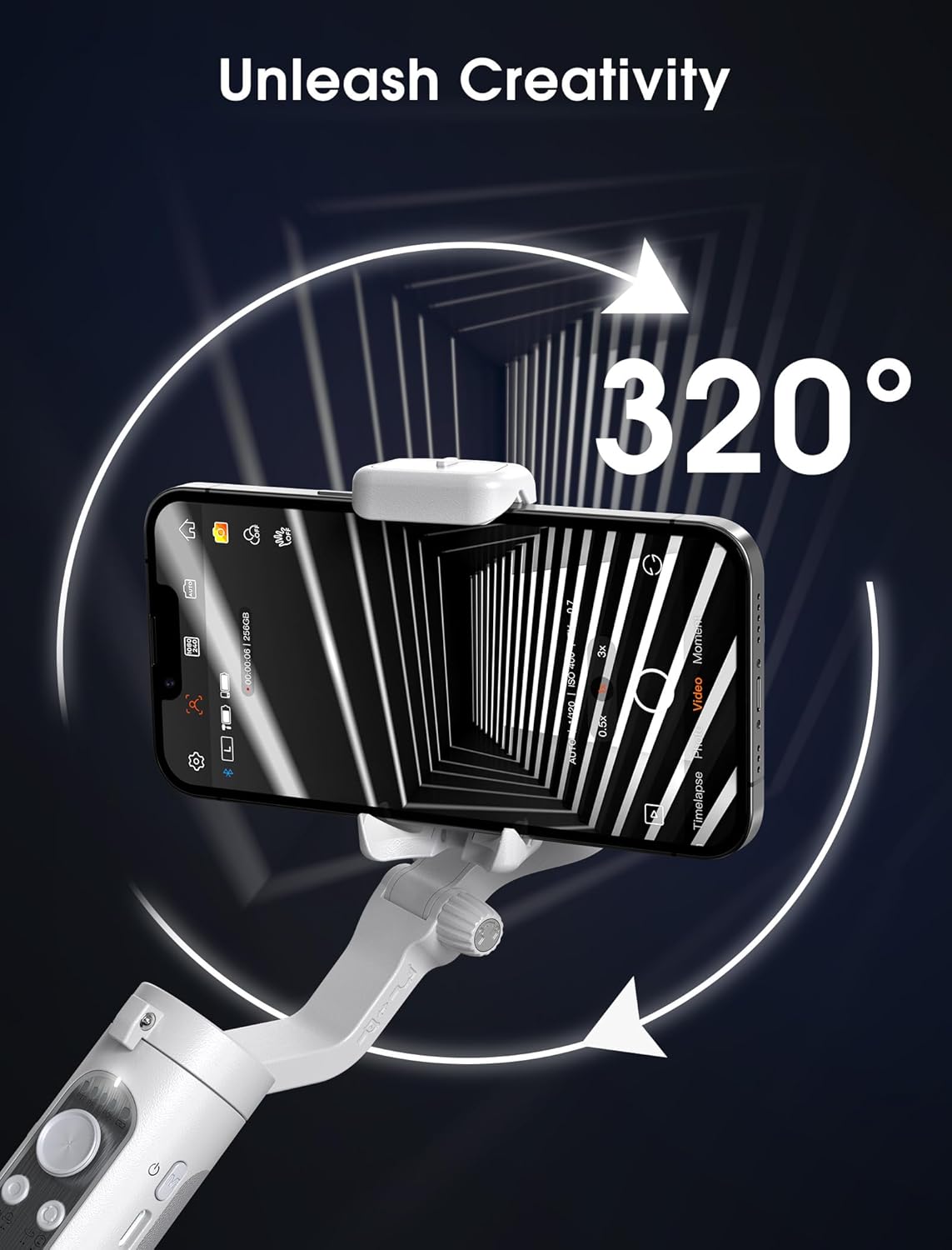
Image: The hohem iSteady XE Gimbal showcasing its ability to perform a 320-degree rotation, creating an inception effect.
4.5 Ташып жүрүүгө ыңгайлуулук жана дизайн
The iSteady XE features a foldable design, making it highly portable and easy to store in a bag or pocket. Weighing only 0.57 lbs, it is one of the lightest gimbals available, ideal for travel and on-the-go content creation.

Image: A user holding the hohem iSteady XE Gimbal while hiking, illustrating its suitability for outdoor adventures and its robust payload capacity.
5. Техникалык тейлөө
To ensure the longevity and optimal performance of your hohem iSteady XE gimbal, follow these maintenance guidelines:
- Тазалоо: Use a soft, dry cloth to wipe the gimbal's surface. Avoid using liquid cleaners or solvents, as they may damage the device.
- Сактагыч: Store the gimbal in a cool, dry place, away from direct sunlight and extreme temperatures. When not in use for extended periods, ensure the battery is charged to about 50% to prevent deep discharge.
- Колдонуу: Handle the gimbal with care. Avoid dropping it or subjecting it to strong impacts, which can damage the internal components and motors.
6. Кыйынчылыктарды
If you encounter issues with your hohem iSteady XE gimbal, refer to the following common troubleshooting steps:
- Гимбаль күйбөй жатат: Ensure the battery is sufficiently charged. Connect the gimbal to a power source and try again after a few minutes.
- Туруксуз Footage: Verify that your smartphone is securely clamped and centered in the holder. Ensure there are no obstructions to the gimbal's movement. Recalibrate the gimbal if the issue persists (refer to the Hohem Joy app for calibration options).
- Колдонмого туташуу маселелери: Make sure Bluetooth is enabled on your smartphone and the gimbal is powered on. Restart both the gimbal and the Hohem Joy app. If necessary, unpair and re-pair the device in your phone's Bluetooth settings.
- Мотордун ашыкча жүктөлүшү: Ensure your smartphone's weight is within the supported payload capacity (up to 0.62 lbs). Remove any heavy phone cases or accessories that might exceed the limit.
For further assistance, please contact hohem customer support or visit the official hohem webсайт.
7. Техникалык шарттар
| Өзгөчөлүк | Деталь |
|---|---|
| Модель номери | iSXE |
| Продукциянын өлчөмдөрү | 3.1 x 1.5 x 7 дюйм |
| Катталган өлчөмү | 7 x 3.1 x 1.5 дюйм |
| Элемент Салмагы | 9.1 унция |
| Максималдуу салмак боюнча сунуш | 9.92 унция (0.62 фунт) |
| Туура келген телефондун кеңдиги | 2.17 - 3.54 дюйм |
| Батареялар | 1 литий-иондук батарейка (кошулган) |
| Түс | Боз |
| Өндүрүүчү | "Hohem Technology Co., LTD" |
8. Кепилдик жана колдоо
For information regarding product warranty, returns, or technical support, please refer to the official hohem website or contact hohem customer service directly. You can also visit the hohem Official Brand Store on Amazon кошумча ресурстар жана байланыш маалыматтары үчүн.


