Продукт бүттүview
The CHUWI GemiBook Plus is a 15.6-inch business laptop designed for efficient daily computing. It features an Intel N100 CPU, 8GB of LPDDR5 RAM, and a 256GB SSD, running on Windows 11. This laptop is built for portability and performance, suitable for both work and entertainment.

Сүрөт: алдыңкы view of the CHUWI GemiBook Plus laptop displaying the Windows 11 logo on its screen, highlighting its operating system.
Кутуда эмне бар
- CHUWI GemiBook Plus Laptop
- 38Wh Li-ion Battery (integrated)
- Кубаттуу адаптер
- Документация (Колдонуучунун колдонмосу, Кепилдик картасы)
Орнотуу колдонмосу
1. Баштапкы заряддоо
Before first use, connect the power adapter to the laptop's charging port and a power outlet. Charge the laptop until the battery indicator shows a full charge. This ensures optimal battery performance.
2. Күйгүзүү
Press the power button located on the keyboard to turn on the laptop. The power button is typically found in the top right corner of the keyboard area.

Сүрөт: жогорудан төмөнгө view of the CHUWI GemiBook Plus laptop, showing the full keyboard layout and touchpad, indicating the power button location.
3. Windows 11 орнотуу
Follow the on-screen prompts to complete the Windows 11 initial setup. This includes selecting your region, language, connecting to a Wi-Fi network, and creating a user account. Ensure you have an active internet connection for this process.
Иштөө нускамалары
Баскычтоп жана сенсордук такта
The laptop features a full-sized keyboard and a responsive touchpad for navigation. The touchpad supports multi-touch gestures for enhanced control.

Image: A hand demonstrating the use of the touchpad on the CHUWI GemiBook Plus laptop, highlighting its multi-touch capabilities.
Перифериялык түзүлүштөрдү туташтыруу
Ноутбук тышкы түзүлүштөрдү туташтыруу үчүн ар кандай порттор менен жабдылган:
- USB порттору: Connect USB devices such as mice, keyboards, or external storage drives. The laptop has 1 USB 2.0 port.
- HDMI порту: Чоңураак дисплей үчүн тышкы мониторго же телевизорго туташыңыз.
- Аудио Jack: Наушниктерди же тышкы динамиктерди туташтырыңыз.
Зымсыз байланыш
The CHUWI GemiBook Plus supports Wi-Fi 6 (802.11ax) for high-speed internet access and Bluetooth 5.2 for connecting wireless accessories like headphones or speakers.
Webcam Privacy Switch
For enhanced privacy, the laptop includes a physical switch to block the webcam lens. Slide the switch to cover or uncover the camera as needed.
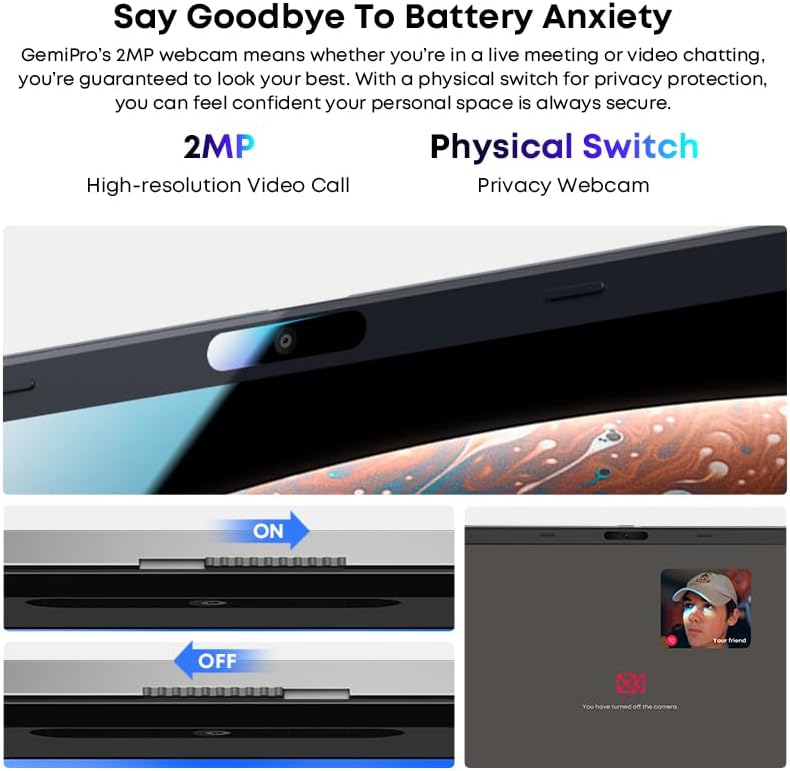
Сүрөт: Жакын план view of the laptop's webcam, illustrating the physical privacy switch in both open and closed positions.
Техникалык тейлөө
Ноутбукту тазалоо
Экранды жана сырткы беттерди тазалоо үчүн жумшак, мамыксыз чүпүрөктү колдонуңуз. Өжөр тактар үчүн бир аз сүртүңүзampчүпүрөккө суу же экранды тазалоо эритмеси. Катуу химиялык заттардан же абразивдүү материалдардан алыс болуңуз.
Батареяга кам көрүү
The laptop is equipped with a 38Wh Li-ion battery. To prolong battery life, avoid extreme temperatures and fully discharging the battery frequently. It takes approximately 3 hours for a full recharge.
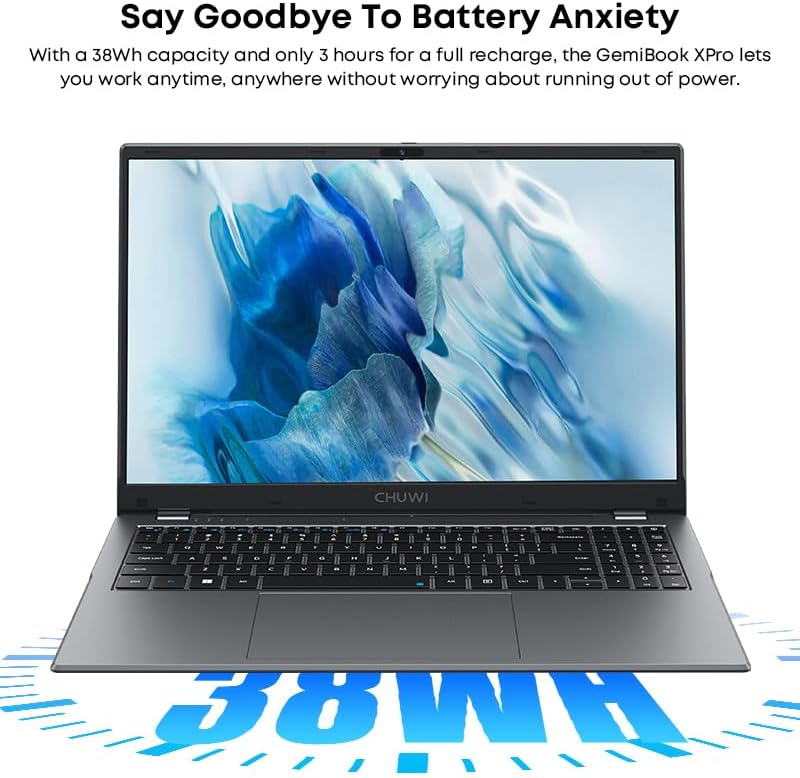
Image: The CHUWI GemiBook Plus laptop with an overlay indicating its 38Wh battery capacity, emphasizing its power endurance.
Программалык камсыздоо жаңыртуулары
Оптималдуу иштөөнү жана коопсуздукту камсыз кылуу үчүн Windows жаңыртууларын жана драйвер жаңыртууларын үзгүлтүксүз текшерип жана орнотуп туруңуз.
Проблемаларды чечүү
Laptop Not Powering On
- Кубат адаптери ноутбукка да, иштеген электр розеткасына да бекем туташып турганын текшериңиз.
- Башка аспапка туташтыруу менен электр розеткасынын иштешин текшериңиз.
- Батарея толугу менен түгөнүп калса, ноутбук күйгүчө кубаттоого бир нече мүнөт талап кылынышы мүмкүн.
Wi-Fi туташуусу жок
- Windows жөндөөлөрүндө Wi-Fi иштетилгенин текшериңиз.
- Wi-Fi роутериңизди жана ноутбукту өчүрүп күйгүзүңүз.
- Ensure you are within range of a Wi-Fi network and have entered the correct password.
Жай аткаруу
- Фондо иштеп жаткан керексиз тиркемелерди жабыңыз.
- Күтүүдөгү Windows жаңыртууларынын бардыгын текшерип, орнотуңуз.
- Run a disk cleanup and defragmentation (for HDD) or optimize drives (for SSD).
- SSDде жетиштүү бош орун камсыз кылыңыз.
Техникалык шарттар
| Өзгөчөлүк | Деталь |
|---|---|
| Бренд | ЧУВИ |
| Модель аты | GemiBook Plus |
| Screen Size | 15.6 дюйм |
| Screen Resolution | 1920 x 1080 пиксел (FHD) |
| Процессор | Intel N100 CPU (up to 3.4GHz) |
| RAM | 8 ГБ LPDDR5 |
| Катуу диск | 256 GB SSD (M.2 2280 SSD expansion up to 1TB supported) |
| Операция системасы | Windows 11 |
| Графикалык карта | Integrated Intel UHD Graphics for 12th Gen Intel Processors |
| Зымсыз түрү | Wi-Fi 6 (802.11ax) |
| Bluetooth | Bluetooth 5.2 |
| Порттар | 1x USB 2.0, HDMI, Audio Jack |
| Элемент Салмагы | 3.85 фунт (1.74 кг) |
| Продукциянын өлчөмдөрү | 14.1 x 9.5 x 0.78 дюйм (35.8 x 24.1 x 1.98 см) |
| Батарея | 38Wh Li-ion Батарея |
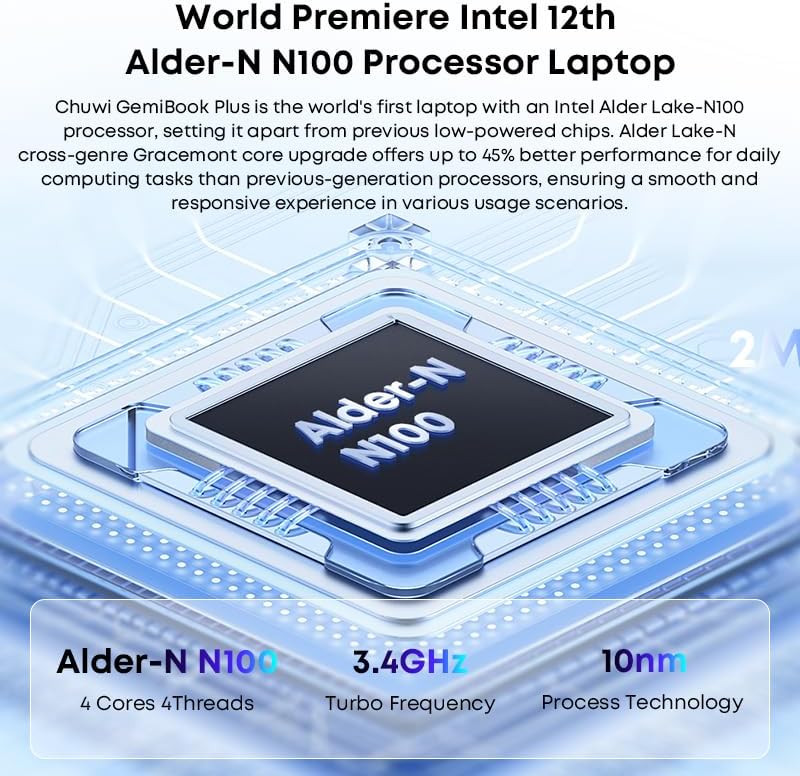
Image: Diagram illustrating the Intel Alder-N N100 processor with details on its 4 Cores 4 Threads, 3.4GHz Turbo Frequency, and 10nm Process Technology.
Кепилдик жана колдоо
Кепилдик маалымат
The CHUWI GemiBook Plus laptop comes with a 1 жылдык кепилдик valid immediately after purchase. This warranty covers manufacturing defects and ensures product reliability.
Кардарларды колдоо
CHUWI offers lifetime factory professional support and 24 hours of online support to assist with any issues or questions you may have. For support, please refer to the contact information provided in your product documentation or visit the official CHUWI webсайт.
Сиз да зыярат кылсаңыз болот CHUWI Store on Amazon көбүрөөк маалымат жана ресурстар үчүн.


