Introduction
This manual provides essential instructions for setting up, operating, and maintaining your ApoloSign NJP561P-Z Laptop Computer. Please read this manual thoroughly before using your device to ensure proper function and longevity.
Пакеттин мазмуну
- ApoloSign NJP561P-Z Laptop
- Кубаттуу адаптер
- User Manual
Жайгашуу
Биринчи колдонуу жана заряддоо
Before initial use, connect the provided power adapter to the laptop's DCIN port and then to a power outlet. Allow the battery to charge fully. The DCIN port is located on the right side of the laptop.

Image: The ApoloSign NJP561P-Z laptop connected to its power adapter, illustrating the charging process.
Баштапкы жүктөө
Press the power button located on the top right of the keyboard to turn on the laptop. Follow the on-screen instructions to complete the Windows 11 setup process, including language selection, network connection, and user account creation.
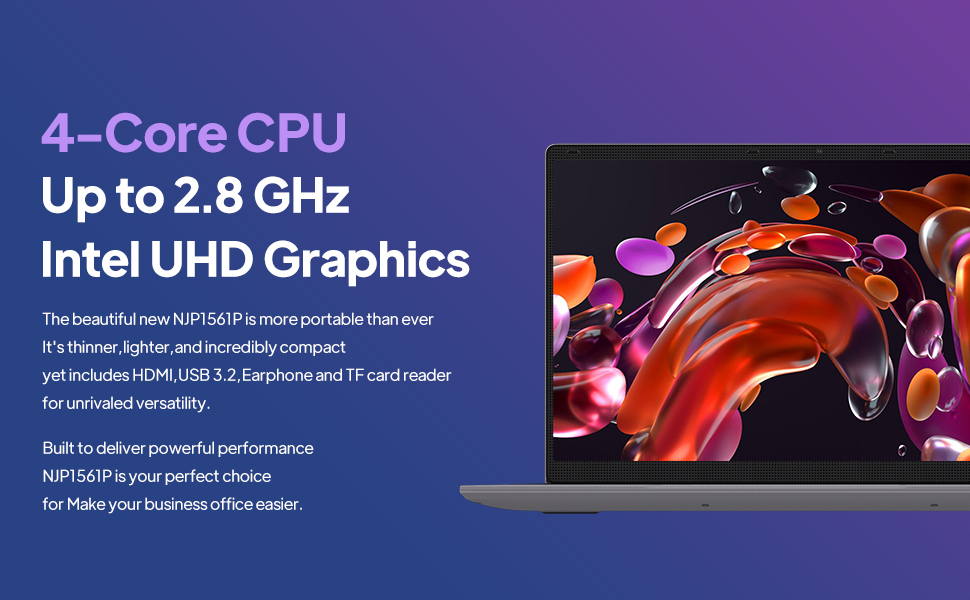
Image: The ApoloSign NJP561P-Z laptop displaying the Windows 11 operating system interface.
Иштөө нускамалары
Баскычтоп жана сенсордук такта
The laptop features a full-size QWERTY keyboard with an integrated numeric keypad for efficient data entry and typing. The touchpad supports multi-touch gestures for intuitive navigation and control of the operating system.

Сүрөт: жакын план view of the ApoloSign NJP561P-Z laptop's full-size keyboard and touchpad.
Байланыш
The laptop supports Wi-Fi for wireless internet access and Ethernet for stable wired network connections. It offers a variety of ports for connecting external devices:
- USB 3.2 ports (x2): шайкеш түзмөктөр менен жогорку ылдамдыктагы маалыматтарды берүү үчүн.
- HDMI чыгышы: To connect to external monitors or projectors.
- TF карта уячасы: Сактагычты кеңейтүү же өткөрүп берүү үчүн fileэстутум карталарынан.
- Microphone/Headphone jack: Аудио киргизүү жана чыгаруу үчүн.
- DCIN: Кубат киргизүү порту.

Сүрөт: бир тарап view of the ApoloSign NJP561P-Z laptop highlighting its various connectivity ports, including USB, HDMI, and TF Card slot.
Камера
The integrated HD front camera is suitable for video conferencing, online classes, and virtual meetings.
Video: An official product video demonstrating the ApoloSign laptop's features, including the HD camera for video conferencing and various connectivity options.
Дисплей
The 15.6-inch FHD IPS display offers clear and vibrant visuals with a resolution of 1920x1080 pixels. The screen can open up to 175 degrees, providing flexible viewing angles for various uses.

Image: The ApoloSign NJP561P-Z laptop showcasing its 15.6-inch IPS Full HD screen with a colorful display.
Техникалык тейлөө
Тазалоо
Use a soft, lint-free cloth to gently clean the screen and exterior surfaces of the laptop. For stubborn smudges, slightly dampчүпүрөктү суу же экранга коопсуз тазалоо эритмеси менен жабыңыз. Катуу химиялык заттарды, абразивдүү материалдарды же ашыкча нымдуулукту колдонуудан алыс болуңуз.
Батареяга кам көрүү
To prolong the lifespan of your laptop's battery, avoid exposing the device to extreme temperatures (both hot and cold). It is also recommended to avoid frequently fully discharging the battery. The laptop is equipped with a 5000mAh Lithium-ion polymer battery, providing an estimated 5-6 hours of usage depending on workload.

Image: A graphic representation of the ApoloSign laptop's 5000mAh battery and its estimated 5-6 hours of endurance.
Проблемаларды чечүү
Жалпы маселелер жана чечимдер
- Түзмөк күйбөй жатат: Ensure the power adapter is securely connected and the battery has sufficient charge. Try holding the power button for 10-15 seconds to perform a hard reset.
- Жай аткаруу: Close unnecessary applications running in the background. Check for system updates and ensure your storage is not full. A system cleanup or disk defragmentation may also help.
- Сенсордук такта жооп бербей жатат: Verify that the touchpad has not been accidentally disabled (often via a function key combination, e.g., Fn + F9 or F10). Restarting the laptop can often resolve temporary driver issues.
- Wi-Fi байланышы жок: Confirm that Wi-Fi is enabled in Windows settings. Check if your wireless router is functioning correctly and within range. Restarting both the laptop and the router can resolve connectivity problems.
- Экранды көрсөтүү маселелери: If the screen is blank or flickering, try connecting an external monitor via HDMI to determine if the issue is with the laptop's display or graphics card.
Техникалык шарттар
| Өзгөчөлүк | Деталь |
|---|---|
| Бренд | ApoloSign |
| Модель номери | NJP561P-Z |
| Операция системасы | Windows 11 |
| Screen Size | 15.6 дюйм |
| Screen Resolution | 1920 x 1080 пиксел (FHD IPS) |
| Процессор | Intel Celeron N5095 Quad-Core (Up to 2.8GHz) |
| RAM | 12 ГБ DDR4 SDRAM |
| Сактагыч | 512 ГБ SSD |
| Графика | Intel UHD графикасы (интегралдык) |
| Зымсыз байланыш | Wi-Fi |
| Зымдуу туташуу | Ethernet |
| Порттар | USB 3.2 (x2), HDMI, TF Card, Headphone Jack, DCIN |
| Элемент Салмагы | 3.63 фунт |
| Продукциянын өлчөмдөрү | 14 x 9 x 0.8 дюйм |
Кепилдик жана колдоо
For detailed warranty information, technical support, or service inquiries, please refer to the official ApoloSign webсайтка же кардарларды тейлөө бөлүмүнө кайрылыңыз. Ар кандай кепилдик дооматтары үчүн сатып алуунун далили катары сатып алуу дүмүрчөгүңүздү сактап калуу сунушталат.
Коопсуздук маалыматы
- Аппаратты экстремалдык температурага, түз күндүн нуруна же жогорку нымдуулукка дуушар кылбаңыз.
- Аппаратты жерге түшүрүүдөн же катуу таасирлерден сактаныңыз.
- Use only the power adapter provided with your laptop to prevent damage.
- Keep liquids away from the device to prevent electrical hazards and damage.
- Аппаратты өз алдынча бөлүүгө же оңдоого аракет кылбаңыз. Квалификациялуу тейлөө кызматкерлерине кайрылыңыз.


