Introduction
Thank you for choosing the Auronic Electric Air Dehumidifier. This appliance is designed to effectively remove excess moisture from the air, creating a more comfortable and healthier indoor environment. It is ideal for use in various spaces such as bathrooms, basements, and living areas, helping to prevent issues like mold, mildew, and dampness. Please read this manual thoroughly before operation to ensure proper use, maintenance, and safety.

Figure 1: Auronic Electric Air Dehumidifier (Model AU3129 12L)
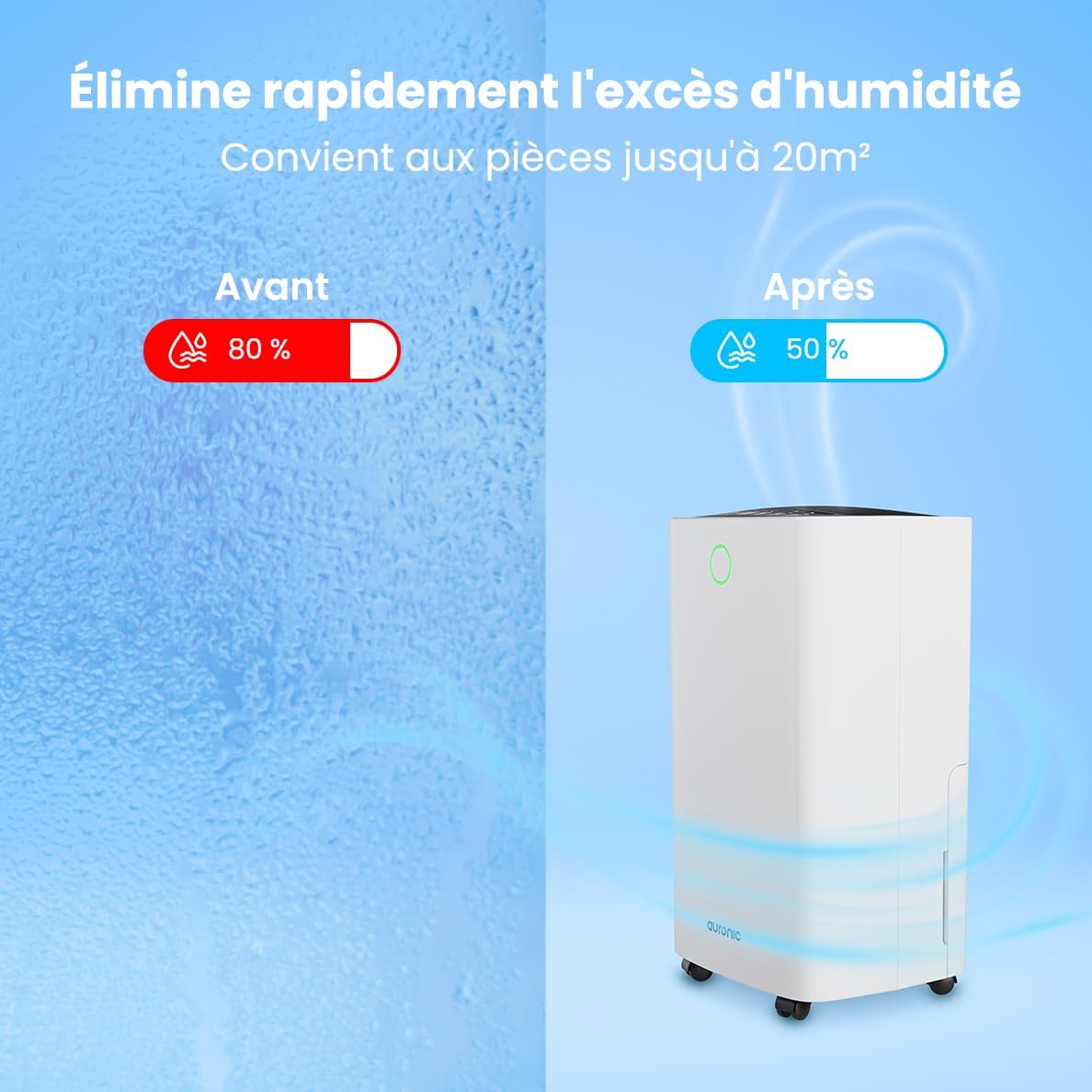
Figure 2: Humidity Reduction Effectiveness
Коопсуздук маалыматы
Өрт, электр шок же жаракат алуу коркунучун азайтуу үчүн ар дайым төмөнкү коопсуздук чараларын аткарыңыз:
- Шайманды колдонуудан мурун бардык нускамаларды окуп чыгыңыз.
- кубат менен камсыз кылуу Voltage рейтинг белгисинде көрсөтүлгөн.
- Электр зымы же сайгычы бузулган болсо, нымдандыргычты иштетпеңиз.
- Always place the unit on a stable, level surface.
- Keep the appliance at least 20 cm away from walls or other objects to ensure proper airflow.
- Манжаларды же бөтөн нерселерди аба кирүүчү же чыгуучу жайга киргизбеңиз.
- Тазалоодон, жылдыруудан же кандайдыр бир тейлөө иштерин жүргүзүүдөн мурун нымдандыргычты электр розеткасынан сууруп алыңыз.
- Шайманды нымдуу жерде колдонбоңуз же damp environments where water may splash.
- Балдар жетпеген жерде сактаңыз.
- If the unit has been tilted, allow it to stand upright for at least 24 hours before plugging it in.
Продукт бүттүview
Familiarize yourself with the components of your Auronic Dehumidifier.

Figure 3: Dehumidifier Dimensions and Included Accessories

Figure 4: Easy Portability with Wheels and Handle
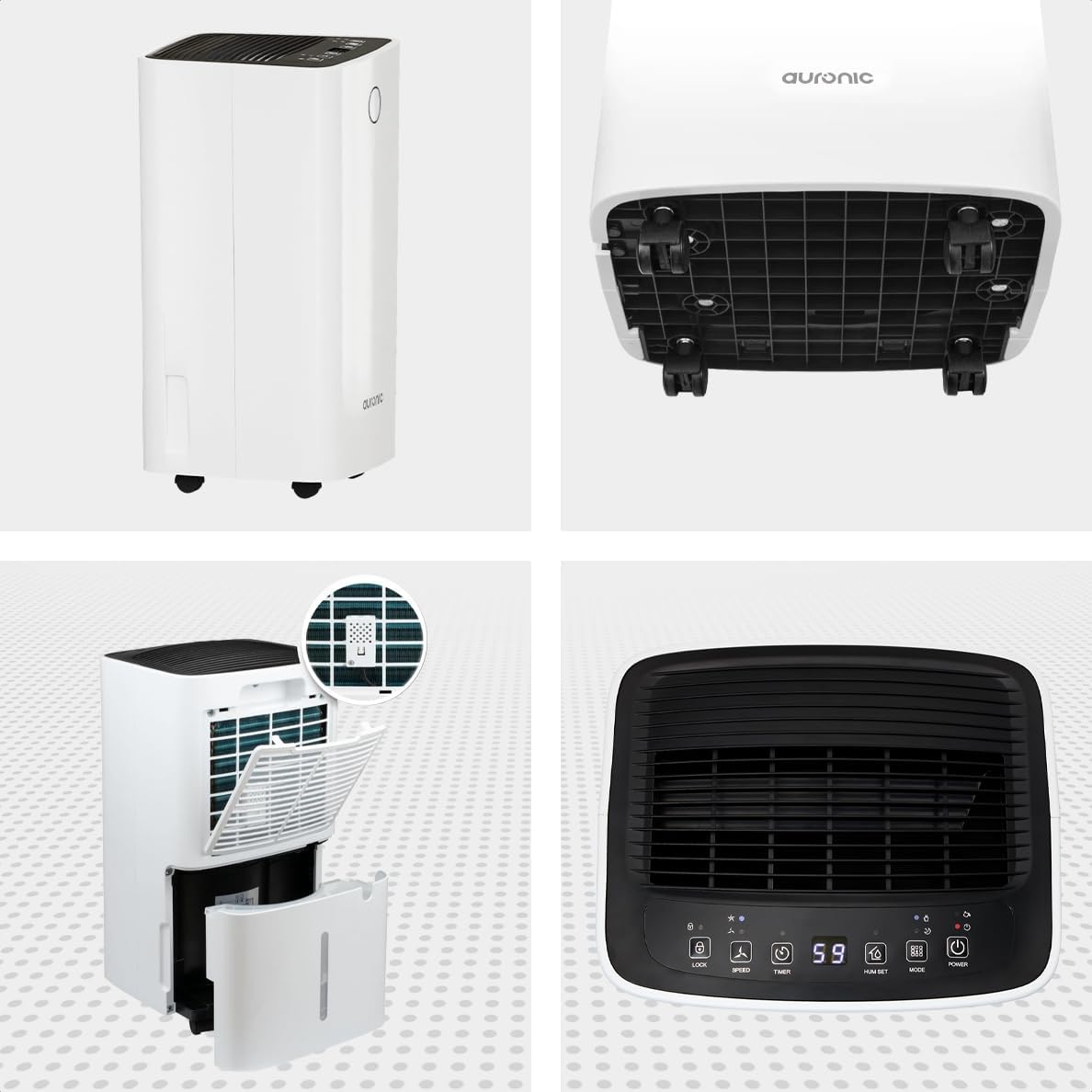
Figure 5: Multi-Angle View of the Dehumidifier

Сүрөт 6: Башкаруу панели үстүнөнview
Негизги компоненттер:
- Башкаруу панели: Intuitive interface for setting modes, humidity levels, and timer.
- Аба кириш/чыгаруу: Where air enters and exits the unit. Ensure these are not obstructed.
- Суу багы: Removable 2-liter tank for collecting condensed water.
- Үзгүлтүксүз дренаждык розетка: Port for attaching a hose for continuous drainage.
- Дөңгөлөктөр жана туткасы: Жөнөкөй көчүрүү үчүн.
- Аба чыпкасы: Located at the back, helps filter dust from the air.
Жайгашуу
- Пакеттен чыгаруу: Кургаткычты анын таңгагынан кылдаттык менен алып салыңыз. Келечекте сактоо же ташуу үчүн таңгактарды сактаңыз.
- Жайгашкан жери: Place the unit upright on a firm, level surface in the desired location. Ensure there is at least 20 cm of clear space around all sides for proper air circulation.
- Баштапкы күтүү режими: If the unit was tilted during transport, let it stand upright for a minimum of 24 hours before plugging it in. This allows the refrigerant to settle.
- Кубат туташуу: Электр шнурын жерге туташтырылган электр розеткасына сайыңыз.
- Суу багы: Ensure the water tank is correctly inserted into the unit. The dehumidifier will not operate if the tank is full or improperly seated.
Иштөө нускамалары
Башкаруу панелинин функциялары:
| Баскыч/Көрсөткүч | Функция |
|---|---|
| Кубат баскычы | Агрегатты КҮЙГҮЗӨТ же ӨЧҮРөт. |
| Режим баскычы | Cycles through operating modes (e.g., Dehumidify, Laundry Drying, Sleep). |
| Hum Set Button | Adjusts the desired humidity level (e.g., 40% - 80% RH). |
| Таймер баскычы | Sets the auto-on or auto-off timer (up to 12 hours). |
| Ылдамдык баскычы | Adjusts fan speed (e.g., High, Low). |
| Lock Button | Кокус өзгөрүүлөрдү болтурбоо үчүн башкаруу панелин бекитет. |
| Humidity Indicator LED | Changes color based on current humidity level (e.g., Blue: <45%, Green: 45-65%, Red: >65%). Figure 7: Humidity Indicator LED Explained |
Жалпы операция:
- Күйгүзүү: басыңыз Күч button. The display will show the current room humidity.
- Каалаган нымдуулукту коюу: басыңыз Hum Set button repeatedly to select your desired humidity level. The unit will operate until this level is reached, then cycle on and off to maintain it.
- Режимди тандоо: басыңыз Mode button to choose between different operating modes.
- Нымсыздандыруу режими: Standard operation to reduce ambient humidity.
- Кир кургатуу режими: Increases fan speed and continuous operation to assist in drying clothes.

Figure 8: Using the Dehumidifier for Laundry Drying
- Уйку режими: Operates at a lower fan speed and reduced noise level for quiet nighttime use.

Figure 9: Silent Operation for Nighttime Use
- Таймерди коюу: басыңыз Таймер button to set an auto-off time (when the unit is on) or an auto-on time (when the unit is off).

Figure 10: Integrated Timer Function
- желдеткич ылдамдыгы: колдонуу Ылдамдык button to adjust the fan speed as desired.
- Балдар кулпусу: басып, кармап туруңуз Кулпу button for 3 seconds to activate/deactivate the child lock function.
Үзгүлтүксүз дренаж:
For continuous operation without emptying the water tank, you can connect the included drain hose to the continuous drain outlet. Ensure the hose is sloped downwards to allow gravity drainage into a suitable receptacle or drain.

Figure 11: Continuous Drainage Setup
Техникалык тейлөө
Үзгүлтүксүз тейлөө оптималдуу иштешин камсыз кылат жана нымдандыргычыңыздын иштөө мөөнөтүн узартат.
Суу резервуарын бошотуу:
When the water tank is full, the unit will automatically stop operating and an indicator light will illuminate. Carefully remove the tank, empty the collected water, and reinsert it firmly until it clicks into place.

Figure 12: Removing the 2-Liter Water Tank
Аба чыпкасын тазалоо:
Аба чыпкасын колдонууга жана абанын сапатына жараша эки жумада же андан көп жолу тазалап туруу керек.
- Нымдандыргычты өчүрүп, сууруп алыңыз.
- Аба чыпкасын аппараттын артындагы таап, алып салыңыз.
- Чыпканы жылуу, самындуу суу менен тазалаңыз же чаңды кетирүү үчүн чаң соргучту колдонуңуз.
- Жакшылап чайкаңыз жана чыпканы кайра салаардан мурун толугу менен кургашына жол бериңиз.
Түзмөктүн сыртын тазалоо:
Кургаткычтын сыртын жумшак, г менен сүртүңүзamp кездеме. Катуу химиялык заттарды же абразивдүү тазалагычтарды колдонбоңуз.
Проблемаларды чечүү
Кардарларды колдоо кызматына кайрылуудан мурун, төмөнкү жалпы маселелерди жана чечимдерди караңыз:
| Көйгөй | Мүмкүн себеп | Чечим |
|---|---|---|
| Кургаткыч күйгүзбөйт. | No power, power cord loose, water tank full or improperly seated. | Check power connection, empty and reinsert water tank correctly. |
| Суу жыйналган жок. | Room humidity too low, temperature too low, air filter clogged, continuous drain hose connected. | Check room humidity/temperature, clean air filter, ensure continuous drain hose is not connected if tank collection is desired. |
| Агрегат ызы-чуу. | Unit not on a level surface, air filter clogged, internal component issue. | Тегиз жерге коюп, аба чыпкасын тазалаңыз. Эгерде ызы-чуу улана берсе, колдоо кызматына кайрылыңыз. |
| Dehumidification is slow or ineffective. | Room size too large, doors/windows open, air inlets/outlets blocked, air filter dirty. | Ensure room is sealed, clear obstructions, clean air filter. |
Техникалык шарттар
| Өзгөчөлүк | Деталь |
|---|---|
| Бренд | Auronik |
| Модель аты | Auronic Silent Low Consumption Dehumidifier |
| Продукциянын өлчөмдөрү (L x W x Y) | 21.5 x 47 x 25.5 см |
| Элемент Салмагы | 11 килограмм |
| Capacity (Dehumidification) | Күнүнө 12 литр |
| Суу резервуарынын көлөмү | 2 литр |
| Күч | 185 Ватт |
| Түс | Ак |
| Өзгөчөлүктөр | Easy to use, Laundry Drying function, Prevents and effectively eliminates humidity, 2-liter tank, Automatic shut-off. |
| Сунушталган колдонуу | Ички |
Кепилдик жана колдоо
Auronic products are manufactured to the highest quality standards. For warranty information, technical support, or service inquiries, please refer to the contact details provided on your purchase receipt or visit the official Auronic website. Please have your model number (AU3129 12L) and purchase date ready when contacting support.


