1. Киришүү
Thank you for choosing the OLUMAT Smart Door Lock with Handle. This advanced keyless entry system offers multiple convenient and secure unlocking methods, including fingerprint, passcode, Fob, smartphone app, and traditional keys. With the included WiFi gateway, you can manage your lock remotely and integrate it with voice control platforms like Alexa and Google Assistant. This manual provides detailed instructions for installation, operation, maintenance, and troubleshooting to ensure optimal performance and security for your home or office.
2. Коопсуздук маалыматы
- Орнотуудан жана колдонуудан мурун бардык нускамаларды кылдат окуп чыгыңыз.
- Кулпуну өз алдынча бөлүп алууга же оңдоого аракет кылбаңыз. Тейлөө үчүн квалификациялуу адистерге кайрылыңыз.
- Keep the lock away from direct water exposure and extreme temperatures.
- Орнотуу учурунда бузулууларды болтурбоо үчүн бардык компоненттердин бекем бекитилишин текшериңиз.
- Regularly check battery levels and replace them as needed to avoid lockouts.
- Сырсөздөрүңүздү жана манжа издериңизди уруксатсыз кирүүдөн коргоңуз.
3. Пакеттин мазмуну
Төмөнкү нерселердин баары пакетиңизге камтылганын текшериңиз:
- OLUMAT Smart Door Lock (Front and Rear Panels)
- Мортиза кулпу корпусу
- Strike Plate жана Strike Box
- Монтаждоо бурамалар жана аппаратура
- 2 x Механикалык ачкычтар
- 2 х ачкыч
- WiFi шлюз
- Колдонуучунун Колдонмосу (бул документ)

Image: Complete package contents of the OLUMAT Smart Door Lock.
4. Продукт бүтүп калдыview
The OLUMAT Smart Door Lock is designed for ease of use and robust security. It features a sleek design with an integrated keypad and fingerprint sensor on the exterior handle, and a secure interior handle. The system communicates wirelessly with the included WiFi gateway for remote functionality.

Сүрөт: бүттүview of the multiple unlocking methods available with the smart lock.
5. Орнотуу жана орнотуу
5.1. Орнотуудан мурун
Эшигиңиз төмөнкү мүнөздөмөлөргө жооп берерин текшериңиз:
- Эшик калыңдыгы: 1.30" - 1.97" (33 мм - 50 мм)
- Тешик диаметри: 2.13" (54мм)
- Тешиктин арткы бөлүгү: 2.36" (60mm) or 2.76" (70mm)
Note: This lock may interfere with storm doors due to its size. If you have an existing deadbolt lock, please install the OLUMAT lock above it.

Image: Door dimension requirements for installation.
5.2. Орнотуу кадамдары
- Remove your existing door hardware.
- Эшиктин четине кулпунун дөңгөлөктүү корпусун орнотуңуз.
- Attach the exterior handle assembly, ensuring the spindle passes through the mortise.
- Кабелди тышкы монтаждан ички монтажга туташтырыңыз.
- Secure the interior handle assembly to the door using the provided screws.
- Эшиктин алкагына эпкиндүү пластинаны жана эпкиндүү кутучаны орнотуңуз.
- Insert 4 AAA batteries (not included) into the interior battery compartment.
- Test the lock's functionality with the mechanical key.

Image: Proper placement of the smart lock above an existing deadbolt.
5.3. Видео орнотуу боюнча колдонмо
Video: Official installation guide for the Olumat Smart Door Lock, demonstrating the setup process.
6. Иштөө нускамалары
6.1. Кулпуну ачуу ыкмалары
- Манжа ачуу: Place your registered finger on the sensor. The lock will unlock within 0.3 seconds.
- Кулпуну ачуу коду: Enter your registered passcode on the sensitive touchscreen keypad. You can use an anti-peeping passcode by adding random digits before or after your actual code.
- Колдонмонун кулпусун ачуу: Use the dedicated smartphone app to unlock the door remotely via the WiFi gateway.
- Фобдун кулпусун ачуу: Present the registered Fob to the designated area on the lock.
- Ачкычты ачуу: Use the mechanical key as a traditional backup method.
Image: Visual representation of various unlocking methods.
6.2. App Integration and Remote Control
The OLUMAT Smart Lock integrates with a smartphone app for comprehensive control and management. The included WiFi gateway enables remote access and voice control capabilities.
- Алыстан кулпусун ачуу/кулпулоо: Use the app to lock or unlock your door from anywhere.
- Колдонуучуну башкаруу: Add, modify, or delete fingerprints, passcodes, and Fobs for various users (e.g., family, guests, service providers).
- Бир жолку сырсөздөр: Generate temporary passcodes for visitors, which expire after a single use or a set time.
- Кирүү журналдары: View ким жана качан кирген тарыхы.
- Үн менен башкаруу: Connect your lock to Amazon Alexa or Google Assistant for hands-free operation. (Requires WiFi Gateway).
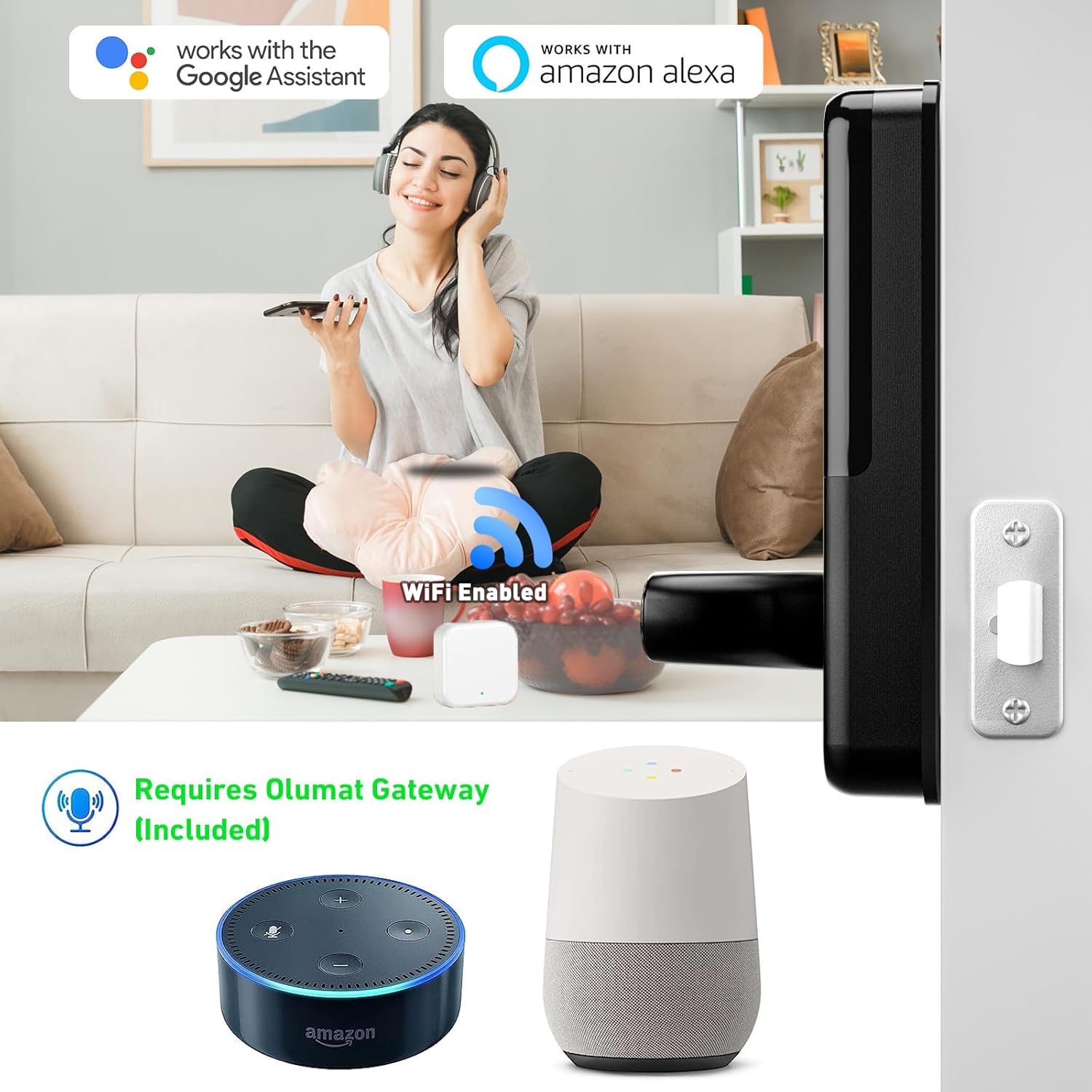
Image: Smart lock compatibility with Amazon Alexa and Google Assistant via WiFi gateway.

Image: Digital interface for managing lock settings and users.

Сүрөт: Мисample of generating and using a one-time passcode for temporary access.
6.3. Enhanced Safety Features
- Авто кулпу: Кулпу белгилүү бир убакыт өткөндөн кийин автоматтык түрдө кулпуланышы үчүн коюлушу мүмкүн.
- Уурулукка каршы ойготкуч: Five consecutive incorrect password entries will trigger an alarm, enhancing security.
7. Техникалык тейлөө
- Тазалоо: Кулпунун бетин жумшак, кургак чүпүрөк менен сүртүңүз. Абразивдүү тазалагычтардан же эриткичтерден качыңыз.
- Батареяны алмаштыруу: When the battery low warning appears, replace all four AAA batteries promptly. Do not mix old and new batteries.
- Майлоо: Do not lubricate the lock cylinder or internal mechanisms with oil-based lubricants.
8. Кыйынчылыктарды
| Маселе | Мүмкүн себеп | Чечим |
|---|---|---|
| Кулпу жооп бербейт. | Өлгөн батареялар. | Төрт AAA батарейкасынын баарын алмаштырыңыз. |
| Манжа изи таанылган жок. | Finger dirty/wet, sensor dirty, unregistered fingerprint. | Clean finger and sensor. Re-register fingerprint if necessary. |
| Өткөрүүчү код иштебей жатат. | Incorrect code, anti-peeping feature misunderstood. | Ensure correct passcode entry. Understand anti-peeping passcode usage. |
| Алыстан ачуу иштебей жатат. | WiFi gateway disconnected, internet issue, app not connected. | Check WiFi gateway connection and internet. Reconnect app to lock. |
| Alarm triggered frequently. | Repeated incorrect entries. | Ensure users know correct access methods. |
9. Техникалык шарттар
| Өзгөчөлүк | Деталь |
|---|---|
| Бренд | ОЛУМАТ |
| Модель номери | ОЛ-0825 |
| Кулпу түрү | Баскычтоп |
| Өзгөчөлүктөр | Fingerprint, Keyless |
| Материал | Цинк |
| Өлчөмдөрү (L x W x Y) | 7.1 x 2.8 x 1.2 дюйм |
| Элемент Салмагы | 4.29 фунт |
| Connectivity Protocol | Wi-Fi |
| Controller Type | Amazon Alexa, Google Жардамчысы |
| Power Source | Батареялар (кошумча эмес) |
| Сунушталган Колдонуулар | Home, Office, Store, Rental Houses |
10. Кепилдик жана колдоо
The OLUMAT Smart Door Lock comes with a 1-year warranty from the date of purchase. This warranty covers manufacturing defects and ensures the product functions as intended under normal use.
For any questions, technical support, or warranty claims, please contact OLUMAT customer service. Your feedback and inquiries are important to us.
Байланыш маалыматы:
Please refer to the contact details provided on the product packaging or the official OLUMAT webакыркы колдоо маалымат үчүн сайт.


