Introduction
Thank you for choosing the Cherry KW 3000 Wireless Keyboard. This full-size keyboard is designed for quiet and comfortable typing, featuring 2.4 GHz wireless technology for reliable connectivity with Windows and Mac operating systems. This manual provides essential information for setting up, operating, and maintaining your keyboard.
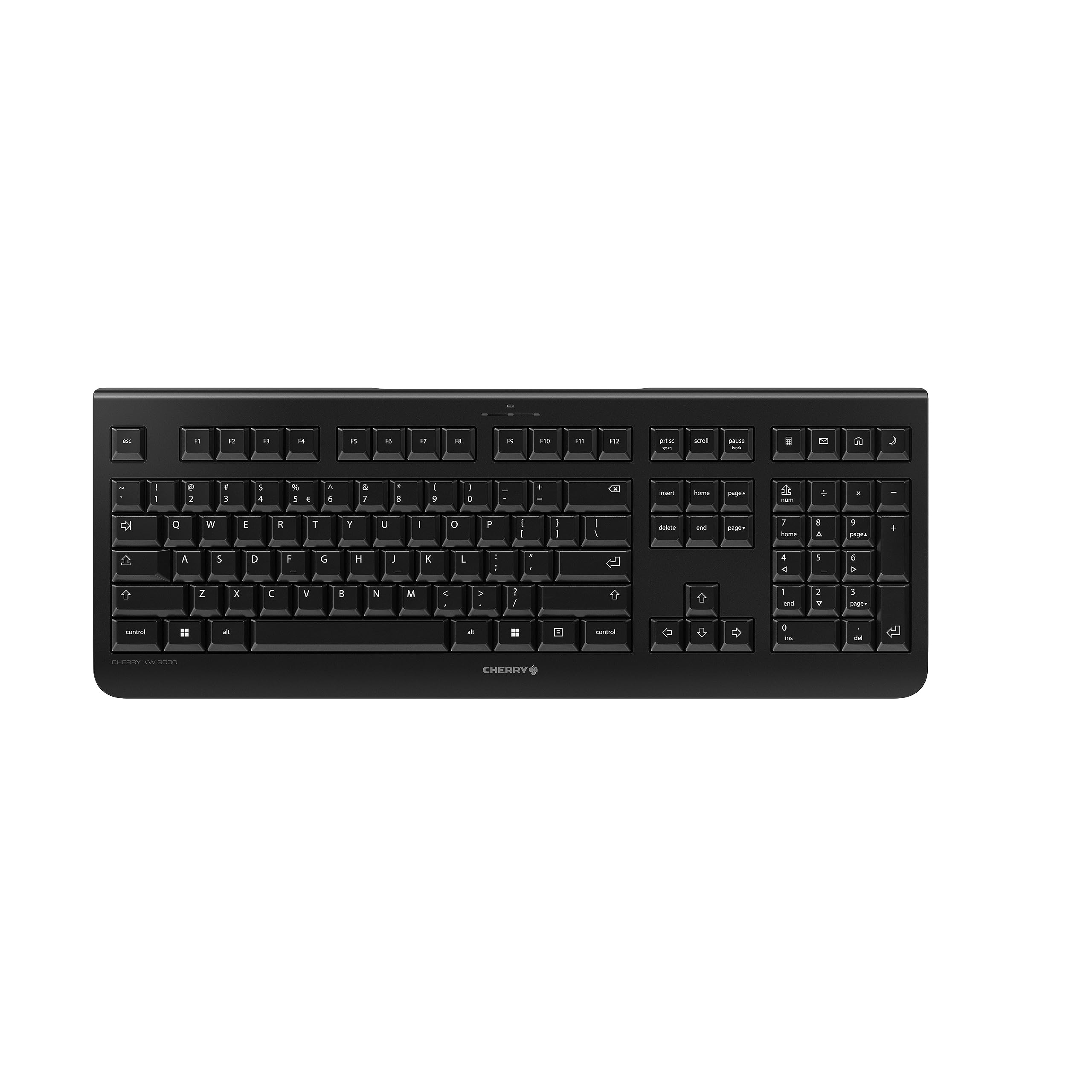
Image: The Cherry KW 3000 Wireless Keyboard, a full-size black keyboard, is shown on a light-colored desk mat. A laptop and an external monitor are visible in the background, indicating a typical office or home workspace setup. A computer mouse is also next to the keyboard.
Пакеттин мазмуну
Сураныч, пакетте төмөнкү нерселерди текшериңиз:
- Cherry KW 3000 Wireless Keyboard
- USB Nano Receiver (dongle)
- 2 x AAA батареялары
- Ыкчам баштоо колдонмосу (бул документ)
Жайгашуу
Follow these steps to set up your Cherry KW 3000 Wireless Keyboard:
- Батареяларды салыңыз: Locate the battery compartment on the underside of the keyboard. Open the cover and insert the two AAA batteries, ensuring correct polarity (+/-). Close the battery cover securely.
- USB кабылдагычты туташтыруу: Plug the USB nano receiver into an available USB-A port on your computer (Windows or Mac). The operating system will automatically detect and install the necessary drivers.
- Терип баштоо: Your keyboard is now ready for use. There is no on/off switch; the keyboard enters a power-saving sleep mode automatically when not in use and wakes up with any key press.

Image: The underside of the keyboard is shown, highlighting the battery compartment. The adjustable feet are also visible in their extended position.

Image: A small black USB nano receiver, labeled 'CHERRY', is shown on a light-colored surface, ready to be plugged into a computer's USB port.
Иштөө нускамалары
Негизги колдонуу
The Cherry KW 3000 features a standard full-size QWERTY layout, including a numeric keypad and function keys. Simply begin typing as you would with any standard keyboard.
Ыкчам баскычтар
The keyboard includes four dedicated hotkeys for quick access to common functions:
- Калькулятор: Калькулятор тиркемесин ачат.
- E-mail: Launches your default email client.
- Браузер: Сиздин демейки ачат web браузер.
- Уйку режими: Puts your computer into sleep mode.

Сүрөт: жакын план view of the upper right section of the keyboard, showing the four dedicated hotkeys with icons for calculator, email, web browser, and sleep mode.
Жөнгө салынуучу буттар
For ergonomic comfort, the keyboard is equipped with stable fold-out feet on the underside. You can extend these feet to adjust the typing angle to your preference. The keyboard also features a non-slip bottom for stability.
Сүрөт: А тарап профессионалfile of the Cherry KW 3000 keyboard, illustrating its slim design and the adjustable feet extended to provide an elevated typing angle.
Өзгөчөлүктөрү
- 2.4 ГГц зымсыз технология: Provides a stable and reliable connection with a range of up to 10 meters.
- Толук өлчөмдөгү макет: Includes a numeric keypad and cursor keys for comprehensive functionality.
- Quiet Membrane Keys: Designed for low-noise typing, ideal for office and home environments.
- Туруктуу дизайн: Built for longevity with a keystroke lifespan of up to 10 million actuations.
- Ыкчам баскычтар: Four convenient hotkeys for quick access to essential applications.
- Жөнгө салынуучу Эргономика: Fold-out feet allow for customizable typing angles.
- Plug & Play: Easy installation without the need for complex software.

Image: A close-up of the keyboard keys, emphasizing their low-profile design and durable lettering, indicative of a quiet and long-lasting typing experience.
Техникалык тейлөө
Тазалоо
To clean your keyboard, disconnect the USB receiver from your computer. Use a soft, lint-free cloth slightly dampened with water or a mild cleaning solution. Avoid excessive moisture and do not spray cleaners directly onto the keyboard. For cleaning between keys, use compressed air or a small brush.
Батареяны алмаштыруу
When the keyboard's performance degrades or it stops responding, it's likely time to replace the batteries. Open the battery compartment on the underside, remove the old AAA batteries, and insert new ones, observing the correct polarity. Dispose of old batteries responsibly according to local regulations.
Проблемаларды чечүү
- Баскычтоп жооп бербей жатат:
- USB кабыл алгыч компьютериңиздеги иштеп жаткан USB портуна бекем сайылып турганын текшериңиз.
- Батареяларды текшериңиз. Эгерде алар аз же түгөнүп калса, аларды алмаштырыңыз.
- Диапазон көйгөйлөрүн жокко чыгаруу үчүн клавиатураны USB кабыл алгычка жакындатыңыз.
- USB ресиверди башка USB портуна сайып көрүңүз.
- Баскычтар жабышчаак же жооп бербей жатат:
- Clean the keyboard as described in the Maintenance section to remove any debris that might be affecting key presses.
- Үзгүлтүксүз туташуу:
- Ensure there are no large metal objects or other wireless devices causing interference between the keyboard and the receiver.
- Try using the keyboard in a different location to check for environmental interference.
Техникалык шарттар
| Өзгөчөлүк | Деталь |
|---|---|
| Модель номери | JK-3000EU-2 |
| Байланыш технологиясы | 2.4 GHz Wireless (USB-A receiver) |
| Keyboard Description | Мембрана |
| Шайкеш түзмөктөр | Mac, Windows |
| Өзгөчөлүктөр | Durable, Hotkeys and Media Keys, Wireless |
| Түс | Кара |
| Материал | Пластик |
| Продукциянын өлчөмдөрү | 18.03 x 6.69 x 0.79 дюйм (45.8 x 17 x 2 см) |
| Элемент Салмагы | 1.11 фунт (0.5 кг) |
| Батареялар | 2 AAA батарейка (кошулган) |
| Өндүрүүчү | CHERRY |
Кепилдик жана колдоо
Cherry products are manufactured to high-quality standards. This product comes with a standard manufacturer's warranty against defects in materials and workmanship. For specific warranty terms, duration, and to access customer support, please refer to the official Cherry webсайтка же түздөн-түз кардарларды тейлөөгө кайрылыңыз. Кепилдик дооматтар үчүн сатып алганыңыздын далилин сактаңыз.
Коопсуздук маалыматы
- Баскычтопту суюктуктарга же ашыкча нымдуулукка дуушар кылбаңыз.
- Ашыкча температурадан сактаныңыз.
- Баскычтопту ажыратууга же өзгөртүүгө аракет кылбаңыз. Бул кепилдикти жокко чыгарат.
- Батареяларды балдар жетпеген жерде сактаңыз. Эгер жутуп алса, дароо медициналык жардамга кайрылыңыз.
- Dispose of batteries and electronic waste responsibly.


