1. Киришүү
Сатып алганыңыз үчүн рахматasing the TOPTRO X2 Mini Portable Projector. This manual provides essential information for setting up, operating, and maintaining your projector. Please read it thoroughly before use to ensure optimal performance and safety.

Image 1.1: TOPTRO X2 Projector, carrying bag, and screen projection.

Image 1.2: Key features of the TOPTRO X2 Projector.
2. Коопсуздук нускамалары
- l болгондо проектордун объективине тике карабаamp күйүк.
- Ашыкча ысып кетүүнүн алдын алуу үчүн проектордун айланасында туура желдетүүнү камсыз кылыңыз.
- Проекторду суудан, нымдуулуктан жана тез күйүүчү материалдардан алыс кармаңыз.
- Проектор менен кошо берилген кубат адаптерин гана колдонуңуз.
- Do not attempt to disassemble or repair the projector yourself. Contact professional support if needed.
- Балдар жетпеген жерде сактаңыз.
3. Пакеттин мазмуну
Сураныч, пакетте төмөнкү нерселерди текшериңиз:
- TOPTRO X2 Mini Portable Projector
- Кубаттуу адаптер
- Алыстан башкаруу
- HDMI кабели
- AV Cable
- User Manual
- Ташуу сумкасы
4. Продукт бүтүп калдыview
Familiarize yourself with the projector's components and controls.

Image 4.1: Projector controls and ports.
4.1 Фронт View
- Проекциялык линза: Сүрөттү чыгарат.
- Фокус шакеги: Сүрөттүн тунуктугун тууралайт.
4.2 Жогору View
- Башкаруу панели: Power button, navigation buttons, OK button.
4.3 Rear/Side View
- Кубат киргизүү: Кубат адаптерине туташат.
- HDMI порттору: Connect to HDMI-enabled devices (laptops, game consoles).
- USB порттору: Медиа ойнотуу үчүн USB дисктерди туташтырыңыз.
- AV порт: Connect to older devices using the AV cable.
- Аудио чыгышы (3.5 мм): Тышкы динамиктерди же гарнитураны туташтырыңыз.
- IR алуучу: Алыстан башкаруу сигналдары үчүн.
5. Орнотуу
5.1 Орнотуу
Position the projector on a stable, flat surface or mount it. Ensure the projection path is clear.

Image 5.1: Multiple installation options.
5.2 Кубат туташтыруу
- Кубат адаптерин проектордун кубат киргизүү булагына туташтырыңыз.
- Кубат адаптерин розеткага сайыңыз.
5.3 Фокусту тууралоо
Проекцияланган сүрөт даана жана курч болгонго чейин проектордун линзасындагы фокустук шакекчени айландырыңыз.
5.4 Негизги таштарды оңдоо
If the projected image appears trapezoidal, use the manual keystone correction feature to adjust the vertical angle. This projector supports ±15° vertical keystone correction.

Image 5.2: Manual keystone correction.
6. Операция
6.1 Күйгүзүү/өчүрүү
Түзмөктү күйгүзүү же өчүрүү үчүн проектордогу же пульттагы кубат баскычын басыңыз.
6.2 Киргизүү булагын тандоо
Use the 'Source' button on the remote or projector to select your desired input (HDMI1, HDMI2, USB, AV, Screen Mirroring).

Image 6.1: Projector ports and compatible devices.
6.3 Wireless Connection (WiFi Screen Mirroring)
The TOPTRO X2 supports wireless screen mirroring for iOS, Android, Windows 10, and Mac devices. No additional adapters or cables are needed.
- Select 'Screen Mirroring' as the input source.
- Follow the on-screen instructions to connect your device via WiFi.

Image 6.2: Wireless WiFi connection in use.
6.4 Bluetooth байланышы
Жакшыртылган аудио тажрыйбасы үчүн тышкы Bluetooth динамиктерин же гарнитураны туташтырыңыз.
- Проектордун менюсундагы Bluetooth жөндөөлөрүнө өтүңүз.
- Bluetooth'ду иштетиңиз жана жеткиликтүү түзмөктөрдү издеңиз.
- Select your Bluetooth speaker or headphones to pair.

Image 6.3: Bluetooth 5.0 connectivity.
6.5 Adjusting Projection Size (Zoom)
The projector features a zoom function to adjust the screen size from 75% to 100% without moving the projector.

Image 6.4: Zoom function (75%-100%).
6.6 Тышкы түзмөктөрдү туташтыруу
Connect various devices such as TV sticks, laptops, game consoles, or USB drives to the projector's HDMI or USB ports.
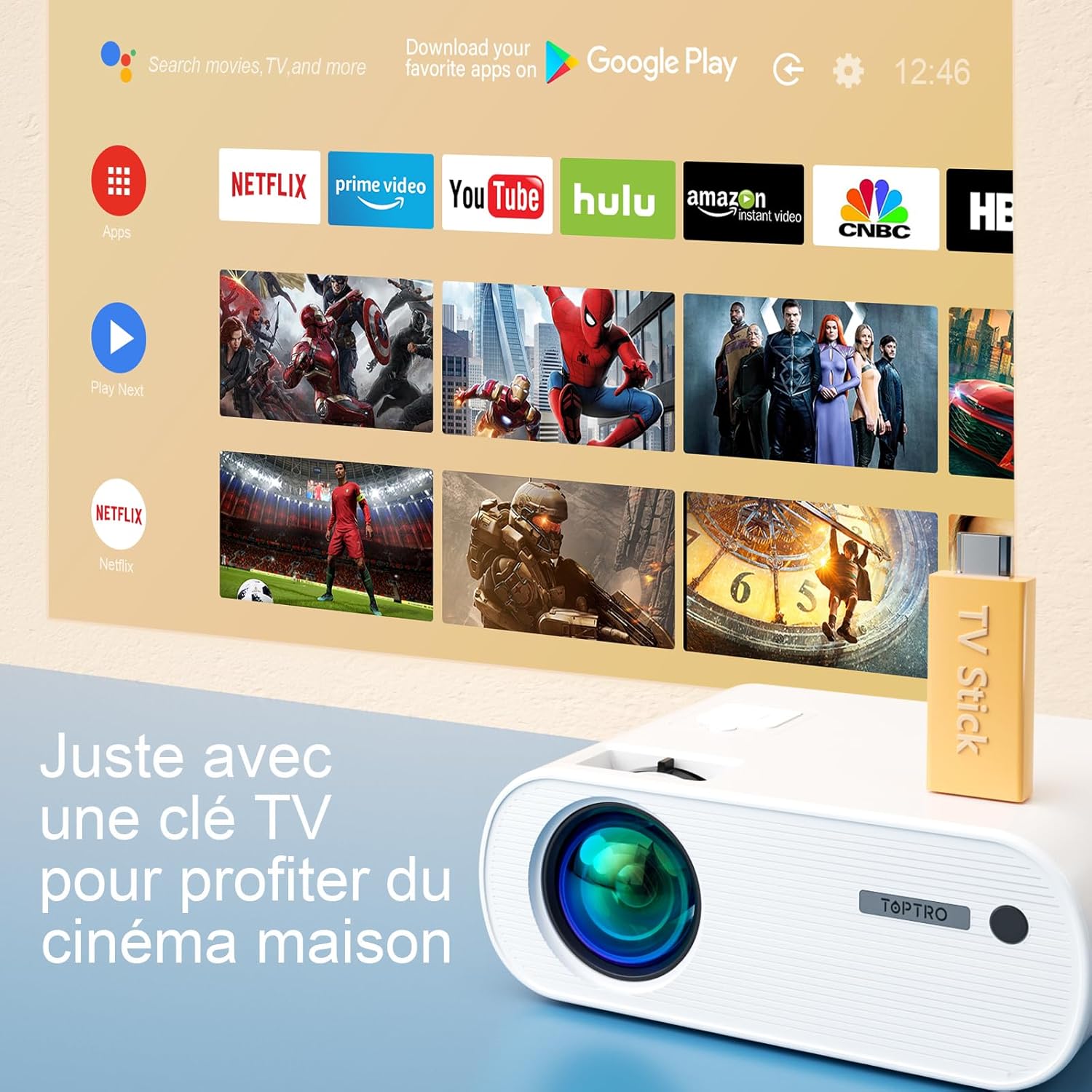
Image 6.5: Enjoying home cinema with a TV stick.
7. Техникалык тейлөө
7.1 Тазалоо
- Проектордун сыртын тазалоо үчүн жумшак, кургак чүпүрөктү колдонуңуз.
- For the lens, use a professional lens cleaning cloth and solution. Avoid harsh chemicals.
- Regularly clean the ventilation vents to prevent dust buildup.
7.2 Сактоо
When not in use, store the projector in its carrying bag in a cool, dry place, away from direct sunlight and extreme temperatures.
7.3 Лamp Care
The projector features an LED lamp with an extended lifespan of up to 90,000 hours, ensuring long-term use without frequent lamp алмаштыруу.

Image 7.1: Projector features including 90,000 hours LED lamp жашоо.
8. Кыйынчылыктарды
- Кубат жок: Ensure the power adapter is securely connected to both the projector and the power outlet.
- Сүрөт жок: Check the input source selection. Ensure the connected device is powered on and sending a signal. Adjust focus.
- бүдөмүк сүрөт: Adjust the focus ring. Ensure the projection surface is flat.
- Үн жок: Check the volume settings on both the projector and the connected device. Ensure external speakers are properly connected or paired via Bluetooth.
- Алыстан башкаруу иштебейт: Replace the batteries. Ensure there are no obstructions between the remote and the projector's IR receiver.
- WiFi туташуу маселелери: Ensure your device and projector are within range of the WiFi network. Restart both devices.
9. Техникалык шарттар
Detailed technical specifications for the TOPTRO X2 Projector:

Image 9.1: Brightness and contrast comparison.
| Өзгөчөлүк | Спецификация |
|---|---|
| Бренд | TOPTRO |
| Моделдер сериясы | X2 |
| Дисплей түрү | LCD |
| Native Resolution | 1280 x 720 пиксел |
| Колдоого алынган резолюция | Full HD 1080P |
| Жарыктык | 12000 Lumens |
| Контраст катышы | 20000:1 |
| Байланыш технологиясы | Wi-Fi, Bluetooth |
| Аппараттык интерфейс | HDMI, USB, AV |
| Keystone Correction | Manual ±15° (Vertical) |
| Zoom функциясы | 75% - 100% |
| Lamp Жашоо | 90,000 саатка чейин |
| Продукциянын өлчөмдөрү (L x W x Y) | 21.2 x 17.2 x 8 см |
| Форма фактору | Portable |
| Монтаж түрү | Стол үстү |
10. Кепилдик жана колдоо
TOPTRO is committed to providing high-quality products and professional technical support. While specific warranty details may vary by region or retailer, TOPTRO ensures quality control before delivery.
If you encounter any issues or have questions regarding your TOPTRO X2 projector, please do not hesitate to contact TOPTRO customer support. Our team is available to assist you.
For support, please refer to the contact information provided with your purchase or visit the official TOPTRO webсайт.


