1. Продукт бүтүп калдыview
The VTech CS1500 DECT cordless phone is designed for home use, offering essential communication features with enhanced convenience. This manual provides instructions for setting up, operating, and maintaining your phone.
Негизги өзгөчөлүктөрү:
- Dual-Charging Design: Innovative design allows the handset to be charged face up for easy screen viewing or face down for a compact profile.
- Чалууларды бөгөттөө: Block up to 60 unwanted numbers to prevent nuisance calls.
- ECO DECT Mode: Automatically adjusts radio frequency power based on distance from the base station, ensuring reduced energy consumption.
- Батареянын узак иштөө мөөнөтү: Provides up to 13 hours of talk time and 200 hours of standby time.
- Арткы жарык дисплей: Clear, easy-to-read display for optimal visibility.
- Телефондук китеп: Store up to 60 names and numbers for quick dialing.
- Чалуучунун ID/Чалуусун күтүүдө: Stores up to 20 incoming call entries with name, number, time, and date.
- Акыркы номерди кайра терүү: Easily redial the last 10 numbers called.
- Hands-Free динамик: For convenient conversations.
- Кошумча функциялар: Adjustable ringtone volume and melodies, alarm function, mute function, 3-way conference, call transfer, and intercom.

Figure 1: VTech CS1500 DECT Cordless Phone Handset in Charging Base.
2. Пакеттин мазмуну
Пакетиңизде төмөнкү заттар камтылганын текшериңиз:
- VTech CS1500 Handset
- Base Station with Power Adapter
- Телефон линиясы
- Rechargeable Batteries (1 product specific - included)
- Колдонуучунун Колдонмосу (бул документ)
3. Орнотуу колдонмосу
3.1 Батареяны орнотуу
- Телефондун артындагы батарея бөлүкчөсүнүн капкагын ачыңыз.
- Берилген кайра заряддоого болгон батарейкаларды туура полярдуулукка (+ жана -) сактоо менен салыңыз.
- Батарея уясынын капкагын бекем жабыңыз.
3.2 Base Station Placement and Connection
- Place the base station on a flat, stable surface, away from heat sources and direct sunlight.
- Connect the small end of the power adapter to the power jack on the base station.
- Кубат адаптеринин чоң учун розеткага сайыңыз.
- Connect one end of the telephone line cord to the telephone line jack on the base station.
- Телефон линиясынын экинчи учуна телефон уячасына сайыңыз.
3.3 Initial Charging and Handset Registration
- Place the handset in the base station to charge. The handset can be placed face up or face down.
- Батареянын толук сыйымдуулугун камсыз кылуу үчүн телефонду алгачкы колдонуудан мурун кеминде 16 саат кубаттоого уруксат бериңиз.
- The handset is typically pre-registered to the base station. If not, follow the on-screen prompts or refer to the full manual for manual registration steps.

Figure 2: Handset dual-charging design, allowing face-up or face-down placement in the base.

Figure 3: Illustration of the phone's reliable long-range signal within a home environment.
4. Иштөө нускамалары
4.1 Чалууларды кабыл алуу жана кабыл алуу
- Чалуу үчүн: басыңыз Сүйлөш button (green phone icon), then dial the number. Alternatively, dial the number first and then press Сүйлөш.
- Чакырууну кабыл алуу үчүн: Телефон шыңгыраганда, басыңыз Сүйлөш баскычы.
- Чалууну аяктоо үчүн: басыңыз Аягы button (red phone icon) or place the handset back in the base station.
4.2 Динамикти колдонуу
Чалуу учурунда, басыңыз Динамик button (speaker icon) to activate hands-free mode. Press it again to return to handset mode.
4.3 Телефон китеби
The phonebook stores up to 60 names and numbers.
- Жазуу кошуу үчүн: Телефон китепчесинин менюсуна өтүп, "Жаңы кошуу" дегенди тандап, атын жана номерин киргизип, андан соң сактаңыз.
- Телефон китепчесинен терүү үчүн: басыңыз Телефон китепчеси баскычын басып, каалаган жазууга жылдырып, басыңыз Сүйлөш.
4.4 Чалууларды бөгөттөө
Block unwanted calls by adding numbers to the call block list (up to 60 entries).
- Номерди бөгөттөө үчүн: During an incoming call or from the Caller ID log, press the Чалууну бөгөттөө button (shield icon) and confirm.

Figure 4: Close-up of the handset highlighting the call block button, used to prevent unwanted calls.
4.5 Caller ID and Call Log
The phone displays the caller's information (if available) and stores the last 20 incoming calls.
- үчүн View Чалуу журналы: басыңыз CID button or navigate to the Call Log menu. Use the navigation keys to scroll through entries.
- To Dial from Call Log: Select an entry from the Call Log and press Сүйлөш.

Figure 5: Handset display showing caller ID information and a list of stored incoming calls.
4.6 Last Number Redial
The phone stores the last 10 numbers dialed.
- To Redial: басыңыз Кайра терүү button, scroll to the desired number, and press Сүйлөш.

Figure 6: Handset display showing a number being redialed, illustrating the last 10 number redial function.
4.7 Башка функциялар
- Үнсүз: Чалуу учурунда, басыңыз Үнсүз button to temporarily disable your microphone.
- Ойготкуч: Set an alarm through the handset menu.
- Домофон: If you have multiple handsets, you can make internal calls between them.
- 3 тараптуу конференция: Allows three parties to participate in a single call.

Figure 7: A user on a call, with an indicator showing the phone's 13-hour talk time capability.
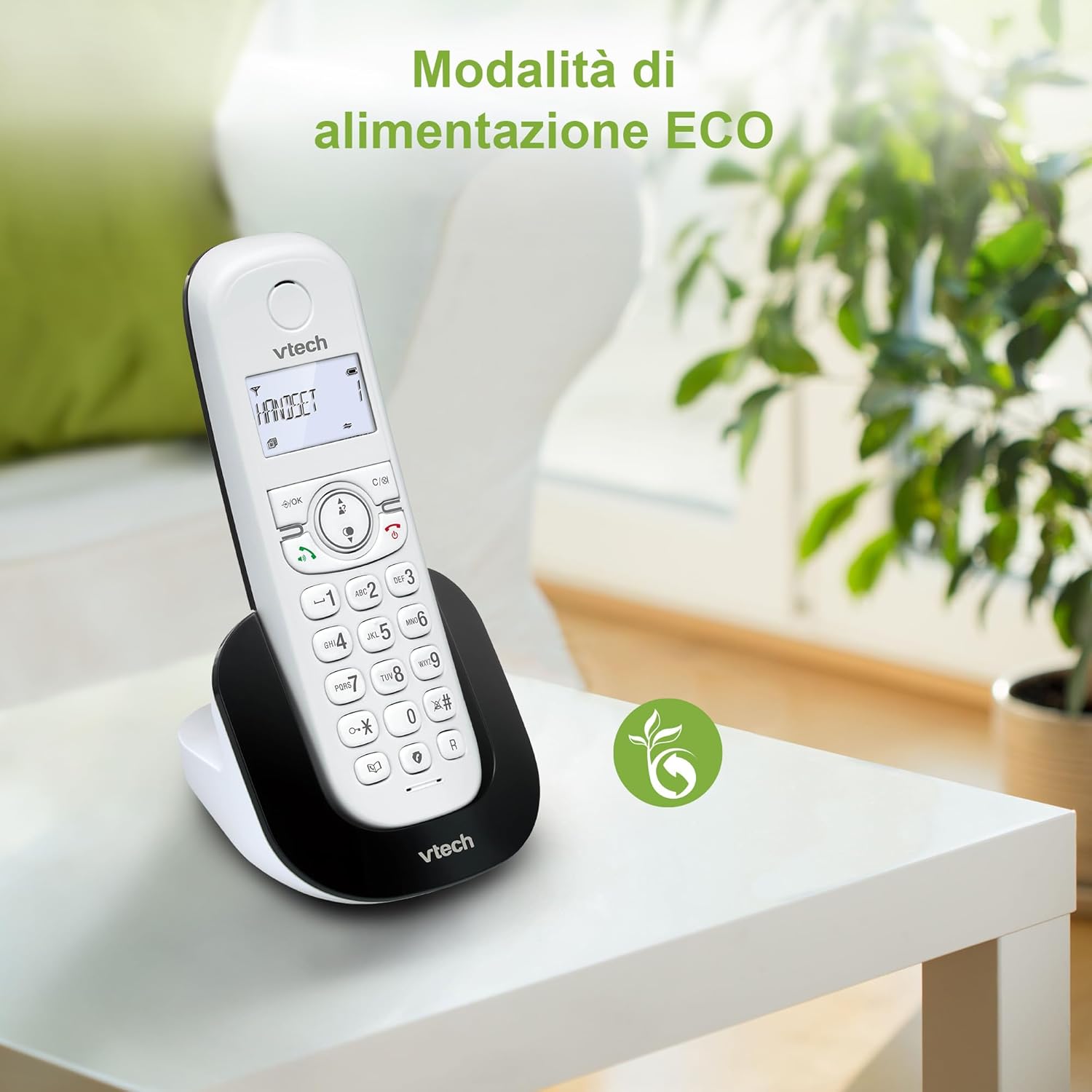
Figure 8: The phone in a home setting, indicating the energy-saving ECO power mode.
5. Техникалык тейлөө
5.1 Тазалоо
- Телефонду жана базалык станцияны жумшак, d менен сүртүңүзamp кездеме.
- Do not use cleaning sprays or harsh chemicals, as these can damage the surface or internal components.
5.2 Батареяга кам көрүү
- To maintain optimal battery performance, always return the handset to the base station when not in use.
- Эгер телефон узак убакыт бою колдонулбаса, агып кетпеш үчүн батарейкаларды алып салыңыз.
- Replace batteries when their performance significantly degrades. Use only VTech-approved replacement batteries.
6. Кыйынчылыктарды
If you experience issues with your VTech CS1500, try the following solutions:
| Көйгөй | Чечим |
|---|---|
| Терүү үнү жок | Ensure the base station power adapter and telephone line cord are securely connected. Check if other phones on the same line are working. |
| Чалууларды жасоо/кабыл алуу мүмкүн эмес | Check the telephone line connection. Ensure the handset batteries are charged. If multiple handsets, ensure they are registered. |
| Үн сапаты начар | Move closer to the base station. Ensure there are no large metal objects or other electronic devices interfering with the signal. |
| Телефондун дисплейи бош | Place the handset in the base station to charge. The battery may be depleted. |
| Телефон заряддалбай жатат | Ensure the power adapter is connected to the base station and a working wall outlet. Clean the charging contacts on both the handset and base station. |
7. Техникалык шарттар
| Өзгөчөлүк | Деталь |
|---|---|
| Бренд | VTech |
| Модель номери | CS1500 |
| Түс | Ак |
| Телефон түрү | Зымсыз |
| Өзгөчөлүктөр | Зымсыз |
| Шайкеш түзмөктөр | PSTN |
| Батареялардын саны | 1 (Продукцияга тиешелүү - камтылган) |
| Материал | Пластик |
| Power Source | Батарея менен иштейт |
| Терүүчү түрү | Жалгыз баскычтоп |
| Жооп берүү системасынын түрү | Digital (Note: Product description does not explicitly mention an answering machine feature.) |
| Элемент Салмагы | 350 грамм |
| Өндүрүүчү | VTECH TELECOMMUNICATIONS LTD |
| Келип чыккан өлкө | Кытай |
8. Кепилдик жана колдоо
For warranty information and technical support, please refer to the warranty card included with your product or visit the official VTech website. You can typically find support contact details, FAQs, and additional resources there.
VTech расмий өкүлү Webсайт: www.vtechphones.com


