1. Киришүү
Thank you for choosing the ACT AC5101 Wireless Ergonomic Vertical Mouse. This manual provides detailed instructions for setting up, operating, and maintaining your new mouse. Designed for right-handed users, this ergonomic mouse aims to reduce hand and wrist strain during extended computer use, promoting a more natural and comfortable posture.
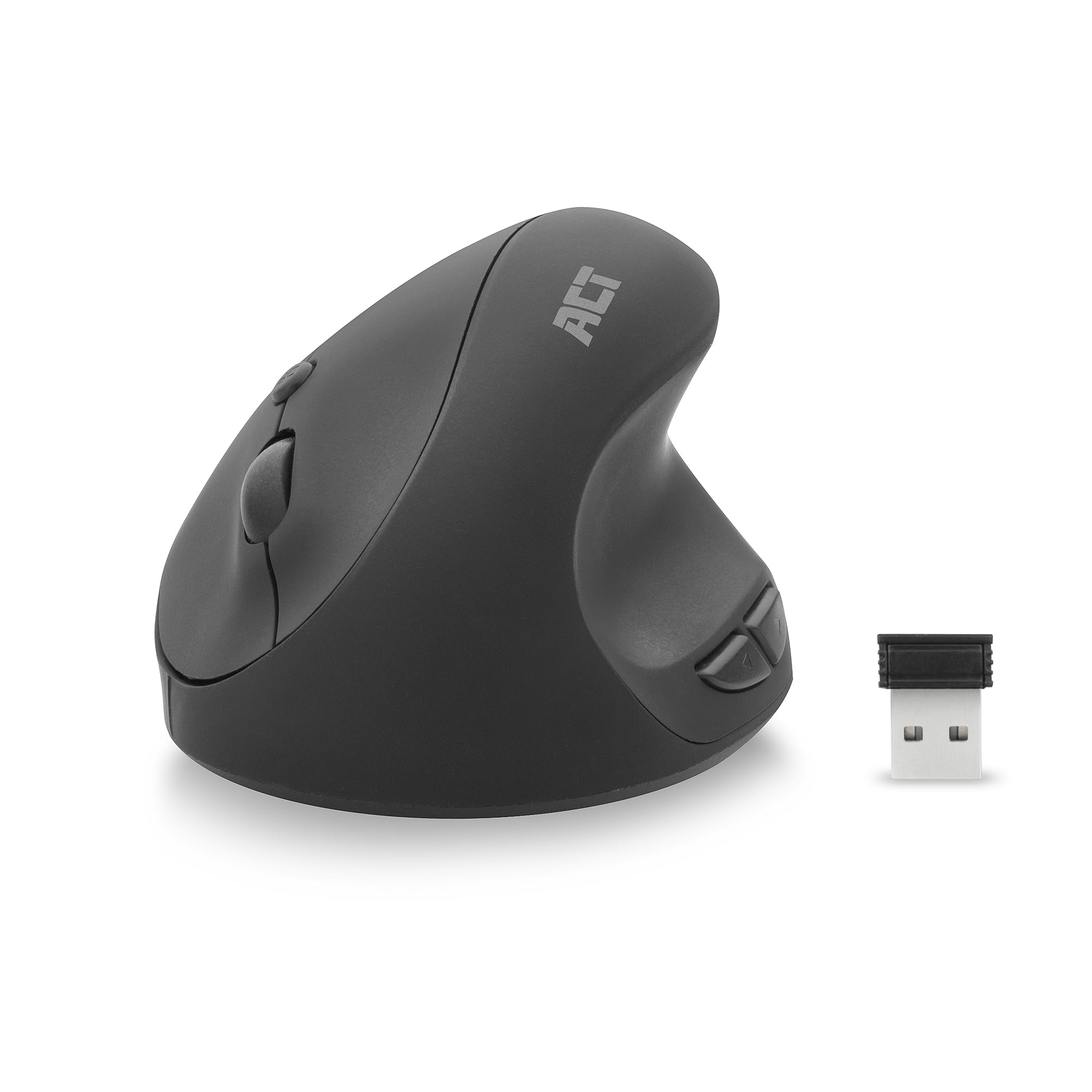
Image 1.1: The ACT AC5101 Wireless Ergonomic Vertical Mouse with its USB receiver.
2. Пакеттин мазмуну
Сураныч, пакетте төмөнкү нерселерди текшериңиз:
- 1 x ACT AC5101 Wireless Ergonomic Vertical Mouse
- 1 x USB-A Nano Receiver (stored in the mouse battery compartment)
- 1 x AA батареясы (кошулган)
- 1 х Колдонуучунун колдонмосу (бул документ)
3. Продукт бүтүп калдыview
The ACT AC5101 mouse features a vertical design for improved ergonomics and includes multiple buttons for enhanced functionality.

Image 3.1: Diagram showing the buttons on the ACT AC5101 mouse. These include the Left Key, Right Key, Scroll Wheel, DPI Button, Forward Button, and Back Button.
- Сол ачкыч: Стандарттык сол чыкылдатуу функциясы.
- Оң ачкыч: Стандарттык оң баскычты чыкылдатуу функциясы.
- Жылдыруу дөңгөлөгү: Вертикалдуу сыдыруу жана орто баскычты чыкылдатуу функциясы үчүн.
- DPI баскычы: DPI жөндөөлөрү аркылуу цикл жасайт (800/1200/1600).
- Алга баскычы: Алга карай жылдырат web браузерлер же file изилдөөчүлөр.
- Артка баскычы: Артка карай багыт алат web браузерлер же file изилдөөчүлөр.
- Күйгүзүү/өчүрүү: Located on the bottom of the mouse to conserve battery life.
4. Орнотуу нускамалары
Follow these steps to set up your ACT AC5101 Wireless Ergonomic Vertical Mouse:
- Батарея салыңыз:
Locate the battery compartment on the bottom of the mouse. Open the cover and insert the included AA battery, ensuring correct polarity (+/-). Close the battery compartment cover securely.

Image 4.1: The bottom of the mouse showing the battery compartment and the USB-A Nano Receiver storage slot.
- USB кабылдагычты туташтыруу:
Remove the USB-A Nano Receiver from its storage slot next to the battery compartment. Plug the receiver into an available USB-A port on your computer.

Image 4.2: The USB-A Nano Receiver.
- Күйгүзүү:
Flip the On/Off switch, located on the bottom of the mouse, to the "On" position. Your computer should automatically detect and install the necessary drivers. The mouse is now ready for use.
5. Иштөө нускамалары
5.1 Эргономикалык кармоо
The vertical design of the ACT AC5101 mouse promotes a natural handshake position, reducing pronation of the forearm and wrist strain. Place your hand over the mouse so your thumb rests comfortably on the thumb rest, and your fingers align with the main buttons.

Image 5.1: Comparison illustrating how a traditional mouse twists the arm and wrist, while the ACT ergonomic mouse allows for a relaxed shoulder and neutral wrist position.
5.2 DPI сезгичтигин тууралоо
The DPI (Dots Per Inch) button allows you to adjust the mouse cursor speed. Press the DPI баскычы (refer to Image 3.1) to cycle through the available sensitivity settings: 800 DPI, 1200 DPI, and 1600 DPI. Select the setting that best suits your preference and task.
5.3 Using Side Buttons
The Алга баскычы жана Артка баскычы are conveniently located for thumb access. These buttons are typically used for navigation in web browsers (e.g., going back or forward a page) or file изилдөөчүлөр.
6. Техникалык тейлөө
To ensure the longevity and optimal performance of your ACT AC5101 mouse, follow these maintenance guidelines:
- Тазалоо: Чычкандын бетин сүртүү үчүн жумшак, кургак чүпүрөктү колдонуңуз. өжөр кир үчүн, бир аз гampчүпүрөктү суу же жумшак тазалоо эритмеси менен жууп салыңыз. Катуу химиялык заттарды же абразивдүү материалдарды колдонуудан алыс болуңуз.
- Батареяны алмаштыруу: When the mouse performance degrades or it stops responding, replace the AA battery. Ensure the On/Off switch is in the "Off" position before replacing the battery.
- Сактагыч: When not in use for extended periods, turn off the mouse using the On/Off switch to conserve battery life. Store the USB receiver in its dedicated slot on the bottom of the mouse to prevent loss.
7. Кыйынчылыктарды
If you encounter issues with your ACT AC5101 mouse, refer to the following common problems and solutions:
| Көйгөй | Мүмкүн себеп | Чечим |
|---|---|---|
| Чычкан жооп бербей жатат |
|
|
| Курсордун туура эмес кыймылы |
|
|
| Капталдагы баскычтар иштебейт |
|
|
8. Техникалык шарттар
Technical details for the ACT AC5101 Wireless Ergonomic Vertical Mouse:
- Модель аты: AC5101
- Бренд: ACT
- Байланыш технологиясы: 2.4 GHz Wireless (Radio-frequency)
- Алуучу: USB-A Nano Receiver
- Кыймылды аныктоо технологиясы: Оптикалык
- DPI жөндөөлөрү: 800 / 1200 / 1600 DPI (adjustable via DPI button)
- Баскычтардын саны: 6 (Сол, Оң, Айдоо дөңгөлөк, DPI, Алга, Артка)
- Колдун багыты: Оң колу
- Кубат булагы: 1 x AA батареясы (кошулган)
- Түсү: Кара
- Шайкеш түзмөктөр: Персоналдык компьютер
- Өлчөмдөрү: Approximately 105mm (Length) x 77mm (Height) x 60mm (Width)

Image 8.1: Approximate dimensions of the ACT AC5101 mouse.
9. Кепилдик жана колдоо
Кепилдик: The ACT AC5101 Wireless Ergonomic Vertical Mouse comes with a manufacturer's warranty of 2 years. This warranty covers defects in materials and workmanship under normal use.
Колдоо: For technical assistance, troubleshooting beyond this manual, or warranty claims, please contact your retailer or visit the official ACT website for support information. Please have your product model number (AC5101) and proof of purchase ready when contacting support.


