1. Киришүү
The HiFuture Future Zone 2 BT Smartwatch is designed to enhance your daily life by providing convenient access to fitness tracking, communication, and entertainment features directly from your wrist. This manual provides essential information on how to set up, operate, and maintain your new smartwatch.
Key features include step tracking, distance measurement, time and date display, music playback control, an AMOLED touchscreen display, and a seamless Bluetooth calling system. With an impressive 7-day battery life, the Future Zone 2 is built for extended use.
2. Продукт бүтүп калдыview
2.1. Өзгөчөлүктөрү
- Активдүүлүккө көз салуу: Helps you track simple steps, distance traveled, time, and date.
- Музыкалык башкаруу: Allows you to control your phone's music player directly from the watch.
- Дисплей: Features a vibrant AMOLED touchscreen display.
- Bluetooth чалуу: Enables hassle-free communication with a built-in Bluetooth calling system.
- Батареянын иштөө мөөнөтү: Offers an impeccable battery that lasts up to 7 days on a single charge.
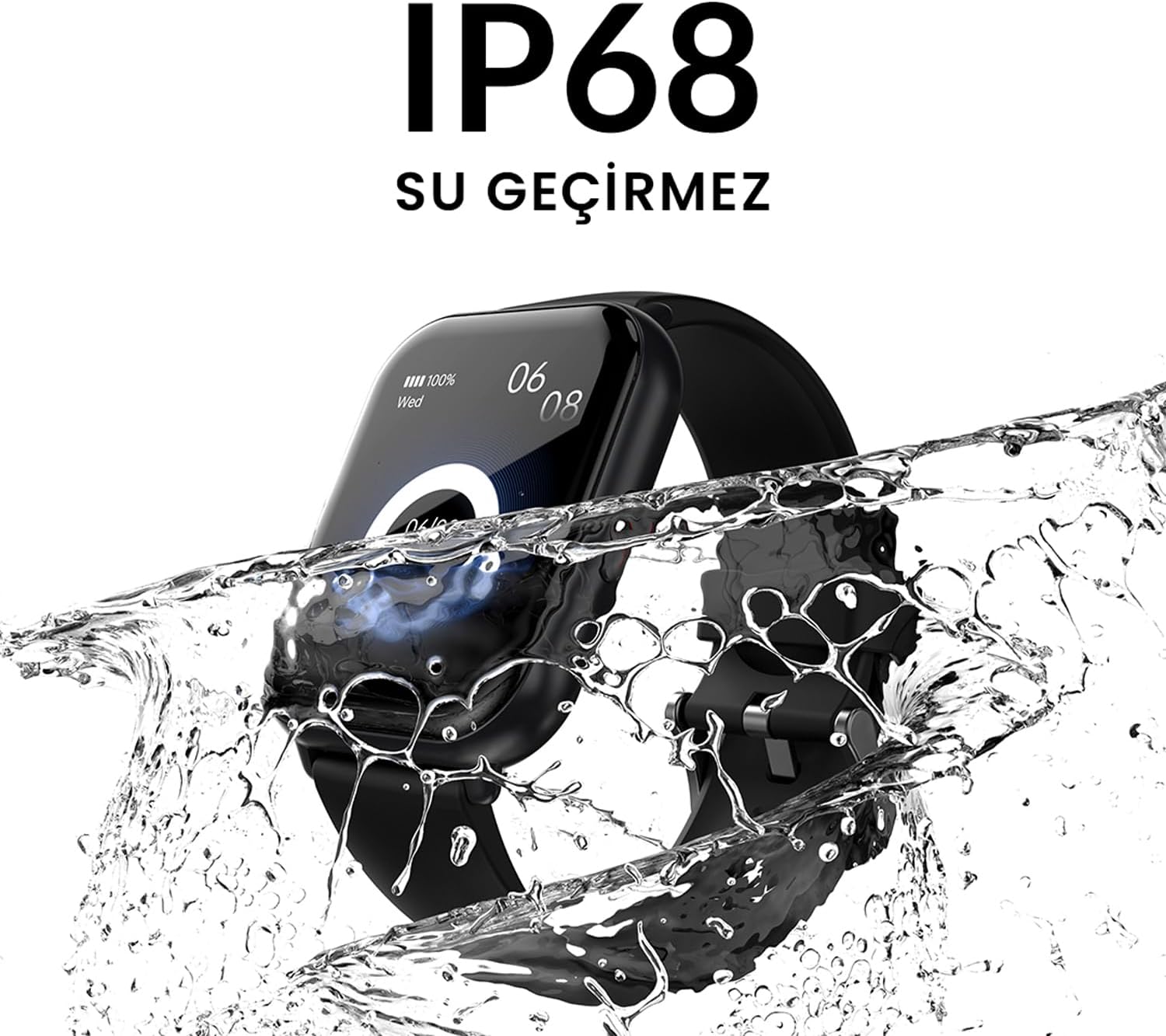
- Суу каршылык: IP68 certified for water resistance.
- Спорт режимдери: Supports over 100 sports modes for diverse activity tracking.
2.2. Компоненттер жана дисплей

2.2.1-сүрөт: The HiFuture Future Zone2 Smartwatch in silver and white, showcasing its sleek design and vibrant display with activity metrics.
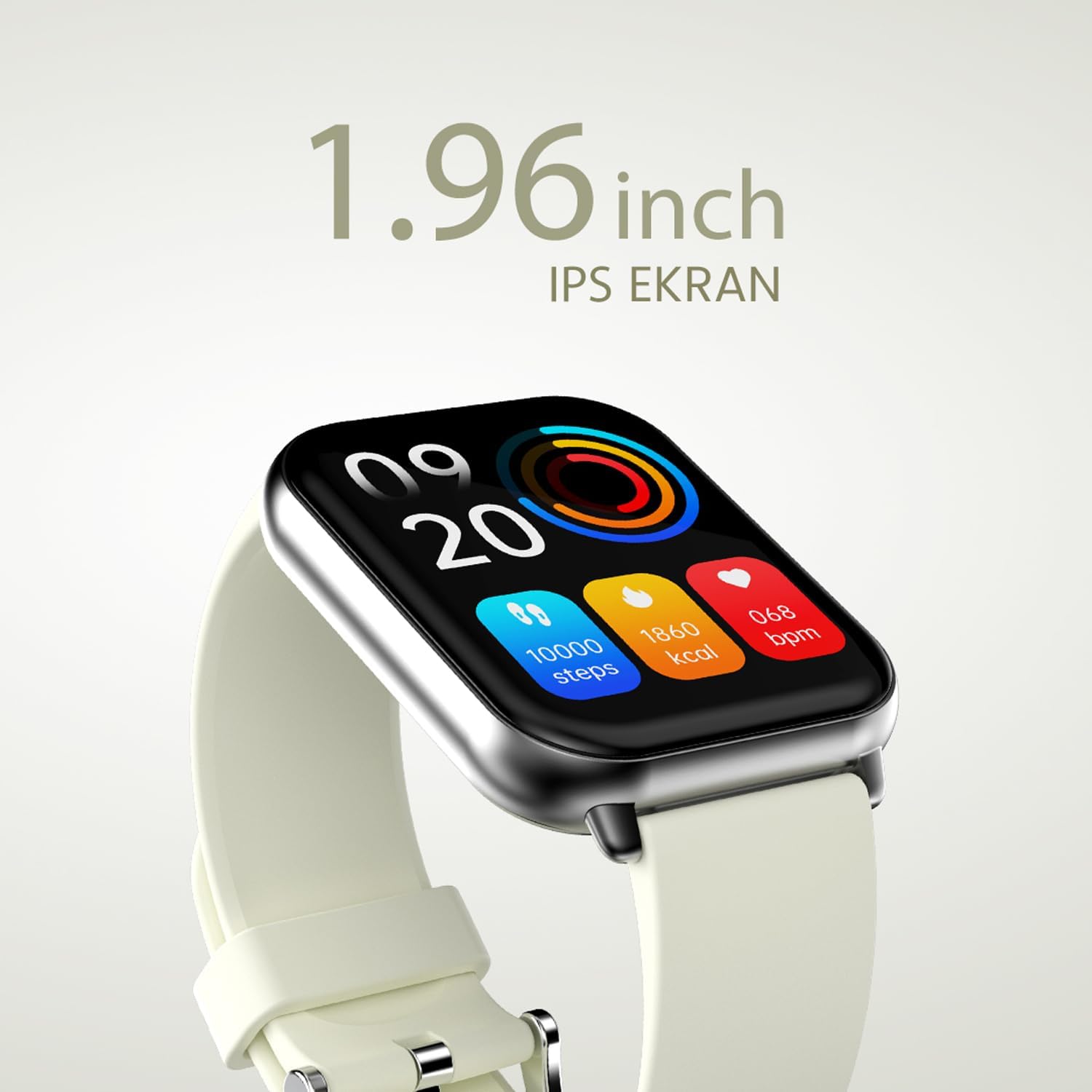
2.2.2-сүрөт: А деталдуу view of the smartwatch display, highlighting its 1.96-inch IPS screen, which offers clear and crisp visuals.

2.2.3-сүрөт: The smartwatch accompanied by icons representing its core features: 1.96-inch IPS screen, wireless connectivity, 7-day battery life, and IP68 water resistance.

2.2.4-сүрөт: The smartwatch surrounded by various sport icons, indicating its support for over 100 different sport modes for comprehensive fitness tracking.
3. Орнотуу
3.1. Акылдуу саатты заряддоо
Before first use, fully charge your HiFuture Future Zone2 Smartwatch. Connect the charging cable to the charging port on the back of the watch and plug the USB end into a compatible power adapter (not included) or a computer's USB port. The watch display will indicate charging status. A full charge typically takes approximately 2 hours.
3.2. Смартфонуңуз менен жупташуу
- Колдонмону жүктөп алыңыз: Издөө the official HiFuture companion app on your smartphone's app store (Google Play Store for Android or Apple App Store for iOS). Install the app.
- Bluetooth иштетүү: Смартфонуңузда Bluetooth иштетилгенин текшериңиз.
- Колдонмону ачуу: Launch the HiFuture app and follow the on-screen instructions to create an account or log in.
- Түзмөк кошуу: Колдонмонун ичинде "Түзмөк кошуу" же "Түзмөктү жупташтыруу" бөлүмүнө өтүңүз. Колдонмо жакын жердеги акылдуу сааттарды издейт.
- Саатыңызды тандаңыз: Select "HiFuture Future Zone2" from the list of discovered devices.
- Жупташтыруу ырастоо: A pairing request will appear on both your phone and the smartwatch. Confirm the pairing on both devices.
- Толук орнотуу: Once paired, the app will guide you through initial settings such as personal information, notification preferences, and watch face customization.
Note: For optimal performance, ensure your smartphone's operating system and the smartwatch app are up to date.
4. Иштөө нускамалары
4.1. Негизги навигация
- Сенсордук экран: Менюлар жана экрандар аркылуу өтүү үчүн солго, оңго, өйдө же ылдый серпиңиз. Параметрди тандоо үчүн таптаңыз.
- Каптал баскычы: Press the side button to return to the home screen or wake up the display. A long press may access power options or a quick menu.
4.2. Bluetooth чалуу
The Future Zone2 Smartwatch supports Bluetooth calling, allowing you to make and receive calls directly from your wrist when connected to your smartphone.
- Enable Call Audio: Ensure that the smartwatch is connected to your phone for both data and call audio. This setting is usually managed within your phone's Bluetooth settings after initial pairing.
- Чалууларды жасоо: Access the dialer or contact list on your smartwatch. Tap to dial a number or select a contact to initiate a call.
- Чалууларды кабыл алуу: Чалуу келгенде, саат чалуучунун идентификаторун көрсөтөт. Жооп берүү үчүн жашыл сөлөкөттү, ал эми четке кагуу үчүн кызыл сөлөкөттү басыңыз.
- During a Call: You can speak directly into the watch's built-in microphone and listen through its speaker. Options to mute, adjust volume, or transfer the call to your phone may be available on the watch screen.
4.2.1-сүрөт: The smartwatch screen showing a missed call notification, demonstrating its Bluetooth calling capability.
4.3. Музыка ойнотууну башкаруу
Control your smartphone's music playback directly from your smartwatch.
- Access Music Control: Swipe on your watch face or navigate through the app list to find the "Music" or "Media Control" icon.
- Ойноону көзөмөлдөө: From this screen, you can play/pause, skip tracks (next/previous), and adjust the volume of the music playing on your connected smartphone.
4.4. Иш-аракеттерди көзөмөлдөө
The smartwatch automatically tracks your daily steps, distance, and calories burned. You can view these metrics on the watch display or in the companion app for more detailed insights.
- Күнүмдүк аракет: The main watch face or a dedicated activity screen will show your current steps, calories, and heart rate (if applicable).
- Спорт режимдери: Select a specific sport mode (e.g., running, cycling, walking) from the watch's menu before starting an activity for more accurate tracking.
5. Техникалык тейлөө
5.1. Акылдуу саатыңызды тазалоо
- Сааттын экранын жана корпусун жумшак, түксүз чүпүрөк менен сүртүңүз.
- Кежир тактар үчүн, dampчүпүрөктү бир аз суу менен. Катуу химиялык заттарды же абразивдүү материалдарды колдонуудан алыс болуңуз.
- Заряддоодон мурун заряддоо контакттары таза жана кургак экенин текшериңиз.
5.2. Сууга туруктуулук (IP68)
The HiFuture Future Zone2 Smartwatch is IP68 water-resistant, meaning it can withstand immersion in water up to 1.5 meters for up to 30 minutes. It is suitable for daily use, such as hand washing or light rain.
- Do not use the watch for diving, snorkeling, or high-pressure water activities.
- Avoid exposing the watch to hot water, steam, or detergents, as this may compromise its water resistance.
- Эгерде саат суу болуп калса, аны заряддоодон же иштетүүдөн мурун жакшылап кургатыңыз.

5.2.1-сүрөт: The smartwatch shown with water splashing over it, illustrating its IP68 water resistance rating.
5.3. Батареяга кам көрүү
- Батареянын иштөө мөөнөтүн узартуу үчүн, бат-баттан батарейканы толук зарядсыздандырбаңыз.
- Саатты берилген кубаттоочу кабелди гана колдонуп кубаттаңыз.
- Саатты узак убакытка колдонбогондо салкын, кургак жерде сактаңыз.
6. Кыйынчылыктарды
6.1. Жалпы маселелер жана чечүү жолдору
| Маселе | Мүмкүн себеп | Чечим |
|---|---|---|
| Саат күйбөй жатат | Батареясы аз; түзмөк иштебей калды | Charge the watch for at least 30 minutes. If still unresponsive, perform a forced restart (refer to device-specific instructions, usually a long press of the side button). |
| Смартфон менен жупташтыруу мүмкүн эмес | Bluetooth өчүк; колдонмо маселеси; көрүү мүмкүн эмес | Ensure Bluetooth is on for both devices. Restart both the watch and phone. Clear the app's cache or reinstall it. Make sure the watch is in pairing mode. |
| Bluetooth чалуу иштебей жатат | Incorrect Bluetooth profile; app permissions | Check your phone's Bluetooth settings to ensure the watch is connected for "Calls" or "Phone audio." Verify app permissions for phone calls. |
| Иш-аракеттерге так эмес көз салуу | Improper wear; software glitch | Ensure the watch is worn snugly on your wrist. Restart the watch. Update the watch firmware via the app if available. |
7. Техникалык шарттар
| Өзгөчөлүк | Деталь |
|---|---|
| Бренд | HiFuture |
| Модель аты | Smartwatch (Future Zone2) |
| Модель номери | ZONE2 SILVER WHITE |
| Түс | Silver and White (as per product title, though spec says Grey) |
| Screen Size | 41 Millimeters (1.96 inches IPS) |
| Байланыш технологиясы | Bluetooth |
| Өзгөчөлүктөр | Music Player, Distance Tracker, Bluetooth Calling |
| Шайкеш түзмөктөр | Smartphone, Tablet, Other Portable Devices |
| Батареянын курамы | Lithium-ion (1 Lithium-polymer battery included) |
| Заряддалуучу батарея | Ооба |
| Суу каршылык | IP68 тастыкталган |
| GPS | GPS жок |
| Форма | Square |
| Өндүрүүчү | HiFuture Group |
8. Кепилдик жана колдоо
8.1. Продукцияга кепилдик
Specific warranty details for the HiFuture Future Zone2 Smartwatch are typically provided with your purchase documentation or on the manufacturer's official webсайт. Кепилдик дооматтары үчүн сатып алганыңыздын далилин сактап коюңуз.
Note: Information regarding guaranteed software updates and spare parts availability is not explicitly provided.
8.2. Кардарларды колдоо кызматы
For technical assistance, troubleshooting beyond this manual, or warranty inquiries, please contact HiFuture customer support through their official webсайты же продуктунун таңгагында берилген байланыш маалыматы.
Сиз ошондой эле кайрыла аласыз Amazon.com.be сайтындагы продукт баракчасы кошумча маалымат жана кардарлар үчүнviews.


