Abask A8 Dashcam User Manual
Модел: A8 Dashcam | Бренд: АБАСК
Introduction
Thank you for choosing the Abask A8 Dashcam. This device is designed to provide reliable video recording of your journeys, offering enhanced safety and peace of mind. With its advanced features including 4K front recording, 1080P cabin recording, GPS tracking, super night vision, G-sensor, loop recording, and 24-hour parking monitoring, the A8 Dashcam is your dependable eye on the road. Please read this manual carefully to ensure proper installation and operation of your device.
Кутуда эмне бар
Сураныч, кутудан чыгарганда пакеттин мазмунун текшерип, бардык буюмдар бар экенин текшериңиз:
- 1 x Abask A8 4K Dashcam
- 1 x 32GB Micro SD карта
- 1 x Унаа кубаттагычы (3.5M кабель)
- 1 x USB Cable (0.5M)
- 1 x Suction Cup Mount with GPS
- 1 x User Manual
- 1 x Pry куралы
- 4 x Кабель байламталары

Image: The Abask A8 Dashcam with its suction cup mount, a 32GB Micro SD card, and a USB/Type-C card reader, illustrating the complete package contents.
Орнотуу колдонмосу
1. Micro SD картаны киргизүү
- Видеорегистратордун өчүрүлгөнүн текшериңиз.
- Insert the provided 32GB Micro SD card into the TF card slot on the side of the dashcam until it clicks into place.
- For optimal performance, it is recommended to format the Micro SD card within the dashcam's settings before first use.
2. Installation in Vehicle
- Видеорегистраторду орното турган алдыңкы айнегиңиздин ордун тазалаңыз.
- Attach the suction cup mount to the dashcam, then firmly press the suction cup onto the cleaned windshield surface and lock it in place. Position the dashcam to ensure a clear view of the road ahead and the vehicle's interior.
- Connect the car charger to the dashcam's power input port.
- Унааңыздын кубаттагычынын экинчи учун унааңыздын тамеки күйгүзгүч розеткасына сайыңыз.
- Route the power cable neatly along the windshield and dashboard edges using the provided pry tool and cable ties to avoid obstructing your view or driving.
Иштөө нускамалары
The Abask A8 Dashcam automatically powers on and begins recording when your vehicle starts. Familiarize yourself with its key features:
1. 4K Front + 1080P Cabin Recording
The dashcam is equipped with a front camera recording in 4K (2160P) resolution and a cabin camera recording in 1080P resolution. This dual-camera system captures high-definition video of both the road ahead and the vehicle's interior simultaneously, providing comprehensive video evidence in case of an accident or dispute.
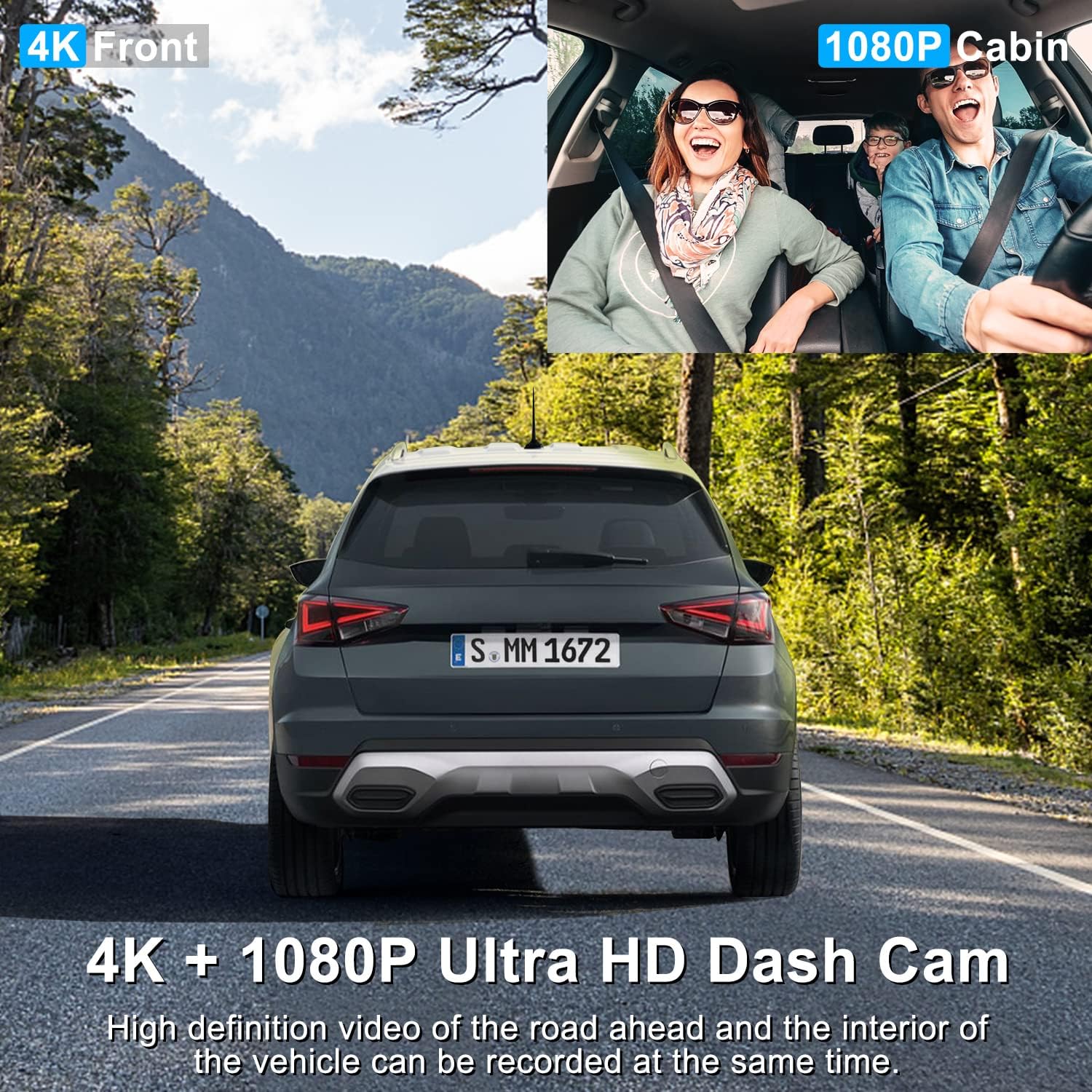
Image: Illustration of the dual recording capability, showing a clear 4K view of the road ahead and a 1080P view of the vehicle's cabin.
2. GPS функциясы
The integrated GPS module allows the dashcam to track and record your driving route and speed. This data can be crucial evidence, providing an accurate record of your vehicle's location and movement during an event. You can review this information using compatible playback software on a computer.
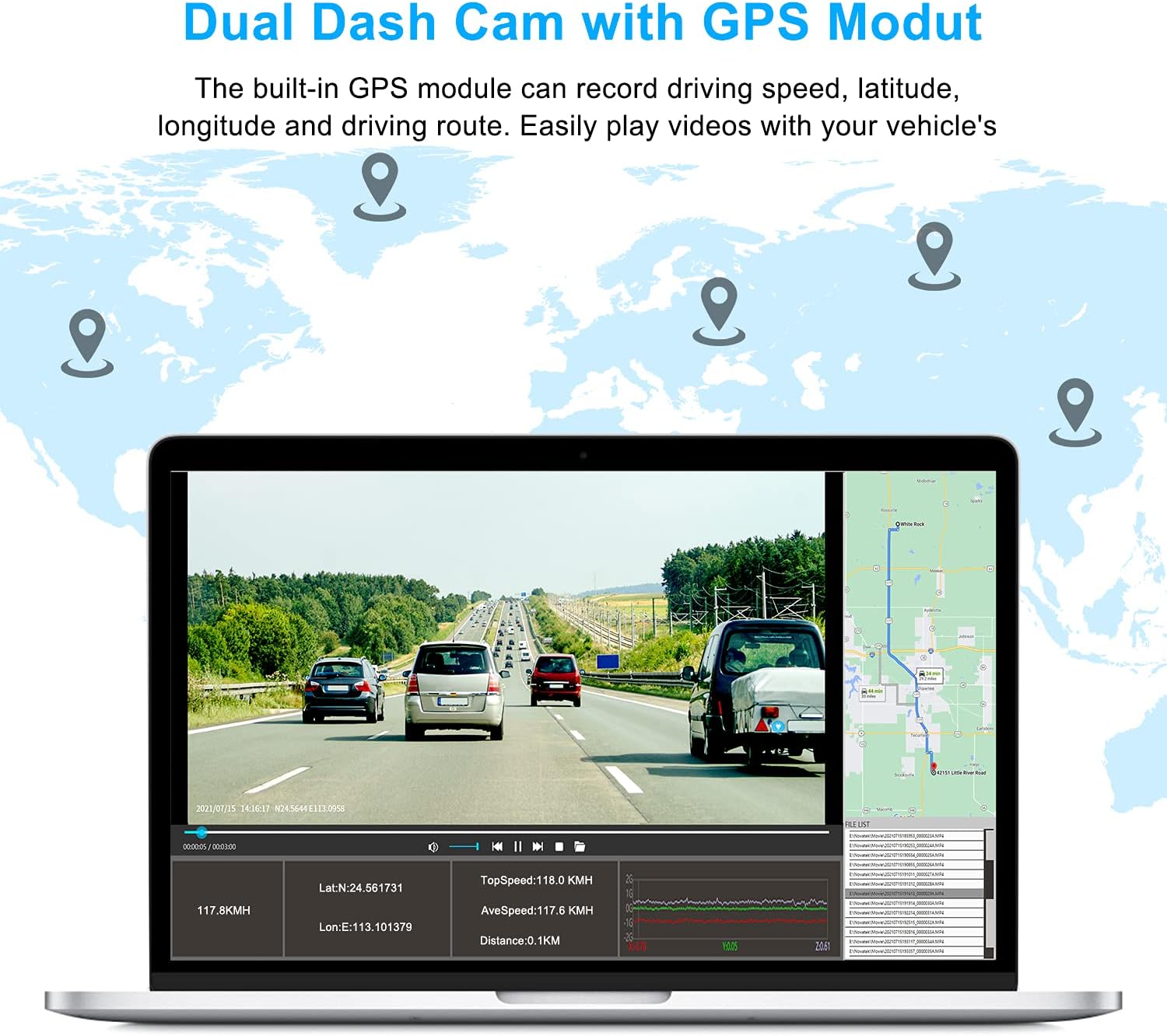
Image: A visual representation of the GPS module's function, showing how driving speed, latitude, longitude, and the driving route are recorded and can be viewed on a map.
3. Супер түнкү көрүү
Equipped with 4 discreet infrared (IR) lights and WDR (Wide Dynamic Range) technology, the Abask A8 Dashcam ensures clear and detailed images and videos even in low-light conditions or complete darkness. This feature is particularly beneficial for night driving, providing enhanced visibility and recording quality.

Image: Detail of the dashcam's infrared lights and a depiction of its night vision capabilities, showing clear recording in dark environments.
4. G-Sensor & Loop Recording
- G-сенсор (тартылуу күчү сенсору): With variable sensitivity, the G-Sensor automatically detects sudden shocks, collisions, or abrupt braking. In such events, it immediately saves and locks the current video segment, preventing it from being overwritten by loop recording. This ensures critical footage далил катары сакталып калган.
- Цикл жаздыруу: This function allows the dashcam to continuously record by overwriting the oldest video files when the memory card is full. This ensures that recording never stops due to a full card, while protected G-sensor triggered files remain safe.

Image: Visual explanation of G-sensor and loop recording, showing a locked video file and the process of older fileүстүнөн жазылып жатат.
5. Кең бурч талаасы View
The Abask A8 Dashcam offers a total 310° wide-angle field of view, with a 170° front lens and a 140° interior lens. This extensive coverage provides a comprehensive view of the road ahead and the entire inside of your car, minimizing blind spots and capturing more details.

Image: A graphic illustrating the 170° front and 140° interior wide-angle coverage of the dashcam, providing a full view айлананын.
6. 24 сааттык унаа токтотуу режими
When your vehicle is parked, the dashcam's 24-hour parking mode monitors for impacts. If a shock is detected, the camera will automatically turn on and begin recording video, providing evidence if your car is scratched or damaged while unattended. Note: To enable this function, a hardwire kit (sold separately) is required to connect the dashcam directly to your car's fuse box for continuous power.

Image: A diagram showing the 24-hour parking mode's detection range around a parked vehicle, highlighting its ability to monitor for impacts.
Техникалык тейлөө
- Тазалоо: Use a soft, dry cloth to clean the dashcam's lens and screen. Avoid using abrasive cleaners or solvents that could damage the device.
- Микро SD картага кам көрүү: Regularly format your Micro SD card (at least once a month) to maintain optimal recording performance and prevent data corruption. Use a high-quality, genuine Micro SD card from a reputable brand.
- Температура: Avoid exposing the dashcam to extreme temperatures for prolonged periods, as this can affect its performance and lifespan.
- Программалык камсыздоонун жаңыртуулары: Check the official ABASK website periodically for any available firmware updates to ensure your dashcam has the latest features and bug fixes.
Проблемаларды чечүү
If you encounter any issues with your Abask A8 Dashcam, please refer to the following common problems and solutions:
| Көйгөй | Мүмкүн болгон себеп / Чечим |
|---|---|
| Dashcam turns off unexpectedly. |
|
| Видеонун сапаты начар же бүдөмүк. |
|
| Micro SD card error / Cannot record. |
|
| GPS not tracking. |
|
If these solutions do not resolve your issue, please contact ABASK customer support for further assistance.
Техникалык мүнөздөмөлөр
| Өзгөчөлүк | Спецификация |
|---|---|
| Бренд | АБАСК |
| Модель аты | A8 Dashcam |
| Түс | Кара |
| Screen Size | 11 сантиметр (болжол менен 5 дюйм) |
| Видео жаздыруу чечими | 4K (3840 x 2160) Front, 1080P Cabin |
| Багыттоо | Front and Interior |
| Өзгөчөлүктөр | Night Vision, GPS, Parking Monitor, Motion Detection, G-Sensor, Loop Recording |
| Шайкеш түзмөктөр | Машина |
| Монтаж түрү | Алдынкы айнек тоосу |
| Байланыш технологиясы | Унаа заряддагыч |
| Заряддалуучу батарея | No (uses Super Capacitor) |
Кепилдик жана колдоо
The Abask A8 Dashcam comes with a 2 жылдык өндүрүүчүнүн кепилдиги. Бул кепилдик нормалдуу колдонуудагы материалдардагы жана жасалгадагы кемчиликтерди камтыйт.
For any questions, technical support, or warranty claims, please do not hesitate to contact ABASK customer service. We are committed to providing a satisfactory solution within 24 hours of your inquiry.
Please refer to the contact information provided with your product packaging or visit the official ABASK webколдоо чоо-жайы үчүн сайт.


