Introduction
This manual provides detailed instructions for the setup, operation, and maintenance of your KSIX Compass Smartwatch. Designed for active lifestyles, this smartwatch features integrated GPS, call functionality, notification alerts, and comprehensive health monitoring. Please read this manual thoroughly to ensure proper use and to maximize your device's capabilities.
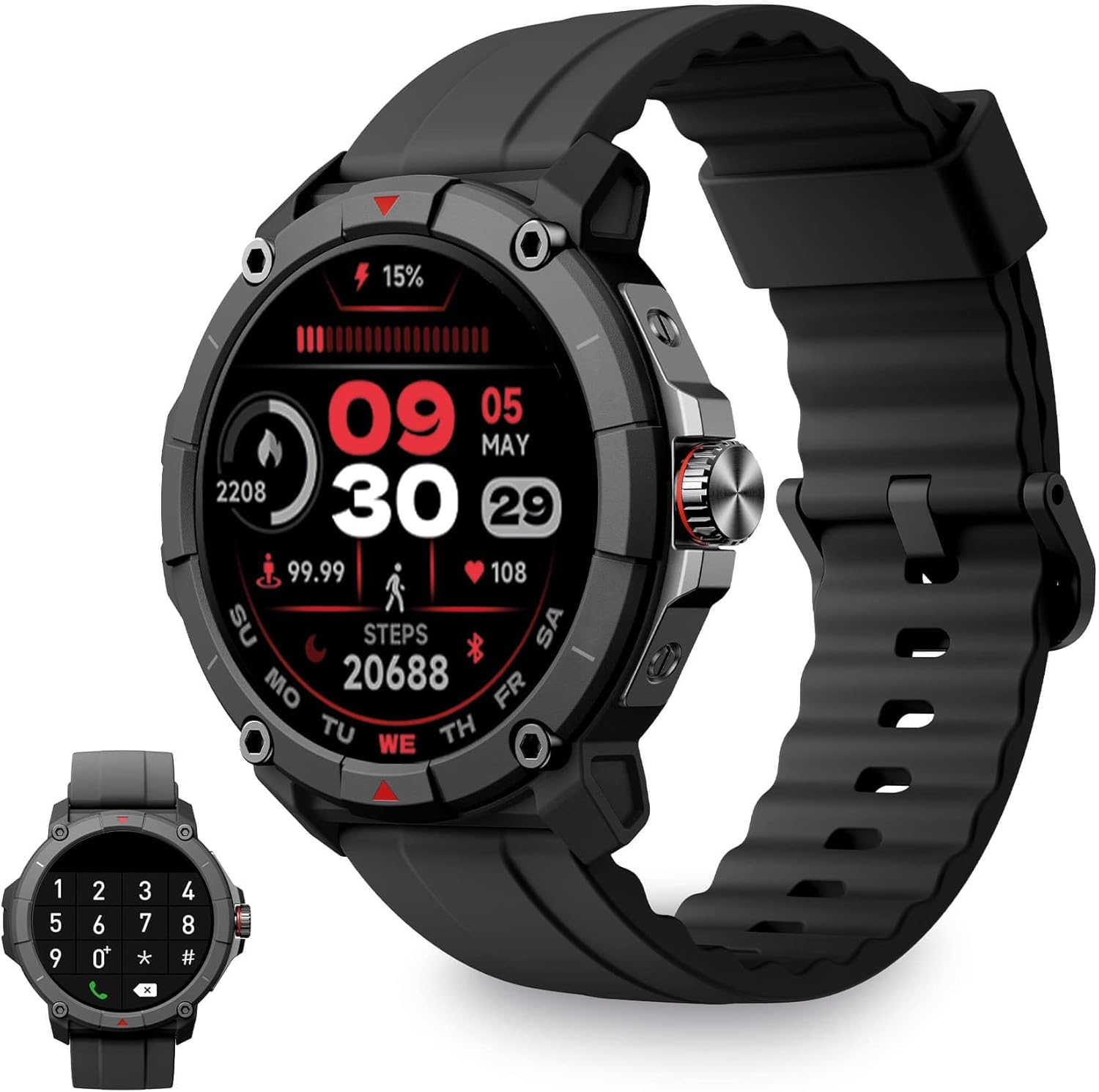
Image: KSIX Compass Smartwatch, front view showing the round display with a digital watch face, and the black silicone strap. A smaller inset image shows the dial pad on the watch screen.
1. Орнотуу
1.1 Аппаратты заряддоо
Before initial use, fully charge your KSIX Compass Smartwatch.
- Кубаттоочу кабелди акылдуу сааттын арткы бетиндеги кубаттоо портуна туташтырыңыз.
- Кабелдин экинчи учун USB кубат адаптерине (кошумча эмес) же компьютердин USB портуна туташтырыңыз.
- Сааттын дисплейи заряддын абалын көрсөтөт.
Толук кубаттоо, адатта, болжол менен талап кылынат 2.5 саат and provides up to 7 күн of battery life, depending on usage.

Image: Close-up of the KSIX Compass Smartwatch's side, highlighting the rotating crown. Text overlays indicate "Charging Time: 2.5h" and "Battery Life: 7 days".
1.2 Смартфонуңуз менен жупташуу
To unlock all features, pair your smartwatch with the companion app.
- жүктөп алыңыз VeryFit app from the App Store (iOS 9.0 and above) or Google Play Store (Android 6.0 and above).
- Смартфонуңузда Bluetooth иштетилгенин текшериңиз.
- Open the VeryFit app and follow the on-screen instructions to create an account or log in.
- Select "Add Device" or similar option within the app and choose your KSIX Compass Smartwatch from the list of available devices.
- Смартфонуңузда да, акылдуу саатыңызда да жупташтыруу өтүнүчүн ырастаңыз.
The watch uses Wireless BLE 5.3 for a stable connection.
2. Иштөө нускамалары
2.1 Негизги навигация
- Сенсордук экран: Менюларды жана функцияларды чабыттоо үчүн солго, оңго, өйдө же ылдый сүрүңүз. Тандоо үчүн таптаңыз.
- Айлануучу таажы: Rotate the crown on the side of the watch to scroll through lists or adjust settings. Press the crown to return to the home screen or confirm selections.

Image: The KSIX Compass Smartwatch displaying its 1.38-inch full-color TFT-LCD touchscreen. Several customizable watch faces are shown below, demonstrating different layouts and information displays.
2.2 Чалуу функциясы
The KSIX Compass Smartwatch allows you to make and receive calls directly from your wrist using its built-in microphone and speaker.
- Чалууларды жасоо: Access the dial pad or contact list on the watch screen to initiate a call.
- Чалууларды кабыл алуу: When a call comes in, you can answer or reject it directly from the watch.
2.3 Билдируулер
Receive notifications from various applications (e.g., WhatsApp, Instagram, Twitter) directly on your smartwatch when connected to your phone.

Image: The KSIX Compass Smartwatch displaying a call screen with options for frequent contacts and a dial pad. Below, icons for various social media and messaging apps (WhatsApp, Instagram, Twitter, Facebook, Gmail) are shown, representing notification capabilities.
2.4 Үн жардамчысы
The smartwatch is compatible with your preferred voice assistant (Alexa, Siri, or Google Assistant). Activate the voice assistant feature on your watch and speak your commands.
2.5 Спорт режимдери жана GPS көзөмөлдөө
The KSIX Compass Smartwatch includes integrated GPS for tracking your routes during outdoor activities like running and hiking. It supports over 100 sport modes.
- Select your desired sport mode from the watch menu.
- Ensure GPS connection is successful before starting your activity.
- Track your route and performance data in real-time.
- Review detailed activity logs in the VeryFit app after your workout.

Image: The KSIX Compass Smartwatch display showing "GPS connection successful" with a green pin icon, ready to start an activity. A blurred outdoor path is visible in the background.
2.6 Ден соолуктун мониторинги
Monitor various health metrics directly from your wrist.
- Жүрөктүн кагышын көзөмөлдөөчү: Үзгүлтүксүз жүрөктүн кагышын көзөмөлдөйт.
- Кандагы кычкылтек (SpO2) Монитор: Кандын кычкылтек менен каныккандыгын өлчөйт.
- Кан басымы Монитор: Кан басымынын көрсөткүчтөрүн берет.
- Уйку монитору: Уйкунун үлгүсүн жана сапатын көзөмөлдөйт.
- жөө: Күн бою жасалган кадамдарды эсептейт.
- Stress Meter: Monitors stress levels.
- Дем алуу көнүгүүлөрү: Guides you through relaxation breathing.
- Менструалдык циклге көз салуу: Helps track and predict menstrual cycles.
Бардык ден соолук маалыматтар болушу мүмкүн viewed in detail within the VeryFit app.
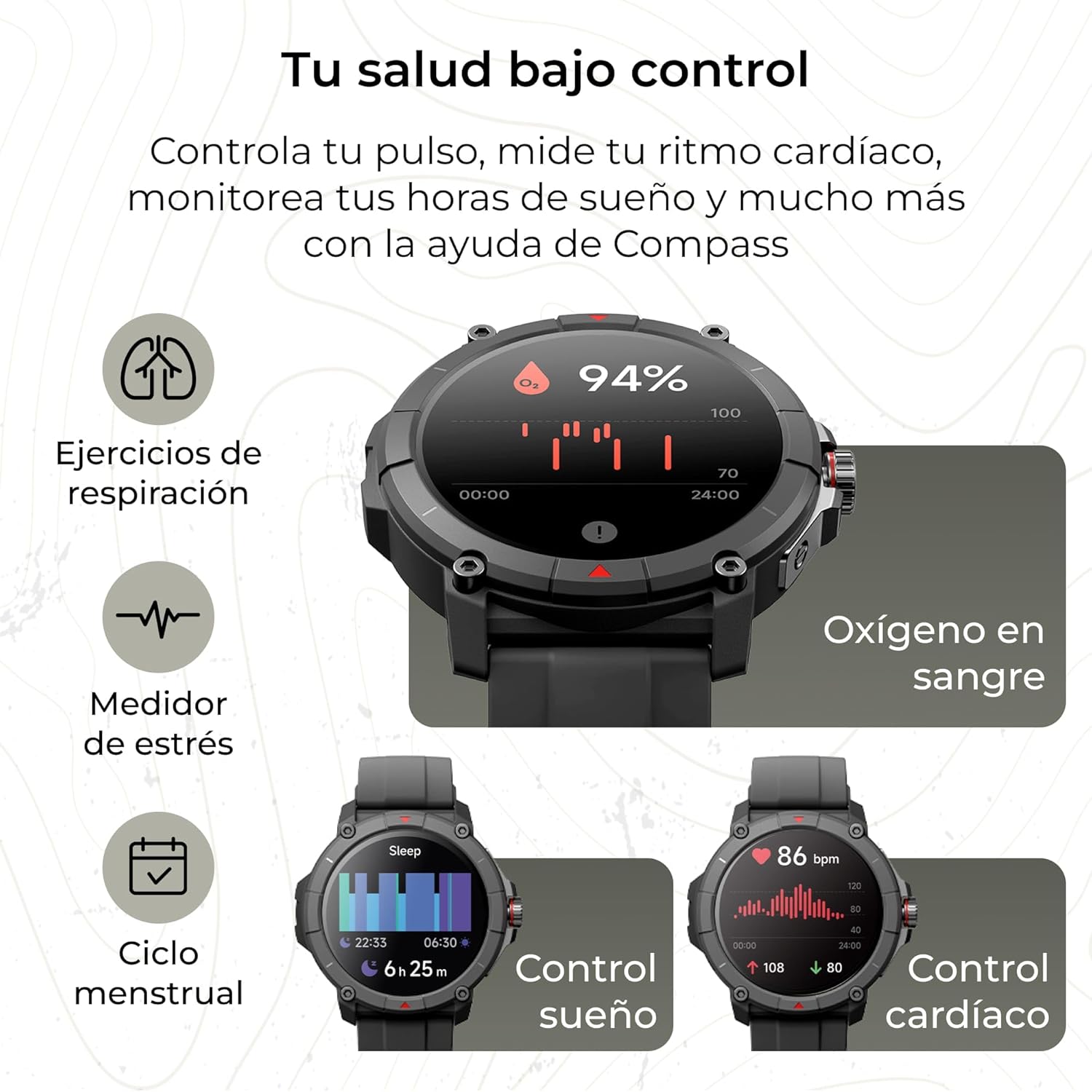
Image: The KSIX Compass Smartwatch displaying various health monitoring features. These include blood oxygen saturation (94%), heart rate control (86 bpm), sleep tracking (6h 25m), stress measurement, breathing exercises, and menstrual cycle tracking.
2.7 Кошумча функциялар
- Кол чырак: Access a quick flashlight function.
- Камераны алыстан башкаруу: Control your smartphone's camera remotely.
- Ыңгайлаштырылуучу терүүлөр: Choose from multiple watch faces to personalize your device.
3. Техникалык тейлөө
3.1 Акылдуу саатыңызды тазалоо
Regularly clean your smartwatch to ensure optimal performance and hygiene.
- Экранды жана денени жумшак, түксүз чүпүрөк менен сүртүңүз.
- өжөр кир үчүн, бир аз гampчүпүрөктү суу менен.
- Катуу химиялык заттарды же абразивдүү материалдарды колдонуудан алыс болуңуз.
- Заряддоодон мурун заряддоо контакттары таза жана кургак экенин текшериңиз.
3.2 Сууга туруктуулук
The KSIX Compass Smartwatch is water-resistant up to 2 meters for 30 minutes, with an IP68 and 2ATM protection rating.
- Ал күнүмдүк колдонууга ылайыктуу, мисалы, кол жуу, жамгыр, тайыз сууда сүзүү.
- Avoid hot water, saunas, or high-pressure water jets.
- Do not press buttons or operate the touchscreen underwater.
- Сууга тийгенден кийин саатты жакшылап кургатып алыңыз.

Сүрөт: Курама сүрөт көргөзмөсүasing various features of the KSIX Compass Smartwatch. Key elements include "100+ Sport Modes", "Integrated GPS", "2ATM Submersible" (with an image of the watch partially submerged in water), "7 Days Battery Life", "Hands-free Calling", "Customizable Dials", "Voice Assistants", and "24h Health Monitoring".
4. Кыйынчылыктарды
4.1 Байланыш маселелери
- Көрүү тез-тез ажыратылат:
- Акылдуу саат телефонуңуздун Bluetooth диапазонунда экенин текшериңиз.
- Check if the VeryFit app is running in the background and has necessary permissions.
- Restart both your phone's Bluetooth and the smartwatch.
- If issues persist, try unpairing and re-pairing the device through the VeryFit app.
- Жупташуу мүмкүн эмес:
- Make sure the smartwatch is charged.
- Телефонуңузда Bluetooth күйгүзүлгөнүн текшериңиз.
- Ensure no other devices are currently paired with the smartwatch.
- Restart your phone and the smartwatch, then try pairing again.
4.2 GPS тактыгы
- Inaccurate GPS Readings:
- Ачык мейкиндикте экениңизди текшериңиз view оптималдуу GPS сигнал кабыл алуу үчүн асман.
- Wait for the "GPS connection successful" message before starting your activity.
- Sync the watch with the VeryFit app regularly to update GPS assistance data.
4.3 Батареянын иштөө мөөнөтүн оптималдаштыруу
- Экран жарыктыгын азайтыңыз.
- Зарыл болбосо, жүрөктүн кагышын үзгүлтүксүз көзөмөлдөөнү өчүрүңүз.
- Колдонмо эскертмелеринин санын чектеңиз.
- Turn off "Always-On Display" if available.
- Use power-saving modes if offered by the device.
5. Техникалык шарттар
| Бренд | KSIX smart your tech |
| Модель аты | Компас |
| Модель номери | BXSW18N |
| Түс | Кара |
| Операция системасы | Wear OS [UNCERTAIN] (Compatible with iOS 9.0+ and Android 6.0+) |
| Screen Size | 1.38 Inches (TFT-LCD Touchscreen) |
| Байланыш | Wireless Bluetooth (BLE 5.3) |
| Өзгөчөлүктөр | Compass, GPS, Heart Rate Monitor, SpO2, Blood Pressure, Sleep Tracker, Pedometer, Voice Assistant, Call Functionality, Notifications, Flashlight, Camera Remote |
| Шайкеш түзмөктөр | Смартфон, Планшет |
| Батареянын курамы | Литий-ион |
| Батареянын иштөө мөөнөтү | 7 күнгө чейин (типтүү колдонуу) |
| Заряддоо убактысы | Болжол менен 2.5 саат |
| Суу каршылык | 2ATM, IP68 (up to 2 meters for 30 minutes) |
6. Коопсуздук маалыматы
Сураныч, төмөнкү коопсуздук эрежелерин сактаңыз:
- Аппаратты ажыратууга же өзгөртүүгө аракет кылбаңыз.
- Аппаратты экстремалдык температурадан жана тике күн нурунан алыс кармаңыз.
- Түзмөктү катуу соккуларга же кулап түшүүлөргө дуушар кылбаңыз.
- Consult a medical professional before starting any new exercise regimen or if you have health concerns. The health monitoring features are for informational purposes and not for medical diagnosis.
- Аппаратты жана анын батареясын жергиликтүү эрежелерге ылайык таштаңыз.


