Introduction
Thank you for choosing the Syncwire Bluetooth 5.3 FM Transmitter Car Adapter. This device is designed to enhance your in-car audio experience by providing seamless Bluetooth connectivity, fast charging capabilities, and ambient lighting. Please read this manual carefully to ensure proper setup and operation.
Продукт бүттүview
The Syncwire FM Transmitter features advanced Bluetooth 5.3 technology for stable connections, dual USB ports (PD 36W and USB A 12W) for fast charging, Hi-Fi deep bass sound, and a customizable ambient light switch. It supports music streaming via Bluetooth and USB drive, and offers clear hands-free calling.

Фронт view of the Syncwire Bluetooth FM Transmitter, highlighting its USB ports, LED display, and control knob.
Орнотуу колдонмосу
- Кубат туташуу: Insert the Syncwire FM Transmitter into your car's 12V/24V cigarette lighter socket. The LED display will light up, indicating it's powered on.
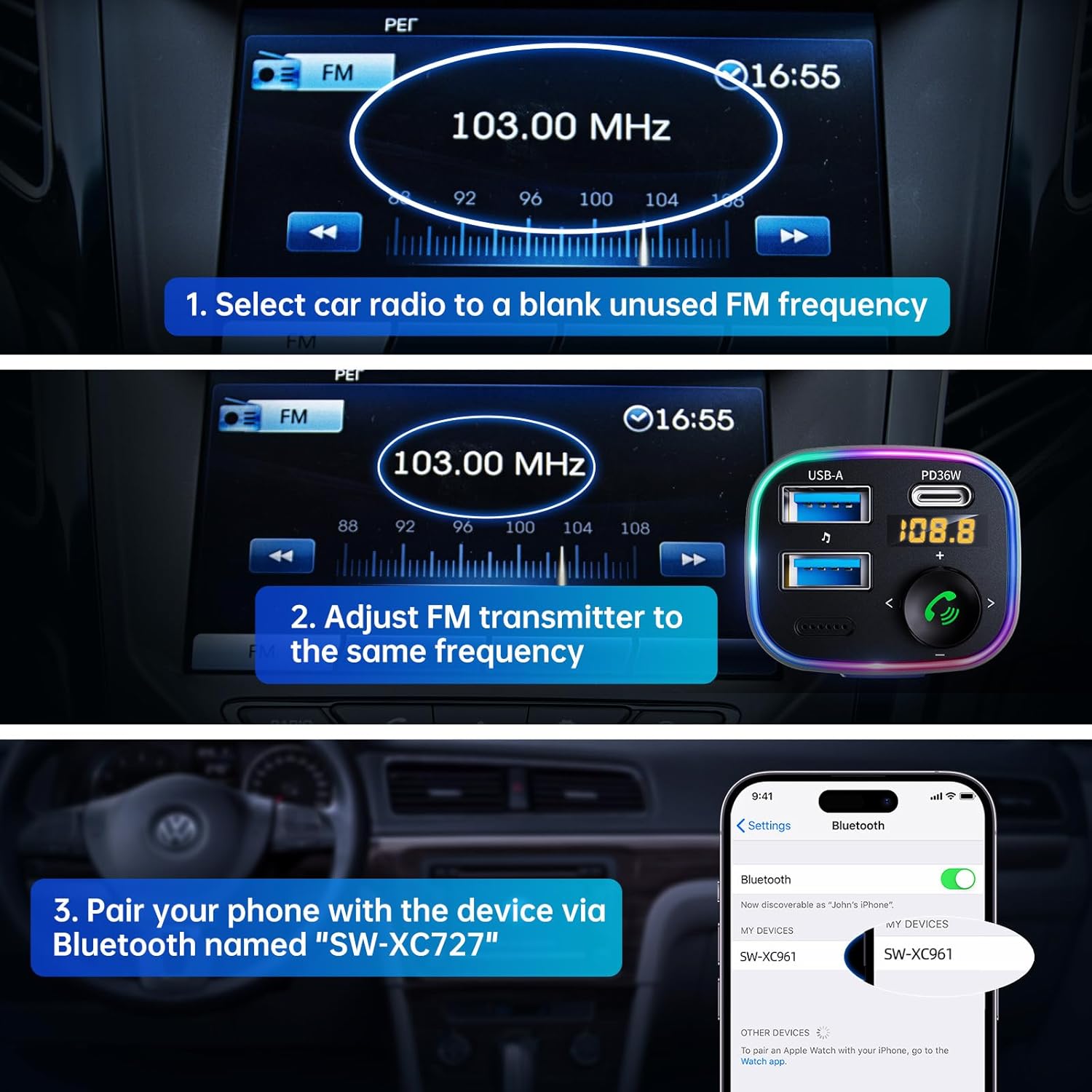
- FM жыштыгын жөндөө:

Visual guide for setting up the FM frequency and Bluetooth pairing.
- Tune your car radio to a blank, unused FM frequency (e.g., 103.00 MHz).
- Adjust the FM transmitter to the same frequency. Press and hold the multi-function button until the frequency flashes, then rotate the knob to match your car's FM frequency.
- Bluetooth жупташууда:
The transmitter supports both USB drive playback and Bluetooth 5.4 connection for audio streaming.
- Смартфонуңузда же Bluetooth иштетилген түзмөгүңүздө Bluetooth'ду иштетиңиз жана жеткиликтүү түзмөктөрдү издеңиз.
- Select "SW-XC961" from the list to pair. A voice prompt will confirm successful pairing.
Иштөө нускамалары
Музыка агымы
- Bluetooth агымы: Once paired, music from your device will automatically stream through your car's speakers via the set FM frequency.
- USB дискти ойнотуу: Insert a USB flash drive (up to 64GB) containing MP3/WMA/WAV/FLAC files into the USB-A port. The device will automatically detect and play music from the drive.
Hands-Free Чалуу
- Чалууга жооп берүү/аяктоо: Short press the phone button (green icon) to answer an incoming call or end an ongoing call.
- Чакырууну четке кагуу: Long press the phone button to reject an incoming call.
- Кайра терүү: Double press the phone button to redial the last dialed number.
- Switch Call Source: During a call, long press the phone button to switch the call between the transmitter and your phone.
Тез заряддоо

The device offers 5X faster charging than standard car chargers, with a USB-C PD 36W port and a USB-A 12W port.
- The PD 36W USB-C port provides ultra-fast charging for compatible devices.
- The 12W USB-A port provides standard charging for other devices.
- Сиз бир эле учурда эки түзмөктү кубаттай аласыз.
Hi-Fi Deep Bass & Ambient Light
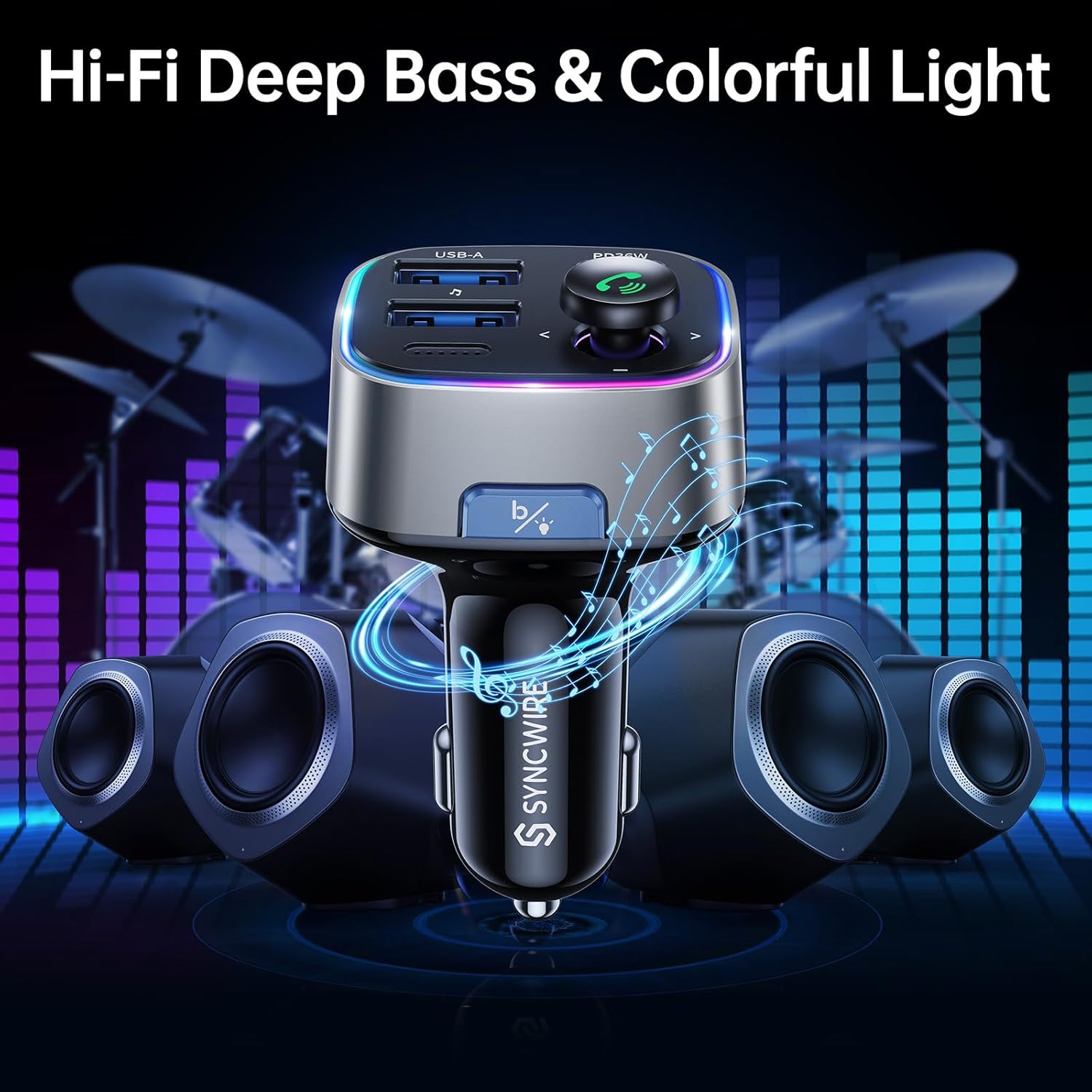
Enjoy powerful deep bass and immersive stereo sound with the Hi-Fi feature, complemented by customizable ambient lighting.
- Терең басс режими: Press the "B" button (Light/Bass Booster Button) once to activate the Hi-Fi Deep Bass mode for enhanced audio. Press again to return to standard mode.
- Айлана-чөйрө жарыгын башкаруу: Double press the "B" button to turn the rainbow ambient light ON or OFF.

The ambient light can be easily toggled on or off with a double tap of the 'B' button.
Техникалык тейлөө
To ensure the longevity and optimal performance of your Syncwire FM Transmitter, please follow these maintenance guidelines:
- Аппаратты кургак жана нымдан алыс кармаңыз.
- Бетти жумшак, кургак чүпүрөк менен тазалаңыз. Катуу химиялык заттарды же абразивдүү тазалоочу каражаттарды колдонбоңуз.
- Аппаратты экстремалдык температурага тийгизүүдөн сактаңыз.
- Do not disassemble the device. Any repairs should be performed by qualified personnel.
Проблемаларды чечүү
If you encounter any issues with your Syncwire FM Transmitter, please refer to the following common solutions:
- Кубат жок: Ensure the transmitter is securely plugged into the cigarette lighter socket. Check your car's fuse for the cigarette lighter.
- Үн сапаты начар/статикалык:
- Adjust the FM frequency to a completely blank channel on your car radio and the transmitter.
- Move away from strong radio signals or other electronic interference.
- Ensure the volume on both your phone and car radio is set appropriately.
- Bluetooth ажыратуу:
- Ensure your device is within the effective range (approx. 10 meters) of the transmitter.
- Телефонуңуздун Bluetooth жөндөөлөрүнөн түзмөктү унутуп, кайра жупташтырыңыз.
- Restart both your phone and the FM transmitter.
- кубаттоо маселелери:
- Check if the charging cable is securely connected to both the transmitter and your device.
- Ensure your device supports the fast charging protocols (PD for USB-C).
- Көйгөйдү чечүү үчүн башка кубаттоочу кабелди же түзмөктү колдонуп көрүңүз.
If the problem persists, please contact Syncwire customer support for assistance.
Техникалык шарттар
| Өзгөчөлүк | Деталь |
|---|---|
| Бренд | SYNCWIRE |
| Модель номери | SW-XC961 |
| Bluetooth версиясы | 5.3 |
| USB порттору | 1 x PD 36W (USB-C), 1 x 12W (USB-A) |
| Power Source | Corded Electric (12V/24V Car Socket) |
| Материал | Premium Материал |
| Элемент Салмагы | 2.11 унция |
| Пакеттин өлчөмдөрү | 3.39 x 3.35 x 1.54 дюйм |
| Өзгөчөлүктөр | Colorful Light Switch, Hi-Fi Deep Bass Sound, LED Display, Music Adapter Support USB Drive, Hands-Free Calling |
Кепилдик жана колдоо
Syncwire provides a 36 айлык кепилдик and lifetime support for this product. If your Syncwire FM Transmitter does not fit your car or does not work as expected, please do not hesitate to contact us for a satisfying solution. We are committed to ensuring your satisfaction.
Кошумча жардам алуу үчүн расмий кайрылыңыз SYNCWIRE Store же сатып алууңуз менен берилген байланыш маалыматын караңыз.


