Introduction
Welcome to the PowerLocus P3 Bluetooth Headphones user manual. This guide provides comprehensive instructions for setting up, operating, and maintaining your new headphones. The PowerLocus P3 headphones are designed for superior audio performance, comfort, and versatility, offering up to 50 hours of playtime and multiple EQ modes.

Image: PowerLocus P3 Bluetooth Headphones in Black/Gold, showcasing алардын жарашыктуу дизайны.
Кутуда эмне бар
Upon opening your PowerLocus P3 package, you should find the following items:
- Зымсыз кулакчындар Over-Ear P3
- 3.5 мм аудио кабель
- USB-C заряддоо кабели
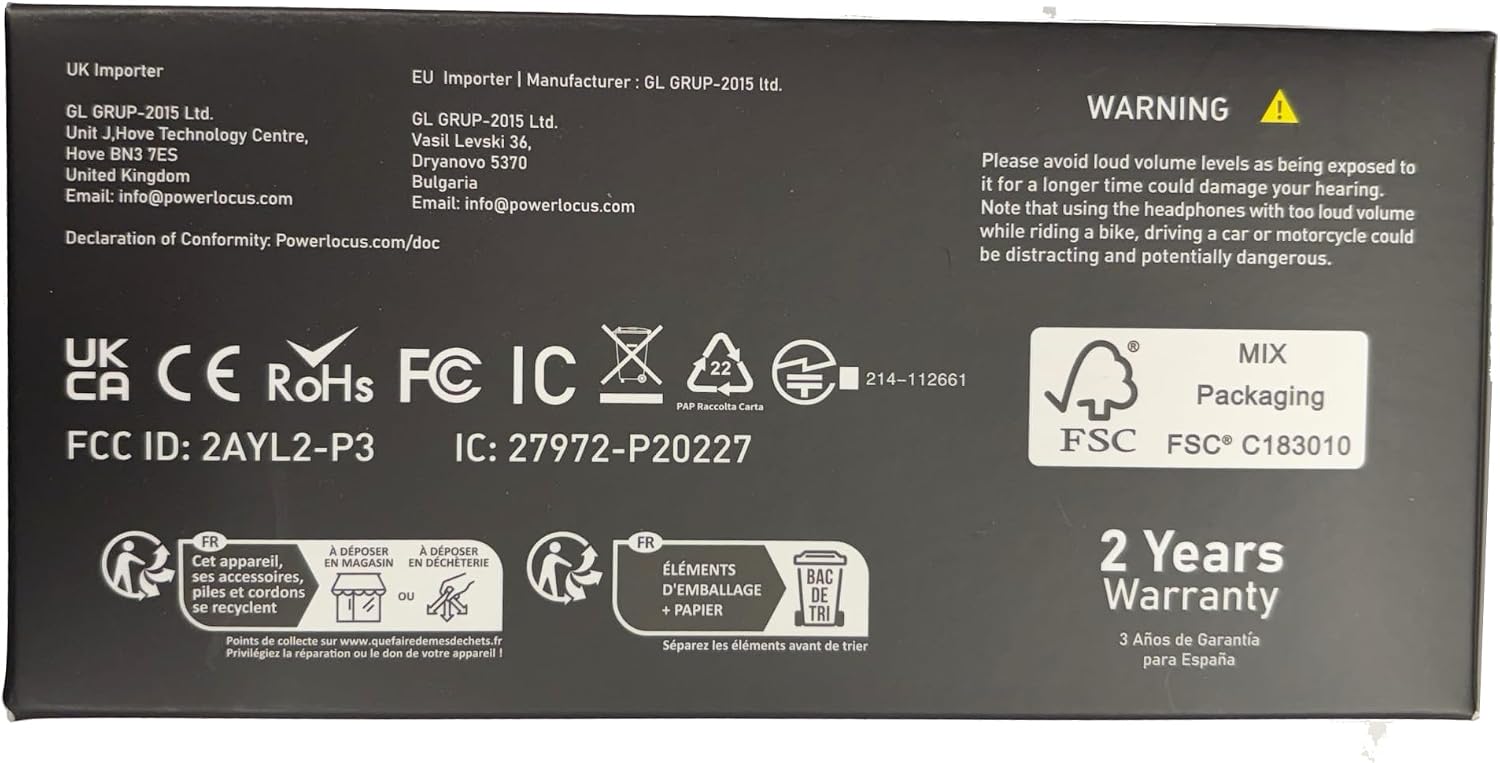
Image: The back of the PowerLocus P3 packaging, detailing the included accessories.
Продукт өзгөчөлүктөрү
The PowerLocus P3 headphones are equipped with advanced features for an enhanced listening experience:
- Hi-Fi үн тажрыйбасы: Equipped with 40mm audio drivers for rich, superior audio performance with deep bass and extended treble. Features 4 EQ Music Modes: Pop, Bass, Vocal, and Rock.
- Жогорку комфорт: Ergonomic design with soft memory foam earmuffs and a softly padded headband for a secure and comfortable fit during extended use.
- Узак убакыт ойноо жана зымдуу режим: Offers more than 50 hours of wireless playtime. Includes a 3.5mm wired mode for continued use when the battery is depleted. USB-C fast charging technology is supported.
- Bluetooth 5.3 жана орнотулган микрофон: Industry-leading Bluetooth 5.3 technology ensures instant pairing with all Bluetooth-enabled devices (phones, tablets, laptops, TV). Noise-cancelling microphones enhance call quality.
- Көп чекиттүү туташуу: Бир эле учурда эки түзмөк менен жупташууга мүмкүндүк берет.
- Бүктөлүүчү Дизайн: Lightweight and foldable for easy portability and storage.

Image: A user demonstrating the comfortable fit and adjustable features of the headphones.

Image: The headphones offer over 50 hours of playtime, ideal for travel.

Image: Experience immersive audio with 4 distinct EQ modes.

Image: Multi-point connection allows seamless switching between devices.
Продукт бүттүview Video
Видео: Бүттүview of the PowerLocus P3 Bluetooth Headphones, highlighting key features and design.
Жайгашуу
Наушниктерди заряддоо
Before first use, fully charge your PowerLocus P3 headphones. Use the provided USB-C charging cable.
- Connect the USB-C end of the charging cable to the USB-C charging port on the headphones.
- USB-A учун шайкеш келген USB кубат адаптерине (кошулмада жок) же компьютердин USB портуна туташтырыңыз.
- LED индикатору кубаттоо абалын көрсөтөт. Толук кубаттоо болжол менен 2 саатты талап кылат.

Image: The headphones feature USB-C fast charging for quick power-ups.
Bluetooth түзмөктөрү менен жупташтыруу
Гарнитураңызды Bluetooth иштетилген түзмөк менен жупташтыруу үчүн бул кадамдарды аткарыңыз:
- Наушниктердин заряддалганын жана өчүрүлгөнүн текшериңиз.
- LED индикатору жупташтыруу режимин көрсөткөн көк жана кызыл күйгүчө Күч баскычын басып, кармап туруңуз.
- Түзмөгүңүздө Bluetooth иштетиңиз жана жеткиликтүү түзмөктөрдү издеңиз.
- Түзмөктөрдүн тизмесинен "PowerLocus P3" тандаңыз.
- Туташтырылгандан кийин, LED индикатору көк түстө күйөт.
For multi-point connection, pair with the first device, then disable Bluetooth on the first device. Put the headphones back into pairing mode and connect to the second device. Re-enable Bluetooth on the first device, and the headphones should connect to both.

Image: The multi-point connection feature allows simultaneous pairing with two devices.
Иштөө нускамалары
The PowerLocus P3 headphones feature intuitive controls located on the earcups:

Image: An illustration detailing the intuitive controls on the headphone earcup.
| Баскыч/порт | Функция |
|---|---|
| Кубат баскычы | Press and hold to Power ON/OFF. Short press to Play/Pause music, Answer/End calls. Double press for Siri/Google Assistant activation. |
| Үнүн жогорулатуу (+) | Short press to increase volume. Long press to skip to the next song. |
| Үнүн азайтуу (-) | Short press to decrease volume. Long press to go to the previous song. |
| EQ режими баскычы | Short press to cycle through 4 EQ modes: Pop, Bass, Vocal, Rock. |
| USB-C заряддоо порту | Наушниктерди заряддоо үчүн. |
| 3.5 мм аудио джек | For wired audio connection when battery is low or for non-Bluetooth devices. |
| LED көрсөткүч | Кубаттын абалын, жупташтыруу режимин жана кубаттоо абалын көрсөтөт. |
Камтылган микрофонду колдонуу
The integrated noise-cancelling microphone allows for clear hands-free calls and voice assistant commands.
- Чалууларга жооп берүү / аяктоо: Кубат баскычын кыска басыңыз.
- Чалууларды четке кагуу: Кубат баскычын көпкө басып туруңуз.
- Үн жардамчысын жандыруу: Күйгүзүү/өчүрүү баскычын эки жолу басыңыз.

Image: The built-in microphone ensures clear communication during wireless calls.
Оюн режими
For an optimized gaming experience with low latency, activate Gaming Mode:
- Hold the Play/Pause button for 3 seconds to enter Low Latency Gaming Mode.

Image: Activate Gaming Mode for low-latency audio during gameplay.
Зымдуу туташуу
If the battery is depleted or you prefer a wired connection, use the provided 3.5mm audio cable:
- 3.5 мм аудио кабелдин бир учун кулакчындын аудио уячасына сайыңыз.
- Plug the other end into your audio source's 3.5mm port.

Image: The headphones support both wireless and wired connections for versatile use.
Техникалык тейлөө
To ensure the longevity and optimal performance of your PowerLocus P3 headphones, follow these maintenance guidelines:
- Тазалоо: Use a soft, dry cloth to clean the exterior of the headphones. Do not use abrasive cleaners or solvents.
- Сактагыч: When not in use, store the headphones in a cool, dry place, preferably in their protective case. The foldable design allows for compact storage.
- Батареяга кам көрүү: Avoid fully depleting the battery frequently. For long-term storage, charge the headphones to about 50% every few months.
- Экстремалдуу шарттарды болтурбоо: Наушниктерди экстремалдык температурага, нымдуулукка же тике күн нуруна калтырбаңыз.

Image: The foldable design and included case make the headphones easy to store and transport.
Проблемаларды чечүү
Эгерде сиз PowerLocus P3 кулакчыныңыз менен көйгөйлөргө туш болсоңуз, төмөнкү кеңири таралган чечимдерди караңыз:
| Маселе | Чечим |
|---|---|
| Кулакчындар күйбөйт | Кулакчындар толук заряддалганын текшериңиз. Күйгүзүү баскычын 3-5 секунд басып туруңуз. |
| Түзмөк менен жупташтыруу мүмкүн эмес | Ensure Bluetooth is enabled on your device. Make sure headphones are in pairing mode (flashing blue/red LED). Move headphones closer to the device. Forget previous pairings on your device and try again. |
| Үн жок же үнү төмөн | Check volume levels on both headphones and your connected device. Ensure headphones are properly paired. If using wired mode, ensure the 3.5mm cable is fully inserted. |
| Үн сапаты начар/бурмалоо | Move closer to your device to avoid interference. Ensure no physical obstructions are between the headphones and the device. Try a different audio source or file. |
| Микрофон иштебей жатат | Ensure headphones are connected via Bluetooth. Check microphone settings on your device to ensure PowerLocus P3 is selected as the input device. |
Техникалык шарттар
| Өзгөчөлүк | Деталь |
|---|---|
| Модель аты | P3 Жаңы |
| Байланыш технологиясы | Зымсыз (Bluetooth 5.3) |
| Bluetooth диапазону | 36 фут чейин |
| Батареянын иштөө мөөнөтү | 50 саат |
| Заряддоо убактысы | 2 саат |
| Аудио драйверинин өлчөмү | 40 миллиметр |
| Жыштык диапазону | 20 Гц - 20 000 Гц |
| Импеданс | 32 Ом |
| Наушник уясы | 3.5 мм Джек |
| Noise Control | Пассивдүү ызы-чууну жокко чыгаруу |
| Элемент Салмагы | 181 грамм (6.4 унция) |
| Өндүрүүчү | PowerLocus |
Кепилдик жана колдоо
PowerLocus P3 кулакчындары төмөнкүлөр менен келет 2 Years Full Warranty. For any questions or problems, our friendly customer support team is available 24/7.
Please refer to the contact information provided in your product packaging or visit the official PowerLocus webколдоо үчүн сайт.
Маанилүү: Please avoid loud volume levels as being exposed to it for a longer time could damage your hearing. Note that using the headphones with too loud volume while riding a bike, driving a car or motorcycle could be distracting and potentially dangerous.


