Introduction
Thank you for choosing the Azpen 8 Inch Unlocked LTE Tablet. This device is designed to provide a versatile and powerful mobile computing experience, featuring an Android 12 OS, Octa-Core CPU, 3GB RAM, and 32GB storage. Its IPS HD display offers clear visuals, and built-in 4G LTE connectivity ensures you stay connected on the go. This manual provides essential information for setting up, operating, and maintaining your tablet.

Сүрөт: алдыңкы жана арткы view of the Azpen 8 Inch Unlocked LTE Tablet, showcasing анын кооз дизайны.
Продукт өзгөчөлүктөрү
- Өркүндөтүлгөн байланыш: Stay connected with built-in 4G LTE and Wi-Fi. LTE bands B2/B4/B5/B7/B12/B17/B66 are compatible with T-Mobile and AT&T networks. (SIM card not included; check carrier compatibility before purchase).
- Күчтүү аткаруу: Experience stunning performance with the quick and powerful Android 12 OS, driven by an Octa-Core 8 x 1.6 GHz CPU & GPU.
- Ample Storage & RAM: Equipped with 3GB of DDR4 RAM and 32GB of internal storage, expandable up to 128GB via Micro SD Slot, providing ample space for movies, songs, and games.
- Жандуу дисплей: The stunning 8-inch HD (1280 x 800) IPS display delivers a crisper and brighter image for an enhanced viewтажрыйбасы.
- Узартылган батареянын иштөө мөөнөтү: A 4000 mAh battery allows for up to 6 hours of watching or browsing without frequent recharging.
- Dual Cameras & Bluetooth: Features Bluetooth connectivity and dual cameras (front and rear) for versatile use.
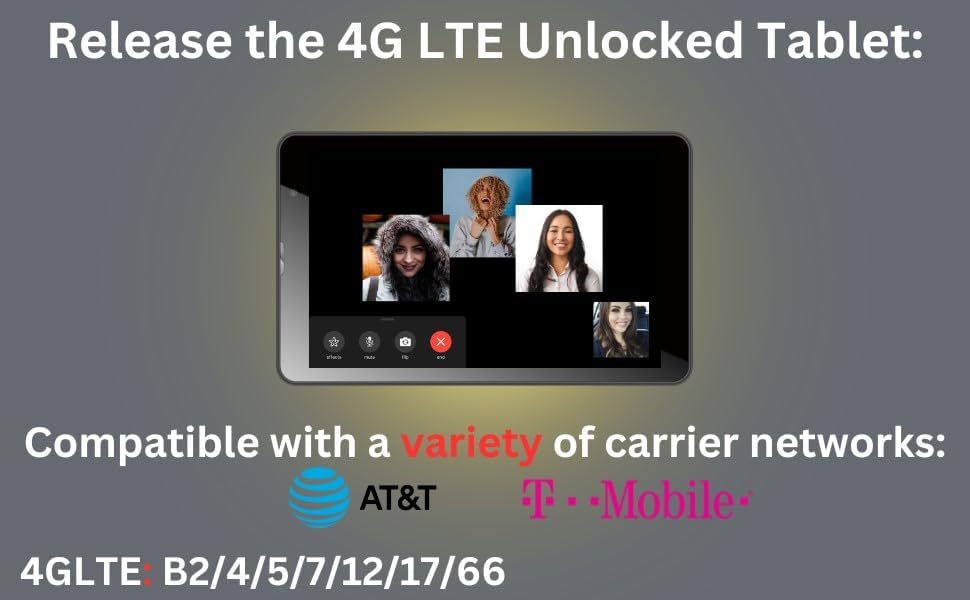
Image: The tablet highlighting its 4G LTE compatibility with major carrier networks like AT&T and T-Mobile.
Түзмөгүңүз менен таанышыңыз
Familiarize yourself with the physical components and ports of your Azpen Tablet.
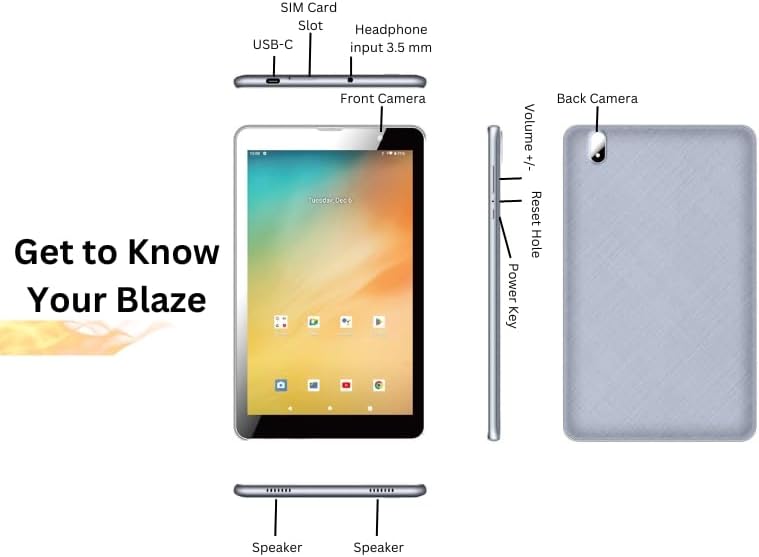
Image: Detailed diagram illustrating the location of the SIM Card Slot, USB-C port, 3.5mm Headphone input, Front Camera, Back Camera, Volume buttons, Reset Hole, Power Key, and Speakers on the Azpen Tablet.
- SIM карта слоту: Insert your 4G LTE SIM card here for cellular data connectivity.
- USB-C порту: Планшетті кубаттоо жана маалыматтарды өткөрүп берүү үчүн компьютерге туташтыруу үчүн колдонулат.
- Headphone Input (3.5 mm): Connect your wired headphones or external speakers.
- Алдыңкы камера: Видео чалуулар жана селфи үчүн.
- Арткы камера: Сүрөт жана видео тартуу үчүн.
- Көлөм +/-: Аудионун үнүн тууралаңыз.
- Тешикти баштапкы абалга келтирүү: A small pinhole for performing a hard reset if the device becomes unresponsive.
- Кубат ачкычы: Press and hold to power on/off or restart the device. Short press to wake/sleep the screen.
- Баяндамачылар: Аудио чыгаруу үчүн түбүндө жайгашкан.
Жайгашуу
Баштапкы күйгүзүү жана орнотуу устасы
- Планшетти заряддоо: Before first use, fully charge your tablet using the provided USB-C cable and power adapter. The battery indicator will show charging status.
- Күйгүзүү: Press and hold the Power Key until the Azpen logo appears on the screen.
- Экрандагы көрсөтмөлөрдү аткарыңыз: The Android 12 setup wizard will guide you through selecting your language, connecting to a Wi-Fi network, setting up your Google account, and configuring basic settings.
Inserting SIM Card and Micro SD Card
To utilize cellular data or expand storage, insert the respective cards into their designated slots.
- Өчүрүү: Ensure the tablet is powered off before inserting or removing cards.
- Уячаларды табыңыз: Refer to the "Get to Know Your Device" diagram for the exact location of the SIM card slot and Micro SD card slot.
- SIM картаны салыңыз: Gently push your nano-SIM card into the SIM card slot until it clicks into place. Ensure the correct orientation.
- Микро SD картаны салыңыз: Gently push your Micro SD card into the Micro SD card slot until it clicks into place.
- Күйгүзүү: Power on the tablet. The device should automatically detect the inserted cards.
Иштөө нускамалары
Негизги навигация
- Сенсордук экран жаңсоолор: Navigate the Android 12 interface using taps, swipes, pinches, and long presses.
- Башкы экран: Колдонмолоруңузга, виджеттериңизге жана эскертмелериңизге ыңгайлаштырылган үй экранынан кириңиз.
- Ыкчам орнотуулар: Wi-Fi, Bluetooth, жарыктык жана башкалардын тез жөндөөлөрүнө кирүү үчүн экрандын жогору жагынан ылдый сүрүңүз.
Wi-Fi жана Bluetooth туташууда
- Wi-Fi: барыңыз
Settings > Network & internet > Internet. Select your desired Wi-Fi network and enter the password if prompted. - Bluetooth: барыңыз
Settings > Connected devices > Connection preferences > Bluetooth. Turn Bluetooth on and select a device to pair with.
Камераларды колдонуу
The tablet features both front and rear cameras for photos and video.
- Камера колдонмосун ачуу: Үй экраныңыздагы же колдонмо суурмасындагы Камера сүрөтчөсүн таптаңыз.
- Камераларды алмаштыруу: Алдыңкы жана арткы камераларды которуштуруу үчүн камераны которуштуруу сүрөтчөсүн колдонуңуз.
- Сүрөткө тартуу/видео жаздыруу: Сүрөткө тартуу үчүн жапкыч баскычын же видео жазууну баштоо/токтоо үчүн жаздыруу баскычын таптаңыз.
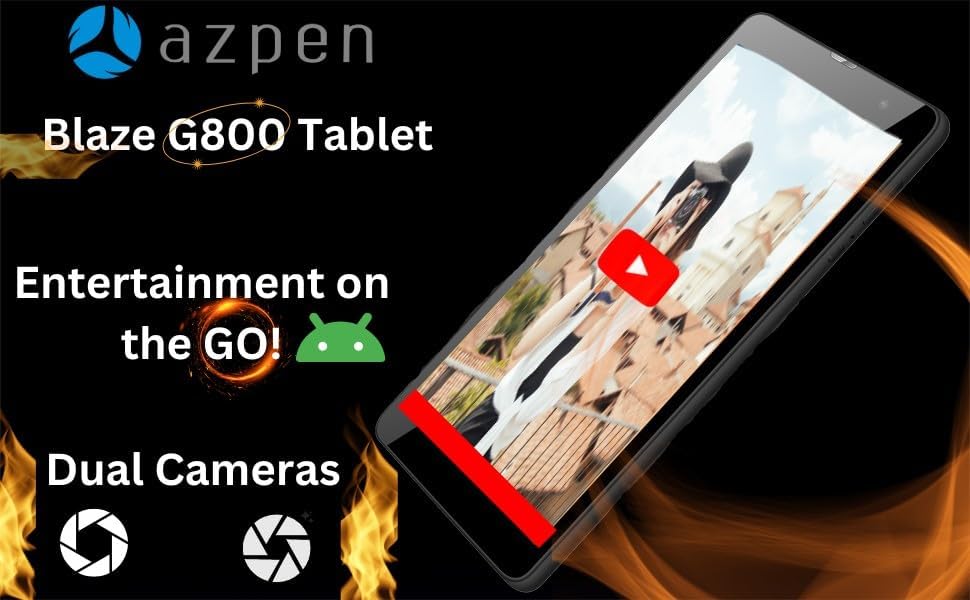
Сүрөт: Планшеттин көрүнүшүasing its capability for entertainment on the go, featuring dual cameras and a video playing on screen.
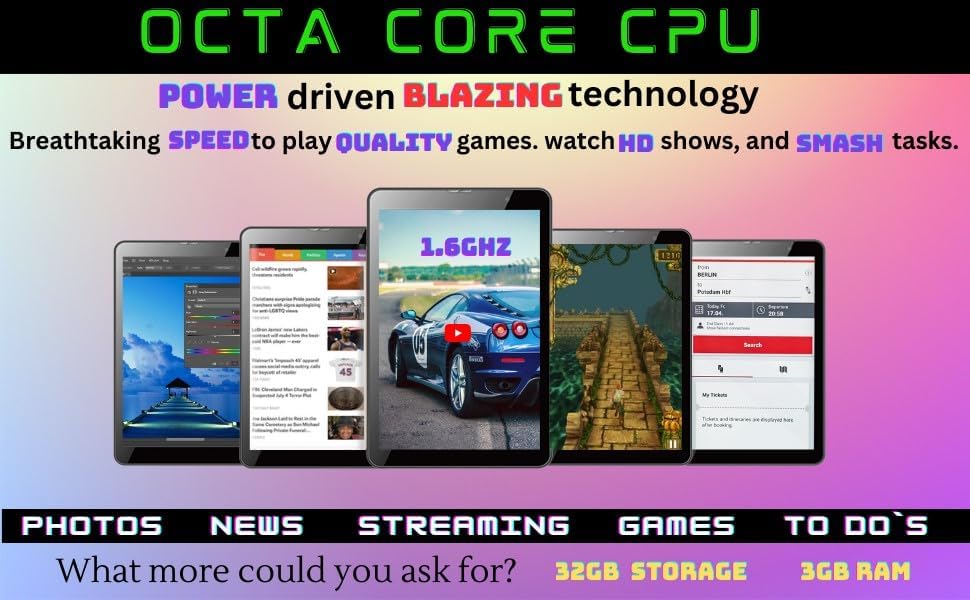
Image: Multiple Azpen tablets displaying different applications and media, emphasizing the Octa-Core CPU's power for gaming, HD shows, and multitasking.
Техникалык тейлөө
Батареяга кам көрүү
- Оптималдуу заряддоо: Use the original charger and cable. Avoid overcharging or letting the battery drain completely too often.
- Температура: Планшетті өтө жогорку температурага дуушар кылбаңыз, анткени бул батареянын иштөө мөөнөтүн кыскартышы мүмкүн.
- Сактагыч: Эгер планшетти узак убакытка сактап жатсаңыз, аны өчүрүүдөн мурун болжол менен 50% га чейин кубаттаңыз.
Сактагычты башкаруу
- Кэшти тазалоо: Regularly clear app caches to free up space. Go to
Settings > Apps > [App Name] > Storage & cache > Clear cache. - Delete Unused Apps: Мындан ары колдонбогон колдонмолорду чыгарып салыңыз.
- Transfer Files: Чоң жылдырыңыз files (photos, videos) to the Micro SD card or cloud storage to free up internal memory.

Сүрөт: Планшеттин көрүнүшүasing its storage and RAM capabilities, ideal for playing intense games, powered by Android 12.
Проблемаларды чечүү
| Көйгөй | Мүмкүн чечим |
|---|---|
| Планшет күйбөйт. | Ensure the battery is charged. Connect the charger and wait a few minutes before attempting to power on again. If unresponsive, press and hold the Power Key for 10-15 seconds. |
| Tablet is frozen or unresponsive. | Press and hold the Power Key for 10-15 seconds to force a restart. If that doesn't work, use a thin pin to press the Reset Hole. |
| Wi-Fi туташуу маселелери. | Планшетти жана Wi-Fi роутериңизди өчүрүп-күйгүзүңүз. Тармакты унутуңуз Settings > Network & internet > Internet and reconnect. Ensure you are within range. |
| Жай аткаруу. | Close unused apps, clear app caches, and free up storage space. Consider a factory reset as a last resort (backup data first). |
| SIM карта табылган жок. | Ensure the SIM card is correctly inserted and activated with your carrier. Restart the tablet. Verify carrier compatibility (T-Mobile and AT&T networks supported). |
Заводдук абалга кайтаруу
Заводдук жөндөөлөргө кайтаруу планшетиңиздеги бардык маалыматтарды өчүрүп, аны баштапкы заводдук жөндөөлөрүнө кайтарат.
- Маалыматтын камдык көчүрмөсү: Before proceeding, back up all important data to a computer or cloud storage.
- Navigate to Reset: барыңыз
Settings > System > Reset options > Erase all data (factory reset). - Ырастоо: Follow the on-screen instructions to confirm the reset. The tablet will restart and begin the reset process.
Техникалык шарттар
| Өзгөчөлүк | Деталь |
|---|---|
| Модель аты | TF800 (TFBLAZE) |
| Операция системасы | Android 12 |
| CPU | Octa-Core 8 x 1.6 GHz |
| RAM | 3 ГБ DDR4 |
| Ички сактагыч | 32 ГБ |
| Кеңейтүүчү сактагыч | Up to 128 GB via Micro SD Slot |
| Дисплей өлчөмү | 8 дюйм |
| Display Resolution | 1280 x 800 пиксел (IPS HD) |
| Зымсыз байланыш | 4G LTE (Bands B2/B4/B5/B7/B12/B17/B66), Wi-Fi, Bluetooth |
| Камералар | Кош камералар (алдыңкы жана арткы) |
| Батарея сыйымдуулугу | 4000 мАч |
| Продукциянын өлчөмдөрү | 10.2 x 6.2 x 0.38 дюйм |
| Элемент Салмагы | 1.23 фунт |
| Түс | Кара |
Кепилдик жана колдоо
For warranty information and technical support, please refer to the documentation included with your product packaging or visit the official Azpen webсайт.
Өндүрүүчү: Richwoods
Биринчи жеткиликтүү болгон күнү: 3-сентябрь, 2023-жыл


