1. Киришүү
This manual provides essential information for the safe and efficient operation of your FLASHFORGE Adventurer 5M Pro 3D Printer. Please read it thoroughly before using the device to ensure optimal performance and longevity.

Figure 1.1: The FLASHFORGE Adventurer 5M Pro 3D Printer, showcasing its enclosed design and a completed multi-color print.
2. Кутуда эмне бар
Upon unboxing, verify that all components listed below are present:
- AD5M Pro 3D Printer (x1)
- 0.6mm Nozzle Kit (x1)
- Filament Rack (x1)
- Май (x1)
- USB Disk (x1)
- 250g PLA Filament (x1)
- Кубат кабели (x1)
- Glue (x1)
- Ыкчам баштоо боюнча колдонмо (x1)
- Диагоналдык кычкачтар (x1)
- Аллен ачкыч комплекттери (x1)
- Бурағыш (x1)

Figure 2.1: ашыкview of the product accessories included with the Adventurer 5M Pro.
3. Орнотуу
The Adventurer 5M Pro is designed for quick setup, allowing you to begin printing within approximately 10 minutes of unboxing.
3.1 Initial Preparation: Z-axis Securing Screws
Before the first use, it is crucial to remove the four Z-axis securing screws. Use the included 2.0mm hex wrench for this task.
Критикалык эскертүү:
- Ensure the hex wrench is inserted at a 90-degree perpendicular angle to the screw head and rotate gently. Improper alignment may result in screw head stripping, making the screws difficult to remove.

Figure 3.1: Important notice regarding the removal of Z-axis securing screws during initial setup.
3.2 Автоматтык тегиздөө
The printer features a full-auto one-click leveling system. This calibrates and levels the print bed automatically, ensuring a perfect first layer for every print and contributing to quality printing performance.
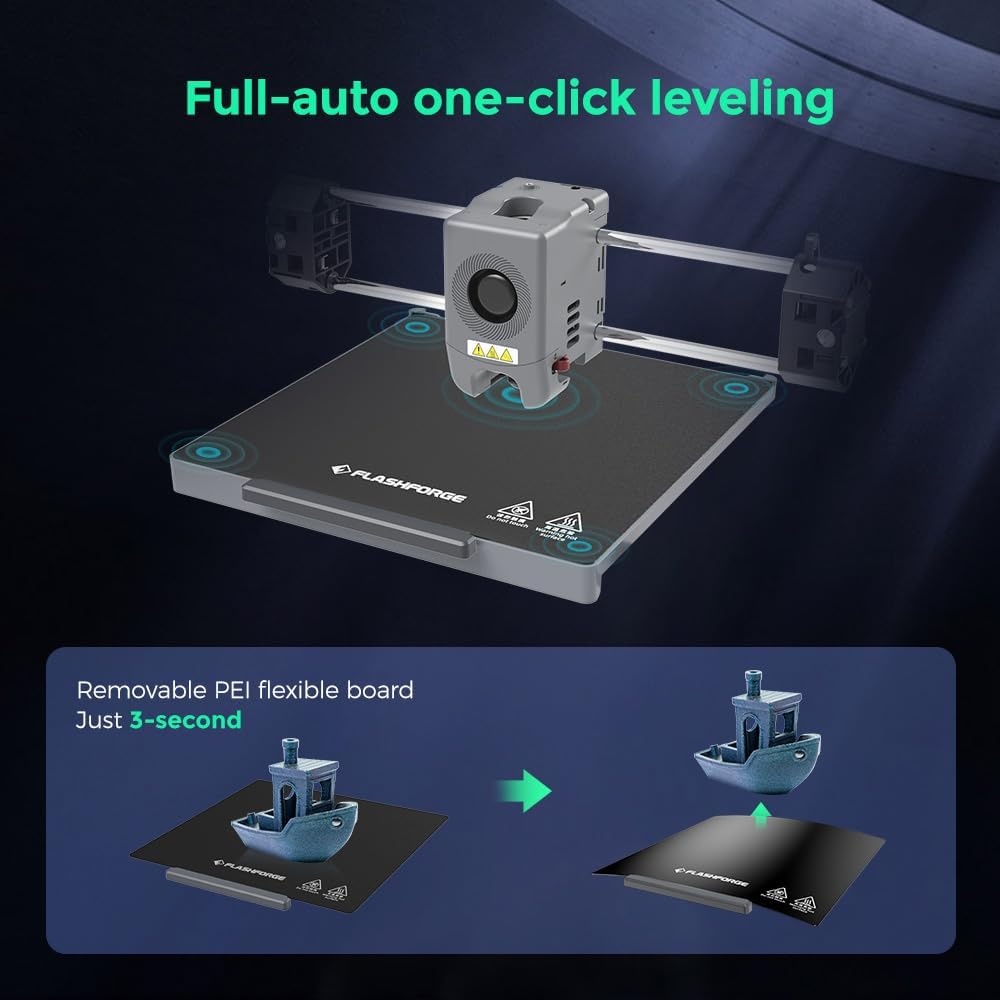
Figure 3.2: The automatic leveling process and the removable PEI flexible build plate.
4. Иштөө нускамалары
4.1 Жогорку ылдамдыктагы басып чыгаруу
The Adventurer 5M Pro utilizes a Core XY structure, enabling ultra-fast printing with a maximum speed of 600mm/s and acceleration up to 20000 mm/s². The acceleration from zero to 600 mm/s takes just 0.025 seconds, significantly reducing print times.
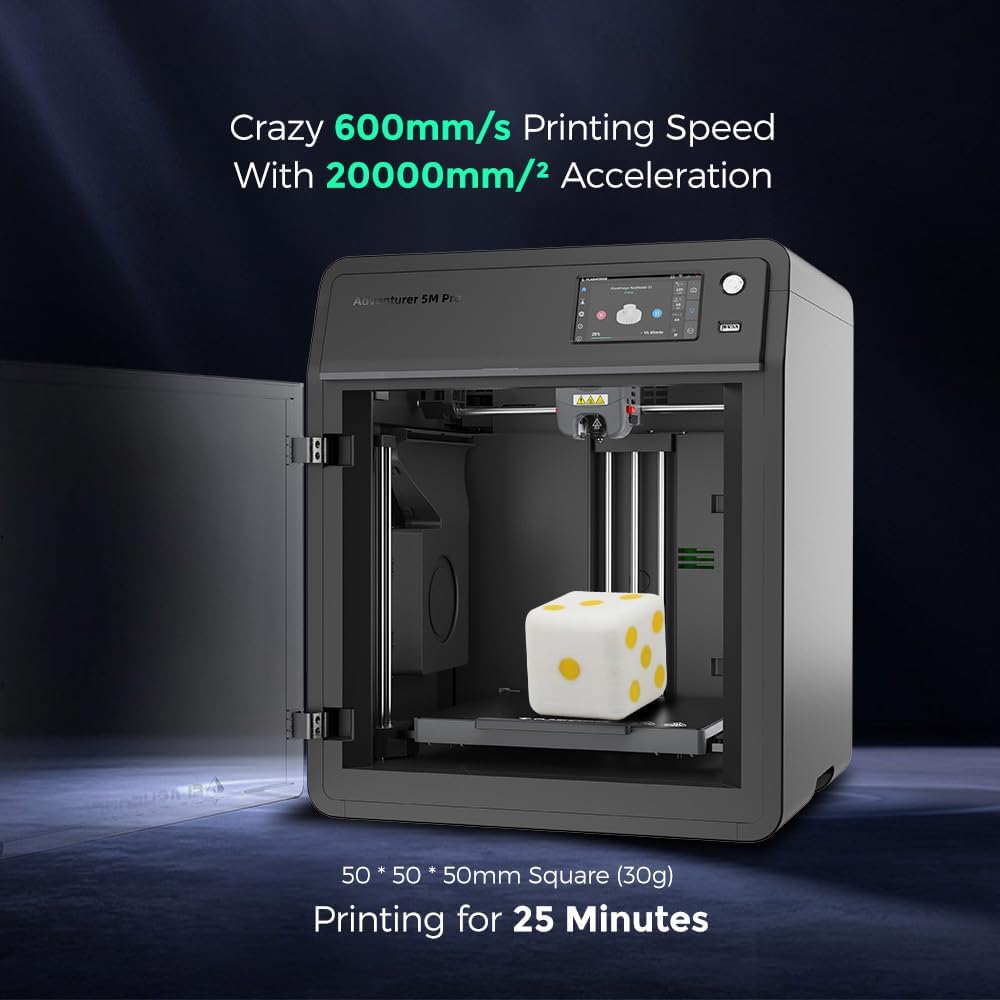
Figure 4.1: High-speed printing capability of the Adventurer 5M Pro.
4.2 Extruder and Nozzle System
The printer features a quick-detachable direct extruder with a 50W heating power, reaching 200°C in 35 seconds. The nozzle offers a flow rate of 32mm³/s, ensuring precise and consistent extrusion. Various nozzle diameters (0.25mm, 0.4mm, 0.6mm, 0.8mm) are available and can be swapped in just 3 seconds without tools.

Figure 4.2: The quick-detachable nozzle system for easy changes.
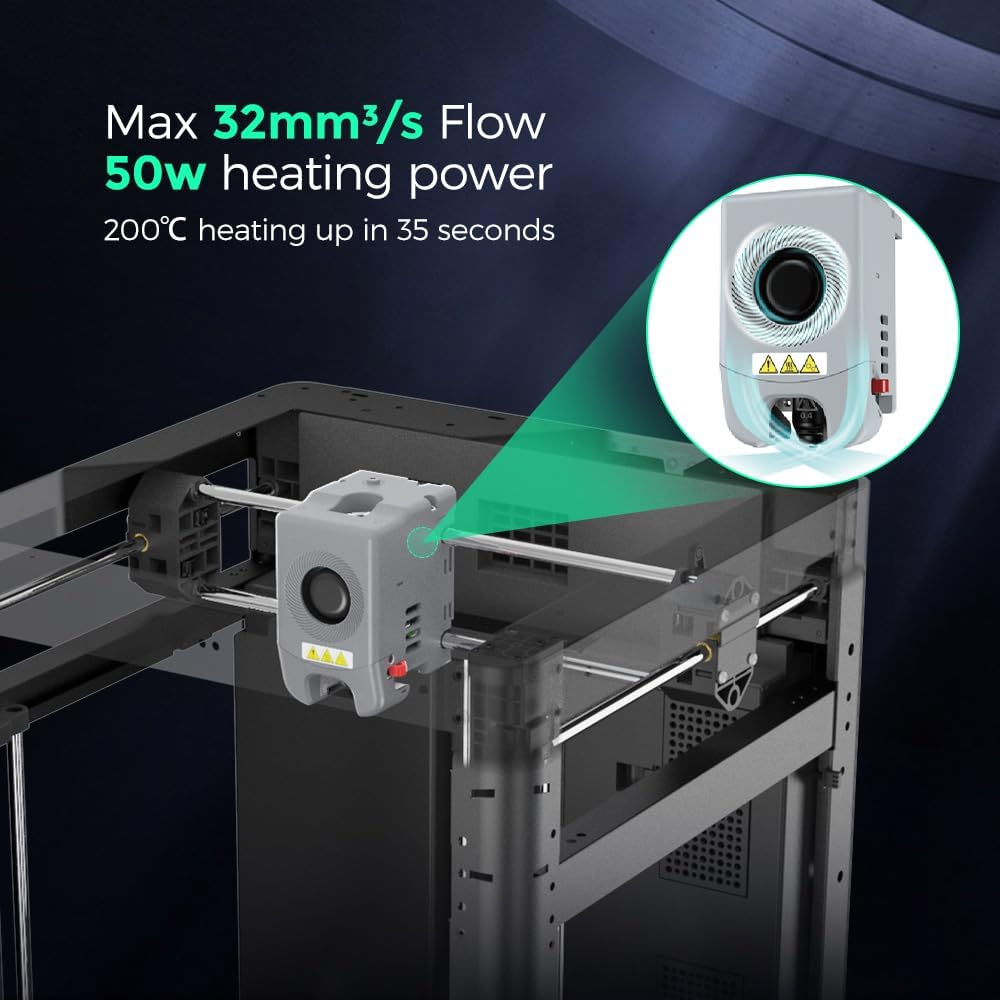
Figure 4.3: Extruder performance specifications.
4.3 Алыстан байкоо жана башкаруу
The built-in chamber camera allows for easy print monitoring remotely. The printer also supports automatic shutdown upon print completion, conserving energy. Connectivity options include Wi-Fi, Ethernet, and USB.

Figure 4.4: Remote camera monitoring for convenient print supervision.

Figure 4.5: Enclosed design benefits including low noise and automatic shutdown.
4.4 Кесүү программасы
The Adventurer 5M Pro is compatible with FlashPrint and Orca Flashforge slicing software. These tools provide comprehensive control over your printing process, including remote management and monitoring capabilities.

Figure 4.6: Flash Maker and Orca-Flashforge software for print management.

Figure 4.7: Advanced management features through Flash Maker and Orca-Flashforge.
4.5 Supported Filament Types
The Adventurer 5M Pro supports a variety of filament types, including PLA, PETG, TPU, ABS, ASA, PA-CF, and PETG-CF. Specific nozzle sizes (0.6mm, 0.8mm) are recommended for certain materials.
5. Техникалык тейлөө
5.1 Аба чыпкалоо системасы
The printer is equipped with a dual air filtration system (HEPA13 and activated carbon) that supports both internal and external circulation. This system effectively blocks 99% of particles and VOCs, protecting your respiratory system. Regular inspection and replacement of filters are recommended to maintain air quality.
5.2 Соплолорду алмаштыруу
The quick-detachable nozzle design facilitates easy replacement. Refer to section 4.2 for details on nozzle types and replacement procedure.
5.3 Майлоо
Use the provided grease to lubricate moving parts as indicated in the detailed maintenance guide (refer to the full user guide PDF for specific points and frequency).
6. Кыйынчылыктарды
This section provides general guidance for common issues. For detailed troubleshooting steps, please consult the official user guide PDF or contact support.
6.1 Z-axis Screw Stripping
If screw stripping occurs during the initial Z-axis screw removal (as described in Section 3.1), we recommend:
- Using another 2.0mm non-ball-end hex wrench (if available and not included).
- Contacting Amazon message support for assistance.
6.2 Басма сапаты маселелери
Ensure the print bed is properly leveled using the full-auto one-click leveling feature. Verify filament is loaded correctly and the nozzle is clean and free of clogs. Vibration compensation is built-in to reduce ghosting, but ensure the printer is on a stable surface.
7. Техникалык шарттар
| Өзгөчөлүк | Деталь |
|---|---|
| Продукциянын өлчөмдөрү | 14.96 x 17.71 x 15.74 дюйм (37.99 x 44.98 x 40 см) |
| Элемент Салмагы | 32.2 фунт (14.6 кг) |
| Экструдердин максималдуу ылдамдыгы | 600мм/сек |
| Макс ылдамдатуу | 20000мм/с² |
| Max Extruder/Platform Temperature | 280 ° C / 110 ° C |
| Сопло диаметри | 0.4mm (default), 0.6mm, 0.8mm, 0.25mm (optional) |
| Тегиздөө ыкмасы | Full-auto one-click leveling |
| Шайкеш кесүү программасы | FlashPrint, Orca Flashforge |
| Басып чыгаруу туташуусу | Wi-Fi, Ethernet, USB |
| Сенсордук LCD экран | 4.3 дюйм |
| Ызы-чуу деңгээли | 50dB (low-noise mode), 55dB (standard mode) |
| Аба чыпкалоо | Internal circulation + external circulation (HEPA + activated carbon) |
| Camera Monitoring | Ооба |
| Автоматтык өчүрүү | Ооба |
| Колдоого алынган File Формат | Input: 3MF, STL, OBJ, FPP, BMP, PNG, JPG, JPEG; Output: GX/G File |

Figure 7.1: Detailed specifications comparison for Adventurer 5M Pro.
8. Продукт видеосу
Видео 8.1: Бүттүview of the Adventurer 5M Pro, highlighting its versatile and enclosed design. This video demonstrates the printer's capabilities and features in a concise format.
9. Кепилдик маалыматы
Warranty information for the FLASHFORGE Adventurer 5M Pro 3D Printer is typically provided with your purchase documentation. Please refer to the warranty card or the official FLASHFORGE webтолук шарттары жана шарттары үчүн сайт.
10. Колдоо
Көбүрөөк жардам, техникалык колдоо же суроо-талаптар үчүн төмөнкү ресурстарды колдонуңуз:
- Расмий колдонуучу колдонмо: Толук PDF колдонуучу колдонмосун жүктөп алууга болот бул жерде.
- Amazon Message Support: For purchase-related issues or direct assistance, contact support via Amazon's messaging system.
- FLASHFORGE Direct: Visit the official FLASHFORGE website for product information, FAQs, and additional support channels.


