Introduction
Thank you for choosing the Raddy WM6 Weather Station. This device provides comprehensive environmental monitoring, including indoor and outdoor temperature, humidity, barometric pressure, and a 12-hour weather forecast. It also features an atomic clock, moon phase display, and comfort level indicators. This manual will guide you through the setup, operation, and maintenance of your new weather station to ensure optimal performance.

Image: The Raddy WM6 Weather Station main unit displaying calendar, weather forecast, temperature, humidity, barometer, comfort level, mold risk, moon phase, atomic clock, and high/low alerts.
Кутуда эмне бар
Сураныч, бардык буюмдар бар экенине ынануу үчүн пакетиңиздин мазмунун текшериңиз:
- Raddy WM6 Main Display Unit
- Remote Sensor (R3) - Note: This model includes 2 extra sensors, totaling 3 remote sensors.
- Кубаттуу адаптер
- Монтаждоочу жабдык
- Орнотулган кайра заряддалуучу батарея (2000 мАч)
Орнотуу нускамалары
1. Баштапкы орнотуу
- Негизги блокту кубаттоо: Connect the provided power adapter to the main display unit and plug it into a wall outlet. The unit also has a built-in 2000mAh rechargeable battery for portable or wall-mounted use without a constant power connection.
- Activating Remote Sensors: Open the battery compartment of each R3 remote sensor and insert the required batteries (typically AA or AAA, not specified in product data, assume standard). Ensure correct polarity. The sensors will automatically attempt to pair with the main unit.
- Automatic Time Synchronization: The WM6 features an atomic clock with WWVB technology. Upon initial power-up, the unit will attempt to synchronize the time automatically. This process may take several minutes or hours depending on signal strength.
2. Remote Sensor Placement
Proper placement of the remote sensors is crucial for accurate readings and reliable transmission. The sensors have a transmission range of up to 330ft (100m).
- Багыты: Always position the remote sensor upright. Avoid laying it down horizontally.
- Коргоо: Place the sensor in a shaded area, protected from direct sunlight and rain. Ensure good air circulation around the sensor.
- Интерференция: Keep the sensor away from large metal objects, electronic devices, and other potential sources of interference.
- Бийиктиги: Mount the sensor at least 1.2 meters (approximately 4 feet) above the ground for optimal readings. Avoid placing it directly on the ground.

Image: Visual guide for correct remote sensor usage, illustrating upright positioning, shade protection, distance from interfering sources, and minimum height from the ground.
Иштөө нускамалары
1. Display Overview
The main display unit shows various information simultaneously:
- Убакыт жана дата: Displays current time, day of the week, and date.
- Имараттын температурасы жана нымдуулугу: Негизги блоктун ички сенсорлорунун окуулары.
- Сырттагы температура жана нымдуулук: Readings from the connected remote sensors.
- Аба ырайы: A 12-hour forecast indicated by icons (sunny, cloudy, rainy, snowy, etc.).
- Барометрдик басым: Учурдагы атмосфералык басым.
- Ай фазасы: Айдын учурдагы фазасынын графикалык чагылдырылышы.
- Комфорт деңгээли: Indicates indoor comfort based on temperature and humidity.
- High/Low Alerts: Customizable alerts for temperature and humidity.
2. Убакыт жана дата жөндөөлөрү
While the atomic clock automatically sets the time, manual adjustments may be necessary for time zone or daylight saving time. Refer to the specific buttons on your device (usually 'SET' or 'MODE') to enter time setting mode and use '+' or '-' buttons to adjust values.
3. Ойготкуч орнотуулары
The WM6 features dual alarm clocks, customizable for weekdays and weekends.
- Press the 'ALARM' button to view or set alarms.
- Use the 'SET' button to toggle between Alarm 1 and Alarm 2.
- Use '+' or '-' to adjust the alarm time.
- The snooze function can be activated by pressing a designated button (often labeled 'SNOOZE' or 'LIGHT') when the alarm sounds.

Image: The Raddy WM6 Weather Station showcasing its atomic clock with WWVB technology and dual alarm clock functionality for weekdays and weekends.
4. Жарыктык орнотуулары
The display brightness is adjustable and can be scheduled for specific times.
- Press the 'LIGHT' or 'BRIGHTNESS' button to cycle through brightness levels (e.g., OFF, 1%, 60%, 100%).
- To set a schedule, access the brightness settings menu (refer to your device's specific button combinations). For example, you can set 60% brightness from 8:00 AM to 6:00 PM and turn the display OFF from 6:00 PM to 11:00 PM.
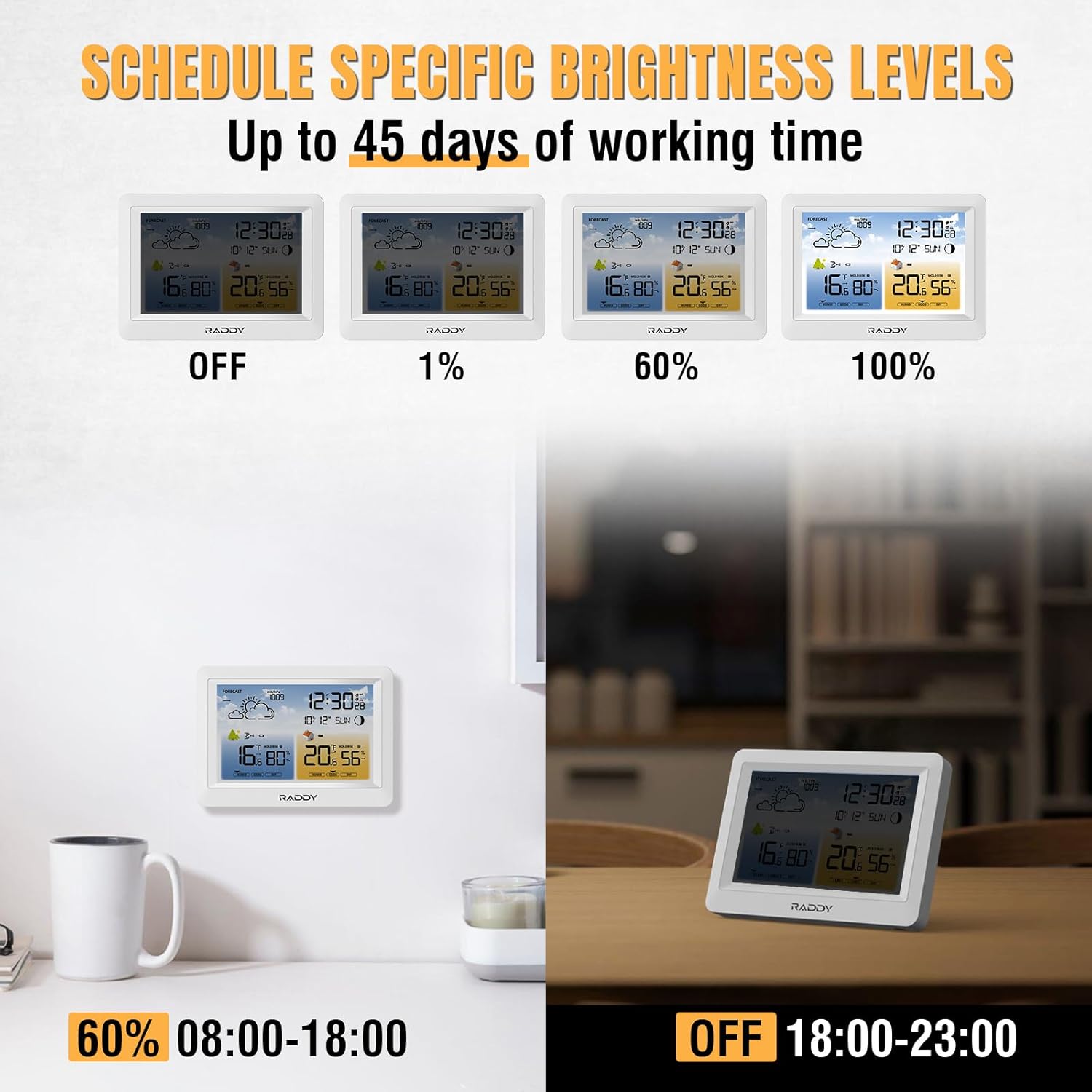
Image: The Raddy WM6 Weather Station demonstrating various brightness levels (Off, 1%, 60%, 100%) and examples of scheduled brightness settings for different times of the day.
5. Weather Forecast Interpretation
The weather station provides a 12-hour forecast based on barometric pressure changes. The icons displayed represent:
- Күн ачык
- Кооз булуттуу
- Булуттуу
- Жамгырлуу
- Нөшөрлөгөн жамгыр
- Кардуу
These forecasts are predictions and may not always perfectly match local conditions.
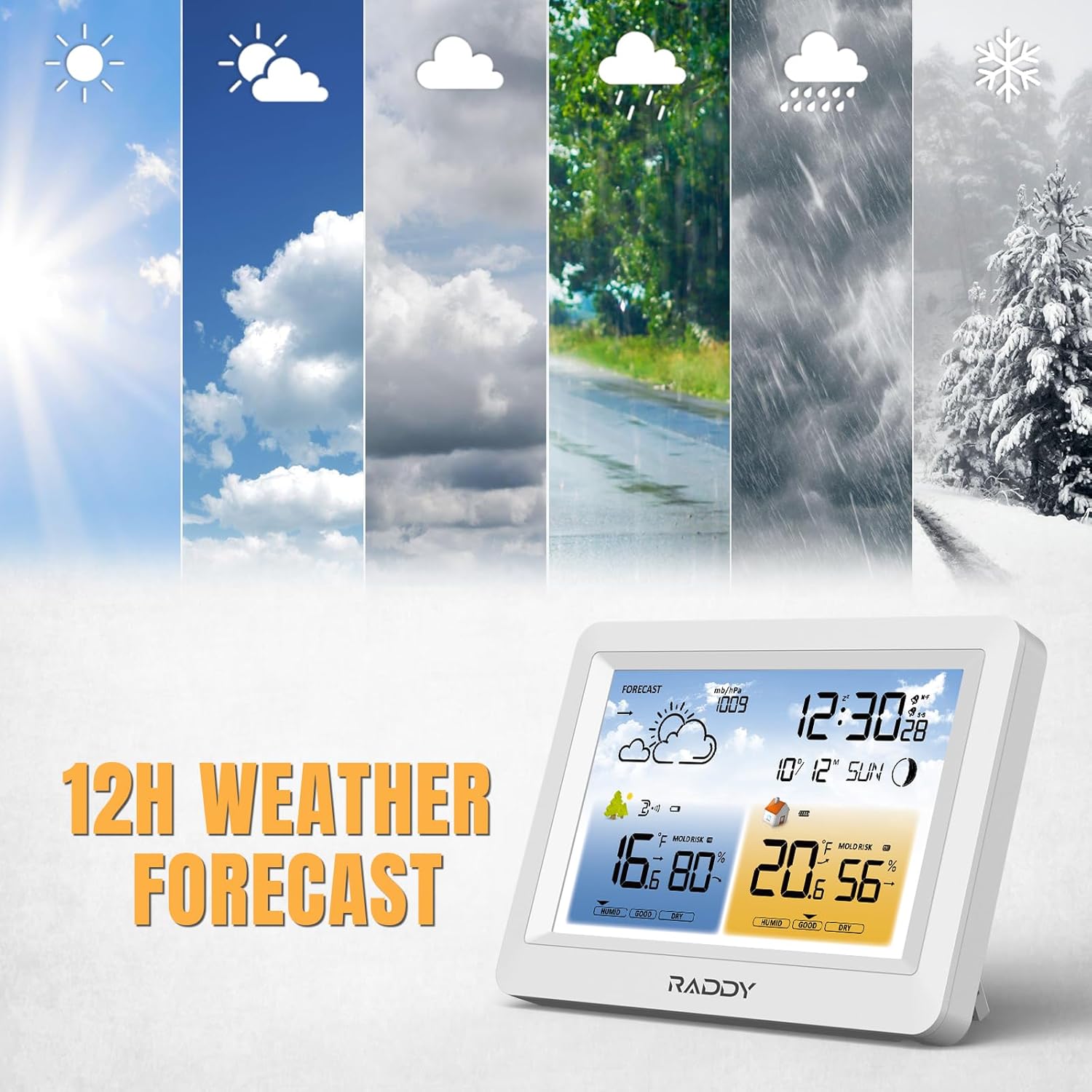
Image: The Raddy WM6 Weather Station showing its 12-hour weather forecast feature with various weather icons.
6. Sensor Pairing
The main unit supports up to 3 remote sensors (R3 model). If a sensor loses connection or you are adding a new one:
- Ensure the remote sensor has fresh batteries and is within range.
- On the main unit, press and hold the 'CHANNEL' or 'SEARCH' button (refer to your device's specific buttons) to initiate a search for remote sensors.
- The main unit will display readings from the connected sensors, cycling through channels if multiple sensors are paired.

Image: The Raddy WM6 Weather Station main unit displaying data from multiple remote sensors, highlighting its capability to monitor up to 3 channels with a transmission range of up to 330ft.
Техникалык тейлөө
1. Батареяга кам көрүү
The main unit features a built-in 2000mAh rechargeable battery, providing up to 45 days of operation on a single charge. For extended screen usage and consistent functionality, it is recommended to keep the power adapter connected to prevent rapid battery drainage.

Image: A graphic illustrating the benefits of the Raddy WM6's built-in rechargeable battery, including 45-day battery life and data retention after power loss, compared to other devices using disposable batteries.
2. Тазалоо
To clean the main unit and remote sensors, use a soft, dry cloth. Do not use abrasive cleaners, solvents, or immerse the devices in water.
Проблемаларды чечүү
| Көйгөй | Мүмкүн себеп | Чечим |
|---|---|---|
| Негизги блокто дисплей жок | Power adapter not connected or battery depleted. | Ensure power adapter is securely plugged in or charge the built-in battery. |
| Remote sensor not displaying data | Сенсор диапазондон тышкары, батареянын аздыгы же тоскоолдук. | Move sensor closer to the main unit, replace batteries, or relocate away from interference. Initiate sensor search on main unit. |
| Температура/нымдуулук көрсөткүчтөрү туура эмес | Sensor exposed to direct sunlight/rain or poor air circulation. | Relocate sensor to a shaded, well-ventilated area. Ensure proper placement as per instructions. |
| Atomic clock not synchronizing | Weak WWVB signal or interference. | Place the main unit near a window, away from electronic devices. Allow several hours for synchronization. Manual time setting is an alternative. |
Техникалык шарттар
| Өзгөчөлүк | Деталь |
|---|---|
| Модел | WM6 |
| Дисплей түрү | LCD |
| Power Source | Battery Powered (Built-in 2000mAh rechargeable battery) / Power Adapter |
| Байланыш технологиясы | Wireless (for remote sensors), Bluetooth (not explicitly for sensor connection, but listed in specs) |
| Sensor Technology | Зымсыз |
| Remote Sensor Support | Up to 3 channels (R3 model) |
| Берүүнүн диапазону | 330 фут (100 м) чейин |
| Өзгөчөлүктөр | Adjustable Brightness, Alarm, Thermometer, Hygrometer, Barometer, Atomic Clock (WWVB), Moon Phase, Comfort Level, 12-hour Weather Forecast |
| Камтылган компоненттер | Remote Sensor (R3), Power Adapter, Mounting Hardware, Battery |
Кепилдик маалымат
Raddy products are designed for reliability and performance. For specific warranty details, including coverage period and terms, please refer to the warranty card included with your product or visit the official Raddy webсайт. Сураныч, кепилдик дооматтар үчүн сатып алуу далилиңизди сактап коюңуз.
Кардарларды колдоо
If you encounter any issues or have questions regarding your Raddy WM6 Weather Station, please contact Raddy customer support. You can typically find contact information (email, phone, or support portal) on the Raddy official webсайтында же продуктунун таңгагында.
Кошумча ресурстар жана продукт маалыматы үчүн, баш багыңыз Raddy Store on Amazon.


