1. Киришүү
The Sonnet Solo2.5 USB-C to 2.5 Gigabit Ethernet Adapter is designed to provide high-speed 2.5 Gigabit Ethernet connectivity to your computer via a USB-C or Thunderbolt port. This compact and bus-powered adapter is ideal for enhancing network performance for various applications, including fast data transfers, streaming, and gaming, without the need for external power or complex driver installations.
It supports the NBASE-T standard, allowing for 2.5Gb/s speeds when connected to compatible switches or routers, and is also backward compatible with 1 Gb/s and 100 Mb/s speeds.

Figure 1: Sonnet Solo2.5 USB-C to 2.5 Gigabit Ethernet Adapter. This image shows the compact black adapter with its integrated USB-C cable and the Ethernet port, featuring the Sonnet logo and "2.5G" indicator.
2. Орнотуу жана орнотуу
The Sonnet Solo2.5 adapter is designed for straightforward installation with zero driver requirements for most modern operating systems. Follow these steps to set up your adapter:
- Компьютерге туташуу: Plug the USB-C connector of the Solo2.5 adapter into an available USB-C or Thunderbolt port on your computer. The adapter is bus-powered, meaning it draws power directly from the connected port and does not require an external power adapter.
- Тармакка туташуу: Connect a standard Ethernet cable (Cat 5e or better) from your network switch, router, or modem to the RJ45 port on the Solo2.5 adapter.
- Системаны таануу: The drivers for the Solo2.5 adapter are typically integrated into your computer's operating system (Windows, macOS, Linux, ChromeOS, iPad Pro). No manual driver installation is usually required.
- Restart (macOS Tip): For macOS systems, it is recommended to restart your computer after connecting the adapter for the first time to ensure proper recognition and optimal performance.
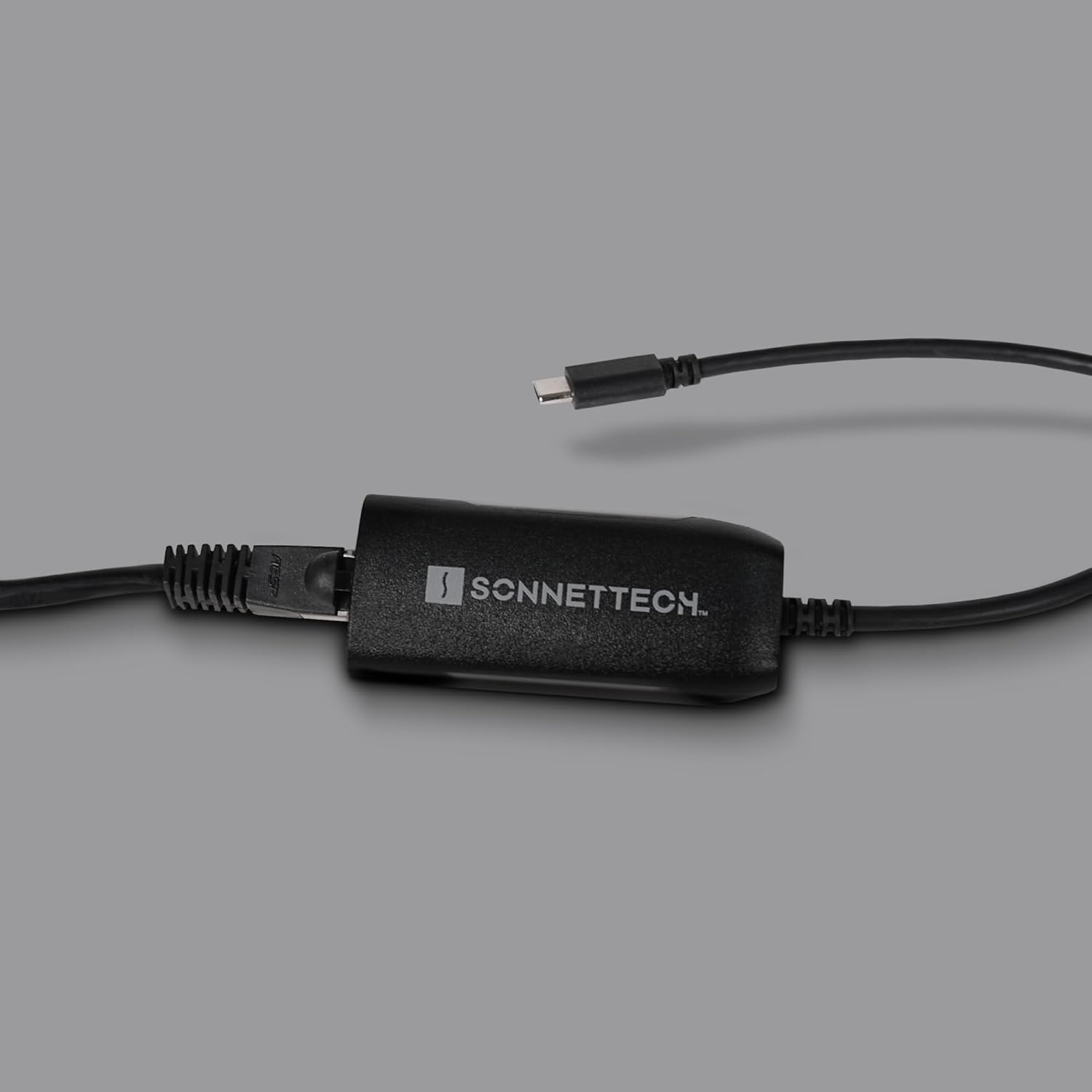
Figure 2: Connecting the Sonnet Solo2.5 adapter to an Ethernet cable. This image shows a close-up of the adapter with an Ethernet cable plugged into its RJ45 port, ready for network connection.
3. Иштөө нускамалары
Once connected, the Sonnet Solo2.5 adapter will automatically configure itself for network access. It supports various operating speeds and network environments:
- Speed Negotiation: The adapter automatically negotiates the highest possible speed with your network equipment, supporting 2.5 Gigabit, 1 Gigabit, and 100 Megabit Ethernet speeds. For 2.5Gb/s speeds, ensure your network switch or router also supports the NBASE-T standard.
- Кеңири шайкештик: The Solo2.5 is compatible with a wide range of devices and operating systems, including Windows, Linux, macOS, ChromeOS, and certain iPad Pro models.
- Тармак көрсөткүчтөрү: The adapter may feature LED indicators (if present on the device) to show link status and activity. Refer to your computer's network settings for detailed connection information.

Figure 3: Double+ Network Performance. This diagram illustrates the enhanced network performance capabilities of the Sonnet Solo2.5 adapter, highlighting its ability to deliver 250% the speed of standard Gigabit Ethernet.

Figure 4: Upgrade to 2.5G Ethernet with Existing Cat 5e Cable. This image explains that existing Cat 5e cabling can support up to 2.5Gbps, eliminating the need for new wiring when upgrading to 2.5G Ethernet with the adapter.
4. Техникалык тейлөө
The Sonnet Solo2.5 USB-C to 2.5 Gigabit Ethernet Adapter requires minimal maintenance due to its robust design and lack of moving parts. Adhere to the following guidelines to ensure its longevity:
- Тазалоо: Use a soft, dry, lint-free cloth to gently wipe the exterior of the adapter. Avoid using liquid cleaners, aerosols, or solvents, as these can damage the device.
- Сактагыч: When not in use, store the adapter in a cool, dry place away from direct sunlight and extreme temperatures. Its compact size makes it easy to transport and store.
- Кабельге кам көрүү: Avoid bending or crimping the integrated USB-C cable excessively to prevent internal damage.

Figure 5: Portability of the Sonnet Solo2.5 adapter. This image shows the compact adapter easily fitting into a bag alongside a laptop, headphones, and other accessories, emphasizing its travel-friendly design.
5. Кыйынчылыктарды
If you encounter issues with your Sonnet Solo2.5 adapter, consider the following troubleshooting steps:
- Тармак туташуусу жок:
- Ensure the USB-C cable is fully seated in your computer's port.
- Verify the Ethernet cable is securely connected to both the adapter and your network device (router/switch).
- Check the status of your network router or switch.
- Try connecting the adapter to a different USB-C or Thunderbolt port on your computer.
- If using macOS, restart your computer after connecting the adapter.
- Жай тармак ылдамдыгы:
- Confirm that your network switch or router supports 2.5 Gigabit Ethernet (NBASE-T) for optimal speeds.
- Ensure you are using a Cat 5e or better Ethernet cable.
- Check your computer's network settings to confirm the adapter is recognized and operating at the expected speed.
- Башка Ethernet кабели менен сынап көрүңүз.
- Адаптер таанылган жок:
- Адаптерди сууруп, кайра туташтырыңыз.
- Компьютериңизди өчүрүп күйгүзүңүз.
- Иштөө тутумуңуз жаңыртылганын текшериңиз.
- Test the adapter on another compatible computer if possible to rule out a computer-specific issue.
6. Техникалык шарттар
| Өзгөчөлүк | Деталь |
|---|---|
| Модель номери | SOLO-NBASE-T |
| Бренд | Сонет |
| Аппараттык интерфейс | Ethernet, Thunderbolt, USB Type C |
| Data Link Protocol | Ethernet, Gigabit Ethernet (2.5Gb/s, 1Gb/s, 100Mb/s) |
| Маалыматтарды өткөрүү ылдамдыгы | Секундасына 2.5 гигабитке чейин |
| Шайкеш операциялык системалар | ChromeOS, Linux, macOS, Windows |
| Түс | Кара |
| Продукциянын өлчөмдөрү | 2.88 x 1.07 x 0.63 дюйм |
| Элемент Салмагы | 1.6 унция (0.1 фунт) |
| Өндүрүүчү | Sonnet Technologies |
| UPC | 732311013676 |
7. Кепилдик маалыматы
Sonnet Technologies products typically come with a limited warranty. For specific warranty terms and conditions applicable to your Solo2.5 USB-C to 2.5 Gigabit Ethernet Adapter, please refer to the warranty card included with your product or visit the official Sonnet Technologies webсайт. Кепилдик дооматтар үчүн сатып алганыңыздын далилин сактаңыз.
8. Кардарларды колдоо кызматы
For technical assistance, product inquiries, or support, please contact Sonnet Technologies customer service. You can find contact information and additional resources, including FAQs and driver downloads (if applicable), on the official Sonnet Technologies webсайт:
Visit Sonnet Technologies Webсайт
When contacting support, please have your product model number (SOLO-NBASE-T) and purchase details ready.


