1. Киришүү
This manual provides instructions for the installation, operation, and maintenance of your Anderic CHQ9051T Ceiling Fan Wall Control Remote. This device is designed to control 3-speed ceiling fans and their associated lighting functions. It is compatible with various 3-speed fan receivers, including UC7067FMRX and UC7058RY models. Please read these instructions thoroughly before use to ensure proper function and safety.
2. Коопсуздук маалыматы
- Always disconnect power to the ceiling fan at the circuit breaker before installing or servicing the wall control.
- This wall control is intended for indoor use only.
- Бардык электр туташуулары жергиликтүү эрежелерге жана көрсөтмөлөргө ылайык келишин камсыз кылыңыз. Эгерде сиз зымдарды туташтыруу боюнча күмөн санасаңыз, квалификациялуу электрикке кайрылыңыз.
- Do not expose the wall control to water or excessive humidity.
- Use only the specified battery type (12V A23) for replacement.
- This wall control operates a ceiling fan receiver (not included). Ensure your ceiling fan has a compatible receiver installed.
3. Пакеттин мазмуну
Пакетиңизде бардык буюмдар бар экенин текшериңиз:
- Anderic CHQ9051T Wall Control Remote
- Дубалга орнотуу кронштейн
- Монтаждык бурамалар (2)
Note: A 12V A23 battery is required for operation and is not included in the package. A compatible ceiling fan receiver is also required and sold separately.
4. Орнотуу жана орнотуу
Follow these steps to install and configure your Anderic CHQ9051T wall control.
4.1. Батареяны орнотуу
- Locate the battery compartment on the back of the wall control.
- Батарея уясынын капкагын ачыңыз.
- Insert one 12V A23 battery, ensuring correct polarity (+/-).
- Батарея уясынын капкагын бекем жабыңыз.
4.2. Dip Switch Alignment
The wall control communicates with your ceiling fan's receiver via dip switches. These switches must match the pattern set on your ceiling fan's receiver for proper operation.
- Locate the dip switches inside the battery compartment of the wall control.
- Access the dip switches on your ceiling fan's receiver. This usually requires removing the fan's canopy. Refer to your ceiling fan's manual for specific instructions.
- Carefully match the position of the dip switches on the Anderic CHQ9051T wall control to the dip switches on your ceiling fan receiver. Ensure they are an exact match.
- Once matched, replace the battery compartment cover on the wall control and reassemble your ceiling fan canopy.
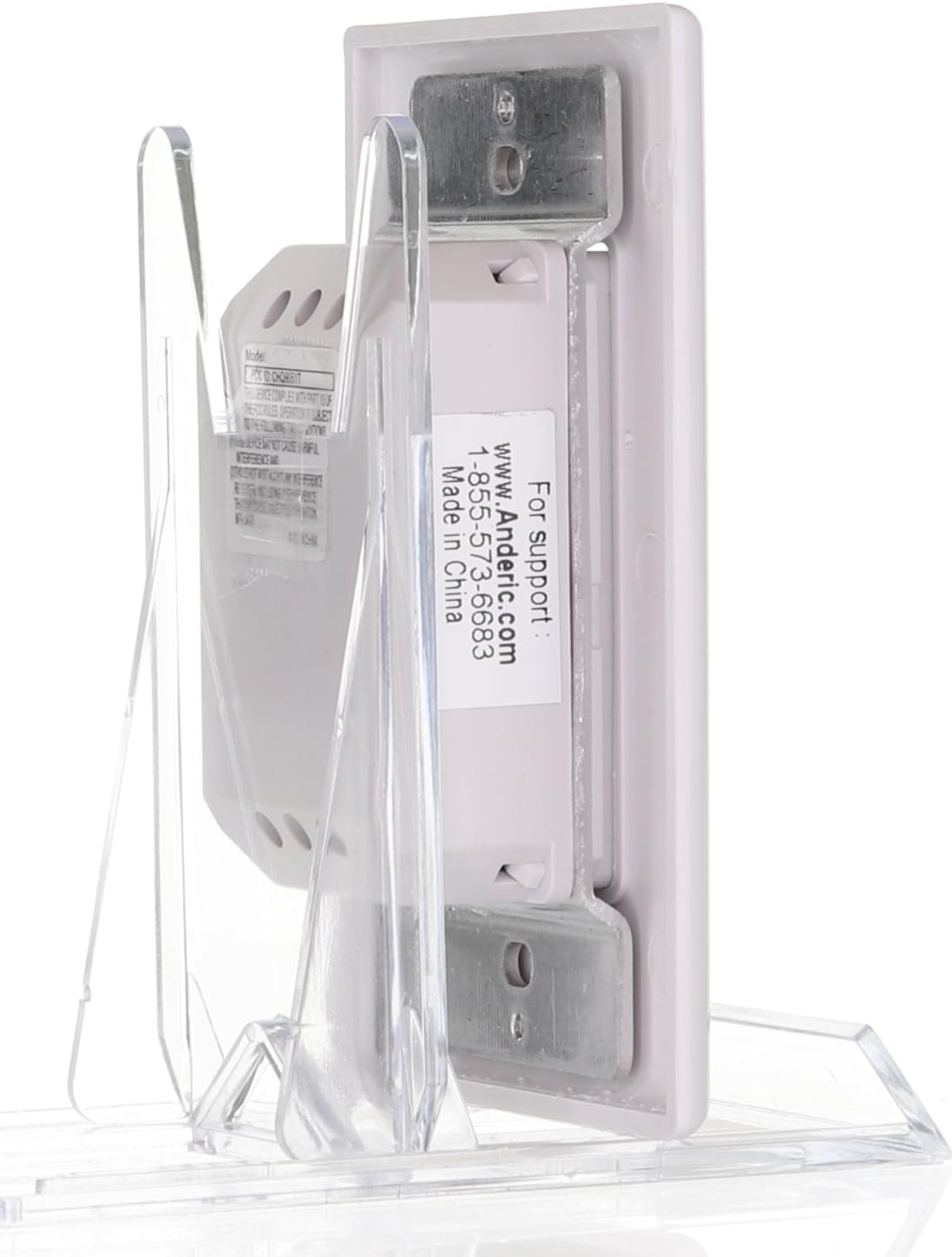
Сүрөт: Артка view of the Anderic CHQ9051T wall control, illustrating the battery compartment and the location of the dip switches for frequency matching.
4.3. Дубалга монтаждоо
- Choose a suitable location on your wall for the mount bracket.
- Use the provided screws to secure the wall mount bracket to the wall.
- Slide the Anderic CHQ9051T wall control into the mounted bracket.
5. Иштөө нускамалары
The Anderic CHQ9051T wall control provides comprehensive control over your ceiling fan and its lighting. Refer to the image below for button identification.

Сүрөт: алдыңкы view of the Anderic CHQ9051T wall control, displaying the fan speed, light, and reverse function buttons.
| баскыч | Функция |
|---|---|
| HI | Желдеткичтин ылдамдыгын Жогорку абалга коёт. |
| MED | Желдеткичтин ылдамдыгын Орточо кылып коёт. |
| АЗ | Желдеткичтин ылдамдыгын Төмөн деп коёт. |
| ФАН ӨЧҮК | Turns the ceiling fan off. |
| ЖАРЫК | Turns the fan light on/off. Press and hold to dim or brighten the light (requires incandescent bulbs for proper dimming). |
| REV | Reverses the direction of the fan blades. This function is typically used to change airflow for seasonal comfort (downward airflow for cooling, upward for heat circulation). |
The wall control operates both downlights and uplights if your fan is equipped with them.
6. Техникалык тейлөө
6.1. Батареяны алмаштыруу
If the wall control's range decreases or it becomes unresponsive, the battery may need replacement. Follow the steps in Section 4.1 to replace the 12V A23 battery.
6.2. Тазалоо
Wipe the surface of the wall control with a soft, dry cloth. Do not use abrasive cleaners or solvents, as these can damage the finish or internal components.
7. Кыйынчылыктарды
| Көйгөй | Мүмкүн себеп | Чечим |
|---|---|---|
| Fan or light does not respond to wall control. |
|
|
| Lights do not dim properly. | Non-incandescent bulbs are installed. | Replace bulbs with incandescent types for proper dimming functionality. |
| Fan operates intermittently. | Weak battery or interference. | Replace battery. Check for sources of radio frequency interference near the fan or wall control. |
8. Техникалык шарттар
- Модель аты: CHQ9051T
- Бренд: Андерик
- Башкаруу ыкмасы: Алыскы (Зымсыз)
- Кубаттын деңгээли: 3 (Желдеткичтин ылдамдыгы)
- Кубат булагы: Battery Powered (1x 12V A23 battery, not included)
- Жыштыгы: 303.875 MHz (compatible with CHQ8BT9051T)
- Продукциянын өлчөмдөрү: 3"D x 1.5"W x 4.5"H
- Элемент Салмагы: 2.88 унция
- Орнотуу түрү: Дубалга орнотуу
- Ички/тышкы колдонуу: Indoor
- Шайкеш алуучулар: UC7058GM, UC7058RY, UC7067FMRX (receiver not included)
9. Кепилдик маалыматы
Warranty information for the Anderic CHQ9051T wall control is typically provided with the product packaging or can be obtained directly from the manufacturer. Please retain your proof of purchase for warranty claims.
10. Колдоо
For technical assistance or further inquiries regarding your Anderic CHQ9051T wall control, please contact Anderic support:
- Webсайт: www.Anderic.com
- Телефон: 1-855-573-6683
Өндүрүүчү: Dan's Electronics Etc., Inc.


