Introduction
Thank you for choosing the SUNOL GM20 True Wireless Earbuds. This manual provides detailed instructions on how to set up, operate, and maintain your earbuds to ensure optimal performance and longevity. Please read this manual thoroughly before using the product.
Продукт бүттүview

Image: The GM20 True Wireless Earbuds in orange, shown with their matching charging case. The charging case features an LED display indicating battery percentage.
The GM20 True Wireless Earbuds are designed for a superior audio experience with advanced features:
- Bluetooth 5.3 технологиясы: Ensures faster pairing, more stable connection, and lower power consumption with an effective range of up to 10 meters.
- Интегралдык микрофон: High-quality microphone with environmental noise reduction for clear hands-free calls.
- Кеңейтилген ойнотуу: Up to 48 hours of total playback time with the 600mAh charging case, which can recharge the earbuds four times.
- LED дисплей: The charging case features an LED display to show the power levels of both the earbuds and the charging case.
- Суу өткөрбөйт дизайн: IPX8 waterproof nano-coating makes the earbuds suitable for various activities, including sports.
- Ыңгайлуу ылайыктуу: Ergonomic in-ear design with multiple ear tip sizes for prolonged comfortable wear.
Кутуда эмне бар
Upon opening your GM20 True Wireless Earbuds package, you should find the following items:
- GM20 True Wireless Earbuds (Left and Right)
- Заряддоо кутусу
- Заряддоо кабели
- Кулак учтарынын ар кандай өлчөмдөрү
- Колдонуучунун Колдонмосу (бул документ)
Жайгашуу
1. Кулакчындарды жана кутуну кубаттоо
Биринчи колдонуудан мурун, кулакчындар менен кубаттоочу кутучанын толук кубатталганын текшериңиз.
- Place the earbuds into the charging case. Ensure they are correctly seated; the LED display on the case will show charging status.
- Connect the charging cable to the charging port on the case and to a USB power source. The LED display will indicate the charging progress of the case.
- A full charge for the case typically takes a few hours. The earbuds will charge automatically when placed inside the powered case.

Image: The GM20 charging case displaying "100" on its LED screen, indicating a full charge. An earbud is shown next to it, ready for use.
2. Түзмөгүңүз менен жупташтыруу (бир кадамдуу жупташтыруу)
The GM20 earbuds feature automatic pairing for convenience.
- Баштапкы жупташтыруу:
- Кубаттоочу кутучаны ачып, эки кулакчынды тең чыгарыңыз. Алар автоматтык түрдө күйүп, жупташтыруу режимине өтөт.
- Түзмөгүңүздө (смартфон, планшет ж.б.) Bluetooth иштетиңиз.
- Издөө Bluetooth devices and select "GM20 TWS" from the list.
- Туташкандан кийин, сиз ырастоо үнүн угасыз жана кулакчындар колдонууга даяр болот.
- Кайра жупташтыруу: The earbuds will automatically connect to the last paired device when taken out of the charging case.
- If the earbuds do not connect automatically, ensure Bluetooth is enabled on your device and select "GM20 TWS" from your Bluetooth settings.
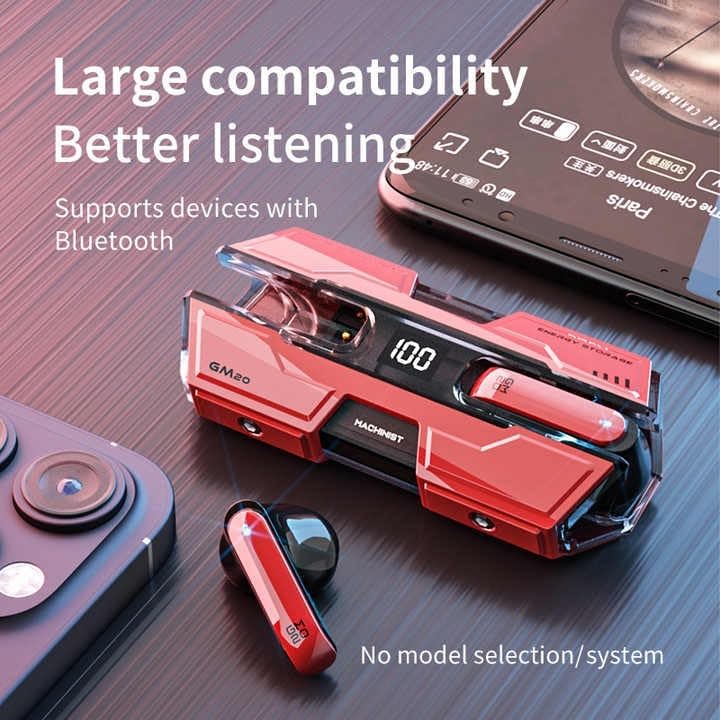
Image: The GM20 earbuds and charging case positioned near a smartphone, emphasizing their broad compatibility with Bluetooth-enabled devices.
Иштөө нускамалары
Кулакчын башкаруу элементтери
The GM20 earbuds feature a multifunction button on each earbud for easy control of audio playback and calls.
| Акция | Функция |
|---|---|
| Single Press (Left/Right Earbud) | Музыка ойнотуу/тындыруу, Чалууга жооп берүү/аяктоо |
| Эки жолу басыңыз (сол кулакчын) | Мурунку ыр |
| Эки жолу басыңыз (оң кулакчын) | Кийинки ыр |
| Узак басуу (2 секунд) | Чалууну четке кагуу, Үн жардамчысын иштетүү |
| Узак басуу (5 секунд) | Күйгүзүү/өчүрүү |
Кулакчын тагынуу
For optimal sound quality and comfort, ensure the earbuds are properly seated in your ears. Experiment with the different sizes of ear tips provided to find the best fit for your ears.

Сүрөт: жарылган view diagram of an earbud, illustrating its internal components such as the 13mm moving coil and composite diaphragm, which contribute to high-resolution sound.
Техникалык тейлөө
Proper maintenance will extend the life of your GM20 earbuds.
- Тазалоо: Кулакчындарды жана заряддоо кутусун жумшак, кургак, түксүз чүпүрөк менен дайыма тазалап туруңуз. Абразивдүү тазалагычтарды же эриткичтерди колдонбоңуз.
- Суу каршылык: The earbuds are IPX8 waterproof, meaning they are protected against prolonged immersion in water. However, the charging case is not waterproof. Avoid exposing the charging case to liquids. Always ensure earbuds are dry before placing them back in the charging case.
- Сактагыч: Колдонулбаганда, кулакчындарды коргоо жана кубаттоо үчүн кубаттоочу кутучага сактаңыз. Салкын, кургак жерде, экстремалдык температурадан алыс сактаңыз.
- Батареяга кам көрүү: Батареянын кубатын сактоо үчүн, кулакчындарды жана кубаттоочу кутучаны тез-тез толук зарядсыздандырбаңыз. Аларды дайыма колдонбосоңуз да, үзгүлтүксүз кубаттап туруңуз.
Проблемаларды чечүү
If you encounter issues with your GM20 earbuds, try the following solutions:
- Кулакчындар жупташкан жок:
- Эки кулакчындын тең кубатталганын текшериңиз.
- Түзмөгүңүздөгү Bluetooth'ду өчүрүп, кайра күйгүзүңүз.
- Forget "GM20 TWS" from your device's Bluetooth settings and attempt to re-pair.
- Place earbuds back in the case, close the lid, wait a few seconds, then open and try again.
- Үн жок же үнү төмөн:
- Түзмөгүңүздөгү жана кулакчындардын үнүнүн деңгээлин текшериңиз.
- Кулакчындар түзмөгүңүзгө туура туташтырылганын текшериңиз.
- Кулакчын динамигинин торундагы калдыктарды тазалаңыз.
- Sound distortion or crackling:
- Кулакчындар түзмөгүңүздүн 10 метрлик Bluetooth диапазонунда экенин текшериңиз.
- Reduce interference by moving away from other wireless devices or strong electromagnetic fields.
- Кулакчындарды кайра жупташып көрүңүз.
- Кулакчындар кубатталбай жатат:
- Заряддоо кабели корпуска да, кубат булагына да бекем туташтырылганын текшериңиз.
- Корпустун кубаттоо порту таза жана таштандылардан таза экенин текшериңиз.
- Башка заряддоо кабелин же кубат адаптерин колдонуп көрүңүз.
Техникалык шарттар
| Өзгөчөлүк | Деталь |
|---|---|
| Модель аты | K8 |
| Bluetooth версиясы | 5.3 |
| Bluetooth диапазону | 10 метр |
| Батареянын иштөө мөөнөтү (наушник) | Approx. 8-10 hours (single charge) |
| Батареянын иштөө мөөнөтү (заряддоо кутусу менен) | 48 саатка чейин |
| Заряддоо корпусунун батареясынын сыйымдуулугу | 600mAh |
| Сууга туруктуулук деңгээли | IPX8 (Кулакчындар гана) |
| Frequency Response | 20 Гц - 20 КГц |
| Импеданс | 32 Ом |
| Башкаруу ыкмасы | Сенсор/баскыч |
| Материал | Акрилонитрил бутадиен стирол (ABS) |
| Элемент Салмагы | 14.4 унция (жалпы пакет) |
Кепилдик жана колдоо
For warranty information and customer support, please refer to the documentation included with your purchase or visit the official SUNOL website. If you experience any issues not covered in this manual, please contact SUNOL customer service for assistance.
Кепилдик дооматтары үчүн сатып алганыңыздын далилин сактап коюңуз.


